Nest App to Google Home: How to Migrate Before January 25
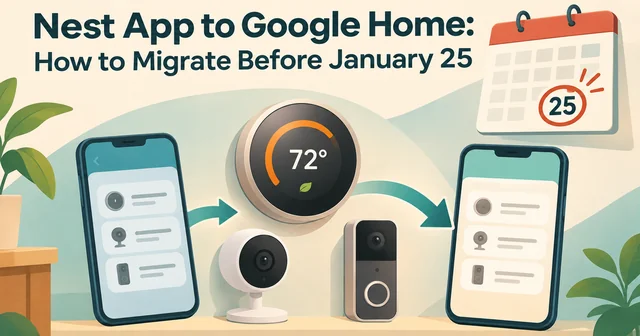
To move from the Nest app to Google Home, install the Google Home app, sign in with a Google Account, and download any saved clips from home.nest.com. Google moves everything else for you: your Nest devices, camera video history, schedules and settings transfer automatically from January 25, 2027, the day the Nest app is retired.
What Happened
Google announced on its Google Home and Nest Community forum, in a post dated 20 November 2026, that it is retiring the Nest app on January 25, 2027. From that day the app will no longer be available on Android, iOS, TV or the web at home.nest.com, and Nest owners will need the Google Home app or home.google.com to control their devices remotely and receive alerts. Engadget reported the change on 23 November and noted that existing settings and schedules carry over automatically.
The same post set a second date: Gemini for Home will fully replace Google Assistant on Google's speakers and smart displays on August 2, 2027. Google's help page for the transition adds a third: March 25, 2027, when it begins processing deletions for Nest accounts that were never linked to a Google Account.
Google also said that every device supported today keeps working. No Nest hardware loses support because of this change. Only the app it is managed from changes.
Why It Matters
For years many Nest owners have needed two apps: the Nest app for older thermostats, cameras and doorbells, and Google Home for newer devices. Google says it has now brought the controls for a decade of Nest products into Google Home, so it can put its engineering and security work into one app. Google Home also connects Nest gear to Google speakers and displays, TV streamers, and thousands of Works with Google Home and Matter devices such as the Aqara G350 Matter camera.
The risk sits with two groups. The first is anyone still signing in with an old Nest password: Google says accounts created before August 19, 2019 that were never moved to a Google Account will lose access, and from March 25, 2027 their data and subscriptions will be deleted. The second is anyone who has saved camera clips to the Nest clip library over the years, because those clips do not move and disappear with the app unless you download them first.
How It Works
Google splits the move into two things you do and everything else it does for you.
Step 1: Install Google Home and sign in with a Google Account
Download the Google Home app from the Play Store or App Store. A Google Account is required. If you started using the Nest app after August 19, 2019, you already have one. To check, open the Nest app's sign-in screen: if Sign in with Google shows your home, you are linked. If you sign in with Nest and a separate password, open the Nest app's settings and complete the one-time Migrate to a Google Account step before January 25, 2027. A Google Workspace account can be linked, but Google says it may not get every feature, so a personal Gmail account is the safer choice.
Step 2: Download your saved clips
Clips you saved by hand to the clip library are the one thing that will not transfer. Go to home.nest.com on a computer before January 25, 2027 and use the one-click Download All button to save them. Your regular event recordings and 24/7 history are different: they move to the Home app and stay viewable until they reach their usual 30-day or 60-day expiry.
Step 3: Let the automatic transfer happen (or start it early)
Once your account is linked, Nest thermostats, Nest Protect (2nd gen) alarms and the Nest x Yale Lock appear in Google Home with no QR codes or re-pairing. Cameras and doorbells move automatically starting January 25, 2027. If a Nest camera in the Home app shows a live stream but no history, timeline or notifications, it has not moved yet.
Owners of older cameras can move them early from each camera's settings in the Home app. Google's conditions: you must own the home in the Nest app, run Google Home version 3.26 or later, have a migrated Google Account, and have either no subscription or Google Home Premium on that camera. The transfer installs a software update and can take up to 25 minutes. Camera settings, Activity Zones, notification settings and schedules move with it, but Presence sensing has to be set up again.
Which devices are supported
- Thermostats: Nest Learning Thermostat (3rd gen, 2015, and 4th gen, 2024), Nest Thermostat E (2017), Nest Thermostat (2020) and Nest Temperature Sensor (1st and 2nd gen).
- Cameras and doorbells: Nest Cam Indoor and Outdoor (1st gen, wired), Nest Cam IQ Indoor and Outdoor, Nest Hello (wired, 1st gen), the Nest Hub Max camera, and all Nest Cams and Doorbells launched in 2021 or later.
- Alarms and locks: Nest Protect (2nd gen, wired and battery) until its printed expiry date, and the Nest x Yale Lock with Nest Connect.
What happens to Nest Aware
Nest Aware (1st gen) has not been sold since July 13, 2023. From January 25, 2027 those plans switch automatically to Google Home Premium Advanced, and Google will email subscribers the details. Google's help page says people paying under $20 a month keep their price for the first year, while those paying more move to a flat $20 a month or $200 a year covering every compatible camera. Anyone on a 30-day 24/7 recording plan drops to 10 days of continuous recording plus 60 days of event history. Nest Aware (1st gen) subscribers cannot move cameras early; they wait for the automatic transfer.
Gemini for Home replaces Assistant
The speaker change is separate and free. In a supported region you can switch now: in the Google Home app, tap your profile icon, open Home Settings and tap Get Started on the Set up Gemini for Home banner, or visit home.google.com/gemini on a computer. Gemini handles natural speech and mid-sentence changes instead of fixed commands, much like the assistants compared in our ChatGPT vs Claude vs Gemini guide.
What's Still Unknown
Google lists twelve Nest app features that Google Home does not currently offer, including email notifications, time-lapses, Zoom and Enhance, Supersight close-up tracking, the Talk and Listen tone setting, safety clips, Google Assistant on cameras, and public or password-protected livestream sharing. It says "currently", but it has not said whether any of them will come back before or after the shutdown.
Google has not said what happens to Nest Aware (1st gen) pricing after the first year for subscribers who pay under $20 a month. Owners of devices outside the supported list, such as first-generation Nest Protect alarms or Nest thermostats older than the 3rd generation, are not covered by Google's device table, and Google's announcement does not address them. Gemini for Home is also not yet available in every country, and Google says it will notify people when it reaches their region.
Frequently Asked Questions
Is the Nest app going away?
Yes. Google says the Nest app on Android, iOS, TV and the web at home.nest.com will no longer be available from January 25, 2027. Your Nest hardware keeps working in your home, but remote control, live video and alerts will only be available in the Google Home app and on home.google.com after that date, so install the Home app before then.
How do I migrate the Nest app to Google Home?
Install the Google Home app and sign in with a Google Account. If your Nest app login still uses a separate Nest password, first run Migrate to a Google Account in the Nest app's settings. Thermostats, Nest Protect alarms and Nest x Yale Locks then appear in the Home app on their own. Cameras and doorbells move automatically from January 25, 2027.
Can I transfer Nest cameras from the Nest app to Google Home early?
Yes, for older cameras if you meet Google's conditions: you own the home in the Nest app, your Home app is version 3.26 or later, your account is a Google Account, and the camera has no subscription or a Google Home Premium plan. Start it in each camera's settings in the Home app. The update can take up to 25 minutes. Nest Aware (1st gen) subscribers must wait for the automatic move.
What happens if I don't switch from the Nest app to Google Home in time?
Your devices keep working in the house, but from January 25, 2027 you cannot view or control them in the Nest app or at home.nest.com. If you never linked your Nest account to a Google Account, Google says it begins deleting those accounts, with their data and subscriptions, on March 25, 2027. You can still download or delete your data before that date.
Nest app vs Google Home: what features will I lose?
Google lists twelve Nest app features that the Home app does not currently have, including saving clips to the Nest clip library, email notifications, time-lapses, Zoom and Enhance, Supersight close-up tracking, public livestream sharing, adjustable microphone sensitivity and changing Wi-Fi without resetting the device. Core controls such as live video, two-way talk, Activity Zones, Familiar Face alerts and thermostat schedules all carry over.
Should I use the Nest app or Google Home for my thermostat?
Use the Google Home app. The Nest Learning Thermostat (3rd and 4th gen), Nest Thermostat E, Nest Thermostat (2020) and Nest Temperature Sensors are all supported there, with remote temperature control, schedules, sensors and Energy History. Thermostats appear in the Home app as soon as your Nest account is linked to a Google Account, and your existing schedules transfer automatically.
What happens to my Nest camera video history?
Event recordings and 24/7 history move to the Google Home app automatically from January 25, 2027 and stay viewable until their normal 30-day or 60-day expiry. Clips you saved by hand to the clip library on home.nest.com do not move. Use the Download All button there before January 25, 2027 to keep them on your computer.
Do I have to pay for Google Home Premium after the Nest app shuts down?
Only if you already pay for Nest Aware (1st gen). Those plans switch to Google Home Premium Advanced from January 25, 2027 with no card re-entry. Google says subscribers paying under $20 a month keep their price for the first year, and anyone paying more moves to $20 a month or $200 a year for all cameras. Using the Home app itself costs nothing.
Related Reading
If you are rethinking your smart display at the same time, our HomeView vs Echo Show 8 comparison sets Apple's new display against Amazon's. For winter-proofing ideas built around connected thermostats and sensors, see how smart homeowners protect their space in winter. And if you are adding another Google device to the Home app, read our Pixel Tag vs AirTag comparison.