Gemini CarPlay App: Requirements, Setup and What It Can Do
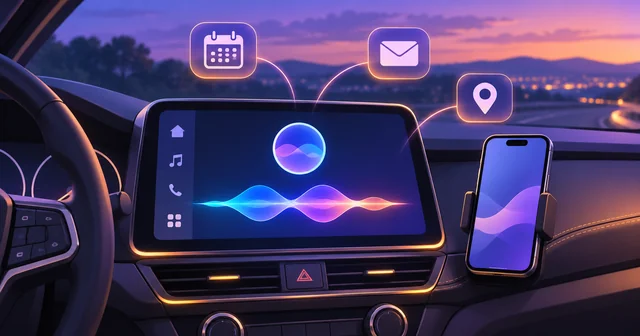
The Gemini CarPlay app is Google's standalone Gemini assistant for Apple CarPlay, rolling out worldwide from November 11, 2026. To use it, update the Gemini app on your iPhone, allow microphone access, try Gemini Live once on the phone, then tap the Gemini icon on your car's CarPlay screen. It holds spoken conversations but does not control the car.
What Happened
On November 11, 2026, Google product manager Karan Daryanani announced in a post on the Google blog that Gemini Live is now available on Apple CarPlay. Google says the rollout starts that day, reaches all Gemini users on iOS, and covers every language Gemini Live already supports. The post does not list the languages or name any excluded countries.
The move follows the earlier arrival of Gemini on Android Auto and in cars with Google built-in. As 9to5Google noted, the Android Auto version began rolling out in November 2025, so iPhone owners have waited roughly a year for an equivalent. Gemini was already reachable on CarPlay inside Google Maps, as MacRumors and Engadget both pointed out, but the new release gives it its own app icon and its own full-screen conversation view.
Google listed three requirements: the latest version of the Gemini app on the iPhone, microphone permission turned on, and at least one use of Gemini Live on the phone before trying it in the car. Google did not mention a fee, and the announcement describes the feature as available to all Gemini users on iOS rather than to paid subscribers only.
Why It Matters
For most of CarPlay's history, Siri was the only assistant you could talk to through the car's microphone. That changed with iOS 26.4, when Apple created a new CarPlay category for voice-based conversational apps. MacRumors reported in February that developers need a specific entitlement from Apple for this category, and that apps in it must show a dedicated voice control screen while they are listening or speaking.
ChatGPT, Claude, Grok, Microsoft Copilot and Perplexity took up that category earlier in 2026. Gemini is arriving late, but it brings something the others lack for many people: direct access to Gmail and Google Calendar. If your work email and schedule already live in Google's apps, Gemini can read you a summary of the morning's unread messages, tell you when to leave for your next meeting, and take a dictated reply, all without you touching the phone.
It also matters for what it is not. Gemini on CarPlay does not replace Siri. Apple keeps the system assistant role for itself, so pressing the steering-wheel voice button or saying "Siri" still reaches Apple's assistant. Gemini is an app you open, not a new default, and that shapes how useful it will be on a short drive.
How It Works
Starting a conversation
Once your iPhone is connected to CarPlay, by cable or wirelessly, the Gemini icon appears on the CarPlay home screen and can also sit in the dashboard's side rail. Tap it, and Gemini opens a simple screen with a moving waveform that shows whether it is listening, thinking or answering. An End button and a Mute button sit in the top-left corner. You can resume a recent chat or start a fresh one.
From there it behaves like Gemini Live on the phone. You speak in full sentences, Gemini answers aloud, and you can cut in mid-answer to add a detail, change the subject, or ask it to pause while you take an exit. Google says the design aims to keep distraction to a minimum, which in practice means the screen shows status, not long blocks of text.
What it can do
Google's announcement groups the uses into four areas:
- Calendar: what is on today, when to leave for an appointment, or a quick prep for a meeting.
- Gmail: a daily brief, unread messages, summaries of long threads, and spoken replies.
- Local places: somewhere to eat near where you are heading, or background on a landmark you are passing.
- Thinking out loud: rehearsing a presentation, preparing for a hard conversation, or getting a plain explanation of a complicated topic.
Conversations sync automatically with the Gemini app on the iPhone, so a chat you start in the car turns up in your history when you park, and the reverse.
Apple's rules for CarPlay voice apps
Every assistant in this CarPlay category works within the same limits Apple set in iOS 26.4. There is no wake word: you cannot say "Hey Gemini" from across the cabin, and you must open the app on the screen first. The apps cannot control the car's functions, such as climate or windows, and cannot control iPhone system functions either. They also have to use Apple's voice control screen rather than their own interface. That is why Gemini on CarPlay looks so plain next to the Android Auto version, which runs inside Google's own car software.
Gemini CarPlay versus Gemini in Google Maps
The two are easy to confuse. Gemini inside Google Maps on CarPlay is tied to navigation, so it answers questions about the route, places along the way and your trip. The standalone Gemini CarPlay app is the general assistant, with your Gmail, Calendar and chat history behind it. If you mainly want to ask about stops and traffic, the Maps version may be enough. If you want your inbox read to you, you need the app.
If the icon does not appear
Because the release is rolling out in stages, the icon may not show up straight away. Check the three requirements first: update Gemini from the App Store, confirm microphone access in the iPhone's Settings under Gemini, and open Gemini Live on the phone once. On the iPhone you can also go to Settings, then General, then CarPlay, choose your car, and use Customize to make sure Gemini has not been moved to a later page or hidden. Since the voice app category arrived with iOS 26.4, an iPhone running an older version is unlikely to show it.
What's Still Unknown
Several details are missing from Google's post. It does not say which iPhone models or which minimum iOS version Gemini on CarPlay supports, beyond the latest Gemini app. It does not list the languages included or say whether Gemini on CarPlay can take actions in apps other than Gmail and Calendar.
Engadget noted that Google recently added Personal Intelligence, which draws on details from your other Google apps, to Gemini on Android Auto, and plans the same for cars with Google built-in. Nobody has said whether that feature will reach CarPlay. Some personal features also have regional limits: Google says the Daily Brief must be turned on first and is not available to users under 18, in the European Economic Area or in Nigeria, so drivers there will get a narrower version.
Finally, it is not clear whether Apple will ever loosen the no-wake-word rule. Until it does, every third-party assistant on CarPlay, Gemini included, starts with a tap on the screen.
Frequently Asked Questions
How do I get the Gemini CarPlay app?
There is nothing separate to download for the car. Update the Gemini app on your iPhone from the App Store, turn on microphone access for it, and use Gemini Live on the phone at least once. Then connect the iPhone to CarPlay and look for the Gemini icon on the home screen or side rail. Google is rolling it out gradually from November 11, 2026, so it may take a few days to appear.
Does Gemini CarPlay support work in every car?
It should work in any car that supports Apple CarPlay, wired or wireless, because the app runs on your iPhone and only uses the car's screen, microphone and speakers. Google says the rollout is global for all iOS users in every Gemini Live language. What it cannot do is control the car itself, so climate, windows and other vehicle settings remain out of reach.
Which iOS version does Gemini CarPlay need?
Google only says you need the latest version of the Gemini app. The CarPlay category that conversational apps use, though, was introduced by Apple in iOS 26.4, so your iPhone needs to be on iOS 26.4 or later for any voice chatbot app to appear on the car screen. If you are on an earlier release, update iOS before troubleshooting anything else.
Is the Gemini CarPlay app free?
Google's announcement mentions no fee and says the feature is rolling out to all Gemini users on iOS, not only to paying subscribers. The usual Gemini limits still apply, so features that depend on a Google AI plan behave the same way in the car as on the phone. Some personal features, including the Daily Brief, are unavailable to users under 18, in the EEA and in Nigeria.
Can I use Gemini with Google Maps on CarPlay?
Yes. Gemini was already available inside Google Maps on CarPlay before this launch, where it answers questions tied to your route and nearby places. The new standalone app is separate and acts as a general assistant with access to Gmail, Google Calendar and your Gemini chat history. You can use both, switching between them from the CarPlay home screen.
Can I say "Hey Gemini" on CarPlay?
No. Apple does not allow third-party conversational apps on CarPlay to use a wake word, so you have to tap the Gemini icon to start talking. Once a conversation is open, you can speak freely, interrupt answers and change topics without touching the screen again. Siri keeps the steering-wheel voice button and the "Siri" wake phrase.
Is there a Gemini CarPlay widget?
Google's announcement describes an app icon you can place on the CarPlay home screen or in the dashboard's side rail, not a separate widget. For the quickest access, move Gemini to the first page or the rail through the iPhone's CarPlay settings, under Customize for your car. That keeps it one tap away while driving.
Why isn't Gemini showing up on my CarPlay screen?
The most common causes are an outdated Gemini app, missing microphone permission, or never having opened Gemini Live on the phone, which Google lists as a requirement. Check that iOS is on 26.4 or later and look on later CarPlay pages, since new apps can land at the end. If everything is in place, the staged rollout may not have reached your account yet.
Related Reading
CarPlay's opening to chatbots has been building all year. Our earlier look at how AI chatbots are coming to Apple CarPlay explains why Apple changed its stance, and our report on ChatGPT, Google Meet and Audiomack arriving on CarPlay covers the first apps to use the new category. For the Android side, see how Google Gemini reached millions of vehicles through carmaker partnerships. And if you are weighing Gemini against Apple's own assistant, our explainer on what apps can now do with Siri AI shows where Siri is heading.