Best Picasa Alternatives You Must Try in 2026
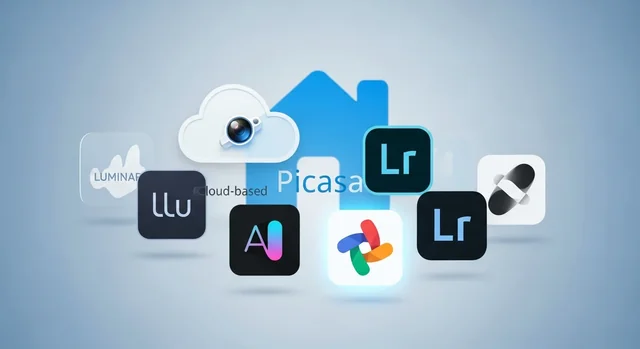
Google Picasa was a beloved photo management and editing tool that left a significant void when it was discontinued. While Google Photos stepped in as the official successor, many users found it lacking the intuitive organization and local storage capabilities that made Picasa special. In 2026, the landscape of photo management software has evolved dramatically, offering powerful alternatives that combine advanced AI features, cloud integration, and professional-grade editing tools.
Whether you're a professional photographer, hobbyist, or casual user looking to organize thousands of family photos, finding the right Picasa alternative depends on your specific needs. Some users prioritize local storage and privacy, while others prefer cloud-based solutions with AI-powered organization. This comprehensive guide explores the best Picasa alternatives available in 2026, covering both free and premium options to help you make an informed decision.
Top 10 Best Picasa Alternatives in 2026
1. Google Photos (Best Overall Cloud Solution)
Google Photos remains the most popular Picasa successor, serving over 1 billion users worldwide. The platform has significantly improved since Picasa's discontinuation, incorporating advanced AI features and seamless integration across devices. Google Photos excels at automatic organization, using machine learning to categorize photos by people, places, and objects without manual tagging.
For more details, check out our guide on How Compressing Images Improves Website Speed & SEO: Tools, Tips, and Best Practices.
Key features include unlimited high-quality storage for Google One subscribers, automatic backup from mobile devices, and powerful search capabilities. The AI can recognize specific objects, animals, and even text within images. The sharing features are particularly robust, allowing easy creation of shared albums and collaborative photo collections.
Pricing: Free tier includes 15GB shared across Google services. Google One plans start at $1.99/month for 100GB, $2.99/month for 200GB, and $9.99/month for 2TB.
2. Zoner Photo Studio (EISA Award Winner 2026-2026)
Zoner Photo Studio has earned the prestigious EISA Award for Best Photo Software 2026-2026, recognizing its exceptional balance of professional features and user-friendly design. This comprehensive solution combines powerful RAW processing, advanced editing tools, and efficient photo management in a single package.
The software stands out with its AI-powered automatic tagging system and facial recognition capabilities. The latest version includes enhanced noise reduction algorithms, improved HDR processing, and support for the newest camera RAW formats. The catalog system rivals professional alternatives while remaining accessible to amateur photographers.
Zoner's unique strength lies in its local storage approach combined with optional cloud sync, giving users complete control over their photo libraries. The built-in map module helps organize photos geographically, while the calendar view provides chronological browsing.
Pricing: Zoner Photo Studio X costs $59/year or $89 for a lifetime license. A free version with limited features is available.
3. ACDSee Photo Studio Home (Best for Windows Users)
ACDSee Photo Studio Home 2026 has evolved into one of the most comprehensive photo management solutions for Windows users. The software combines lightning-fast browsing, powerful organizational tools, and professional-grade editing capabilities. ACDSee's strength lies in its exceptional performance when handling large photo libraries, making it ideal for users with thousands of images.
The latest version includes AI-powered keyword suggestions, improved facial recognition, and enhanced batch processing capabilities. The non-destructive editing engine supports RAW files from over 700 camera models. The software also features advanced duplicate detection and comprehensive metadata editing tools.
ACDSee's unique database system allows for complex searches and filtering options that surpass most competitors. The software maintains fast performance even with libraries containing hundreds of thousands of images.
Pricing: ACDSee Photo Studio Home 2026 costs $149.99 for a perpetual license, with frequent promotional discounts available.
4. digiKam (Best Free Open-Source Alternative)
digiKam stands as the premier free, open-source alternative to Picasa, offering professional-level features without any cost. This cross-platform application runs on Windows, macOS, and Linux, making it accessible to users across all operating systems. digiKam excels in metadata management and advanced search capabilities, allowing users to organize photos using tags, ratings, labels, and custom categories.
The software includes a comprehensive set of editing tools, RAW processing capabilities, and support for over 1,000 camera models. The face detection and recognition features rival commercial alternatives, while the geotagging capabilities help organize photos by location. digiKam also offers powerful batch processing tools and extensive plugin support.
Recent updates have improved the user interface and added better integration with online services. The software's database approach ensures fast browsing and searching, even with large photo collections.
Pricing: Completely free and open-source.
5. Apple Photos (Best for Mac and iOS Users)
Apple Photos has matured significantly since its introduction, becoming a powerful photo management solution for users within the Apple ecosystem. The tight integration between macOS, iOS, and iPadOS creates a seamless experience across devices. Apple's machine learning capabilities provide excellent automatic organization through the "For You" tab and intelligent album creation.
The software's strength lies in its simplicity and automatic features. Photos are automatically organized by date, location, and people, with minimal user intervention required. The editing tools, while not professional-grade, are sufficient for most casual users and have been enhanced with new filters and adjustment options in 2026.
iCloud Photos integration ensures photos are accessible across all Apple devices, with optimized storage options to save local space. The shared albums feature facilitates easy collaboration with family and friends.
Pricing: Free with macOS and iOS. iCloud storage plans start at $0.99/month for 50GB, $2.99/month for 200GB, and $9.99/month for 2TB.
You might also be interested in Best Free Tools to Reduce Image Size (Your Tool #1 Guide).
6. Luminar Neo (Best AI-Powered Features)
Luminar Neo has revolutionized photo editing with its cutting-edge AI technology, making it one of the most innovative Picasa alternatives available in 2026. While primarily known as a photo editor, Luminar Neo's catalog system and AI-powered organization tools make it an excellent photo management solution for creative users.
The AI features include sky replacement, portrait enhancement, automatic masking, and intelligent noise reduction. The software can automatically enhance photos with a single click while maintaining natural-looking results. The catalog system uses AI to suggest tags and organize photos based on content analysis.
Luminar Neo works as both a standalone application and a plugin for Adobe Photoshop and Lightroom. The 2026 version includes improved performance, better RAW processing, and new AI tools for landscape and portrait photography.
Pricing: Luminar Neo costs $199 for a lifetime license or $9.95/month for a subscription. Extensions and add-ons are available for additional fees.
7. Adobe Lightroom CC (Best Professional Cloud Solution)
Adobe Lightroom CC represents the cloud-first approach to professional photo management and editing. Unlike the classic Lightroom, Lightroom CC focuses on simplicity and accessibility across devices while maintaining professional-grade capabilities. The software automatically syncs photos across desktop, mobile, and web platforms.
The AI-powered search functionality allows users to find photos using natural language queries like "beach sunset" or "red car." The automatic tagging system continues to improve, reducing manual organization work. The editing tools are comprehensive yet approachable, with preset options and one-click enhancements.
Lightroom CC includes 1TB of cloud storage, making it suitable for professional photographers who need reliable backup and accessibility. The sharing features allow for easy client galleries and portfolio creation.
Pricing: Adobe Lightroom CC costs $9.99/month and includes 1TB of cloud storage. Photography plan with Photoshop is $20.99/month.
8. darktable (Best Free Professional Alternative)
darktable is a powerful, free alternative designed for serious photographers who work primarily with RAW files. This open-source application offers professional-grade RAW processing capabilities that rival expensive commercial solutions. While the learning curve is steep, the results achievable with darktable are exceptional.
The software's non-destructive editing approach preserves original files while allowing complex adjustments. The module system provides granular control over every aspect of image processing. darktable's color management system is particularly robust, supporting wide color gamuts and professional printing workflows.
The lighttable view provides efficient photo management with tagging, rating, and filtering capabilities. While not as intuitive as some alternatives, darktable offers unmatched flexibility for advanced users.
Related: 11 AI Tools to Remove Background from Images (2026).
Pricing: Completely free and open-source.
9. IrfanView (Best Lightweight Solution)
IrfanView remains one of the fastest and most efficient image viewers and basic editors available in 2026. While not as feature-rich as other alternatives, IrfanView excels in speed and simplicity, making it perfect for users who need quick photo browsing and basic editing capabilities.
The software supports an extensive range of file formats and includes useful features like batch conversion, slideshow creation, and basic color adjustments. The thumbnail view provides quick browsing of large photo collections, while the EXIF data display helps with photo organization.
IrfanView's minimal system requirements make it ideal for older computers or users who prefer lightweight software. The plugin system extends functionality while maintaining the core application's efficiency.
Pricing: Free for non-commercial use. Commercial license costs $12.
10. Ente Photos (Best Privacy-Focused Alternative)
Ente Photos has gained significant attention in 2026 as a privacy-focused, end-to-end encrypted photo storage solution. This open-source alternative addresses growing concerns about data privacy while providing modern photo management features.
All photos are encrypted before leaving your device, ensuring that even Ente cannot access your images. The automatic backup features work across platforms, while the sharing capabilities maintain encryption throughout the process. The AI features for face recognition and object detection run locally on your device, preserving privacy.
Ente Photos offers collaborative albums, automatic organization, and search capabilities without compromising user privacy. The interface is clean and intuitive, making it accessible to users of all technical levels.
Pricing: Free tier includes 5GB storage. Paid plans start at $2/month for 100GB, with larger storage options available.
Comparison Table: Free vs Paid Picasa Alternatives
| Software | Price | Cloud Storage | AI Features | RAW Support | Platform | Best For |
|---|---|---|---|---|---|---|
| Google Photos | Free/Paid | 15GB Free | Excellent | Limited | All | Casual users |
| Zoner Photo Studio | $59/year | Optional | Good | Excellent | Windows/Mac | Enthusiasts |
| ACDSee Photo Studio | $149.99 | No | Good | Excellent | Windows | Windows users |
| digiKam | Free | No | Basic | Good | All | Open-source fans |
| Apple Photos | Free | 5GB Free | Good | Basic | Apple only | Apple users |
| Luminar Neo | $199 | No | Excellent | Excellent | Windows/Mac | Creative editing |
| Adobe Lightroom CC | $9.99/month | 1TB Included | Excellent | Excellent | All | Professionals |
| darktable | Free | No | No | Excellent | All | Advanced users |
| IrfanView | Free | No | No | Basic | Windows | Basic viewing |
| Ente Photos | $2/month | 100GB Paid | Local only | No | All | Privacy-conscious |
Cloud vs Local Storage: Making the Right Choice
One of the most important decisions when choosing a Picasa alternative is whether to prioritize cloud-based or local storage solutions. Each approach has distinct advantages and considerations that can significantly impact your photo management experience.
Related: How Google Photos’ New AI Tools Change the Future of Personal Photography.
Cloud Storage Benefits
Cloud-based solutions like Google Photos and Adobe Lightroom CC offer automatic backup, cross-device synchronization, and AI-powered features that require server-side processing. These services excel at protecting your photos from hardware failures and making them accessible from anywhere. The collaborative features and easy sharing capabilities make cloud solutions ideal for families and professional photographers who need to share work with clients.
Local Storage Advantages
Local storage solutions like digiKam and ACDSee Photo Studio provide complete control over your photo library, ensuring privacy and eliminating ongoing subscription costs. These applications typically offer faster browsing speeds for large libraries and don't require internet connectivity. For users with extensive photo collections or privacy concerns, local storage remains the preferred choice.
Buying Guide: How to Choose the Best Picasa Alternative
Consider Your Photo Volume
The size of your photo library significantly impacts which alternative will work best. Casual users with a few thousand photos can benefit from simple solutions like Google Photos or Apple Photos. Professional photographers or enthusiasts with tens of thousands of images need robust solutions like ACDSee Photo Studio or Adobe Lightroom CC that can handle large libraries efficiently.
Evaluate Your Editing Needs
Determine whether you need basic adjustments or professional-grade editing capabilities. Google Photos and Apple Photos provide sufficient editing tools for casual users, while Luminar Neo and Adobe Lightroom CC offer advanced features for serious photography work. Consider whether you prefer automatic AI enhancements or manual control over adjustments.
Platform Compatibility
Ensure your chosen alternative works across all your devices and operating systems. Apple Photos is limited to Apple devices, while ACDSee Photo Studio primarily targets Windows users. Cross-platform solutions like Google Photos and Adobe Lightroom CC provide the most flexibility for users with mixed device ecosystems.
Budget Considerations
Factor in both upfront costs and ongoing expenses. Free solutions like digiKam and Google Photos (with limited storage) provide excellent value, while premium options like Adobe Lightroom CC require monthly subscriptions. Consider the total cost of ownership over several years when making your decision.
Frequently Asked Questions
What happened to Google Picasa and why was it discontinued?
Google discontinued Picasa in 2016 to focus resources on Google Photos, their cloud-based photo service. While Google Photos inherited some of Picasa's features, many users found it lacking in local storage options and advanced organization capabilities that made Picasa popular.
Can I still download and use Google Picasa in 2026?
While Picasa software downloads may still be available from third-party sources, Google no longer supports or updates the application. Using outdated software poses security risks and compatibility issues with modern operating systems and camera RAW formats.
Which Picasa alternative works best offline?
digiKam, ACDSee Photo Studio, and darktable are excellent offline alternatives that don't require internet connectivity for core functionality. These applications store all data locally and provide comprehensive photo management without cloud dependencies.
Are there any completely free alternatives that match Picasa's features?
digiKam is the closest free alternative to Picasa, offering comprehensive photo management, tagging, face recognition, and basic editing tools. Google Photos also provides many similar features for free, though with limited storage and cloud-based operation.
Which alternative is best for organizing large photo collections?
ACDSee Photo Studio and Adobe Lightroom CC excel at handling large photo libraries with tens of thousands of images. Both applications provide fast browsing, advanced search capabilities, and efficient database systems that maintain performance with extensive collections.
Can I import my existing Picasa organization and tags?
Most modern photo management applications can import EXIF data and basic metadata from Picasa-organized libraries. However, proprietary features like Picasa's face tags and albums may require manual recreation in your chosen alternative.
Which alternative offers the best privacy protection?
Ente Photos provides end-to-end encryption and privacy-focused features, while local storage solutions like digiKam and ACDSee Photo Studio keep all data on your devices. These options are ideal for users concerned about cloud-based data storage and privacy.
What's the best alternative for professional photographers?
Adobe Lightroom CC and Luminar Neo are top choices for professional photographers, offering advanced RAW processing, comprehensive editing tools, and efficient workflow management. Zoner Photo Studio, as the EISA award winner, also provides professional-grade features at a lower cost.
Can these alternatives automatically organize photos like Picasa did?
Yes, modern alternatives often exceed Picasa's organization capabilities. Google Photos, Adobe Lightroom CC, and Luminar Neo use AI to automatically tag photos, recognize faces, and organize images by content, location, and date with minimal user input.
Which alternative is most similar to Picasa's user interface?
Google Photos provides the most familiar experience for former Picasa users, as it's the official successor. However, digiKam and ACDSee Photo Studio offer similar local library management approaches with intuitive interfaces that Picasa users will find comfortable.
Conclusion and Recommendations
The photo management landscape in 2026 offers diverse solutions that surpass the original capabilities of Google Picasa. For most users, Google Photos remains the logical successor, providing seamless integration, AI-powered organization, and cross-platform accessibility. However, the best choice depends on your specific needs, privacy preferences, and budget considerations.
Professional photographers and serious enthusiasts should consider Adobe Lightroom CC or the EISA award-winning Zoner Photo Studio for their comprehensive features and robust performance. Privacy-conscious users will find Ente Photos or local storage solutions like digiKam more appealing. Budget-conscious users can achieve excellent results with free alternatives like digiKam or the basic tiers of cloud-based services.
Related: How to Reduce Image Size on Mobile (Android & iPhone) – Best Free Tools to Compress Images Online.
The key is to evaluate your photo management workflow, storage preferences, and editing requirements before making a decision. Many of these alternatives offer free trials or basic versions, allowing you to test their suitability for your specific needs. As the photo management software continues to evolve with AI advancements and cloud integration, these alternatives provide modern solutions that honor Picasa's legacy while addressing contemporary photography needs.
Related Guides
For more photo tools, see our guides to the best photo editing software, portrait editors, and photo collage makers.
Frequently Asked Questions
What replaced Picasa?
Google retired Picasa and pointed users to Google Photos for storage and sharing. For desktop organizing and editing, alternatives like digiKam, Adobe Lightroom, and ACDSee fill the gap.
What is the best free Picasa alternative in 2026?
digiKam is the best free, open-source option for organizing and editing large photo libraries, while Google Photos is best for cloud storage and sharing.
Can I still download Picasa?
Picasa is discontinued and no longer supported or safe to use. Switch to a maintained alternative instead.