The 10 Best Photo Collage Makers in 2026 (Web, iOS & Android)
Photo collage tools have come a long way since the drag-and-drop grid makers of the early 2010s. In 2026 the best apps build your layout with AI, auto-size collages for Instagram, TikTok and print, and let you finish on the web or on your phone. Below are ten collage makers worth your time, sorted so you can quickly find the right fit whether you want free social posts or framed wall prints.
Key takeaways:
- Canva is the best all-round collage maker in 2026, combining a massive template library with AI auto-layout across web and mobile.
- For dedicated, no-frills collage building, BeFunky (web) and PicCollage (mobile) deliver the fastest path from photos to a finished grid.
- AI is the defining 2026 upgrade, with Fotor, Adobe Express and Picsart auto-arranging photos, removing backgrounds and enhancing exposure automatically.
- Google Photos is the easiest genuinely free, watermark-free option if your pictures already live in your Google library.
- If you want a physical collage, use a print service like Shutterfly or Snapfish rather than a social-first app, and start from high-resolution photos.
The Best Photo Collage Makers of 2026 at a Glance
- Canva — Web, iOS, Android · freemium · best all-rounder for social and design
- Adobe Express — Web, iOS, Android · freemium · best for pro-looking results with AI
- Fotor — Web, iOS, Android · freemium · best AI-assisted online collage maker
- BeFunky — Web, iOS, Android · freemium · best dedicated collage maker
- Picsart — Web, iOS, Android · freemium · best for creative, edgy collages
- PicCollage — iOS, Android · freemium · best fast mobile collage app
- Photo Grid (PhotoGrid) — Web, iOS, Android · freemium · best template-heavy collage app
- Google Photos — Web, iOS, Android · free · best free collage for your own library
- Kapwing — Web · freemium · best for photo and video collages
- Shutterfly — Web, iOS, Android · paid (prints) · best for printed collage gifts
The Picks, Reviewed
1. Canva
Web, iOS, Android · freemium · best all-rounder for social and design
Canva is the most popular all-in-one design platform and its collage maker plugs straight into a library of 100,000+ templates, real typography and brand kits. It is ideal for anyone who wants a collage that doubles as a polished social post, flyer or story rather than just a grid of photos. In 2026 its Magic Studio AI can auto-arrange uploads into a balanced layout, swap backgrounds and resize a finished collage to any platform in one click. The free tier covers most casual needs, with Canva Pro unlocking premium templates and background removal.
2. Adobe Express
Web, iOS, Android · freemium · best for pro-looking results with AI
Adobe Express is Adobe's free, browser-first design app and a serious Canva rival for collages. It suits people who want a professional aesthetic without learning Photoshop, offering grid layouts, adjustable spacing, filters and thousands of templates. Its 2026 standout is Firefly generative AI: generative fill can naturally extend a background when a photo does not fit the frame, so collages never look awkwardly cropped. The free plan includes templates, effects, animation and 2GB of storage.
3. Fotor
Web, iOS, Android · freemium · best AI-assisted online collage maker
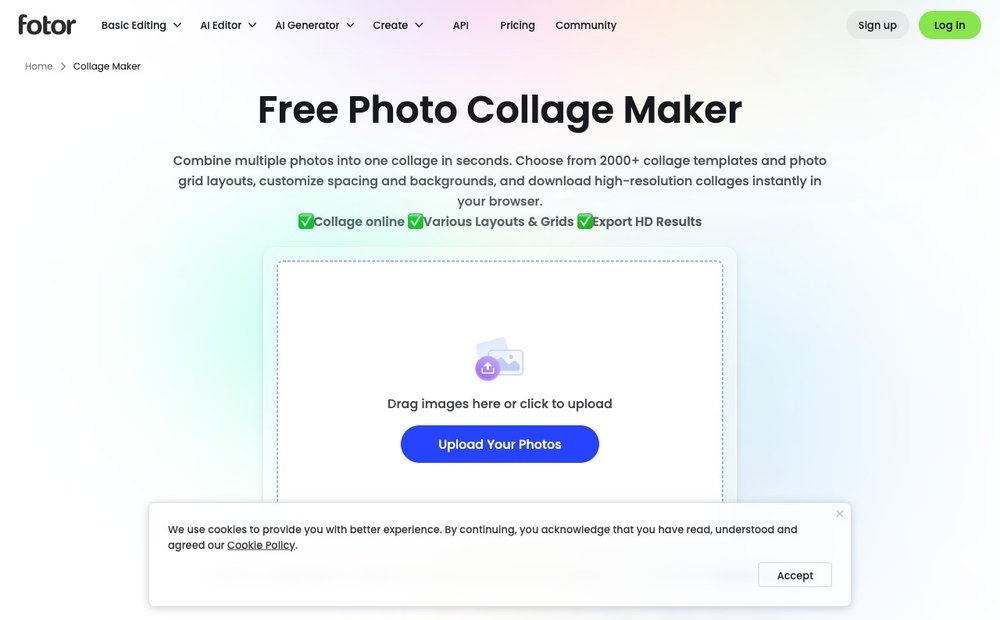
Fotor is an online photo editor whose collage maker offers 2,000+ templates plus classic grids, freestyle, stitching and funky layouts. It is a great pick for users who want quick, good-looking results without a steep learning curve, all running in the browser with no download. Fotor leans hard into AI in 2026, with one-tap enhancement that balances exposure and color across every photo in the collage and built-in background removal. High-resolution downloads are available, with a watermark-free Pro tier for heavier use.
4. BeFunky
Web, iOS, Android · freemium · best dedicated collage maker
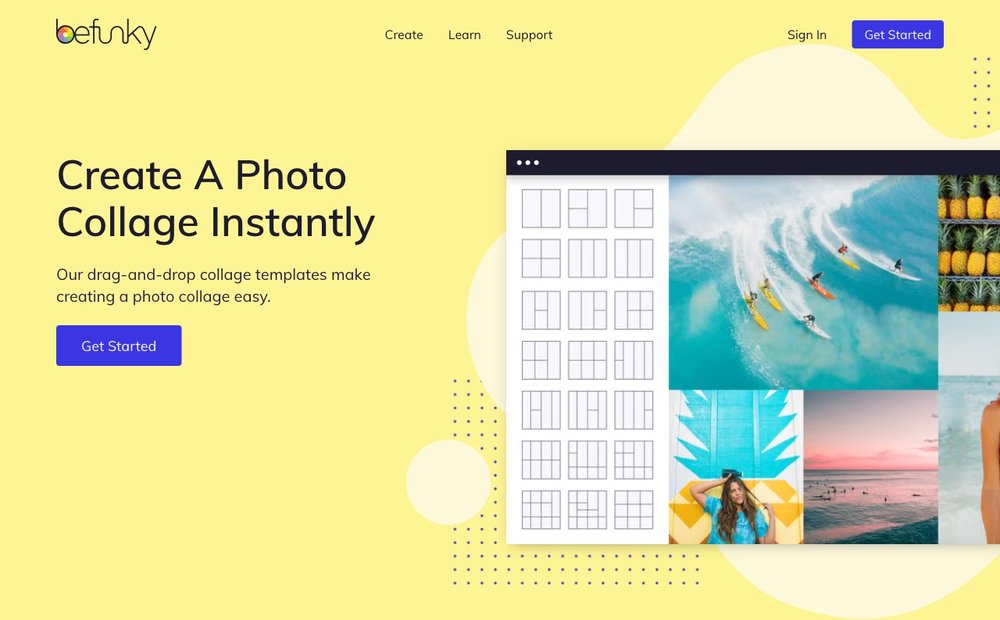
BeFunky has arguably the most versatile and feature-rich dedicated collage maker of any online platform, with hundreds of customizable layouts, drag-and-drop simplicity and granular control over spacing, borders and corners. It is built for people whose main goal is the collage itself rather than a full design suite. The 2026 version pairs its templates with AI tools like background removal and one-click photo enhancement, plus Instagram and Pinterest-ready sizing. A generous free tier covers most needs, with BeFunky Plus adding premium layouts and graphics.
5. Picsart
Web, iOS, Android · freemium · best for creative, edgy collages
Picsart is a creator-focused editor with a powerful collage maker spanning grids, freestyle layouts and themed templates. It is the go-to for younger social users and meme makers who want stickers, cutouts, brushes and bold effects layered onto their collages. In 2026 its AI toolkit handles instant background removal, AI-generated stickers and replacement backgrounds, making complex cutout collages fast. Picsart is free with ads and watermarked exports, while Picsart Gold removes both and unlocks premium content.
6. PicCollage
iOS, Android · freemium · best fast mobile collage app
PicCollage (by Cardinal Blue) is one of the fastest photos-in, collage-out experiences on mobile, with a 4.8-star rating from millions of reviews. It is perfect for people who just want to drop in a handful of pictures and get a shareable collage in seconds, with grids, freestyle pinboards, stickers and seasonal templates. In 2026 it recognizes the target aspect ratio of a post, Story or Reel and auto-suggests fitting grid layouts. It is free with optional watermark removal and a premium template subscription.
7. Photo Grid (PhotoGrid)
Web, iOS, Android · freemium · best template-heavy collage app
PhotoGrid is a long-running collage app and web tool with one of the largest template libraries around, advertising 20,000+ layouts and grids. It suits users who want lots of ready-made options plus editing extras like beautify tools, stickers, text and backgrounds in one place. The 2026 web version adds AI image enhancement, background removal and quality upscaling, and supports combining anywhere from two to a dozen-plus photos. It is free to use online with no signup, with premium content behind a subscription.
Visit Photo Grid (PhotoGrid) »
8. Google Photos
Web, iOS, Android · free · best free collage for your own library
Google Photos has a built-in collage feature that is genuinely free and ad-free, working directly on the photos already in your library. It is ideal for quick, no-fuss collages from your camera roll without installing anything extra, letting you pick up to nine images on the web (six on mobile) and choose a layout. In 2026 Google is rolling out expanded template categories and new border-editing controls, making its long-overlooked collage tool more flexible. The trade-off is fewer creative extras than dedicated apps, but it is the easiest free option if you live in Google Photos.
9. Kapwing
Web · freemium · best for photo and video collages
Kapwing is a browser-based creative studio whose collage maker handles both photos and video clips in the same canvas, which most rivals cannot. It is a strong choice for content creators and social teams who want to mix stills and short clips into one grid for Reels, TikTok or YouTube. The 2026 toolset includes 60+ collage templates, drag-and-drop arrangement, subtitles and AI-assisted editing, all without a download. Kapwing is free to start, with a watermark on free exports that a paid plan removes.
10. Shutterfly
Web, iOS, Android · paid (prints) · best for printed collage gifts
Shutterfly is the pick when you want a collage you can hang on a wall or give as a gift rather than just post online. It turns your photos into collage posters, canvas prints, photo books, blankets, mugs and more, with USA-based printing and a happiness guarantee. In 2026 it offers large-format collage posters on thick matte paper plus a wide range of personalized decor, with auto-fill layouts to speed up arranging many photos. Design is free but you pay per printed product, and frequent promo codes keep costs down (Snapfish is a close, often cheaper alternative).
How to Choose the Right Photo Collage Maker in 2026
Web vs app. Browser tools like Canva, Fotor, BeFunky and Kapwing give you a bigger canvas, more templates and easy access from any computer, which is great for detailed or work projects. Dedicated mobile apps such as PicCollage and Photo Grid win on speed and convenience because your photos are already on your phone. Several leaders (Canva, Adobe Express, Fotor, Picsart) run on both web and mobile and sync across them, so you can start on one and finish on the other.
Free vs paid. Almost every tool here has a free tier, but watch for catches: free plans often add a watermark (Picsart, Kapwing, PicCollage) or limit you to lower-resolution exports and basic templates. If you only make the odd collage, Google Photos and the free tiers of BeFunky or Fotor are plenty. Pay for a Pro plan when you need watermark-free, high-resolution downloads, premium layouts or commercial use.
Templates, AI and social sizing. Template depth varies wildly, from Photo Grid's 20,000+ layouts to a tidy curated set in Google Photos. The biggest 2026 shift is AI: auto-arranging uploads into balanced grids, removing or generating backgrounds, and enhancing exposure across every photo at once. Also check that the tool exports in the exact aspect ratios you need (Instagram post and Story, TikTok, Pinterest, YouTube thumbnail), since the best apps now auto-resize a finished collage for each platform.
Print options. If the end goal is a physical product, skip the social-first apps and use a print service like Shutterfly or Snapfish, which build the collage and ship the poster, canvas or photo book. For digital-only collages destined for the web, a free maker is all you need; for prints, prioritize high-resolution output and check the service's recommended DPI for your chosen size.
Sources & Further Reading
- Google's official guide to making and editing collages in Google Photos
- Adobe Express help: how to create collages on the web
Frequently Asked Questions
What is the best free photo collage maker in 2026?
For free collages with no watermark, Google Photos and the free tiers of BeFunky, Fotor and Adobe Express are the strongest picks. Canva's free plan is the best all-rounder thanks to its huge template library. The catch with most free tools is that premium templates, high-resolution exports or watermark removal usually require a paid plan.
Which collage app is best for iPhone and Android?
PicCollage and Photo Grid are the most popular dedicated mobile collage apps, offering fast, template-rich collages with a tap. Canva, Adobe Express, Fotor and Picsart also have excellent apps on both iOS and Android that sync with their web versions. If you mainly want quick social collages from your camera roll, PicCollage is the fastest; for maximum templates, Photo Grid leads.
Can AI make a photo collage for me automatically?
Yes. In 2026 tools like Canva, Adobe Express, Fotor, Picsart and PhotoGrid use AI to auto-arrange your uploads into a balanced layout, remove or generate backgrounds, and enhance every photo at once. Some, like Adobe Express, can even use generative fill to extend a background when a photo does not fit the frame. You can still fine-tune the result by hand afterward.
How do I make a collage I can print and frame?
Use a print service such as Shutterfly or Snapfish, which let you design a collage and order it as a poster, canvas, photo book or other product. For the best results, start from high-resolution photos and follow the service's recommended DPI for your chosen print size. You can also design a collage in a tool like Canva, download a high-resolution file, and upload it to any printer.
Do free collage makers add a watermark?
Some do and some don't. Google Photos and the free tiers of Canva, BeFunky and Fotor generally export without a watermark, while apps like Picsart, Kapwing and parts of PicCollage may add one on free exports. Always preview the download or check the plan details before relying on a free collage for something important, and upgrade to a paid tier if you need clean, high-resolution output.
What is the best collage maker for Instagram and social media?
Canva and Adobe Express are excellent because they include ready-made Instagram post, Story and Reel sizes plus the ability to resize a finished collage for other platforms in one click. PicCollage and Picsart are great mobile-first options that auto-suggest layouts for the format you are posting to. Look for a tool that exports in the exact aspect ratio each platform expects so your collage isn't cropped.
Information is based on public sources and vendor pages current as of June 2026. Details, prices and plans change frequently — verify on the official site before relying on them.