 SaveDelete

SaveDelete for iPhone and iPad
The paperwork side of a small business, in your pocket.
Make an invoice, estimate or proforma in about a minute and send it as a PDF. Build a media kit that brands open from one link. Work out GST, make a QR code or a strong password, and skim the day’s tech news, all in one free app.
A look inside
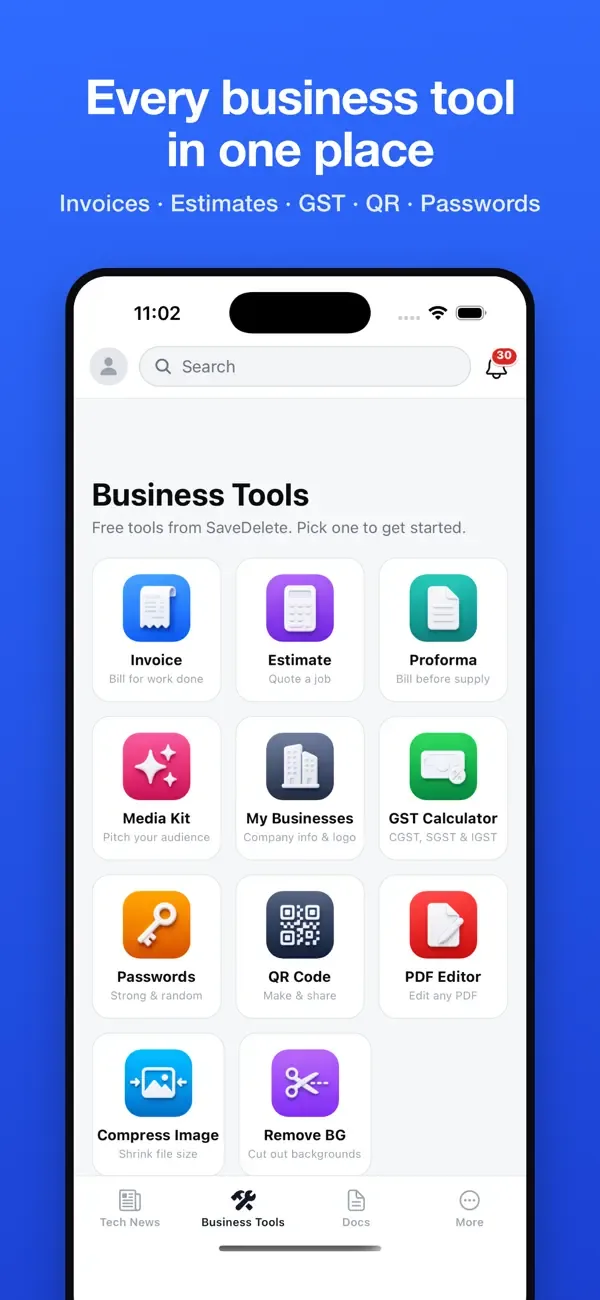
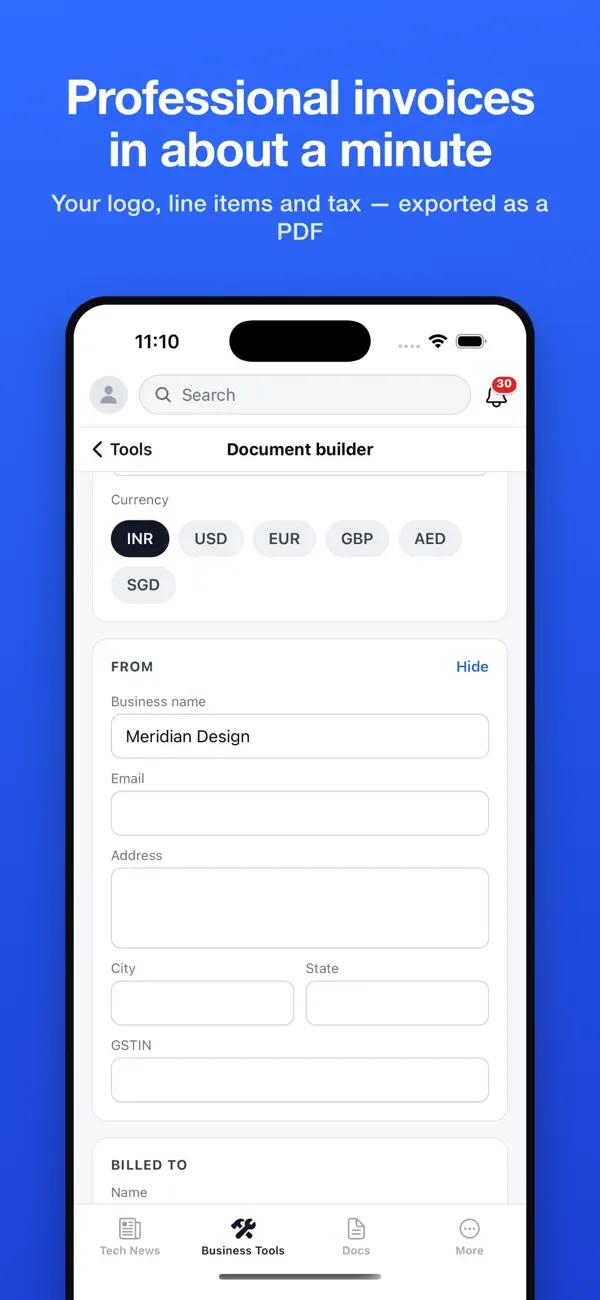
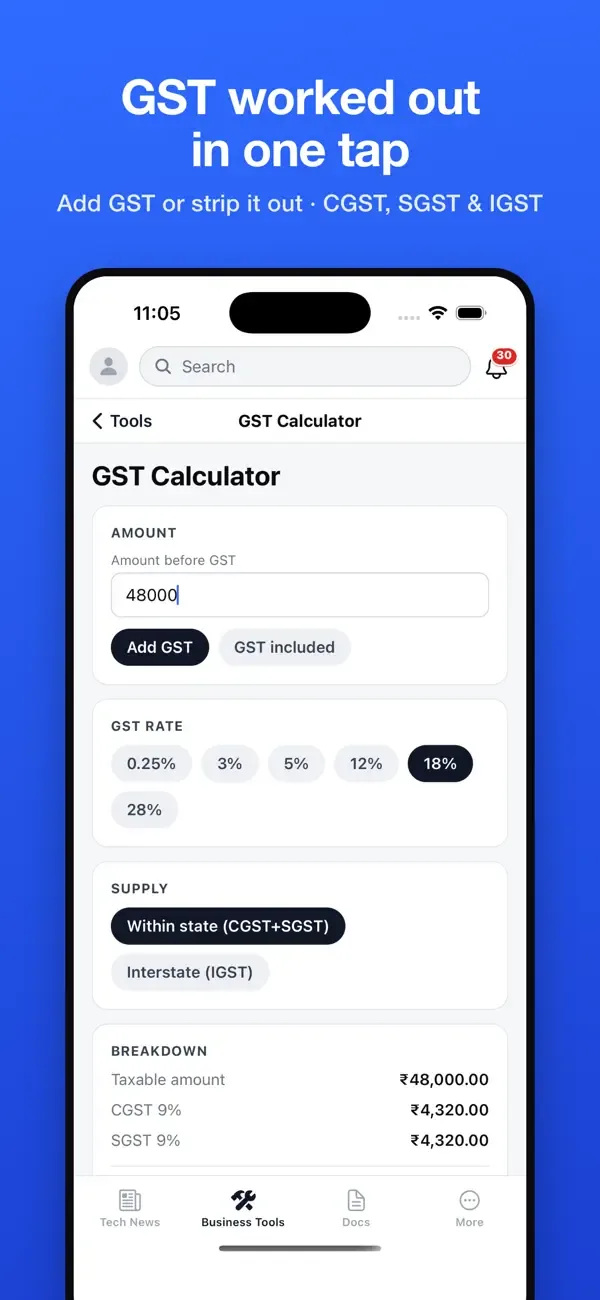
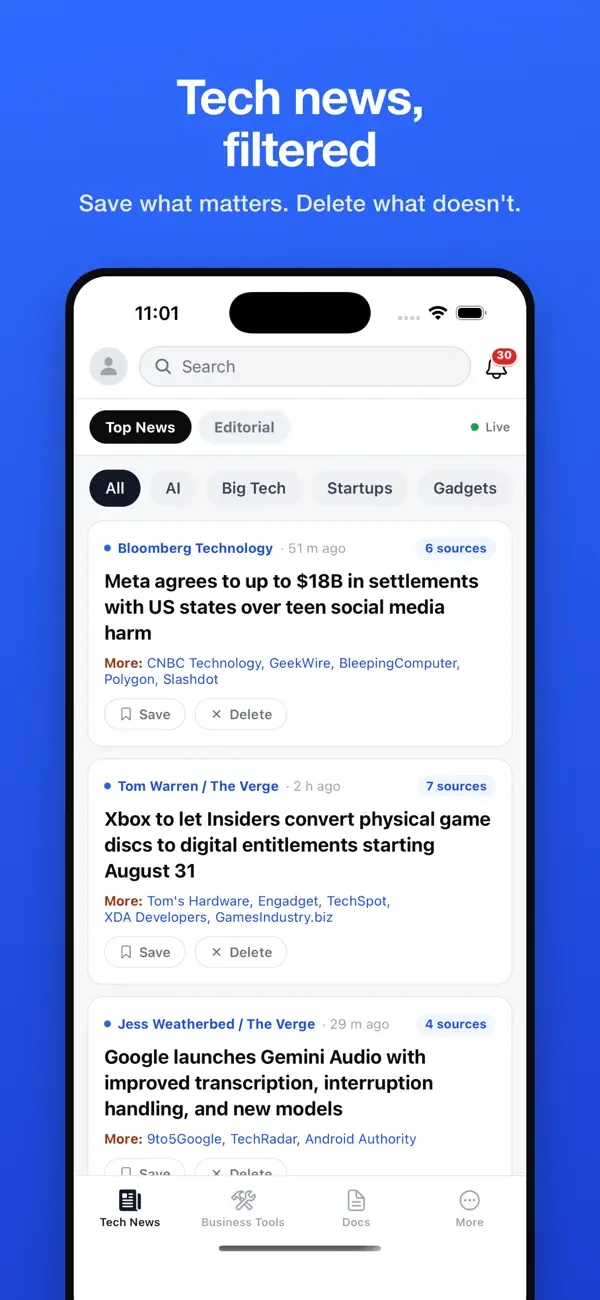
Screens from the iPhone app.
Everything a one-person business keeps reaching for
Invoices, estimates & proformas
Add your logo, line items, taxes, discounts and payment terms, then export a PDF and send it from your phone. Save your company details once and every document reuses them. Your documents sit in a list you can search and filter by status and business.
A media kit brands can open
Connect an Instagram professional account, or just name your YouTube channel, and your followers, engagement rate and audience demographics fill themselves in. Add past collaborations, testimonials and your rate card, then share one public link.
GST in one tap
Add GST to an amount or strip it out of an inclusive one. The result is split into CGST and SGST for a sale within your state, or IGST for one between states.
Passwords & QR codes
Strong, genuinely random passwords, copied in a tap, and QR codes you can make and share anywhere.
PDF and image odd jobs
A PDF editor, an image compressor and a background remover, for the small jobs that come up between invoices.
Tech news, filtered
A fast river of the day’s technology stories from across the web. Save the ones worth reading, delete the rest, and choose how often alerts arrive: a few a day, every big story, a morning briefing, or off.
The same tools on the web
Sign in with Apple, Google or email to sync your businesses and media kits with savedelete.com, where the same tools run in any browser:
- Invoice generator
- Estimate generator
- Proforma invoice generator
- Media kit generator
- GST calculator
- QR code generator
- Password generator
- PDF editor
- Image compressor
- Background remover
- Tech news
More in free business tools.
At a glance
- Price
- Free, supported by ads
- Works on
- iPhone and iPad with iOS 16.4 or later, and Macs with Apple silicon (macOS 12 or later)
- Size
- About 28 MB
- Category
- Business
- Account
- Optional: Sign in with Apple, Google or email
- Version
- 1.1.0
Sign-in is optional
Documents you create stay on your phone unless you choose to save them to your account, and if you skip sign-in the app works offline. The free app shows ads. As its App Store privacy label says, identifiers and usage data may be used for advertising across other companies’ apps and websites; iOS lets you allow or refuse that tracking. When you sign in and sync, the label lists the details you save, such as names, addresses, email addresses and phone numbers on your documents, as linked to your account. Read the full privacy policy.
Questions
Is SaveDelete free?
Yes. Every tool in the app is free to use, and the app is supported by ads. There are no in-app purchases.
Do I need an account?
No. You can skip sign-in and work offline. Signing in with Apple, Google or email syncs your businesses and media kits with savedelete.com.
Can it work out CGST, SGST and IGST?
Yes. The GST calculator adds GST to an amount or takes it out of an inclusive one, and splits it into CGST and SGST, or IGST for supply between states.
Does it run on iPad and Mac?
Yes. It needs iOS or iPadOS 16.4 or later, and it also runs on Macs with an Apple silicon (M1 or later) chip and macOS 12 or later.
Free on the App Store, for iPhone and iPad.