WhatsApp Schedule Message: How to Send Later on Android, iPhone
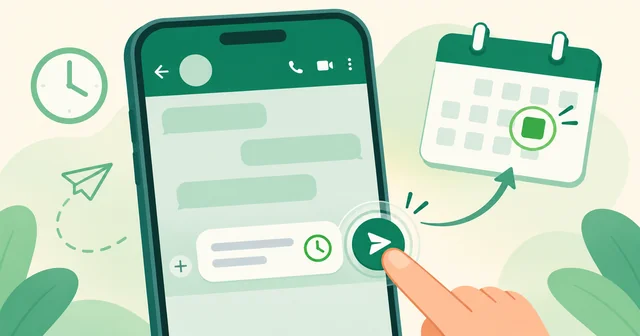
To schedule a WhatsApp message, type it in any one-to-one or group chat, then press and hold the send button and pick the date and time you want it delivered, anywhere from 10 minutes to 14 days ahead. The option works the same way on Android and iPhone, but it is reaching accounts gradually over the coming weeks.
What Happened
On 25 November 2026 WhatsApp announced scheduled messages in a post on the official WhatsApp blog, describing it as one of the features its users ask for most. The post sets the window at 10 minutes to 14 days, says the option works in both one-to-one and group chats, and says it supports text, photos and videos. WhatsApp also says the feature is "rolling out globally over the coming weeks", so the announcement and the button appearing on your phone are two separate events.
TechCrunch reported that the rollout covers all users on iOS and Android, and that scheduled messages are sent even when the sender's phone is off or outside network coverage. Engadget noted that Instagram, WhatsApp's sibling app, has offered scheduled messages since 2024, and several outlets pointed out that Telegram, Signal and Google Messages already had the feature.
Not every phone had it on day one. MakeUseOf said it updated to WhatsApp version 2.26.46.82, released on 24 November, and still did not see the scheduler, which suggests the option is being switched on from WhatsApp's side as well as through app updates.
Why It Matters
Until now, anyone who wanted to send a WhatsApp message later had to rely on workarounds: a reminder to themselves, an iPhone Shortcuts automation, or a third-party Android app that needed accessibility permissions to tap the send button on their behalf. Those methods were unreliable, and the third-party apps asked for broad access to a phone that usually holds years of private conversations. A built-in scheduler removes the reason to install them.
The practical uses are the ones WhatsApp itself lists: a birthday message that lands at midnight in the recipient's time zone, a good-luck note timed for just before an exam or job interview, or a reminder to a group chat the morning of an event. For people who coordinate work over WhatsApp, it also means a message written late at night can arrive during working hours, the way scheduled email already does.
Privacy is the other half of the story. WhatsApp says scheduled messages stay end-to-end encrypted like every other personal message, so the company says it cannot read them while they wait to be sent. A third-party scheduler, by contrast, has to read your screen or your messages to work.
How It Works
The steps are the same on Android and iPhone once the feature reaches your account:
- Update WhatsApp from the Google Play Store or the App Store.
- Open the one-to-one or group chat you want to message.
- Type your message, or attach a photo or video. The send button only appears once there is something to send; before that, the same spot shows the microphone for voice notes.
- Press and hold the send button instead of tapping it.
- Choose the date and time the message should arrive, between 10 minutes and 14 days from now, and confirm.
The message then waits in the chat as a scheduled item. WhatsApp says you can see all of the messages you have lined up and delete any of them before they go out if you change your mind. When the time comes, the recipient gets an ordinary message: according to WhatsApp, it looks like any other message and carries no label saying it was scheduled.
The detail that separates this from most workarounds is that delivery does not depend on your phone at the scheduled time. WhatsApp says the message still goes out even if your phone is off or its battery is dead. That means it can be used before a flight or a trip into an area with poor coverage, which Android Authority highlighted as one of the more useful cases.
A few limits are worth knowing before you rely on it. The shortest delay is 10 minutes, so it is not a "send in two minutes" tool. The longest is 14 days, so annual reminders still need a calendar. WhatsApp's announcement names text, photos and videos; 9to5Google reported that voice notes do not appear to be supported, and documents and contacts are not mentioned at all.
How it compares with rivals: Telegram's version, which it described in a blog post on scheduled messages and reminders, also lives behind a long press on the send button and lets you schedule into your Saved Messages chat as a personal reminder. WhatsApp's announcement does not mention scheduling to yourself or repeating messages.
What's Still Unknown
WhatsApp's announcement leaves several practical questions open:
- Editing. TechCrunch said it was not clear whether you can change a scheduled message's time, while 9to5Google wrote that you can edit or cancel before sending. WhatsApp itself only mentions viewing and deleting, so the safe approach today is to delete and reschedule.
- WhatsApp Web, desktop and Business. The announcement and the reports describe the phone apps on Android and iOS. Nothing official yet says whether WhatsApp Web, the Windows and Mac apps or the WhatsApp Business app get the same long-press option.
- Rollout timing by country. WhatsApp gives no schedule beyond "the coming weeks", and no list of regions that get it first.
- Other media types. Voice notes, documents, polls and stickers are not covered by the announcement.
Frequently Asked Questions
How do I schedule a WhatsApp message on Android?
Update WhatsApp from the Play Store, open the chat, type your message or attach a photo or video, then press and hold the send button. Pick a date and time between 10 minutes and 14 days ahead and confirm. The message waits in the chat until then. If holding the button only sends the message, the feature has not reached your account yet.
How do I schedule a WhatsApp message on iPhone?
The steps match Android. Update WhatsApp from the App Store, write the message in a one-to-one or group chat, press and hold the send button, and choose when it should arrive, from 10 minutes to 14 days later. You no longer need an iPhone Shortcuts automation, which usually still needed you to confirm the send at the scheduled time.
Why is WhatsApp schedule message not working for me?
Most likely the feature has not reached your account yet. WhatsApp says scheduled messages are rolling out globally over the coming weeks, and MakeUseOf found it missing even on version 2.26.46.82 from 24 November. Update the app, restart it, and check again in a few days. Also make sure you typed something first, because the send button only appears once a message is ready.
Does a scheduled WhatsApp message send if my phone is off?
Yes. WhatsApp says a scheduled message still arrives at the time you chose even if your phone is switched off or its battery has run out. TechCrunch reported the same applies when your phone is outside network coverage. That makes it suitable for messages you want delivered while you are on a flight or travelling somewhere without signal.
Can I schedule messages in WhatsApp group chats?
Yes. WhatsApp says the feature works in both one-to-one chats and group chats, using the same long press on the send button. That makes it useful for meeting reminders, event-day updates or a birthday message to a family group. Everyone in the group receives it as a normal message when the scheduled time arrives, with no label saying it was scheduled.
Will the recipient know my WhatsApp message was scheduled?
No. WhatsApp says a scheduled message looks like any other message to the person receiving it. MacRumors also reported there is no indication on the receiver's end. Only you can see that a message is waiting, in your own chat, along with the option to delete it before the time you picked. Like other personal messages, it stays end-to-end encrypted.
Do I still need a WhatsApp schedule message app?
For most people, no. Third-party scheduler apps worked by automating the send button, often with accessibility permissions that let them read your screen. The built-in option covers text, photos and videos up to 14 days ahead and keeps messages end-to-end encrypted. A separate app only makes sense if you need something WhatsApp does not offer yet, such as repeating messages.
Can I edit or cancel a scheduled WhatsApp message?
You can cancel it. WhatsApp says you can see all the messages you have scheduled and delete any of them before they are sent. Editing is less clear: TechCrunch said it was not obvious whether the scheduled time can be changed, so the reliable method for now is to delete the scheduled message and create a new one with the right text or time.
Related Reading
Back in February we covered the first signs of this feature in our report on WhatsApp's scheduled messages in testing, when it was spotted only in beta code. For more ways to get more out of the app, see our guide to hidden WhatsApp features and tips. If you use other messengers too, our explainer on Telegram's features and how to use them covers the app that had scheduling first, and our guide to Signal's screen security setting walks through another privacy control. For broader planning tools, see our roundup of the best AI productivity apps.