Instagram on Apple TV: What the New TV App Does and Doesn't Do
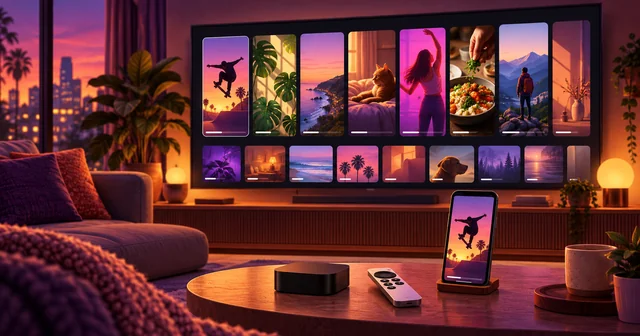
Instagram now has a native Apple TV app. It appeared in the tvOS App Store on October 23, 2026, needs tvOS 26 or later, and plays Reels, longer videos and live shows on the TV. It is a viewing app, not a full Instagram: it is built for watching together, and it arrived without an announcement from Meta.
What Happened
Instagram's Apple TV app went live quietly. According to MacRumors' report on the launch, Apple's TV-specific release metadata dates version 66.0 of the app to October 23, 2026, while an archived copy of the App Store listing from October 19 still showed the app as compatible with iPhone and iPad only. The Verge, Digital Trends and Mashable reported the launch over the following weekend. None of the coverage quotes a Meta announcement; the first public sign was the store listing itself.
The app is not a separate download. It lives under the same Instagram listing on the App Store that serves the iPhone and iPad versions, with an Apple TV tab that opens with the line "Instagram, now on your TV." The listing says viewers can watch favorite creators, discover Reels and longer videos, watch with friends and family, and pick up where they left off on another screen. It requires tvOS 26.0 or later and carries a 13+ age rating.
Apple TV is the fourth TV platform for the project. Meta began testing Instagram for TV on Amazon Fire TV in the United States on December 16, 2025, added Google TV on February 24, 2026, and brought it to Samsung smart TVs from the 2020 model year onward in June 2026, according to Meta's own posts.
Why It Matters
Instagram spent most of its life refusing to leave the phone. It did not ship a dedicated iPad app until September 2025, fifteen years after launch. Putting the app on every major US TV platform within ten months is a sharp change of direction, and the reason is the living room itself.
TV screens are where YouTube, Instagram's main rival for creator video, has built much of its audience. Instagram has been testing exactly the formats that do well on a TV: longer creator videos, episodic series and live streams. A Reels app that only exists on phones cannot compete for that time. A TV app with longer videos can.
For Apple TV owners, the practical change is smaller but real. Until now, watching a Reel on the TV meant AirPlay from a phone, which ties up the phone and plays one clip at a time. A native app plays continuously, uses the Siri Remote, and keeps the phone free. It also ends a long gap: Meta's video apps have had an uneven history on Apple's box, and in 2022 we covered reports that the Facebook Video app might stop working on Apple TV.
For creators, the TV is a different kind of audience. Several people watch one screen, sound is usually on, and sessions run longer. Meta's June post on the expansion says it is working with creators to learn what works on a TV and that it is "still in the early stages" of understanding social video there.
How It Works
Instagram for TV is a lean-back player, not the feed you scroll on a phone. Meta's December 2025 announcement of Instagram for TV describes the core design, and the later posts add to it.
Channels instead of a single feed. Reels are grouped into channels built around interests, such as new music, sports highlights, travel spots and trending moments. You pick a Reel and the app keeps playing related ones automatically, with full sound. This is closer to a TV channel than to the endless vertical feed on a phone, and it is designed so a group can settle on something together.
Several people on one TV. On the platforms Meta has documented, a household can sign in with up to five Instagram accounts, and anyone who does not want their own profile's recommendations on the shared screen can create a separate Instagram for TV account that is not linked to it. Setup works by signing in on the TV or through Settings and activity in the phone app. Meta has not yet published Apple TV-specific setup notes, so whether every one of these options is identical on tvOS is still to be confirmed.
Content rules for a shared screen. Because the app is built for group viewing, Meta says Reels on TV generally follow the 13+ content ratings it introduced on mobile, aiming for what you would see in an age-appropriate movie. Teen Accounts keep their mobile safeguards, and time spent on the TV counts toward a teen's daily limits, including Sleep mode reminders. Meta updated its post on May 15, 2026, to reflect an agreement with the MPA on content ratings. We covered how that ratings system works when Instagram extended 13+ teen ratings to India.
Watching across screens. The Apple TV listing promises that viewers can pick up where they left off across screens. On Fire TV and Google TV, Meta also lets people cast Reels from a phone to the TV, including videos from the Saved tab, and it has tested Stories on TV and a dedicated section for horizontal videos.
Beyond Reels. Meta's June 2026 post on Instagram for TV named three formats it was exploring for the living room: longer-form creator content, episodic series that run across several episodes, and Live on TV for real-time creator broadcasts. The Apple TV listing now advertises longer videos, and MacRumors notes that its description also lists live shows.
What the app leaves out matters as much. It is built around watching, so the parts of Instagram that depend on a phone, such as posting, editing and private messages, stay on the phone. Recommendations still draw on your account, so the controls covered in our explainer on Instagram's Your Algorithm settings for Reels shape what a signed-in profile sees on the TV too.
What's Still Unknown
Where it is available. Every earlier TV launch started in the United States, and Meta has not said which countries the Apple TV app covers. Check the App Store on your Apple TV; if the app does not appear, it has not reached your region yet.
Ads and money. The App Store listing includes in-app purchases, but those entries belong to the shared Instagram listing and match the phone app's items, such as badges and Meta Verified. Meta has not explained how ads or creator payouts work for TV viewing on Apple TV.
How much long-form content there is. The listing mentions longer videos and live shows, but Meta has not said how many creators publish them or how they are surfaced next to Reels.
Older Apple TV boxes. tvOS 26 runs on every Apple TV HD and Apple TV 4K, but Meta has not said whether the app performs the same on the 2015 Apple TV HD as on current hardware.
An official announcement. At the time of writing, Meta's newsroom had not posted about the Apple TV release. A formal post would likely settle the region and feature questions above.
Frequently Asked Questions
Is Instagram on Apple TV free?
Yes. The app is free to download from the App Store on Apple TV, and you sign in with an existing Instagram account. The listing shows in-app purchases, but those belong to the shared Instagram listing and match items sold in the phone app, such as badges and Meta Verified. Nothing on the listing suggests a separate subscription is needed just to watch on the TV.
Which Apple TV models can run the Instagram app?
The app requires tvOS 26.0 or later. Apple's tvOS 26 update supports the Apple TV HD from 2015 and every Apple TV 4K generation, so any of those boxes should be able to install it once updated. The original first, second and third generation Apple TV boxes cannot run tvOS apps at all, so they cannot get Instagram.
Can I post, comment or send messages from the Apple TV app?
The app is designed for watching, not creating. Meta describes Instagram for TV as a way to watch Reels, longer videos and live shows with the people in the room. Posting, editing and private messaging remain phone and tablet features, so keep your iPhone nearby for anything beyond watching or picking up a video where you left off.
Can more than one person use Instagram on the same Apple TV?
Meta's earlier TV launches let a household sign in with up to five Instagram accounts and switch between them, which keeps each person's recommendations separate. Meta also lets viewers create an Instagram for TV account that is not linked to their own profile. Meta has not yet published Apple TV-specific setup notes, so confirm the account switcher inside the app after installing.
Is Instagram on Apple TV safe for teens?
Meta says Reels on TV generally follow the 13+ content ratings used on mobile, and Teen Accounts keep the same safeguards as the phone app, including limits on sensitive content and profiles. Time watched on the TV counts toward a teen's daily limit and can trigger Sleep mode reminders. Parents should still set up supervision from the phone app, where those controls live.
How is this different from AirPlaying Instagram to my TV?
AirPlay mirrors one video from your phone, which keeps the phone busy and stops when the clip ends. The native app runs on the Apple TV itself, plays channels of Reels continuously with the Siri Remote, adds longer videos and live shows, and leaves your phone free. You can still start something on your iPhone and resume it on the TV.
Is Instagram for TV available outside the United States?
Meta's Fire TV, Google TV and Samsung launches were all announced for the United States, and Meta has not said which countries the Apple TV version covers. The fastest check is to search for Instagram in the App Store on your Apple TV. If it does not appear, the app has not reached your region yet.
Related Reading
The TV app sits inside a wider push by streaming services and social platforms to borrow each other's formats. Netflix moved the other way when it launched Clips, a vertical video feed inside its main app. If you make Reels and want them to travel further, our guide on how to repost Instagram Reels covers the sharing tools on the phone side. And for the controls that decide which Reels appear on any screen, see our explainer on Instagram's Your Algorithm settings.