Instagram Edit Story After Posting: How the 15-Minute Fix Works
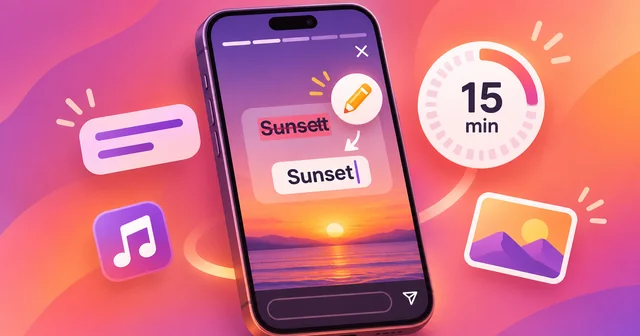
Yes, you can now edit an Instagram Story after posting it. Open the Story, tap the three-dot "more" button, choose "Edit story", and fix text, captions, stickers, drawings or music. The catch is time: Instagram only allows edits within 15 minutes of posting, and the edited Story carries an "edited" label for viewers.
What Happened
On 18 November 2026, Instagram head Adam Mosseri announced that people can now change a Story after it has gone live, instead of deleting it and posting it again. "A lot of people have been asking for this, so I'm excited to get this one out there," Mosseri wrote in an Instagram post announcing the change, as quoted by Engadget. The Verge reported the news first, and Engadget and 9to5Mac followed the same day.
According to Engadget's report on the Story edit feature, the option is rolling out now. You get 15 minutes after posting to make changes, and the views, likes and replies your Story has already collected are kept when you edit it. Engadget lists fixing typos, adding or changing music and rewriting the caption as examples of what you can change. 9to5Mac's write-up adds stickers and drawings to that list and calls the 15-minute limit "the catch".
The same update brings changes to the Stories composer. Engadget says there are more background colour options, including gradients and other effects, and that sharing and formatting several images at once in a single Story is now easier.
This is not the first time the feature has surfaced. In May 2026, Digital Trends reported a limited test in which some iOS users could edit a published Story. In that test, a warning told users that the original version of the Story would be deleted once they started editing, and that likes, reactions and comments would be reset. Instagram had not confirmed the test at the time. The version announced in November works differently: Engadget reports that views, likes and replies survive the edit.
Why It Matters
Until now, a typo in a Story had only one fix: delete it and post a corrected copy. That cost more than pride. Every view, reply and reaction stayed with the deleted Story, so the new copy started again from zero, and followers who had already watched the first version often saw the same thing twice. For creators and small businesses that use Stories to announce sales, events or links, a wrong date or price could mean choosing between a visible mistake and lost reach.
Editing inside a short window removes that trade-off for the most common mistakes. You can correct a misspelled caption, swap a song that doesn't fit, move a sticker that covers someone's face, or fix a drawing, and the Story keeps its audience. The "edited" label keeps things honest: viewers can see that something changed, even if they can't see what.
The feature also fits a pattern. Instagram has spent 2026 adding ways to change things after you publish. 9to5Mac notes that Instagram let users reorder photos and videos in a carousel after publishing in March, edit comments within 15 minutes in April, and manually rearrange posts on the profile grid in June. Regular feed posts have had caption editing for years. Stories were the obvious gap, and Engadget says it is unclear why the feature took so long.
How It Works
Here is how to edit an Instagram Story after posting, based on the steps described by Engadget and 9to5Mac:
- Make sure your Instagram app is up to date, because the feature is rolling out gradually.
- Open your own Story, either from your profile picture or the Stories bar at the top of the feed.
- Tap the three-dot "more" button (the ellipsis) at the bottom of the screen.
- Choose "Edit story". If you don't see it, either the 15 minutes have passed or the feature hasn't reached your account yet.
- Change the text, caption, stickers, drawings or music, then save the Story again.
What you can change. Between the two reports, the editable parts are text and typos, captions, stickers, drawings and music. These are the layers you add on top of a photo or video in the Stories composer.
What the reports don't mention. Neither Engadget nor 9to5Mac says you can swap the underlying photo or video. If you posted the wrong picture, the safe assumption for now is that deleting and reposting is still the only fix.
The 15-minute window. The timer starts when the Story is published. After 15 minutes, the "Edit story" option is gone and the Story stays as it is until it expires or you delete it. The same 15-minute limit applies to editing Instagram comments, which arrived in April 2026, so Instagram seems to treat a quarter of an hour as the point where a quick correction turns into a rewrite.
What viewers see. An edited Story shows an "edited" label, according to Engadget. Your views, likes and replies stay attached to the Story, so editing doesn't reset its reach.
Tips for using the window well. Watch your Story once straight after posting, the way a follower would. Check names, dates, prices and links first, since those are the mistakes that cost the most. If you plan to add music or a poll later, do it inside the window. And if you usually post and put your phone away, consider checking back within a few minutes rather than an hour later.
The new composer options are separate from editing. More background colours, gradients and easier multi-image layouts apply when you build a Story, so you may notice them even before you need to fix anything.
What's Still Unknown
Several details have not been confirmed in the reports so far:
- Android and regions. Engadget says the feature is rolling out now but gives no date for full availability. The May test reached some iOS users first, and it is not yet clear whether Android users and every country get the November version at the same time.
- How many edits. For comments, Engadget reported in April that you can edit as many times as you want inside the 15-minute window. Nobody has said whether Stories work the same way.
- Replacing the media. None of the reports says you can swap the photo or video itself.
- Edit history. Viewers see an "edited" label, but there is no word on whether anyone can see the earlier version.
- Close Friends, highlights and shares. It is not stated how edits behave for Close Friends Stories, Stories already saved to a Highlight, or Stories that someone has shared or mentioned.
We will update this explainer when Instagram publishes help-centre documentation for the feature.
Frequently Asked Questions
Can you edit an Instagram Story after posting it?
Yes. Since Adam Mosseri's announcement on 18 November 2026, Instagram lets you edit a Story after it is published. Open your Story, tap the three-dot "more" button at the bottom and choose "Edit story". You can change text, captions, stickers, drawings and music, but only within 15 minutes of posting. After that, the option disappears and deleting and reposting is the only fix.
How long do you have to edit an Instagram Story?
You have 15 minutes from the moment the Story is published. Engadget and 9to5Mac both report this limit, and 9to5Mac calls it the catch. It matches the 15-minute window Instagram gave comment editing in April 2026. Once the window closes, "Edit story" no longer appears in the menu, so check your Story straight after posting if accuracy matters.
Can I edit the text on my Instagram Story after posting?
Yes. Fixing typos and changing text is one of the main things the feature is for. Engadget lists fixing typos and rewriting the caption, and 9to5Mac lists typos and text among the editable parts. Open the Story, tap the three-dot "more" button, choose "Edit story", correct the text and save. You must do it within 15 minutes, and the Story will show an "edited" label.
Can I edit the caption of an Instagram Story after posting?
Yes. Engadget names rewriting the caption as one of the changes you can make after posting. The steps are the same as for any other edit: open your Story, tap the three-dot "more" button, select "Edit story", change the caption and save it again. The 15-minute limit applies, and views, likes and replies already on the Story are kept.
Can you add music to an Instagram Story after posting?
Yes. Both Engadget and 9to5Mac say music is editable, so you can add a song to a Story that had none or swap a track that doesn't fit. Use "Edit story" from the three-dot "more" menu within 15 minutes of posting. After the window closes, the only way to change the music is to delete the Story and post it again.
Does editing an Instagram Story reset views or likes?
No, not in the version announced in November 2026. Engadget reports that views, likes and replies are kept when you edit a Story. That is a change from an earlier test in May 2026, when Digital Trends saw a warning that the original Story would be deleted and that likes, reactions and comments would be reset once you started editing.
Will people know I edited my Instagram Story?
Yes. According to Engadget, an edited Story shows an "edited" label to viewers. The reports do not say whether viewers can see what the Story looked like before the change, only that it was changed. If you are correcting something important, such as a wrong date or price, it can still help to mention the correction in the Story text.
Why can't I see the Edit story option on Instagram?
There are three likely reasons. The 15-minute window may have closed, since the option only appears shortly after posting. The feature may not have reached your account yet, because Engadget describes it as rolling out now with no date for full availability. Or your app may be out of date, so update Instagram from the App Store or Google Play and check again.
Related Reading
If you post a lot of short video, our step-by-step guide on how to repost Instagram Reels covers the sharing side of the app. For a look at where Instagram goes beyond the phone, see our explainer on what the Instagram app for Apple TV does and doesn't do. Meta has also tested paid Story features, which we covered in Instagram Plus and anonymous Story viewing. And if you are trying to grow an audience for your Stories, our long read on building real Instagram growth instead of buying followers explains what works.