Top 10 Free Calling Websites in 2026: Browser-Based VoIP Tested & Compared
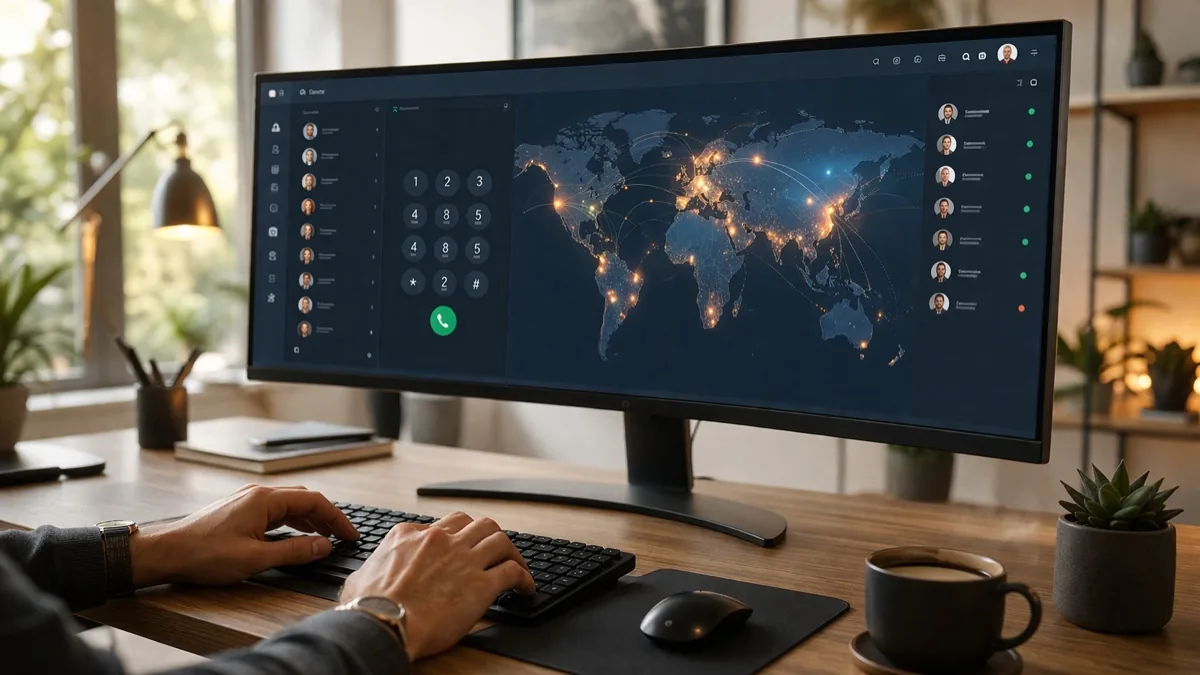
Making free phone calls from your computer used to require clunky software installs and dedicated apps. In 2026, all you need is a web browser. Thanks to advances in WebRTC (Web Real-Time Communication) technology, dozens of websites now let you dial real phone numbers — both mobile and landline — directly from Chrome, Firefox, or Edge without downloading anything.
The global VoIP market has grown to $179.6 billion in 2026, with over 1.8 billion subscribers worldwide. Whether you want to make a quick international call to family abroad, need a temporary number for verification, or simply want to save money on your phone bill, these free calling websites have you covered.
Below is our updated compilation of the best free calling websites that actually work in 2026, tested and verified with real call quality assessments.
Free Calling Websites: Quick Comparison Table
| Website | No Download? | Registration | Free Minutes | Best For |
|---|---|---|---|---|
| PopTox | Yes | Not required | Limited daily | Quick one-off international calls |
| Call2Friends | Yes | Not required | 1 call/day | No-hassle browser calling |
| Globfone | Yes | Not required | Limited daily | Calls + SMS + video chat |
| iEvaphone | Yes | Not required | 1-4 min/call | International calls to 200+ countries |
| CitrusTel | Yes | Not required | Limited daily | Clean interface, easy to use |
| Google Voice | Yes | Google account | Unlimited US/Canada | Unlimited free US/Canada calls |
| TextNow | App or web | Required (free) | Unlimited US/Canada | Free real phone number |
| WhatsApp Web | Yes (browser) | Phone number | Unlimited (app-to-app) | Free calls to 2B+ users worldwide |
| HelloAirDial | Yes | Not required | Limited credits | WebRTC-powered, modern interface |
| EasyRinger | Yes | Not required | Limited daily | Simple browser-based dialer |
What Are Free Calling Websites?
Free calling websites are online platforms that let you make real phone calls over the internet — to actual mobile and landline numbers — without paying a cent. They use Voice over Internet Protocol (VoIP) and modern WebRTC technology to route your voice through the internet instead of traditional phone networks.
Unlike messaging apps that only work when both parties have the same app installed, these websites let you dial any phone number in the world from your browser. The recipient answers on their regular phone — they don’t need any app or internet connection. Most services are ad-supported, which is how they offer free minutes.
VoIP Industry in 2026: Key Statistics
The free calling landscape has transformed dramatically. Here are some numbers that show why browser-based calling is booming:
- $179.6 billion — Global VoIP market size in 2026 (growing at 9.6% CAGR)
- 1.8 billion+ — Active VoIP subscribers worldwide
- $12.6 billion — WebRTC market value (projected to reach $67 billion by 2030)
- 50-75% — Average savings on long-distance calls when using VoIP over traditional phone
- 3.6 billion — Expected mobile VoIP users by end of 2026
The death of traditional calling apps and the rise of browser-based solutions means you no longer need to install anything — just open a website and dial.
How Free Calling Websites Work in 2026
Modern free calling websites primarily use WebRTC (Web Real-Time Communication), an open-source protocol built directly into browsers like Chrome, Firefox, Edge, and Safari. When you make a call:
- Your browser captures your voice through the microphone
- WebRTC encrypts and compresses the audio data
- The website’s VoIP gateway converts the internet signal to a traditional phone signal
- The call is routed to the recipient’s phone number via telecom networks
This is a massive improvement over older technologies like Flash-based dialers (now extinct) or Java applets. WebRTC calls are encrypted by default, have lower latency, and work on mobile browsers too.

Video: How to use Google Voice to make free calls from your browser (Howfinity)
Top 10 Free Calling Websites That Actually Work in 2026
1. PopTox — poptox.com
PopTox is one of the most popular browser-based free calling services available today. It requires absolutely no download, no registration, and no credit card. Just visit the website, enter a phone number with country code, and click “Call.” It supports calls to over 100 countries including the US, UK, Canada, Australia, and India.
Pros: No sign-up required, works on any modern browser, supports international calls
Cons: Limited free minutes per day, occasional ad redirects, call quality can vary
Best for: Quick, one-off international calls without any commitment
2. Call2Friends — call2friends.com
Call2Friends offers a clean, no-nonsense interface for making free calls directly from your browser. No plugins, no downloads, no registration. You get one free call per day without signing up, and more if you create a free account. The service supports calls to mobile and landline numbers worldwide.
Pros: Extremely simple interface, no registration for first call, decent call quality
Cons: Limited to 1 free call/day without account, short call duration
Best for: Users who want the simplest possible calling experience
3. Globfone — globfone.com
Globfone stands out because it offers three services in one: free phone calls, free text messages, and free video calling. No signup or software installation required. The phone calling feature lets you dial real numbers, while the video chat and SMS features add extra versatility.
Pros: Calls + SMS + video in one platform, no registration, clean design
Cons: Limited daily free minutes, some destinations unavailable
Best for: Users who need calling, texting, and video chat all in one place
4. iEvaphone — ievaphone.com
iEvaphone has been around for years and remains one of the most reliable free calling websites. It supports calls to over 200 countries with no credit card, no registration, and no downloads. Free call duration typically ranges from 1 to 4 minutes depending on the destination country and carrier.
Pros: Widest country coverage (200+), completely free, no strings attached
Cons: Short call durations (1-4 minutes), ads between calls
Best for: International calls to hard-to-reach destinations
5. CitrusTel — citrustel.com
CitrusTel offers a modern, ad-light experience for making free internet calls. It works entirely in your browser using WebRTC — no app downloads or plugin installations needed. The interface is clean and straightforward: enter a number, allow microphone access, and you’re connected.
Pros: Modern WebRTC-based, minimal ads, fast connection times
Cons: Limited free minutes, fewer supported countries than some competitors
Best for: Users who want a clean, modern calling experience
6. Google Voice — voice.google.com
Google Voice is Google’s free calling service that gives you a real US phone number with unlimited free calls to any US or Canadian number. It works from any browser, integrates with Gmail, and offers voicemail transcription, spam filtering, and call forwarding. It’s the gold standard for free domestic calling in the United States.
Pros: Unlimited free US/Canada calls, real phone number, voicemail transcription, spam blocking
Cons: US-only availability, requires Google account, international calls cost money
Best for: US-based users who want a permanent free calling solution
7. TextNow — textnow.com
TextNow provides a completely free US or Canadian phone number with unlimited calls and texts within North America. Available both as a web app and mobile app, it’s essentially a free phone plan. The service is ad-supported, and you can even use it as your primary phone number.
Pros: Free real phone number, unlimited US/Canada calls and texts, works as primary phone
Cons: Number may be recycled if inactive, ad-supported, international calls require credits
Best for: People who need a free secondary (or primary) phone number
8. WhatsApp Web — web.whatsapp.com
WhatsApp Web now supports voice and video calls directly from your browser. With over 2 billion users in 180+ countries, chances are the person you want to call already has WhatsApp. Calls are end-to-end encrypted and completely free — the only requirement is both parties need WhatsApp and an internet connection.
Pros: Crystal-clear quality, end-to-end encryption, 2B+ user base, completely free
Cons: Both parties need WhatsApp (app-to-app only), can’t call regular phone numbers
Best for: Calling friends and family who already use WhatsApp
9. HelloAirDial — helloairdial.com
HelloAirDial is a newer entrant that runs entirely on WebRTC technology. No app to download, no plugin to install, and no software to keep updated. The dialer runs in your browser with a modern, mobile-friendly interface. It offers free credits for new users to make calls to real phone numbers.
Pros: Modern WebRTC tech, mobile-friendly, clean interface
Cons: Limited free credits, newer service with smaller user base
Best for: Tech-savvy users who want the latest WebRTC calling experience
10. EasyRinger — easyringer.com
EasyRinger lets you make calls from your browser without any downloads. It provides a simple web-based dialer that works on desktop and mobile browsers. The service offers free trial minutes and competitive rates for additional calling if you need more time.
Pros: Works on desktop and mobile browsers, simple setup, no plugins needed
Cons: Limited free minutes, primarily a paid service with free trial
Best for: Users who may want to upgrade to a paid plan for more features

Tips for Getting the Best Call Quality
Free calling websites can sometimes have inconsistent quality. Here are tips to get the best experience:
- Use a wired internet connection or strong Wi-Fi (at least 5 Mbps upload speed)
- Use a headset with a microphone — built-in laptop mics often cause echo
- Close other bandwidth-heavy apps (streaming, large downloads) during calls
- Use Chrome or Firefox for the best WebRTC compatibility
- Allow microphone permissions when prompted — calls won’t work without it
- Try different websites — call quality varies by destination country and time of day
Free Calling Websites vs. Traditional Phone Plans
Why are millions of people switching to browser-based calling? The numbers speak for themselves:
| Feature | Free Calling Websites | Traditional Phone Plan |
|---|---|---|
| Cost | Free (ad-supported) | $30-80/month |
| International calls | Free (limited minutes) | $0.10-3.00/minute |
| Setup required | None (browser only) | SIM card + contract |
| Device needed | Any device with browser | Phone with cellular plan |
| Call quality | Good (depends on internet) | Excellent (dedicated network) |
| Reliability | Moderate | High |
According to industry data, businesses save 50-75% on long-distance calls by switching to VoIP. For personal users making occasional international calls, free calling websites can save hundreds of dollars per year compared to traditional international calling rates.
Frequently Asked Questions
Are free calling websites safe to use?
Most reputable free calling websites like PopTox, Google Voice, and WhatsApp use encryption for calls. However, always check that you’re on the official website (look for HTTPS) and avoid entering personal information beyond what’s needed. Ad-supported sites may show pop-ups, so use a browser with a good ad blocker.
Can I call any country for free?
It depends on the service. PopTox and iEvaphone support 100-200+ countries, while Google Voice only offers free calls to US and Canadian numbers. WhatsApp is free to any country but requires both parties to have the app. Most browser-based services offer free international communication with some limitations.
Why do free calling websites have time limits?
Free calling websites pay telecom carriers to connect your internet call to real phone networks. These “termination fees” cost money, so they limit free minutes to control costs. The websites make money through ads, which subsidize your free calls.
Do I need a microphone to use these websites?
Yes. You need a working microphone — either built into your laptop/phone or connected via headset. When you first visit a calling website, your browser will ask permission to access the microphone. You must allow this for calls to work.
What happened to Skype for free calls?
Microsoft officially shut down Skype in May 2025, migrating users to Microsoft Teams. Teams offers free one-on-one calls and group calls (up to 60 minutes with 100 participants), but it requires an account and app download — it’s no longer a simple browser-based calling solution.
Conclusion
Free calling websites have come a long way from the Flash-based dialers of the early 2010s. In 2026, powered by WebRTC and modern VoIP infrastructure, services like PopTox, Google Voice, and WhatsApp Web offer genuinely useful free calling that works right in your browser. While each service has its limitations — whether it’s daily minute caps, restricted destinations, or requiring both parties to have the app — combining two or three of these services gives you comprehensive global calling coverage without spending a dime.
For unlimited US/Canada calls, go with Google Voice or TextNow. For quick international calls without any signup, try PopTox or iEvaphone. And for calling friends and family who are already on messaging apps, WhatsApp Web is unbeatable with its 2 billion+ user base and crystal-clear call quality.