iMyFone AnyRecover Review 2026: Honest Test, Pricing & Alternatives

iMyFone AnyRecover is a beginner-friendly data recovery tool for Windows and Mac that scans hard drives, SSDs, USB sticks and SD cards to bring back deleted, formatted or lost files. In 2026 it has grown into an all-in-one suite that also handles iOS/Android recovery and adds AI-powered photo and video repair. This honest review breaks down what AnyRecover actually does well, where it falls short, what the free trial really gives you, and how its pricing stacks up against rivals like Recuva, Disk Drill, EaseUS and Stellar so you can decide if it is worth installing after you lose data.
Act fast: the moment you realise data is missing, stop using that drive. Every new file you save can overwrite the deleted data and make recovery impossible. No tool, AnyRecover included, can guarantee 100% recovery.
iMyFone AnyRecover at a Glance
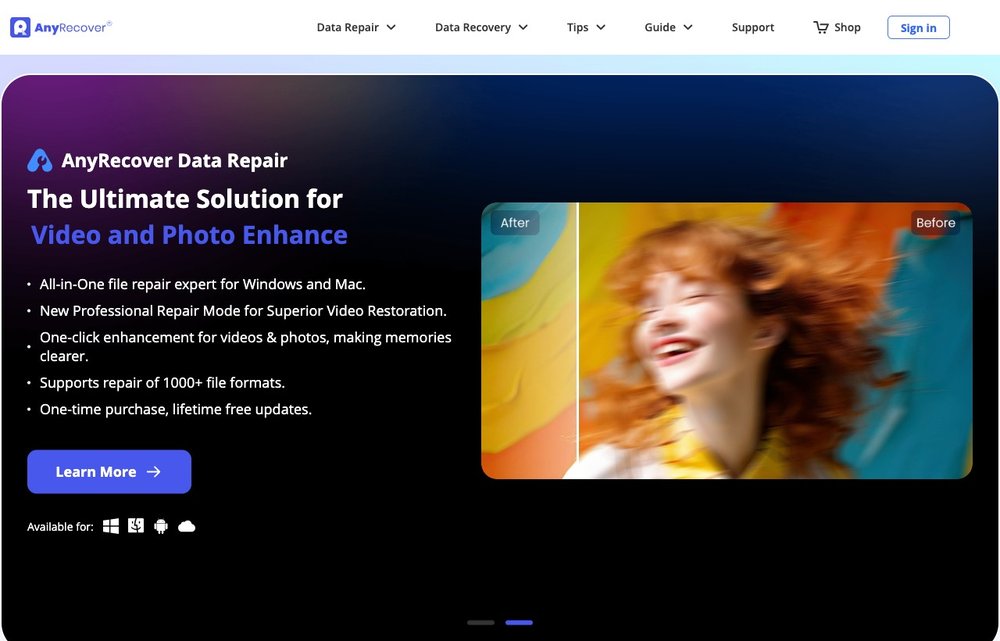
AnyRecover is data recovery software from iMyFone for Windows and Mac (with separate iOS and Android tools) that recovers deleted, formatted and lost files from internal and external storage. As of 2026 it markets itself as an all-in-one recovery and file-repair suite covering 1,000+ file formats, with the desktop version centered on disk-based recovery and bolt-on AI photo/video repair. It is aimed squarely at non-technical users who want a wizard-style "select drive, scan, preview, recover" workflow rather than a forensic toolkit.
Key features
Core features include a quick scan plus a deep scan that digs for file signatures on formatted or corrupted partitions, and preview-before-recovery so you can confirm a file is intact before paying to restore it. It supports a wide range of media: internal HDDs and SSDs, external drives, USB flash drives, SD/microSD cards, cameras, drones and dashcams. Newer 2026 builds add AI-based photo and video repair (fixing corrupted or unplayable files) plus an image upscaler and video enhancer. Recovery covers documents, photos, videos, audio, emails and archives.
Free vs paid limits
The free download lets you run a full scan and preview every recoverable file at no cost, which is genuinely useful for confirming whether your data is still there before you spend anything. However, free recovery is capped: AnyRecover only restores a small number of files (commonly cited as around 3) on the free tier, after which you must buy a license to unlock unlimited recovery. That preview-then-pay model is standard for this category but worth knowing before you commit.
Pricing
In 2026 the official store lists a 1-month auto-renewing plan at $59.99, a 1-year plan at $79.99 (both covering 3 mobile devices + 2 PCs), and a Lifetime one-time license at $99.99 covering 5 devices + 3 PCs with free upgrades. Promotional crossed-out prices ($79.99 / $99.99 / $159.99) are usually shown, so the displayed deal can change. Business/team plans run roughly $139.99–$499.99/year. Prices vary by region, bundle (Win+Mac+iOS) and ongoing sales, so verify the current figure at checkout.
Ease of use
Ease of use is AnyRecover's strongest card. The interface walks you through three steps, select a location, scan, then preview and recover, with files grouped by type and path and filters to sort by date or size. There is little jargon and no need to understand file systems, which makes it approachable for first-time users in a panic. Independent reviewers consistently praise the clean layout and responsive customer support.
Pros
Notable strengths: a clean, genuinely beginner-friendly workflow; free unlimited preview so you can verify recoverability before paying; broad coverage of 1,000+ file formats and most storage media (HDD, SSD, USB, SD card, cameras); deep-scan recovery from formatted and RAW partitions; added AI photo/video repair in 2026; and well-rated, responsive support. A lifetime license option avoids recurring fees.
Cons
Weaknesses to weigh: the free tier only restores a handful of files, so meaningful recovery requires payment; pricing is on the higher side versus rivals like Recuva; results are inconsistent, a minority of user reviews report failed recoveries (no tool can recover overwritten or physically damaged data); the upgrade prompts and promotional pricing feel pushy; and SSDs with TRIM enabled often can't be recovered regardless of software. Treat any single vendor's '5/5' or '100% recovery' claims with healthy skepticism.
Recuva (alternative)
Recuva by CCleaner is the go-to free alternative for Windows. Its free version offers unlimited recovery (no file cap), and Recuva Pro is roughly $19.95, far cheaper than AnyRecover. It's lightweight and great for simple deleted-file recovery, though its interface is dated, deep-scan results can be hit-or-miss, and there is no Mac version.
Disk Drill (alternative)
Disk Drill (CleverFiles) is a polished cross-platform option for Windows and Mac with strong scanning, file preview and extra disk-health tools. Like AnyRecover it lets you scan and preview for free, but saving files requires Pro, around $89 for a lifetime license. It's a close, often better-value competitor for users who want a modern UI plus extra utilities.
EaseUS Data Recovery Wizard (alternative)
EaseUS Data Recovery Wizard is one of the most established names, with a free tier that recovers up to 2 GB at no cost (more generous than AnyRecover's file-count cap). Paid plans start around $69.95/year with a lifetime upgrade option. It has a high recovery success rate and broad device support, making it a strong head-to-head alternative.
Stellar Data Recovery (alternative)
Stellar Data Recovery is a premium, well-regarded choice for Windows and Mac, especially for photos, video and large or formatted drives. The free tier recovers up to ~1 GB; the Standard plan is about $60/year (lifetime near $99). It's frequently benchmarked against EaseUS as a top-tier recovery engine and is worth considering for tougher recovery jobs.
The Verdict
AnyRecover is a genuinely easy, beginner-friendly data-recovery tool with a clear scan-preview-recover workflow, and its free tier lets you try it before paying. It’s a reasonable choice for everyday file recovery, though power users may prefer the deeper control of Disk Drill or EaseUS, and budget users can start with the free Recuva. Whatever you choose, recover to a different drive than the one you’re scanning. See our review of EaseUS Data Recovery Wizard and our pick for recovering files from an iPhone or iPad.
Frequently Asked Questions
Is iMyFone AnyRecover safe and legit?
Yes, AnyRecover is a legitimate product from iMyFone, an established software company, and the installer from the official anyrecover.com site is safe to use. It performs read-only scans, so it doesn't alter or overwrite your existing data while searching. As always, download only from the official site and avoid cracked 'full version' copies, which often bundle malware.
Is AnyRecover free to use?
AnyRecover is free to download, and you can run a full scan and preview every recoverable file at no cost, which is great for confirming your data is still there. However, free recovery is capped at only a few files (commonly around three), so restoring everything requires a paid license. In 2026 that means a $59.99 monthly, $79.99 yearly, or $99.99 lifetime plan.
Does AnyRecover recover from an SSD, SD card, or formatted drive?
Yes, AnyRecover supports HDDs, SSDs, USB flash drives, SD cards, cameras and other external media, and its deep scan can recover from formatted and RAW partitions. Recovery from SD cards and formatted drives is often successful if the data hasn't been overwritten. Note that SSDs with TRIM enabled may be unrecoverable, since the drive can permanently erase deleted blocks on its own, a limitation that affects every recovery tool, not just AnyRecover.
AnyRecover vs Recuva: which is better?
Recuva is cheaper and its free version recovers unlimited files, making it the better pick for simple deleted-file recovery on Windows on a budget. AnyRecover costs more but offers a friendlier interface, Mac support, deeper scanning, and added AI photo/video repair. Choose Recuva to save money on basic jobs, and AnyRecover (or Disk Drill/EaseUS) for tougher recoveries or cross-platform needs.
Can AnyRecover recover permanently deleted files?
It often can. 'Permanently deleted' files (emptied from the Recycle Bin or removed with Shift+Delete) usually still exist on disk until new data overwrites them, and AnyRecover's deep scan can rebuild and restore many of them. The key is to stop using the drive immediately, the sooner you scan, the higher your odds. No tool, AnyRecover included, can recover data that has already been overwritten or physically destroyed.
This is an independent review for general information; features and pricing may change — verify on the official site. We may earn a commission if you buy through some links, at no extra cost to you. No recovery tool can guarantee that lost data is recoverable.