Best iPhone & iPad Data Recovery Tools in 2026 - Aiseesoft, Dr.Fone & More
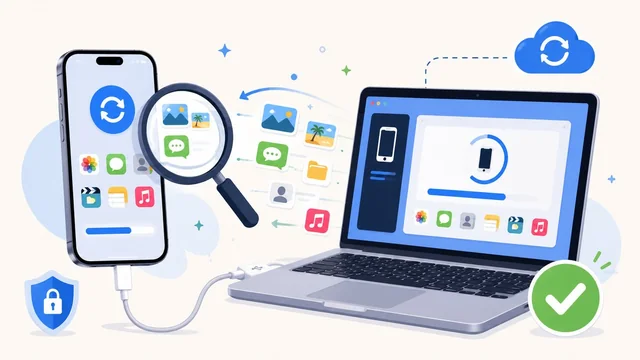
Accidentally deleted photos, lost messages after a botched iOS 18 update, or just hit the wrong button on an iPad — iPhone data loss happens every day. In 2026 the best iPhone and iPad data recovery tools can rescue deleted messages, photos, contacts, WhatsApp chats and more from the device itself, an iTunes/Finder backup or an iCloud backup. Here's what works in 2026, plus what to do before things go wrong.
Quick picks
| Tool | Pricing | Best for |
|---|---|---|
| Aiseesoft iPhone Data Recovery | From $34.96 / yr | All-round recovery (device + iTunes + iCloud) |
| Wondershare Dr.Fone | From $59.95 / yr | Friendliest UI, broad device support |
| Tenorshare UltData | From $35.95 / yr | Highest success rate on iOS 18 / 19 devices |
| PhoneRescue (iMobie) | From $49.99 / yr | Mac-first design, very clean UX |
| FoneLab | From $39.95 / yr | Budget alternative to Aiseesoft |
| iCloud + Finder backups | Free (Apple) | Free option if you have a recent backup |
1. Aiseesoft iPhone Data Recovery — the all-rounder
Aiseesoft iPhone Data Recovery stays a top recommendation in 2026 because it covers all three recovery modes — from the iPhone or iPad itself, from an iTunes/Finder backup, and from an iCloud backup — in one app. It supports the latest devices (iPhone 17 line, iPad Pro M4) and iOS 18/19, and recovers all the standard data types: messages, photos, videos, contacts, call logs, WhatsApp, voice memos, Notes, Safari bookmarks, calendar items.
Pricing starts at $34.96 / year for a single user. There's a free trial that previews recoverable files so you can confirm what's actually retrievable before you pay.
2. Wondershare Dr.Fone
Dr.Fone by Wondershare wraps recovery into a broader toolkit (transfer between phones, screen unlock, system repair). The friendly UI is the easiest of any tool here for non-technical users. Plans from $59.95 / year. Best when you want a tool that doubles as a general-purpose phone utility.
3. Tenorshare UltData
UltData consistently scores highest in independent reviews for recovery success rate on the newest iOS versions, including iOS 18 and the iOS 19 beta. The 2024 release added native Apple Silicon support and reportedly recovers deleted iMessages and Safari history more reliably than competitors. From $35.95 / year.
4. PhoneRescue by iMobie
PhoneRescue is a Mac-first product (Windows is supported but the Mac build feels more polished). Strong at recovering large media libraries — photos, videos, music. $49.99 / year. Good fit if you're a Mac household.
5. FoneLab
FoneLab iOS Data Recovery is the cheap and reliable choice. Same three recovery modes as Aiseesoft, slightly less polished UI, smaller price tag ($39.95 / year). Best when you're recovering a one-off loss and don't need ongoing subscription value.
The free Apple-native fallback
Before paying for third-party software, check whether Apple's own backups can rescue your data:
- iCloud Backup — Settings → Apple ID → iCloud → iCloud Backup. If a recent backup exists, erase and restore from it.
- Finder / iTunes backup — plug into your Mac (Finder) or PC (iTunes), choose "Restore Backup". Local backups are encrypted by default and include nearly all device data.
- Recently Deleted folders — Photos, Notes and Messages now have 30-day recently-deleted bins on iOS 18+. Always check these first.
How to pick
- You have a recent iCloud or Finder backup: Restore from it for free. No third-party tool needed.
- You don't have a backup but the data was on the device recently: Aiseesoft or UltData, scan the device directly.
- You're a Mac user wanting a clean UX: PhoneRescue.
- You want a multi-tool that covers more than recovery: Dr.Fone.
- You want the cheapest reliable option: FoneLab.
Prevent the next data loss
- Turn on iCloud Backup (and confirm "Backup over cellular" if you want backups when you're not on WiFi). iOS 18 added a "Reset Sync" button that recreates a fresh backup if the existing one is corrupt.
- Pay for the 200 GB or 2 TB iCloud+ tier if the free 5 GB isn't enough. Without enough iCloud space, backups silently fail.
- Use Messages in iCloud + Photos in iCloud so chat history and photos stay synced across devices and don't depend on a single device's local storage.
- Run Finder backups before iOS major updates. Encrypted local backups capture nearly everything iCloud doesn't.
Frequently asked questions
Can iPhone data recovery software work without a backup?
Yes — Aiseesoft, UltData, Dr.Fone and PhoneRescue all scan the iPhone or iPad's internal storage directly and can recover deleted items as long as the storage blocks haven't been overwritten. The longer you wait after deletion (and the more new data you write to the device), the lower the recovery success rate.
Is Aiseesoft iPhone Data Recovery safe to use?
Yes. Aiseesoft is a well-established Chinese consumer-software vendor (founded 2006) and the data-recovery tool runs locally on your computer — your iPhone data is not uploaded to Aiseesoft's servers. The trial version is the safest way to evaluate it before committing.
Does iPhone data recovery work on iOS 18 and iOS 19?
Yes. All the major tools listed (Aiseesoft, UltData, Dr.Fone, PhoneRescue, FoneLab) were updated through 2024–2025 to support iOS 18 and the iOS 19 beta. Tenorshare UltData has the highest reported success rate on the very newest iOS versions.
Can I recover deleted iMessages on iPhone in 2026?
In many cases yes. iOS 18 added a 30-day "Recently Deleted" bin in Messages — check there first. If that's empty and you have a backup, restore from it. If not, third-party tools can sometimes recover iMessages directly from the device, especially if you act quickly after deletion.
For more iPhone tips, see our guide to iPhone water resistance and our roundup of the best VPN services.