VSDC Free Video Editor Review 2026: Features, Pros & Cons
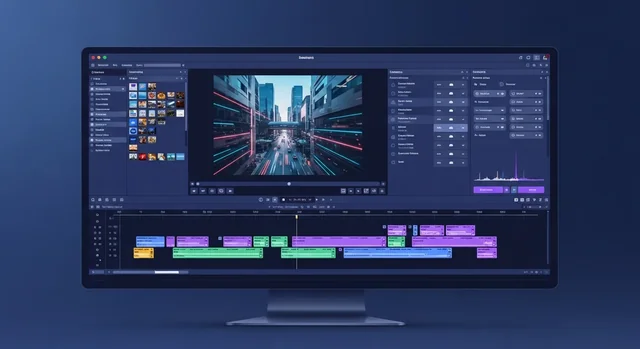
Looking for a powerful free video editor for Windows that doesn't add watermarks to your exports? VSDC Free Video Editor has been a popular choice for content creators, YouTubers, and beginners since 2011. In this comprehensive 2026 review, we'll examine its latest features, compare it with alternatives, and help you decide if it's the right tool for your video editing needs.
VSDC has evolved significantly over the years, with version 9.2 introducing AI-powered segmentation tools and version 10.1 bringing even more refinements. Unlike many "free" editors that restrict exports or add watermarks, VSDC offers genuinely free video editing with support for 4K, 8K, and even 120fps exports.
What is VSDC Free Video Editor?
VSDC Free Video Editor is a non-linear video editing software (NLE) developed by Flash-Integro LLC, available exclusively for Windows. The "non-linear" approach means you can place video clips, images, and audio anywhere on the timeline—not just sequentially—allowing for complex multi-layer projects with picture-in-picture effects, overlays, and advanced compositions.
The software has earned recognition from major tech publications, with TechRadar calling it "a brilliant free video suite for Windows."
Key Features in 2026
Video Editing Capabilities
- 4K/8K Resolution Support: Edit and export ultra-high-definition footage up to 8K resolution at 120fps
- 200+ Built-in Effects: Visual effects, transitions, color grading tools, and text animations
- Multi-track Timeline: Layer unlimited video and audio tracks for complex projects
- Chroma Key (Green Screen): Remove backgrounds for professional compositing (basic version free, advanced in Pro)
- 360° Video Editing: Edit immersive 360-degree footage from cameras like GoPro Max and Insta360
- Masking Tools: Create custom shapes and masks for creative effects
- LUT Support: Apply professional color grades with Look-Up Tables
Audio Tools
- Audio normalization and volume correction
- Echo, reverb, and equalizer effects
- Voiceover recording directly in the editor
- Audio sync with video tracks
Text and Graphics
- Animated titles and lower thirds
- Typewriter and scrolling text effects
- Built-in subtitle editor
- Custom shapes and graphics overlay
Export Options
- No Watermark: All exports are watermark-free, even in the free version
- Direct Social Media Upload: Publish directly to YouTube, Facebook, Instagram, Twitter, and Vimeo
- Device-Specific Presets: Optimized profiles for smartphones, tablets, and media players
- H.265/HEVC Support: Efficient 4K compression for smaller file sizes
- DVD Authoring: Create and burn DVDs with menus
What's New in VSDC 2024-2026
Recent updates have brought significant improvements to VSDC:
- AI-Powered Segmentation (v9.2): Automatically separate subjects from backgrounds using artificial intelligence
- Improved Performance: Better handling of 4K footage with proxy editing
- Enhanced Color Grading: Professional-grade color correction panel with scopes monitoring
- VSDC Cloud: Online project management and backup system
- Expanded Format Support: Better compatibility with BRAW, ProRes RAW, and camera-native formats from GoPro, DJI, and Insta360
VSDC Free vs Pro: What's the Difference?
While VSDC Free offers impressive functionality, some advanced features require the Pro version ($19.99 one-time purchase):
| Feature | Free Version | Pro Version ($19.99) |
|---|---|---|
| Basic Video Editing | ✓ Included | ✓ Included |
| 4K/8K Export | ✓ Included | ✓ Included |
| No Watermark | ✓ Included | ✓ Included |
| 200+ Effects & Transitions | ✓ Included | ✓ Included |
| Video Stabilization | ✗ Not Available | ✓ Included |
| Motion Tracking | ✗ Not Available | ✓ Included |
| Hardware Acceleration | ✗ Not Available | ✓ Included |
| Edit to Beat | ✗ Not Available | ✓ Included |
| Advanced Chroma Key | Basic Only | ✓ Full Features |
| Priority Support | ✗ Not Available | ✓ Included |
VSDC vs Competitors: Free Video Editor Comparison
How does VSDC stack up against other popular free video editors? Here's a detailed comparison:
| Feature | VSDC Free | DaVinci Resolve | Shotcut | OpenShot |
|---|---|---|---|---|
| Price | Free | Free | Free | Free |
| Windows | ✓ | ✓ | ✓ | ✓ |
| macOS | ✗ | ✓ | ✓ | ✓ |
| Linux | ✗ | ✓ | ✓ | ✓ |
| 4K Support | ✓ | ✓ | ✓ | ✓ |
| No Watermark | ✓ | ✓ | ✓ | ✓ |
| Learning Curve | Moderate | Steep | Moderate | Easy |
| Color Grading | Good | Professional | Basic | Basic |
| System Requirements | Low | High | Medium | Low |
| Best For | Windows beginners | Professionals | Cross-platform users | Complete beginners |
System Requirements
One of VSDC's advantages is its low system requirements compared to alternatives like DaVinci Resolve:
- Operating System: Windows 7/8/10/11 (32-bit and 64-bit supported)
- RAM: 2GB minimum (4GB+ recommended for 4K editing)
- Storage: 500MB for installation
- Processor: Intel, AMD, or compatible (1.5GHz+)
- Graphics: Any DirectX-compatible graphics card
This makes VSDC suitable for older computers that might struggle with more demanding editors like DaVinci Resolve.
Pros and Cons
Pros
- Genuinely Free: No watermarks, no time limits, no export restrictions
- Feature-Rich: 200+ effects, transitions, and tools included free
- Low System Requirements: Runs on older hardware
- 4K/8K Support: Professional-quality exports at no cost
- Direct Social Upload: Publish to YouTube, Instagram, etc. from within the app
- Regular Updates: Active development with new features added regularly
- No Registration Required: Download and use immediately
Cons
- Windows Only: No macOS or Linux support
- Learning Curve: Interface can be confusing for beginners
- Non-Standard Timeline: Different from industry-standard NLE software
- Slow Exports: Processing time can be lengthy without Pro's hardware acceleration
- Pro Feature Prompts: Frequent upgrade reminders when clicking locked features
- No Audio Waveforms: Timeline lacks visual audio representation
Who Should Use VSDC Free Video Editor?
VSDC is ideal for:
- YouTube Creators: Need professional exports without watermarks
- Small Business Owners: Creating marketing videos on a budget
- Students: Learning video editing without expensive software
- Social Media Managers: Quick edits with direct platform uploads
- Users with Older PCs: Need a capable editor that runs on modest hardware
Consider alternatives if you:
- Use macOS or Linux (try DaVinci Resolve or Shotcut)
- Need professional color grading (DaVinci Resolve is superior)
- Want the simplest possible interface (OpenShot is more beginner-friendly)
- Need video stabilization without paying (DaVinci Resolve includes this free)
Frequently Asked Questions (FAQ)
Is VSDC Free Video Editor really free?
Yes, VSDC Free Video Editor is completely free to download and use. There are no watermarks on exports, no time limits, and no restrictions on video length or resolution. Some advanced features like video stabilization and motion tracking require the Pro version ($19.99), but the free version is fully functional for most editing needs.
Does VSDC add watermarks to videos?
No, VSDC Free Video Editor does not add any watermarks to your exported videos. This is one of its biggest advantages over other "free" video editors that often watermark exports or limit resolution.
Is VSDC available for Mac?
No, VSDC is only available for Windows (7, 8, 10, and 11). Mac users should consider alternatives like DaVinci Resolve, Shotcut, or OpenShot, all of which are free and work on macOS.
Can VSDC edit 4K videos?
Yes, VSDC supports editing and exporting videos up to 8K resolution at 120fps. However, editing 4K footage on the free version may be slower since hardware acceleration is a Pro-only feature. Consider using proxy editing for smoother playback with large files.
Is VSDC good for beginners?
VSDC has a moderate learning curve. While it offers many features, the interface is not as intuitive as simpler editors like OpenShot or iMovie. However, VSDC provides extensive tutorials on their website and YouTube channel to help new users get started.
What's the difference between VSDC Free and Pro?
The Pro version ($19.99 one-time purchase) adds video stabilization, motion tracking, hardware acceleration for faster exports, edit-to-beat functionality, and priority customer support. The free version includes all basic editing tools, effects, and exports without watermarks.
Can I use VSDC for YouTube videos?
Absolutely. VSDC is popular among YouTubers because it exports in YouTube-optimized formats, supports direct uploads to YouTube, and produces professional-quality videos without watermarks—all for free.
Is VSDC safe to download?
Yes, VSDC is safe when downloaded from the official website (videosoftdev.com). The software has been available since 2011 and is trusted by millions of users. Avoid downloading from third-party sites to ensure you get the legitimate, virus-free version.
How to Download VSDC Free Video Editor
- Visit the official website: videosoftdev.com/free-video-editor
- Click "Download" to get the installer
- Run the installer and follow the setup wizard
- Launch VSDC and start editing—no registration required
Verdict: Is VSDC Worth It in 2026?
VSDC Free Video Editor remains one of the best free video editors for Windows in 2026. Its combination of professional features, no watermarks, and low system requirements makes it an excellent choice for creators who want capable editing software without spending money.
While the learning curve is steeper than ultra-simple editors and some advanced features require the Pro upgrade, the free version offers remarkable value. For Windows users looking to create YouTube videos, social media content, or personal projects, VSDC delivers professional results at zero cost.
Our Rating: 4/5 — Excellent free video editor for Windows users willing to invest time in learning the interface.
Download VSDC Free Video Editor from the official website and start creating professional videos today.
Related Guides
For more editing options, see our guides to the best video editing software and our MAGIX Movie Edit Pro review.
Frequently Asked Questions
Is VSDC Free Video Editor good in 2026?
Yes, for Windows users wanting a genuinely free, feature-rich editor. VSDC offers non-linear editing, effects, and 4K export, though its interface has a learning curve.
Is VSDC really free?
VSDC has a free version with substantial features, plus a low-cost Pro version that adds hardware acceleration, advanced masking, and premium support.
Is VSDC better than other free editors?
VSDC is more feature-packed than many free editors but less polished than DaVinci Resolve. It's a strong free choice specifically for Windows.