Top Generative AI Platforms for Architects in 2026: Rendering, Massing, Floor Plans & Specs
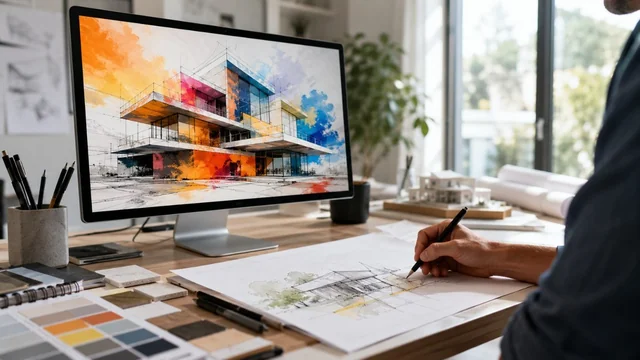
Generative AI has stopped being a novelty in architecture practice and started replacing real hours of work - concept renders that took an afternoon now take minutes, and early massing studies can be brute-forced across a hundred variations before lunch. But the 2026 stack is still uneven: a few tools are genuinely production-ready, others are demos in a trench coat. This guide rounds up the ten platforms architects are actually putting on timesheets right now, across rendering, generative design, site analysis, and specification work.
Key takeaways:
- Generative AI in 2026 is production-ready for concept rendering, early massing, schematic floor plans and spec drafting - not for construction documents.
- Veras, Krea and ControlNet workflows respect your actual 3D geometry; Midjourney does not, and that distinction now drives most tool choices.
- Autodesk Forma, Snaptrude, Finch3D and Maket.ai compress weeks of schematic design into hours by generating and analysing dozens of variants.
- LLMs (Claude, ChatGPT) are the highest-ROI generative tool in most practices because they absorb spec writing, research and script review.
- Disclosure, IP hygiene and enterprise-tier data terms are now standard practice - never feed confidential client BIM into a consumer AI tool.
At a Glance: The 2026 Generative AI Stack for Architects
- Midjourney v7 / v8 — Concept rendering · from $10/mo · best for mood, atmosphere and competition boards
- Stable Diffusion + ControlNet — Open-source rendering · free (self-hosted) or via API · best for controlled geometry renders
- Veras (EvolveLAB) — AI rendering plugin · from $25/mo · best for Revit, Rhino, SketchUp, Archicad users
- Krea AI — Real-time AI rendering · from $10/mo · best for live sketch-to-render sessions
- Autodesk Forma — Cloud massing & site analysis · from ~$1,985/yr · best for early-stage planning
- Maket.ai — Generative floor plans · from $25/mo · best for residential layouts
- Snaptrude — Collaborative BIM with AI · from $39/user/mo · best for early SD with live cost & spec data
- Finch3D — Generative design in Rhino/Grasshopper · custom pricing · best for parametric optimisation
- Higharc — AI home design for builders · enterprise pricing · best for production homebuilders
- ChatGPT & Claude — LLM assistants · free / from $20/mo · best for specs, code review and research
The Picks, Reviewed
1. Midjourney v7 / v8
Concept rendering · from $10/mo · best for mood, atmosphere and competition boards
Still the default for concept-phase imagery. The v7 model (2025) sharpened spatial coherence and material realism, and the v8 alpha released in early 2026 added native 2K output and roughly 5x faster generation. Architects use it for early atmosphere studies, client mood boards and competition visuals - not for anything that needs to match an actual model. Pair it with image references and style codes for repeatable house looks.
2. Stable Diffusion + ControlNet
Open-source rendering · free (self-hosted) or via API · best for controlled geometry renders
The open-source workhorse behind most serious architectural AI workflows. ControlNet lets you feed in edge maps, depth maps or line drawings exported from Revit, Rhino or SketchUp, so the AI respects your actual geometry while inventing materials and lighting. It is more setup than a SaaS tool, but nothing else gives you this level of control over what the model is allowed to change.
Visit Stable Diffusion + ControlNet »
3. Veras (EvolveLAB)
AI rendering plugin · from $25/mo · best for Revit, Rhino, SketchUp, Archicad users
A diffusion-based rendering layer that plugs directly into Revit, Rhino, SketchUp, Archicad, Vectorworks, Forma and Allplan. You drive the 3D model as usual and prompt Veras for materials, lighting and atmosphere; it renders against your geometry rather than hallucinating a new building. This is the pragmatic middle ground between a hand-tuned V-Ray scene and a pure text-to-image gamble.
4. Krea AI
Real-time AI rendering · from $10/mo · best for live sketch-to-render sessions
Krea's selling point is latency: the feedback loop is measured in milliseconds, so you can paint or push a viewport and watch a rendered version update underneath. It accepts sketches, screen captures or viewport feeds from Revit, SketchUp, 3ds Max and Blender. Good for live charette work, mood explorations and client meetings where you want to iterate in the room.
5. Autodesk Forma
Cloud massing & site analysis · from ~$1,985/yr · best for early-stage planning
Autodesk's successor to Spacemaker, now the AEC Collection's official early-stage platform. Forma runs near-real-time analyses for sun hours, wind, noise, microclimate and operational carbon, and its generative tools propose massing variants against site constraints. It is the most mature option if you already live in the Autodesk ecosystem and want analyses that planners will accept.
6. Maket.ai
Generative floor plans · from $25/mo · best for residential layouts
Describe a program - rooms, dimensions, adjacencies, lot shape - and Maket fans out dozens of viable floor plans in seconds, with zoning and code constraints baked in. It is targeted squarely at residential and small multifamily, where the geometry is bounded enough that a generative model can actually finish the job. Pairs well with a human reviewer for code edge cases.
7. Snaptrude
Collaborative BIM with AI · from $39/user/mo · best for early SD with live cost & spec data
A browser-native BIM tool that has bolted on AI for massing, layout suggestions and live cost/spec estimation as you model. The pitch is that schematic design no longer needs to live in a sketch app divorced from your BIM; Snaptrude keeps the geometry, quantities and cost together from day one. Two-way Revit interop means it slots into existing pipelines instead of replacing them.
8. Finch3D
Generative design in Rhino/Grasshopper · custom pricing · best for parametric optimisation
Finch sits on top of Rhino and Grasshopper and uses graph-based rules plus generative algorithms to evolve layouts that hit your KPIs - daylight, area efficiency, unit mix, structural rationality. Strongest for residential towers and office floors where a small set of typologies repeats with variation. It is more of a power tool than a one-click assistant.
9. Higharc
AI home design for builders · enterprise pricing · best for production homebuilders
A vertically integrated platform for production homebuilders: catalog of plans, automated variants, instant pricing, drawings and marketing renders generated from the same model. It is not a tool for one-off custom work, but for builders shipping the same plan a hundred times a year it collapses architecture, engineering and sales into one workflow. Now used across several US national builders.
10. ChatGPT & Claude
LLM assistants · free / from $20/mo · best for specs, code review and research
The unglamorous but highest-ROI use of generative AI in most practices is writing: outline specs, drafting MasterFormat sections, summarising zoning code, reviewing Dynamo or Grasshopper scripts and turning meeting notes into action lists. Claude is favoured for long-document work (full spec books, contracts) and ChatGPT for code and plugin scripting. Always check against the authoritative source - both will invent citations under pressure.
How AI Fits Into an Architect's Workflow in 2026
The honest version of the 2026 picture: generative AI is genuinely good at the soft, exploratory front end of a project - concept atmosphere, mood, early massing, schematic floor plans, spec drafts, research summaries - and genuinely bad at anything that has to be exact. Tools like Veras, Midjourney and Krea collapse the cost of producing a beautiful concept image to nearly zero, which means more options get explored and clients see a wider sweep of ideas. Forma, Snaptrude, Finch3D and Maket compress the schematic design phase by generating and analysing dozens of viable variants in the time it used to take to draw one.
Where AI still doesn't earn its keep: precise CAD work, construction documents, code compliance sign-off and regulatory submission. Diffusion models cannot reliably produce a dimensioned wall section. LLMs will confidently cite IBC sections that don't exist. Generative floor plans need a human pass for egress, accessibility and structural rationality before anyone stamps them. The right mental model is that AI is a fast, very enthusiastic junior - it can produce a hundred drafts before lunch, but the AOR is still the one signing the drawings.
Ethics and IP are unsettled. Diffusion models were trained on scraped images that include copyrighted architectural photography; using Midjourney output in a published render is legally grey in several jurisdictions, and clients increasingly ask. The AIA has issued cautious guidance and RIBA published its first formal AI position, both emphasising disclosure, human authorship and avoiding training data leakage of confidential client work. Most firms now have an internal policy: no client BIM or drawings into public models, and AI-assisted images are labelled as such in deliverables.
The practical rule that has emerged in 2026 is human-in-the-loop everywhere. Generate widely, curate ruthlessly, always have a licensed architect verify anything that touches code, structure, life safety or contract. The firms getting real productivity gains are the ones that have rebuilt their early-phase workflow around AI, not the ones that bolted a render plugin onto an unchanged process.
Sources & Further Reading
Frequently Asked Questions
Can generative AI actually replace a rendering artist?
For concept-phase and competition imagery, largely yes - Veras, Krea and Midjourney produce client-grade visuals in minutes. For final marketing renders that must match a built project exactly, no; you still want a human rendering artist driving V-Ray, Corona or Unreal against the real BIM model. The economic shift is that the bottom half of the rendering market is being absorbed by AI while the top half is becoming more specialised.
Which AI tool is best for floor plan generation?
For residential and small multifamily, Maket.ai is the most mature option and ships zoning-aware variants in seconds. For larger or more constrained programs (residential towers, office floors, hotels), Finch3D and Snaptrude give you more control over typology and KPIs. None of them produce a code-compliant permit set; treat output as schematic.
Is it safe to upload client BIM models to these AI tools?
Read each tool's data policy carefully. Autodesk Forma, Snaptrude and Veras have enterprise terms that explicitly exclude training on your data; consumer-tier Midjourney and ChatGPT historically have not. Most firms have moved confidential project work to enterprise tiers or self-hosted Stable Diffusion specifically to avoid leaking client geometry into public training sets.
Do I need to disclose AI use to clients?
Increasingly, yes. The AIA and RIBA both recommend disclosure of AI-assisted deliverables, and several large institutional clients now require it in their RFPs. The standard practice in 2026 is to label AI-generated concept imagery as such and to keep human authorship clear in any signed/sealed drawing set.
Can I use Midjourney images commercially in a client proposal?
Midjourney's paid tiers grant commercial use of generated images, but the underlying copyright status of AI output is still unsettled in the US and EU, and training-data lawsuits are ongoing. Most firms treat AI images as illustrative concept material rather than as licensable artwork, and avoid using them in any context where IP indemnification matters.
What is the cheapest way to get started with AI rendering?
A $10/month Midjourney plan for concept atmosphere plus a Krea or free-tier ControlNet workflow for geometry-respecting renders covers most early-phase needs. If you already pay for Revit, Rhino or SketchUp, adding Veras at around $25/month is the highest-leverage single subscription because it works directly against the model you are already building.
Information is based on public sources and vendor pages current as of June 2026. Details, prices and plans change frequently — verify on the official site before relying on them.