Razer Blade Pro 17 (2019) Review: Is It Still Worth It in 2026?
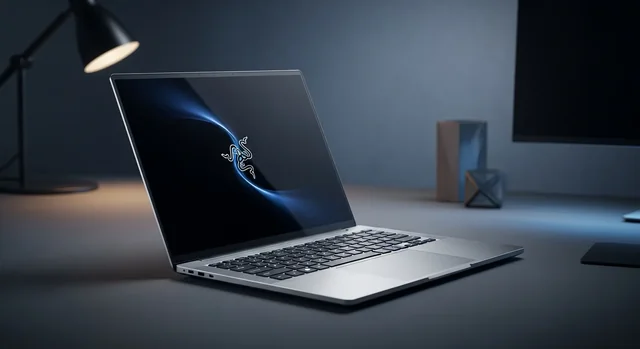
The Razer Blade Pro 17" (2019) marked a pivotal moment in gaming laptop history, introducing a redesigned chassis that was significantly lighter than its predecessor while maintaining premium build quality. Six years later, this laptop remains a fascinating case study in how gaming hardware ages and what it means for the used market in 2026.
Original 2019 Specifications: What Made It Special
When Razer launched the Blade Pro 17" in 2019, it represented a complete reimagining of their flagship gaming laptop. The device shipped with cutting-edge specifications for its time:
CPU: Intel Core i7-9750H (6-core, 2.6GHz base, 4.5GHz boost)
Graphics: NVIDIA GeForce RTX 2060, RTX 2070, or RTX 2080 Max-Q variants
Display: 17.3-inch Full HD (1920x1080) IPS, 144Hz refresh rate
RAM: 16GB DDR4-2667MHz (expandable to 64GB)
Storage: 512GB NVMe SSD (upgradeable)
Weight: 2.75kg (6.06 lbs)
Thickness: 19.9mm (0.78 inches)
Original MSRP: $2,500 - $3,200 depending on configuration
You might also be interested in Top 7 Best Video Player for Windows PC.
Design Revolution: 800g Weight Reduction Achievement
The 2019 Blade Pro 17" achieved something remarkable for its time - Razer managed to reduce the weight by approximately 800 grams compared to the 2017 model. This wasn't just about making it lighter; it was about reimagining what a 17-inch gaming laptop could be in terms of portability.
The narrow bezel design was implemented for the first time in the Pro series, giving users more screen real estate in a more compact footprint. The CNC-machined aluminum chassis maintained the premium feel Razer was known for while achieving better thermal management through redesigned internal architecture.
Build Quality Recognition
Professional reviewers consistently praised the build quality upon release. KitGuru awarded it a 9.0/10 rating, while GamesRadar gave it an "excellent" rating, specifically highlighting the solid construction and premium materials. The laptop featured Razer's signature matte black finish with the illuminated triple-headed snake logo.
2026 Performance Perspective: How It Holds Up Today
In 2026, the Razer Blade Pro 17" (2019) occupies an interesting position in the gaming laptop ecosystem. The Intel i7-9750H, while no longer cutting-edge, still provides adequate performance for most productivity tasks and older gaming titles.
Gaming Performance in 2026
The RTX 2060/2070/2080 Max-Q variants show their age when running modern 2026 game titles. Here's what you can realistically expect:
- Esports titles (CS2, Valorant, League of Legends): Still excellent performance at 1080p high settings, easily maintaining 144Hz
- AAA games from 2019-2021: Medium to high settings at 1080p with good frame rates
- Modern 2024-2026 releases: Low to medium settings required for playable frame rates
- Ray tracing: Limited usability even with DLSS, mainly suitable for older RT-enabled titles
Productivity and Content Creation
For content creation, the 6-core i7-9750H remains capable for:
- Photo editing in Adobe Lightroom and Photoshop
- 1080p video editing (4K editing possible but slower)
- Streaming and content creation with some limitations
- Programming and development work
Used Market Value Analysis (2026)
The used market for the 2019 Blade Pro 17" reflects both its premium heritage and technological aging. Current market values vary significantly based on condition and configuration:
| Configuration | Original MSRP | 2026 Used Market Range | Depreciation |
|---|---|---|---|
| RTX 2060 / 16GB / 512GB | $2,500 | $800 - $1,200 | 68-72% |
| RTX 2070 / 16GB / 512GB | $2,800 | $1,000 - $1,400 | 65-70% |
| RTX 2080 / 32GB / 1TB | $3,200 | $1,200 - $1,800 | 62-68% |
Factors Affecting Resale Value
Several factors significantly impact the used market value:
You might also be interested in 15 Best Free MacBook Games in 2026 (M1, M2, M3, M4 Compatible).
- Battery health: Units with degraded batteries see 15-25% lower values
- Screen condition: Any dead pixels or backlight bleeding severely impacts price
- Thermal paste condition: Units that haven't been maintained may have thermal throttling issues
- Cosmetic condition: The aluminum chassis shows wear easily, affecting perceived value
Comparison with Modern Razer Blade 18 (2026)
Comparing the 2019 Blade Pro 17" with Razer's current flagship Blade 18 reveals how much the gaming laptop landscape has evolved:
| Aspect | Blade Pro 17" (2019) | Blade 18 (2026) |
|---|---|---|
| CPU | Intel i7-9750H (6-core) | Intel i9-14900HX (24-core) |
| GPU | RTX 2080 Max-Q (8GB) | RTX 4090 (16GB) |
| Display | 17.3" 1080p 144Hz | 18" QHD+ 240Hz or 4K 120Hz |
| RAM | 16GB DDR4-2667 | 32GB DDR5-5600 |
| Weight | 2.75kg | 3.1kg |
| Price | $2,500-$3,200 (2019) | $4,000-$5,500 (2026) |
Battery Degradation: A Critical 2026 Concern
One of the most significant issues facing 2019 Blade Pro 17" owners in 2026 is battery degradation. Lithium-ion batteries typically lose 20% of their capacity after 2-3 years of regular use, and six-year-old units often show severe degradation.
Common Battery Issues
Users report various battery-related problems:
- Reduced capacity: Many units now hold only 40-60% of original capacity
- Rapid discharge: Battery life dropping to 1-2 hours under light use
- Calibration issues: Inaccurate battery percentage reporting
- Physical swelling: Some units experience battery swelling, requiring immediate replacement
Battery Replacement Considerations
Replacing the battery in a 2019 Blade Pro 17" involves several considerations:
- Cost: Official Razer batteries cost $150-200, third-party options $80-120
- Installation: Requires technical expertise and proper tools
- Warranty: Third-party batteries may void any remaining warranty
- Availability: Original batteries becoming harder to source
Legacy and Impact on Gaming Laptop Industry
The 2019 Razer Blade Pro 17" played a crucial role in shaping modern gaming laptop design philosophy. Its influence can be seen across the industry in several key areas:
Design Language Evolution
The laptop's clean, minimalist aesthetic influenced competitors to move away from aggressive "gamer" styling toward more professional appearances. The narrow bezel implementation became standard across premium gaming laptops.
You might also be interested in 15 Best VLC Media Player Keyboard Shortcuts.
Thermal Engineering Advances
The challenge of cooling high-performance components in the thinner chassis drove innovations in thermal design that benefited the entire industry. Vapor chamber cooling and advanced fan curve algorithms became more commonplace.
Premium Segment Growth
Razer's success with the premium pricing strategy ($2,500+) demonstrated market appetite for high-end gaming laptops, encouraging other manufacturers to develop flagship models.
Should You Buy One in 2026?
The decision to purchase a used 2019 Blade Pro 17" in 2026 depends on specific use cases and budget constraints:
Good For:
- Budget-conscious users seeking premium build quality
- Esports gaming and competitive titles
- Basic content creation and productivity work
- Users who prioritize design over cutting-edge performance
Not Recommended For:
- Latest AAA gaming at high settings
- Professional 4K video editing
- Machine learning or AI workloads
- Users requiring all-day battery life
Maintenance Tips for Current Owners
If you currently own a 2019 Blade Pro 17", several maintenance steps can extend its usable life:
- Thermal paste replacement: Consider repasting CPU/GPU every 2-3 years
- Driver updates: Keep GPU drivers current for optimal gaming performance
- Storage upgrade: Consider upgrading to a faster NVMe SSD for improved responsiveness
- RAM expansion: Upgrading to 32GB can improve multitasking performance
- Regular cleaning: Keep fans and vents clean to prevent thermal throttling
Frequently Asked Questions
Is the 2019 Razer Blade Pro 17" still worth buying in 2026?
It depends on your needs and budget. For esports gaming, productivity work, and basic content creation, it can still be a solid choice at current used market prices ($800-$1,800). However, for modern AAA gaming or professional creative work, newer laptops offer significantly better performance.
Learn more in our article about 10 Best Gaming Monitors Under $200 in 2026 (1080p & 1440p).
What's the biggest concern when buying a used 2019 Blade Pro 17"?
Battery degradation is the primary concern. Most 6-year-old units will have significantly degraded batteries, potentially requiring immediate replacement ($150-200). Always check battery health before purchasing and factor replacement costs into your budget.
Can I still get parts and service for the 2019 model?
Razer still provides some support, but availability is becoming limited. Common replacement parts like batteries and keyboards are still available, but specialized components may be harder to source. Third-party repair services are often more cost-effective than official Razer service.
How does gaming performance compare to modern budget gaming laptops?
Modern budget gaming laptops with RTX 4060 or 4050 GPUs generally outperform the 2019 Blade Pro 17" in raw gaming performance, especially in newer titles. However, the Razer still offers superior build quality and design compared to most budget alternatives.
Is it worth upgrading the RAM and storage?
Yes, upgrading to 32GB RAM and a faster NVMe SSD can significantly improve the laptop's performance and extend its useful life. These upgrades are relatively affordable and can make the system feel much more responsive for modern workflows.
What should I expect for thermal performance?
Thermal performance varies significantly based on maintenance history. Well-maintained units with fresh thermal paste can still manage heat effectively, while neglected units may experience thermal throttling. Professional repasting is recommended for optimal performance.
Can it handle 4K external displays?
Yes, the laptop can drive 4K displays at 60Hz through its HDMI 2.0 and Thunderbolt 3 ports. However, gaming at 4K will require significant settings compromises due to the aging GPU hardware.
How long can I expect it to remain viable for gaming?
For esports and older titles, the laptop should remain viable for several more years. For new AAA releases, it's already showing limitations and will likely become unsuitable for new games within 1-2 years without significant settings compromises.
What's the best alternative if I want something similar but newer?
Consider the current Razer Blade 16 or 18 for similar design philosophy with modern performance, or look at competitors like the ASUS ROG Zephyrus series or MSI GS series for premium thin gaming laptops with better price-to-performance ratios.
For more details, check out our guide on How to Play Free Fire on PC with Keyboard and Mouse Controls.
Are there any known long-term reliability issues?
Common issues include battery swelling, keyboard key failures (especially on heavily used units), and potential display hinge wear. The aluminum chassis is generally durable but can show cosmetic wear easily. Regular maintenance and careful handling can minimize these issues.
Related Guides
Shopping for a laptop today? See our guides to budget gaming laptops, video editing laptops, and handheld gaming PCs.
Frequently Asked Questions
Is the Razer Blade Pro 17 (2019) still worth buying in 2026?
Only as a used bargain. Its build quality and display hold up, but the 2019 components are dated for modern gaming and creative work - a newer laptop offers far better performance per dollar.
Can the Razer Blade Pro 17 run modern games?
It can still run many titles at reduced settings, but it will struggle with the latest demanding games at high settings compared to current GPUs.
Should I buy a used Razer Blade Pro 17?
If the price is low and the battery and thermals are healthy, it's a premium-feeling used option, but check for wear and consider a newer model for longevity.