Podcast Microphones Guide: How to Start a Podcast in 2026 (USA)
Starting a podcast in 2026 is one of the smartest ways to build a personal brand, grow an audience, and even create a new income stream in the USA.
If you’re wondering how to start a podcast in 2026, choosing the right podcast microphone and setup is the first step.
However, many beginners struggle with where to start—especially when it comes to choosing the right podcast microphones and setup.
Podcasting in 2026 is easier than ever, thanks to affordable podcast microphones, free recording software, and platforms like Spotify for Podcasters.
Whether you want to start a solo podcast, interview show, or YouTube podcast, this guide will help you launch professionally from home.
The good news? You don’t need a professional studio to start a successful podcast. With the right approach, a simple setup, and the right podcast microphone, you can create high-quality content from home.
In this beginner-friendly guide, you’ll learn everything from choosing a podcast niche to selecting the best podcast microphones, recording, editing, and publishing your podcast successfully.
Here’s a quick overview for beginners starting a podcast in 2026:
Quick Answer
- Best beginner podcast microphone: Blue Yeti
- Best professional podcast microphone: Shure SM7B
- Best budget podcast setup: ATR2100x
- USB microphones are ideal for beginners
- XLR microphones provide professional studio-quality audio
Table of Contents
1. Choose Your Podcast Topic
2. Decide Your Podcast Format
3. Get the Right Equipment
4. Recording Software & Tools
5. Record Your First Episode
6. Edit Your Podcast
7. Publish Your Podcast
How to Start a Podcast in 2026 (Quick Steps)
Starting a podcast is easier when you follow a simple step-by-step process:
1. Choose your podcast topic or niche
2. Decide your podcast format
3. Get the right podcast microphone and equipment
4. Record your first podcast episode
5. Edit your podcast audio
6. Publish your podcast on platforms like Spotify and Apple Podcasts
Let’s look at each step in detail so you can launch your podcast successfully in 2026.
Podcast Planning (Before You Start)
Step 1: Choose Your Podcast Topic (Niche Matters)
The first step is deciding what your podcast will be about.
Avoid broad topics like “business” or “motivation.” Instead, choose a focused niche that targets a specific audience.
Examples of podcast niches:
- Career growth for students
- Freelancing tips for beginners
- Side hustles for women
- Parenting advice for working moms
Ask yourself:
- Who is my target audience?
- What problems can I solve?
- Can I talk about this topic consistently?
Step 2: Decide Your Podcast Format
Choose a podcast format that matches your content style and comfort level.
Popular podcast formats include:
- Solo podcast (best for beginners)
- Interview podcast
- Storytelling podcast
Tip: Starting with a solo podcast format is easier and helps build confidence before interviewing guests.
Step 3: Get the Right Equipment (Beginner Setup)
You don’t need expensive gear to start podcasting, but good audio quality is essential for listener engagement.
Choosing the best podcast microphone can significantly improve your sound quality and overall listener experience.
USB vs XLR Microphones (Which is Better?)
| Feature | USB Microphone for Podcasting | XLR Podcast Microphones |
|---|---|---|
| Ease of Use | Plug-and-play, beginner-friendly | Requires audio interface & setup |
| Best For | Beginners | Advanced & professional users |
| Audio Quality | Good | Professional studio-quality |
| Extra Equipment | No extra gear needed | Requires audio interface |
| Cost | Affordable | More expensive |
| Setup Time | Quick and simple | More time-consuming |
If you're just starting a podcast, a USB microphone is usually the best choice because it’s affordable, easy to use, and requires minimal setup.
However, if you want professional-level audio quality and plan to upgrade your setup in the future, XLR podcast microphones are a better long-term investment.
Which Should You Choose?
If you are starting your first podcast, USB microphones are easier to use, more affordable, and perfect for beginner setups.
If you want professional studio-quality sound and plan to upgrade your podcast setup over time, XLR microphones are the better long-term investment.
Best Podcast Microphones for Beginners (2026)
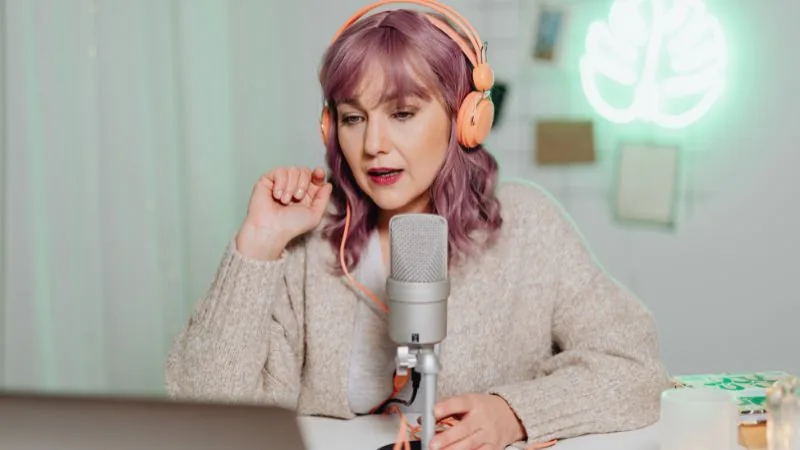
Choosing the right podcast microphone is important because audio quality plays a major role in listener experience and audience retention.
Beginner-friendly microphone options include:
- USB microphones for easy plug-and-play setup
- Budget podcast microphones under $100
- Entry-level dynamic microphones for better noise control
The best podcast microphone for beginners should offer clear sound quality, simple setup, and reliable performance for home recording.
Podcast Microphone Comparison Table
| Microphone | Type | Best For | Key Feature | Price Range |
|---|---|---|---|---|
| Blue Yeti | USB | Beginner podcasters | Easy plug-and-play setup | Budget-Friendly |
| Shure SM7B | XLR | Professional podcasters & creators | Studio-quality sound | Premium |
| Rode PodMic | XLR | Advanced podcast setups | Rich vocal clarity | Mid-Range |
The best podcast microphone depends on your budget, recording environment, and long-term podcasting goals.
Choosing the Right Podcast Microphone
A podcast microphone is one of the most important parts of your podcast setup. Poor audio quality can reduce listener engagement and make your podcast sound unprofessional.
When choosing a podcast microphone, look for:
- Clear voice quality
- Good background noise reduction
- Durable build quality
- Easy setup and compatibility
Popular types of podcast microphones include:
- USB Microphones
Best for beginners because they are affordable, easy to set up, and work without additional equipment. - Dynamic Microphones
Ideal for noisy environments because they reduce background noise and focus more on your voice. - Condenser Microphones
Best for studio-quality sound and detailed audio recording in quiet environments.
Start with a simple setup and upgrade your podcast equipment as your audience grows.
Step 4: Recording Software & Tools
You’ll need podcast recording software to record, edit, and improve your audio quality.
Here’s a quick overview of some popular podcast recording tools:
| Software | Best For | Cost |
|---|---|---|
| Audacity | Beginner podcasters | Free |
| GarageBand | Mac users | Free |
| Adobe Audition | Professional podcast editing | Paid |
| Riverside | Remote podcast interviews | Paid |
| Zencastr | Remote podcast recording | Paid |
-
Audacity (Free) – Beginner-friendly audio recording and editing software for Windows and Mac.
-
GarageBand (Mac) – A simple and powerful recording tool for Apple users.
-
Adobe Audition (Professional) – Advanced podcast editing software with professional audio tools.
-
Riverside & Zencastr – Popular platforms for recording remote podcast interviews with high-quality audio.
Choose software based on your budget, experience level, and podcasting needs.
Step 5: Record Your First Episode
Before recording your first podcast episode, make sure your setup and environment are ready.
Before You Record
- Find a quiet recording space
- Turn off background noise like fans or TVs
- Prepare a simple podcast outline or script
- Test your microphone and audio levels
Podcast Recording Tips
- Speak clearly and confidently
- Stay natural and conversational
- Maintain consistent microphone distance and volume
- Avoid speaking too fast
- Use headphones to monitor audio quality
Your first podcast episode doesn’t need to be perfect. Focus on creating valuable content and improving with each episode.
Step 6: Edit Your Podcast
Podcast editing helps improve audio quality and creates a better listening experience for your audience.
Editing can help remove:
- Background noise
- Long pauses
- Mistakes and filler words
- Uneven audio levels
Popular Podcast Editing Tools
Audacity – Free and beginner-friendly podcast editing software
Descript – Easy editing with AI-powered transcription features
Keep your podcast editing simple and natural. Over-editing can make your podcast sound unnatural and less engaging.
Step 7: Publish Your Podcast
Once your podcast episode is ready, you’ll need a podcast hosting platform to publish and distribute your content online.
Popular Podcast Hosting Platforms
-
Spotify for Podcasters
-
Buzzsprout
-
Podbean
These platforms help distribute your podcast to major directories, including:
-
Spotify
-
Apple Podcasts
-
Google Podcasts
Cost of Starting a Podcast in USA
The cost of starting a podcast depends on your equipment and setup quality.
-
Basic Setup ($50–$100): USB microphone + free software
-
Mid-Range Setup ($100–$300): Better microphone + headphones
-
Professional Setup ($300+): Advanced podcast equipment
Beginners should start with a simple setup and upgrade their equipment over time.
Basic Podcast Setup
A simple beginner podcast setup usually includes:
- USB microphone for podcasting
- Laptop or desktop computer
- Free podcast recording software
- Quiet recording environment
Common Podcasting Mistakes to Avoid
- Ignoring audio quality
- Publishing inconsistently
- Choosing a very broad niche
- Waiting for perfect equipment before starting
Consistency and valuable content are more important than having an expensive setup in the beginning.
FAQs (Frequently Asked Questions)
1. Which microphone is best for beginner podcasters?
USB microphones like the Blue Yeti and Audio-Technica ATR2100x are excellent choices for beginner podcasters. They are affordable, easy to set up, and provide good audio quality without requiring extra equipment.
2. Is a USB microphone enough for podcasting?
Yes, a USB microphone is more than enough for beginner and intermediate podcasting. USB microphones are simple to use, connect directly to your computer, and deliver clear sound quality for most podcast formats.
3. How much does it cost to start a podcast?
Starting a podcast can cost anywhere from $100 to $500 depending on your setup. A basic beginner setup with a USB microphone, headphones, and free recording software can be very affordable. Professional podcast setups with XLR microphones and audio interfaces may cost more.
4. Can I podcast using my smartphone?
Yes, you can start podcasting using a smartphone, especially for beginner projects or casual recordings. However, using an external microphone significantly improves audio quality and gives your podcast a more professional sound.
5. Do I need an audio interface?
You only need an audio interface if you are using an XLR microphone. USB microphones connect directly to your computer and do not require additional equipment. Audio interfaces help improve sound control and are commonly used in professional podcast setups.
6. Do podcasts need video in 2026?
No, podcasts do not require video. Audio-only podcasts are still popular, but video podcasts on YouTube and Spotify are growing quickly in 2026.
7. How much does it cost to start a podcast in 2026?
You can start a podcast with a basic setup costing around $50–$100. This usually includes a USB microphone and free recording software.
8. Do I need expensive equipment to start a podcast?
No, you don’t need expensive gear in the beginning. A simple setup with a good podcast microphone and free tools is enough to get started.
9. What type of microphone is best for podcasting?
Dynamic microphones are great for noisy environments, while condenser microphones provide studio-quality sound in quiet spaces. USB microphones are usually the best choice for beginners because they are simple to use and affordable.
10. Which platform is best to publish a podcast in the USA?
Popular platforms like Spotify for Podcasters, Apple Podcasts, and Buzzsprout are great options. They help distribute your podcast to a wider audience.
11. How long should a podcast episode be?
Most podcast episodes range from 20 to 60 minutes depending on the content.
12. How often should I publish podcast episodes?
Weekly or bi-weekly publishing works best for consistency.
Conclusion
Starting a podcast in 2026 is not about having perfect equipment—it’s about taking action and staying consistent.
Focus on creating valuable content, choosing the right podcast microphone, and improving your audio quality over time.
You don’t need an expensive studio to start podcasting successfully. Many beginner podcasters start with a simple setup and upgrade as their audience grows.
This guide is based on practical podcasting setups, beginner creator workflows, and industry-recommended podcast equipment.
Start today—your first podcast episode is the most important step.