Best iPhone Launchers for Android
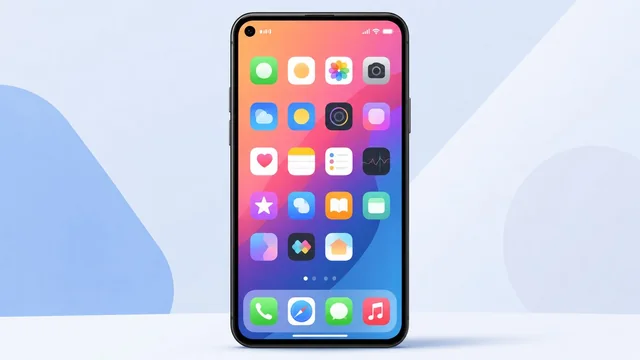
Love the look of iOS but prefer Android's freedom? An iPhone-style launcher can give your Android phone the clean icons, layout and Control Center of an iPhone — without spending a fortune. Here are the best iPhone launchers for Android, what each does well, and what to know before you install one.
Best iPhone Launchers for Android at a Glance
| Launcher | Best For |
|---|---|
| Launcher iOS 18 | Closest iOS look |
| Phone 15 Launcher | iPhone 15/16 style |
| X Launcher | Smooth & customizable |
| iLauncher | Lightweight option |
| Control Center iOS | iOS-style controls |
1. Launcher iOS 18 — Closest to the Real Thing
Launcher iOS 18 is one of the most popular and convincing iPhone launchers, recreating the iOS home screen, app library, notification style and Control Center. It's regularly updated to match the latest iOS look, with smooth animations and plenty of customization.
2. Phone 15 Launcher — Latest iPhone Style
Phone 15 Launcher mimics the look of recent iPhones, complete with iOS-style icons, wallpapers and gestures. It's lightweight and easy to set up, making it a good choice if you want the modern iPhone aesthetic without much fuss.
3. X Launcher — Smooth and Customizable
X Launcher delivers a polished iOS-style experience with fluid animations, a Control Center, app library and a good balance of authenticity and customization. It's a reliable all-rounder for turning Android into something that feels like iOS.
4. iLauncher — Lightweight and Simple
iLauncher focuses on the essentials: an iOS-style home screen, folders and Control Center, with a small footprint that runs well even on older or budget Android phones.
5. Control Center iOS — Add iOS Controls to Any Launcher
If you don't want to replace your whole launcher, Control Center iOS adds just the swipe-up iOS Control Center to your existing Android setup — quick toggles for Wi-Fi, brightness, flashlight and more, in the familiar iPhone style.
Things to Know Before You Install
iPhone launchers change how your home screen looks and behaves, but they can't make Android be iOS — system menus, settings and notifications will still be Android underneath. A few tips: download launchers only from the Google Play Store, watch out for ad-heavy apps (many free launchers show ads), and grant only the permissions the launcher genuinely needs. If performance dips, switch to a lighter launcher. You can always revert to your phone's default launcher in Settings.
How to Set an iPhone Launcher as Default
After installing, open Settings → Apps → Default apps → Home app (the wording varies by phone) and select your new launcher. To switch back, return to the same screen and choose your original launcher. It's completely reversible, so feel free to experiment.
Frequently Asked Questions
What is the best iPhone launcher for Android?
Launcher iOS 18 is widely considered the most convincing, recreating the iOS home screen, app library and Control Center with regular updates. Phone 15 Launcher and X Launcher are also excellent for a smooth, modern iPhone look.
Can an iPhone launcher make my Android look exactly like an iPhone?
It can make your home screen and icons look very close to iOS, including the Control Center and app library. However, the underlying system menus, settings and notifications remain Android, so it's a visual change rather than a full conversion.
Are iPhone launchers safe?
Reputable ones from the Google Play Store are generally safe, but many free launchers are ad-supported. Stick to well-reviewed apps, avoid those demanding unnecessary permissions, and you can always switch back to your default launcher if something feels off.
Do iPhone launchers slow down your phone?
Some heavier launchers can affect performance on older phones. If you notice lag, choose a lightweight option like iLauncher, or revert to your phone's default launcher in Settings — the change is fully reversible.
Final Thoughts
An iPhone launcher is a fun, free way to give your Android phone an iOS makeover. Launcher iOS 18 gets you closest to the real thing, Phone 15 Launcher and X Launcher offer the modern iPhone look, and Control Center iOS adds just the controls. Try one, and remember you can switch back anytime.