Best Laptop for Editors in 2026 — 8 Top Picks for Video Editing
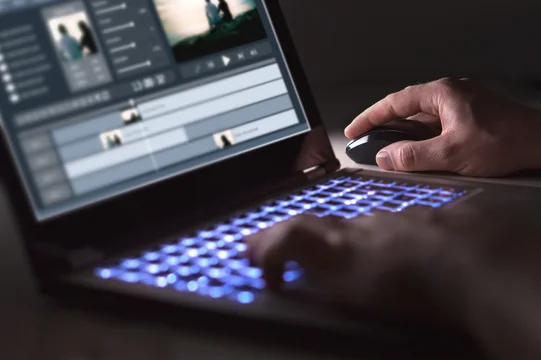
The best laptop for editors in 2026 isn't just any powerful machine — it's a laptop that balances CPU/GPU performance, colour-accurate display, RAM headroom for 4K+ timelines, and enough storage throughput to not wait on exports. Whether you edit on DaVinci Resolve, Premiere Pro, Final Cut Pro or Capcut, you need a different mix of specs. Here are the 8 best laptops for video editors in 2026, from pro workstations to capable budget picks.
Best laptops for editors in 2026 — quick picks
| Laptop | Best for | Starting price |
|---|---|---|
| Apple MacBook Pro 16" M4 Pro | Best overall for Final Cut + DaVinci | From $2,499 |
| Apple MacBook Pro 14" M4 | Best compact Mac for editors | From $1,599 |
| ASUS ProArt Studiobook 16 OLED | Best Windows laptop for colour-critical editing | From $1,799 |
| Dell XPS 15 (2026) | Best Windows for Premiere Pro | From $1,599 |
| HP ZBook Firefly 16 G11 | Best professional workstation laptop | From $1,699 |
| Razer Blade 16 (2026) | Best for editors who also game | From $2,499 |
| Lenovo ThinkPad X1 Extreme Gen 7 | Best for enterprise / IT-managed editors | From $1,899 |
| Acer ConceptD 5 Pro | Best value pro display for editors | From $1,399 |
1. Apple MacBook Pro 16" M4 Pro — Best Overall for Editors
The MacBook Pro 16" with M4 Pro is the best laptop for video editors in 2026, full stop. The M4 Pro chip delivers CPU performance that rivals desktop workstations for export, DaVinci Resolve AI noise reduction, and Premiere Pro's new GPU-accelerated timeline rendering. The 120Hz Liquid Retina XDR display covers 100% of P3 wide colour — accurate enough to grade without a reference monitor for most delivery formats. Battery life (18–22 hours real-world) means genuine portable editing without a power brick.
Key specs: M4 Pro chip (12-core CPU / 20-core GPU), 24–48 GB unified memory, 512 GB–8 TB SSD, 16.2" 3456×2234 Liquid Retina XDR, macOS Sequoia.
Best for: Final Cut Pro, DaVinci Resolve (Studio or free), editors who need genuine all-day portable performance.
2. Apple MacBook Pro 14" M4 — Best Compact Editing Laptop
Same M4 chip family in a more portable 14" body. The M4 base model (from $1,599) is strong enough for 4K editing in Final Cut and DaVinci; the M4 Pro config (from $1,999) handles complex multicam timelines without proxy. The 14.2" display at 3024×1964 is the same Liquid Retina XDR panel as the 16" — no compromise on colour accuracy. Weight: 1.55 kg / 3.5 lbs.
Best for: Editors who travel frequently, run-and-gun documentary teams, solo creators who edit on the go.
3. ASUS ProArt Studiobook 16 OLED — Best Windows Laptop for Colour-Critical Editing
If you're on Premiere Pro or DaVinci Resolve on Windows, the ProArt Studiobook 16 OLED is the display-first choice. The 16" OLED panel is Pantone-validated, covers 100% DCI-P3, and hits 500 nits peak brightness. ASUS calibrates each unit from the factory and includes a calibration report. Intel Core Ultra 9 + NVIDIA RTX 4070 covers GPU-accelerated encoding for H.265, AV1 and ProRes RAW (via Windows). 64 GB RAM standard on upper configs.
Best for: Colour graders, motion designers, commercial editors needing accurate display without an external monitor.
4. Dell XPS 15 (2026) — Best Windows Laptop for Premiere Pro
The XPS 15 hits the sweet spot of premium build, InfinityEdge OLED display (OLED option: 3.5K AMOLED, 100% DCI-P3), and an Intel + NVIDIA RTX combo that Adobe Media Encoder leverages heavily for GPU-accelerated export. The 2026 model adds LPDDR5X RAM (up to 64 GB) and a 120 Hz display refresh. Thin at 18mm, light at 1.86 kg. HDMI 2.1 + Thunderbolt 4 on both sides.
Best for: Premiere Pro editors, solo video producers, editors who want thin-and-light without sacrificing display quality.
5. HP ZBook Firefly 16 G11 — Best Professional Workstation Laptop
The ZBook Firefly is the enterprise-grade pick — ISV-certified for Adobe CC, DaVinci Resolve and Avid Media Composer. HP ships it with colour-calibrated DreamColor display panels (up to 100% DCI-P3 factory calibrated), ECC memory options, and TPM 2.0 + enterprise security baked in. Intel Core Ultra 7/9 + Intel Arc or NVIDIA T550 GPU. Quieter fan profile than gaming-adjacent laptops, making it better for on-set audio recording while editing.
Best for: Broadcast and film editors, studio environments, IT-managed enterprise workflows.
6. Razer Blade 16 (2026) — Best for Editors Who Also Game
The Blade 16 with NVIDIA RTX 4090 and Intel Core i9-14900HX is the raw performance leader on Windows — fastest DaVinci Resolve GPU render times in our comparison, fastest Premiere Pro export. The tradeoff: loud fans under sustained load and shorter battery life (4–5 hours editing). The Mini-LED display (up to 4K 240Hz) is excellent — though not colour-calibrated to broadcast standards out of the box. Best if you do both heavy editing and gaming on one machine.
Best for: Creator/gamer hybrids, YouTubers who want single-machine performance for both editing and gaming.
7. Lenovo ThinkPad X1 Extreme Gen 7 — Best for Enterprise Editors
The X1 Extreme is the enterprise editing standard — durable MIL-SPEC chassis, excellent keyboard, Intel vPro security, and NVIDIA RTX GPU support for hardware-accelerated encoding. Available with a 16" 4K OLED display. Thunderbolt 4 + HDMI 2.1 for dual-monitor editing setups. IT-friendly with replaceable RAM (64 GB max) and dual NVMe storage bays. Not the fastest for raw rendering, but the most IT-managed-friendly laptop for editors in corporate environments.
Best for: Editors at media companies, broadcasters, newsrooms, and enterprise content teams.
8. Acer ConceptD 5 Pro — Best Value Colour-Accurate Display
The ConceptD 5 Pro is the most affordable path to a factory-calibrated, Pantone-validated display in an editing laptop. The 15.6" 4K IPS display covers 100% Adobe RGB — wider than DCI-P3 and important for photography and print-adjacent editing work. Intel Core i7 + NVIDIA RTX 4060 handles 1080p and 4K editing cleanly. Starting at $1,399, it undercuts comparable ASUS ProArt configs by $300–$400 for similar display quality.
Best for: Photo + video hybrid editors, editors on a mid-range budget who need colour accuracy.
What specs do video editors actually need?
CPU — the export engine
For video editing, CPU core count matters for export, timeline responsiveness and effects rendering. Intel Core Ultra 9 or AMD Ryzen 9 for Windows; M4 Pro or M4 Max for Mac. Minimum 8 performance cores; target 12+ for 4K+ professional work.
RAM — how much do you really need?
For 1080p editing in Premiere or DaVinci: 16 GB minimum. For 4K multicam: 32 GB. For 6K/8K, RED RAW, or complex motion graphics: 64 GB. On Apple Silicon, unified memory acts as both RAM and VRAM — 36 GB+ on M4 Pro covers professional 4K work with GPU headroom.
GPU — CUDA vs Metal vs OpenCL
NVIDIA RTX (CUDA) gives the broadest acceleration across Premiere, Resolve, After Effects and encoding (NVENC). Apple Silicon (Metal) gives the best performance-per-watt on macOS apps optimised for it (Final Cut, DaVinci 19+, Capcut). AMD Radeon is adequate but lacks CUDA-specific accelerations. For export encoding specifically, NVENC (NVIDIA) and Apple VideoToolbox (M4) are the fastest hardware encoders in 2026.
Storage — NVMe speed matters for editing
Minimum 1 TB NVMe for an editing system. For 4K+ multicam: 2 TB+ internal. PCIe Gen 4 NVMe (3,000–7,000 MB/s sequential read) eliminates media dropouts on complex timelines. An external Thunderbolt 4 SSD or RAID supplements for footage ingest.
Display — what colour standard matters
For online delivery (YouTube, Instagram, social): sRGB accuracy sufficient. For Netflix, broadcast or cinema delivery: DCI-P3 100% coverage with ΔE <2 calibration. For print-adjacent work: Adobe RGB. OLED panels offer perfect blacks and high contrast that makes grading easier visually, but can exhibit burn-in risk on static UI elements with prolonged use.
Which editing software and which laptop
- Final Cut Pro: MacBook Pro M4 or M4 Pro — Final Cut is Metal-accelerated and Apple Silicon-native, fastest on any Mac.
- DaVinci Resolve (free or Studio): MacBook Pro M4 Pro/Max, or ASUS ProArt with RTX — both are extensively optimised.
- Adobe Premiere Pro + After Effects: Dell XPS 15 or Razer Blade with RTX GPU — CUDA acceleration for Premiere is significantly faster than integrated or AMD GPU options.
- Avid Media Composer: HP ZBook (ISV certified) or ThinkPad X1 Extreme — stability and ISV certification matter for broadcast workflows.
Frequently asked questions
What is the best laptop for video editors in 2026?
The Apple MacBook Pro 16" M4 Pro is the best overall laptop for video editors in 2026 — it delivers the best balance of CPU export performance, display accuracy, battery life and thermal management. For Windows editors, the ASUS ProArt Studiobook 16 OLED or Dell XPS 15 are the closest equivalents.
How much RAM do video editors need?
16 GB is the minimum for 1080p editing. 32 GB handles most 4K workflows comfortably. 64 GB is recommended for 4K multicam, RED RAW, or complex motion graphics. On Apple Silicon laptops, 24–36 GB unified memory is effectively equivalent to 32–64 GB on traditional architectures due to the shared memory architecture.
Mac or Windows laptop for video editing?
Mac (Apple Silicon M4) wins on battery life, thermal efficiency, sustained performance, and Final Cut Pro performance. Windows wins on GPU flexibility (RTX 4090 option), broader software compatibility, upgradeability and enterprise IT management. If you use Final Cut Pro or DaVinci Resolve primarily, Mac. If you use Premiere Pro or Avid in a Windows-managed environment, Windows.
Do editors need a dedicated GPU?
For 4K+ editing in Premiere Pro or Resolve: yes, a dedicated GPU significantly accelerates timeline playback, real-time effects, colour correction and export encoding. For 1080p editing or Final Cut on Apple Silicon (which uses the M-chip's integrated GPU cores natively): a dedicated GPU is less critical. Apple Silicon's Neural Engine and GPU cores outperform discrete GPUs in their thermal class for most Mac-native editing tasks.
Is 1 TB enough storage for video editing?
1 TB is the minimum — enough for your OS, editing software, current project assets and a scratch disk. For working with large projects, shoot an external Thunderbolt 4 SSD for footage ingest. 2 TB internal storage is the sweet spot for editors who prefer keeping everything on-device without managing external drives on location.
For more creative software guides, see our best SEO tools and our best online collaboration tools roundups.