Best SEO Tools in 2026: Your Complete Guide to Dominating Search Rankings
You've just launched your dream business website, filled with passion and hope. Days turn into weeks, weeks into months, but the visitors never come.
Your beautiful content sits invisible in the vast digital ocean, like a lighthouse with its beacon turned off. This scenario haunts thousands of US business owners daily, but it doesn't have to be your story.
The difference between thriving online businesses and those struggling in obscurity often comes down to one critical factor: the right SEO tools. These digital powerhouses can transform your website from invisible to irresistible, turning your online presence into a customer magnet that works 24/7.
You may also like:
Video: The Best SEO Tools for 2026 (And How Much They Cost)
Why You Can Trust This Guide
At SaveDelete, we've covered SEO software and digital marketing tools since 2009, and we use many of the platforms below ourselves to research, optimize, and track the content you're reading right now. This guide is updated for 2026 and reflects hands-on experience, pricing verified directly from each vendor, and the real strengths and trade-offs we've encountered in day-to-day use.
How We Evaluated These SEO Tools
Rather than rank tools on marketing claims, we weighed each one on the factors that matter most in real work:
- Data accuracy & freshness — how reliable the keyword, traffic, and backlink data is, and how often it refreshes.
- Feature depth — keyword research, technical audits, backlink analysis, rank tracking, and content optimization.
- Ease of use — how quickly a new user gets value without a steep learning curve.
- Value for money — features and limits relative to price, including what the free and entry tiers actually include.
- Integrations & support — connections to Google Search Console and Analytics, plus the quality of help resources.
Pricing was checked against each vendor's official website at the time of writing — always confirm current plans, since SEO tools change pricing and limits often. Every tool we recommend links to its official source so you can verify the details yourself.
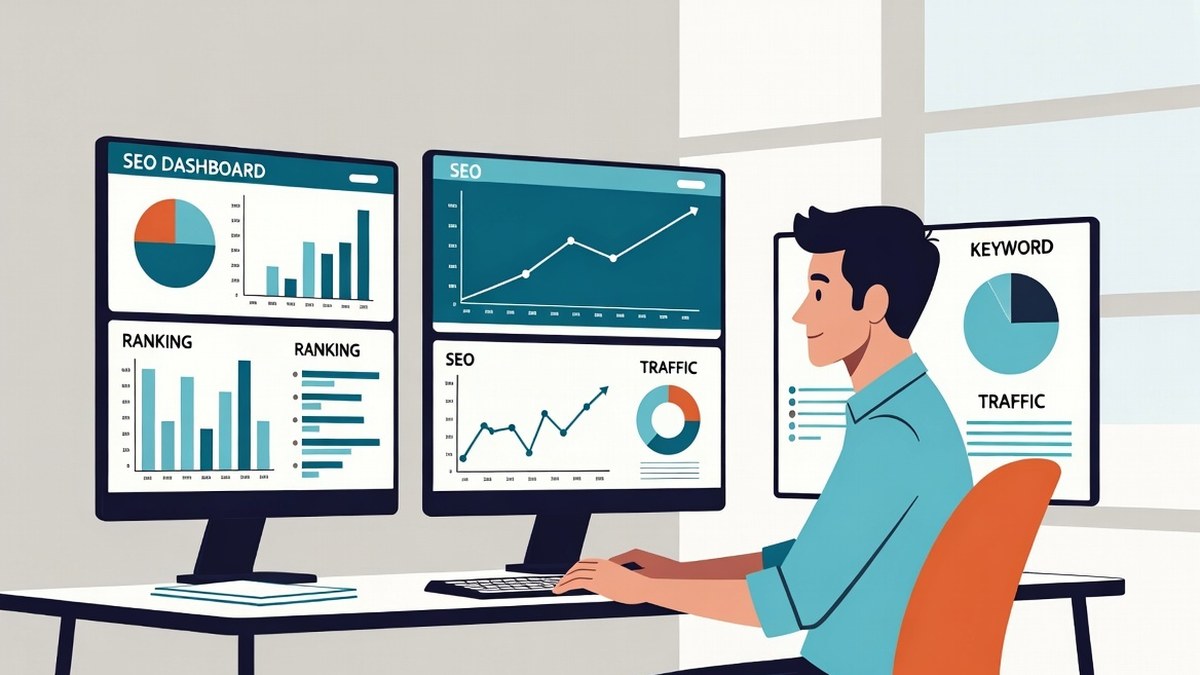
Modern SEO platforms pull keyword, ranking, backlink and traffic data into a single command center.
What Are SEO Tools and Why Do US Businesses Need Them?
SEO tools are specialized software applications designed to help website owners, digital marketers, and businesses improve their search engine visibility. Think of them as your digital marketing Swiss Army knife "“ each tool serves a specific purpose in your quest to rank higher on Google, Bing, and other search engines.
For US businesses, SEO tools are particularly crucial because:
- Competitive Market: The US digital landscape is incredibly competitive, with millions of businesses vying for attention
- Local Search Dominance: 76% of people who search for something nearby visit a business within 24 hours
- Mobile-First Indexing: Google prioritizes mobile-friendly websites, requiring constant optimization
- Algorithm Updates: Search engines frequently update their algorithms, demanding ongoing monitoring and adjustment
The Evolution of SEO Tools in the US Market
The SEO tool landscape has dramatically evolved since the early 2000s. Initially, simple keyword density checkers and basic link analyzers dominated the market. Today's SEO software platforms offer comprehensive suites that can:
- Track thousands of keywords simultaneously
- Monitor competitor strategies in real-time
- Analyze technical website health
- Predict content performance
- Automate reporting and alerts
This evolution reflects the sophistication of modern search algorithms and the growing importance of SEO in digital marketing strategies across the United States.
Essential Categories of SEO Tools
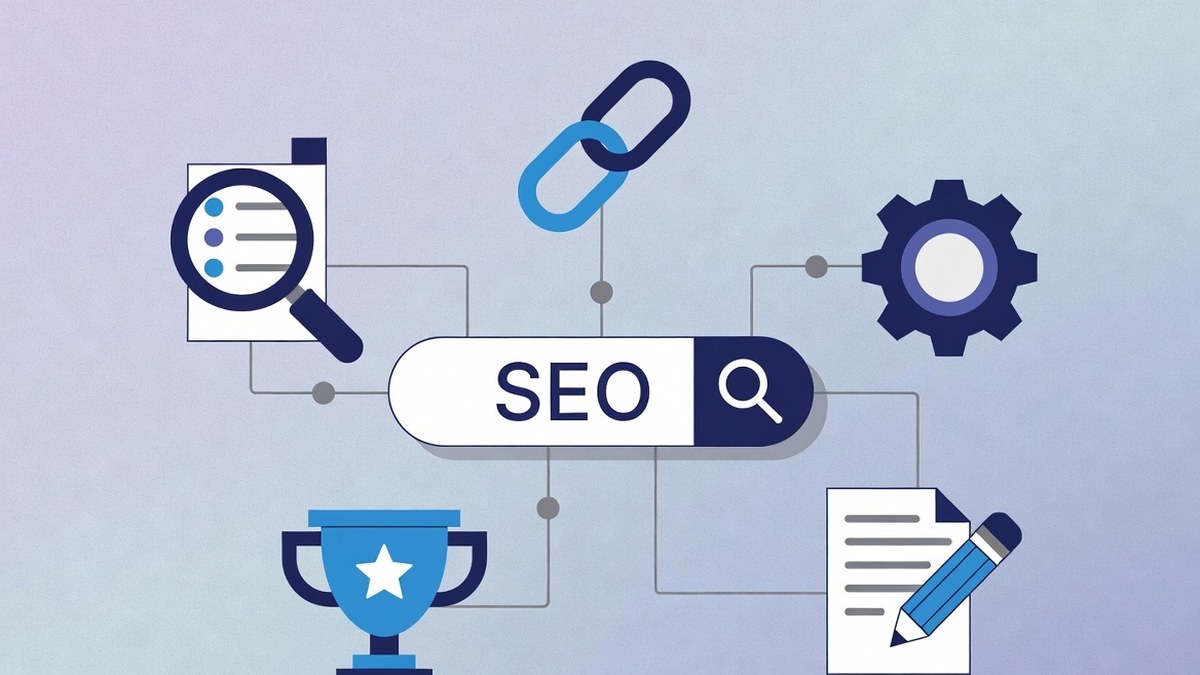
The five core categories of SEO tools every marketer should cover.
Keyword Research Tools
Keyword research forms the foundation of successful SEO campaigns. These tools help you discover:
- Search Volume Data: How many people search for specific terms monthly
- Keyword Difficulty: How hard it is to rank for particular keywords
- Search Intent: Whether users want information, products, or services
- Long-tail Opportunities: Less competitive phrases with high conversion potential
- Seasonal Trends: How keyword popularity changes throughout the year
Popular keyword research tools include Google Keyword Planner, SEMrush, Ahrefs Keywords Explorer, and Ubersuggest. Each offers unique features and data sources, making them suitable for different business needs and budgets.
Technical SEO Analysis Tools
Technical SEO tools examine your website's infrastructure to identify issues that might prevent search engines from properly crawling and indexing your content. These tools analyze:
- Site Speed: Page loading times across different devices
- Mobile Responsiveness: How well your site performs on smartphones and tablets
- Crawl Errors: Pages that search engines can't access
- Duplicate Content: Identical content that might confuse search engines
- Schema Markup: Structured data that helps search engines understand your content
Google Search Console stands as the most essential technical SEO tool, providing direct insights from Google itself. Other valuable options include Screaming Frog, GTmetrix, and Google PageSpeed Insights.
Backlink Analysis Tools
Backlinks remain one of Google's top ranking factors, making backlink analysis tools crucial for SEO success. These platforms help you:
- Monitor Your Backlink Profile: Track who links to your website
- Analyze Competitor Links: Discover where competitors get their backlinks
- Identify Link Opportunities: Find websites that might link to your content
- Assess Link Quality: Determine which backlinks help or hurt your rankings
- Track Link Building Campaigns: Monitor the success of your outreach efforts
Leading backlink analysis tools include Ahrefs, Majestic, Moz Link Explorer, and SEMrush Backlink Analytics.
Rank Tracking Tools
Rank tracking tools monitor your website's position in search results for target keywords. Modern rank trackers offer:
- Local Search Tracking: Monitor rankings in specific US cities or regions
- Mobile vs. Desktop Rankings: Track performance across different devices
- Competitor Comparison: See how you stack up against competitors
- Historical Data: Understand ranking trends over time
- SERP Feature Tracking: Monitor appearances in featured snippets, local packs, and other special results
Popular rank tracking solutions include AccuRanker, SERPWatcher, and the tracking features built into comprehensive platforms like SEMrush and Ahrefs.
Content Optimization Tools
Content optimization tools help you create SEO-friendly content that resonates with both search engines and human readers. These tools provide:
- Content Scoring: Rate your content's SEO potential before publishing
- Readability Analysis: Ensure your content is easy to understand
- Topic Suggestions: Discover related topics to cover comprehensively
- Competitor Content Analysis: See what content performs well in your industry
- Content Gap Analysis: Identify topics your competitors cover but you don't
Notable content optimization tools include Clearscope, MarketMuse, Surfer SEO, and Yoast SEO for WordPress users.
Quick Comparison: Top SEO Tools (2026)
| Tool | Price/mo | Rating | Best For |
|---|---|---|---|
| SEMrush | ~$140 | 4.7/5 | All-in-one SEO |
| Ahrefs | ~$129 | 4.7/5 | Backlinks & research |
| Moz Pro | ~$49 | 4.3/5 | Beginners |
| Surfer SEO | ~$89 | 4.5/5 | AI content optimization |
| Ubersuggest | ~$12 | 4.0/5 | Budget-friendly |
| KWFinder | ~$30 | 4.4/5 | Long-tail keywords |
| Screaming Frog | ~$21 (yr/12) | 4.6/5 | Technical SEO audits |
| AccuRanker | ~$129 | 4.6/5 | Rank tracking |
| Frase.io | ~$15 | 4.3/5 | AI research & writing |
| Google Search Console | Free | 4.8/5 | Essential for everyone |
| Google Keyword Planner | Free | 4.2/5 | Free keyword data |
Top 30 SEO Tools for US Marketers

Modern SEO dashboards provide real-time ranking, keyword, and backlink data at a glance
We've split this list into two parts: in-depth reviews of the 10 tools most marketers actually shortlist, followed by a quick-reference list of 15 more specialized tools worth knowing. Pricing was verified against each vendor at the time of writing — always confirm current plans, since SEO tools change pricing often.
The 10 Best SEO Tools (In-Depth Reviews)
1. SEMrush — Best All-in-One SEO Platform
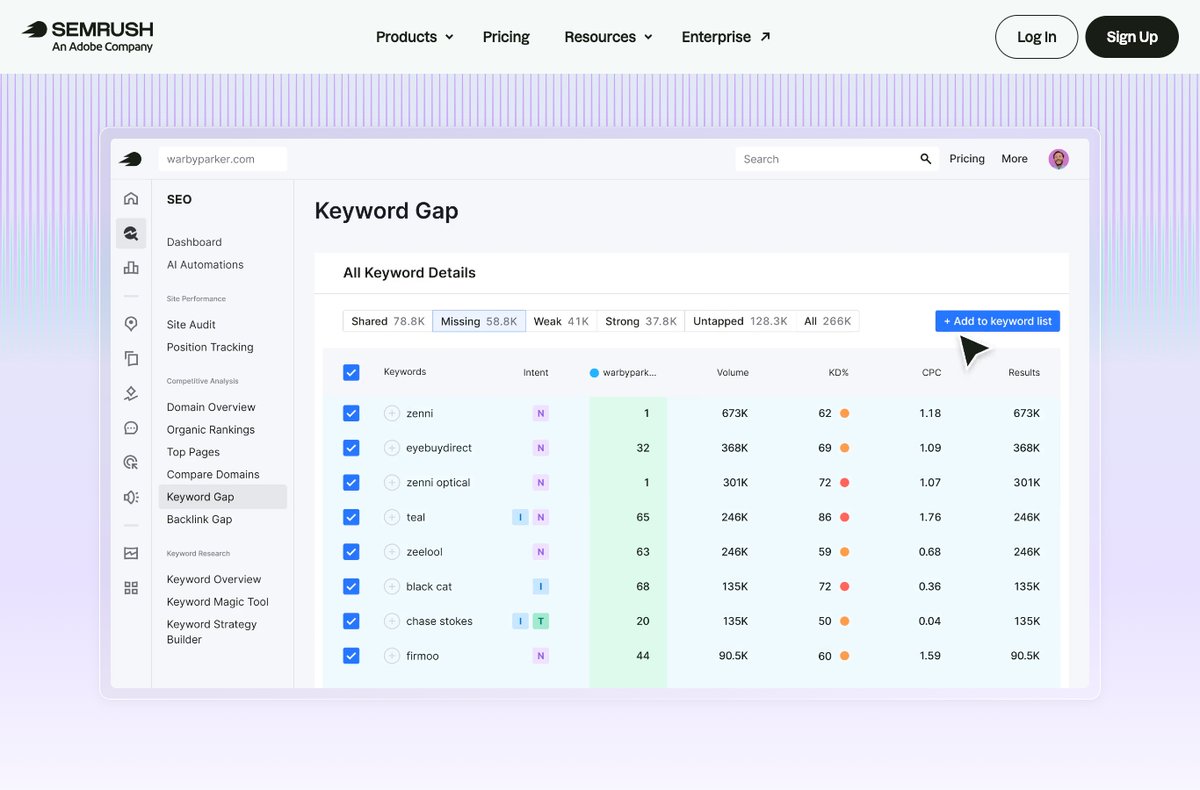
SEMrush's Keyword Gap report shows which keywords competitors rank for that you don't.
SEMrush is the closest thing the industry has to an all-in-one SEO command center, and it's the tool we reach for most when researching and tracking the content on this site. A single subscription covers keyword research, competitor analysis, backlink auditing, rank tracking, technical site audits, content optimization, and even PPC and social — which is why agencies and in-house teams alike treat it as their primary platform.
Standout features: Its keyword and competitor databases are among the largest available, and the Keyword Gap and Domain Overview tools make it trivial to reverse-engineer what's working for competitors. The Position Tracking tool delivers reliable daily rank updates for US (and local) markets, the Site Audit crawler flags technical issues clearly, and the Content Template and SEO Writing Assistant tie research directly into on-page optimization. In 2026, SEMrush's Copilot AI layer now surfaces prioritized recommendations automatically rather than leaving you to dig through reports.
Pricing: Pro starts at ~$139.95/month, Guru at ~$249.95/month, and Business at ~$499.95/month; annual billing cuts the cost. A limited free account and a 7-day trial are available.
Beyond the core toolkit, SEMrush is where many US teams also run local SEO (Listing Management), brand monitoring, and content and PR workflows. The .Trends add-on and Market Explorer surface competitive market-share data that's genuinely hard to find elsewhere, and the App Center lets you bolt on niche tools. For a multi-brand agency juggling dozens of clients, that consolidation is the real value — one login, one source of truth, and white-label reporting built in.
Pros: The most complete toolkit in one place; enormous, accurate US data set; best-in-class competitive intelligence; constant feature updates.
Cons: One of the pricier options; the breadth of features overwhelms beginners; some reports and historical data are capped on the Pro tier; extra user seats cost more.
Verdict — 4.7/5: The default pick if you want one platform to do everything and can justify the spend. For most serious US marketers and agencies, SEMrush earns its keep as the core of the SEO stack.
2. Ahrefs — Best for Backlinks & Competitor Research
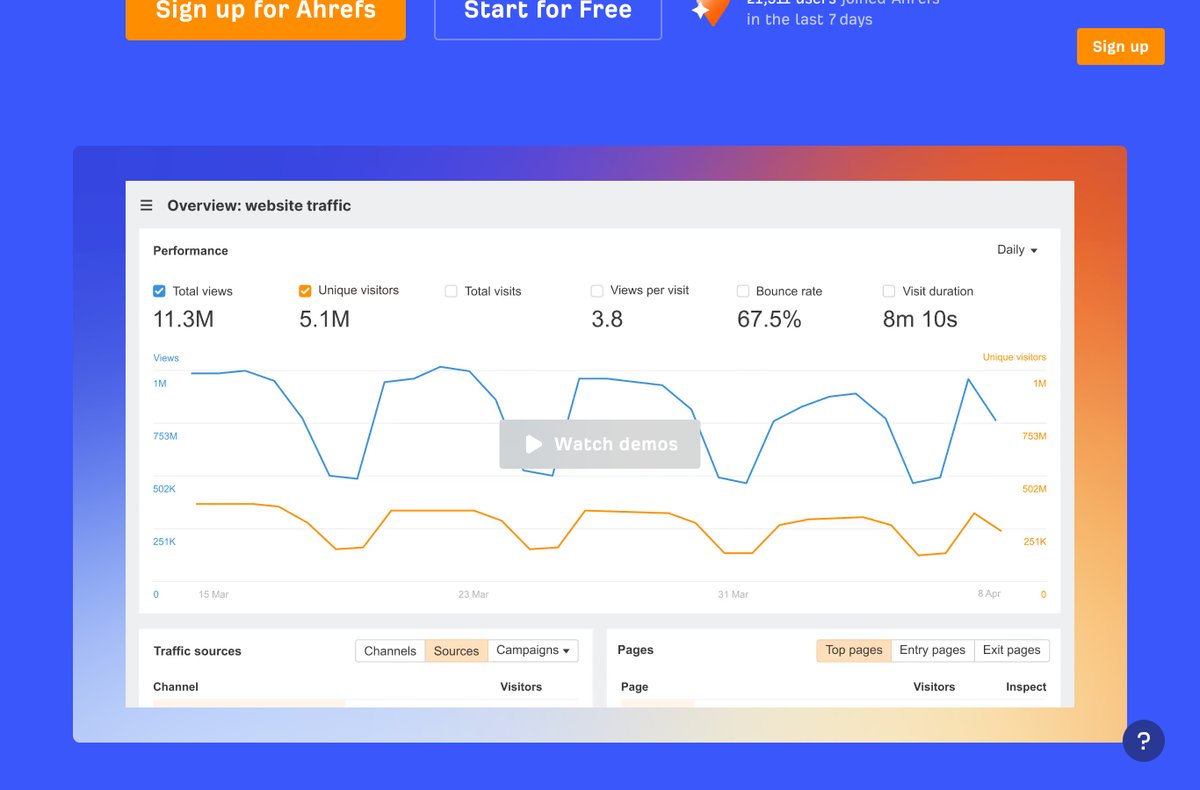
Ahrefs' overview dashboard surfaces traffic, visibility and backlink trends at a glance.
Ahrefs built its reputation on having arguably the best backlink index in the business, and that crawler now powers a full SEO suite. If your strategy leans on link building, competitor analysis, or content-gap research, Ahrefs is often the sharpest tool available — many SEOs run it alongside or instead of SEMrush.
Standout features: Site Explorer gives an unmatched view of any domain's backlinks, referring domains, and top pages, while Keywords Explorer pairs huge keyword databases with genuinely useful difficulty scoring and traffic potential estimates. The Content Gap report quickly reveals keywords competitors rank for that you don't, and Site Audit is a fast, clear technical crawler. Ahrefs has also leaned into AI-search visibility tracking (Google AI Overviews and assistants like ChatGPT) in 2026, plus its own free Webmaster Tools for your own site.
Pricing: Lite starts at ~$129/month, Standard ~$249/month, Advanced ~$449/month. Ahrefs uses a credit/report-limit model, and there's no free trial — though free Ahrefs Webmaster Tools cover basic audits and backlinks for sites you own.
Ahrefs also shines for content strategy: its Content Explorer surfaces the most-linked and most-shared content on any topic, making it a goldmine for link prospects and proven content angles. The free Ahrefs Academy and YouTube channel are excellent for learning, and Ahrefs' data-first reputation means SEOs tend to trust its numbers when tools disagree. It's the pick for teams whose growth hinges on earning links and outranking well-established competitors.
Pros: Best-in-class backlink data; clean, fast interface; superb keyword and content-gap research; reliable metrics SEOs trust.
Cons: No free trial; credit/limit system can frustrate heavy users on cheaper plans; rank tracking is an add-on rather than unlimited; pricey for solos.
Verdict — 4.7/5: The top choice for link building and competitor research. If backlinks and SERP intelligence drive your strategy, Ahrefs is worth every dollar.
3. Moz Pro — Best for Beginners
Moz Pro is the friendliest on-ramp to serious SEO. Moz practically invented SEO education, and that DNA shows: the interface is approachable, the recommendations are explained in plain English, and the learning resources (the Moz blog, Whiteboard Friday, and free guides) are the best in the industry for people still finding their feet.
Standout features: Moz's Domain Authority (DA) and Page Authority metrics remain an industry shorthand for gauging a site's strength. The Keyword Explorer offers solid research with a useful Priority score, Link Explorer covers backlink analysis, and the Site Crawl audits technical issues with clear, prioritized fixes. Moz's local SEO tools and the separate Moz Local product are genuinely strong for US small businesses managing listings across directories.
Pricing: Standard starts at ~$49/month, Medium ~$99/month, Large ~$179/month, with a 30-day free trial — notably more affordable entry pricing than Ahrefs or SEMrush.
Moz is also a smart choice for anyone who values community and support: MozCon, the Moz Q&A forum, and a deep library of guides mean you're rarely stuck. The free MozBar browser extension puts DA, PA, and on-page data one click away as you browse the SERPs. If your priority is learning SEO properly while still getting real work done, Moz Pro remains one of the most approachable platforms available. It's also one of the few tools that doubles as a teacher, so the time you invest compounds as your skills grow.
Pros: Beginner-friendly interface and unbeatable learning resources; useful DA metric; affordable entry tier; strong local SEO tools.
Cons: Smaller keyword and backlink databases than Ahrefs/SEMrush; data can lag the leaders in freshness and depth; fewer advanced features for power users.
Verdict — 4.3/5: The best starting point for small businesses and anyone learning SEO. You may outgrow it, but you'll learn a lot along the way.
4. Surfer SEO — Best for Content Optimization
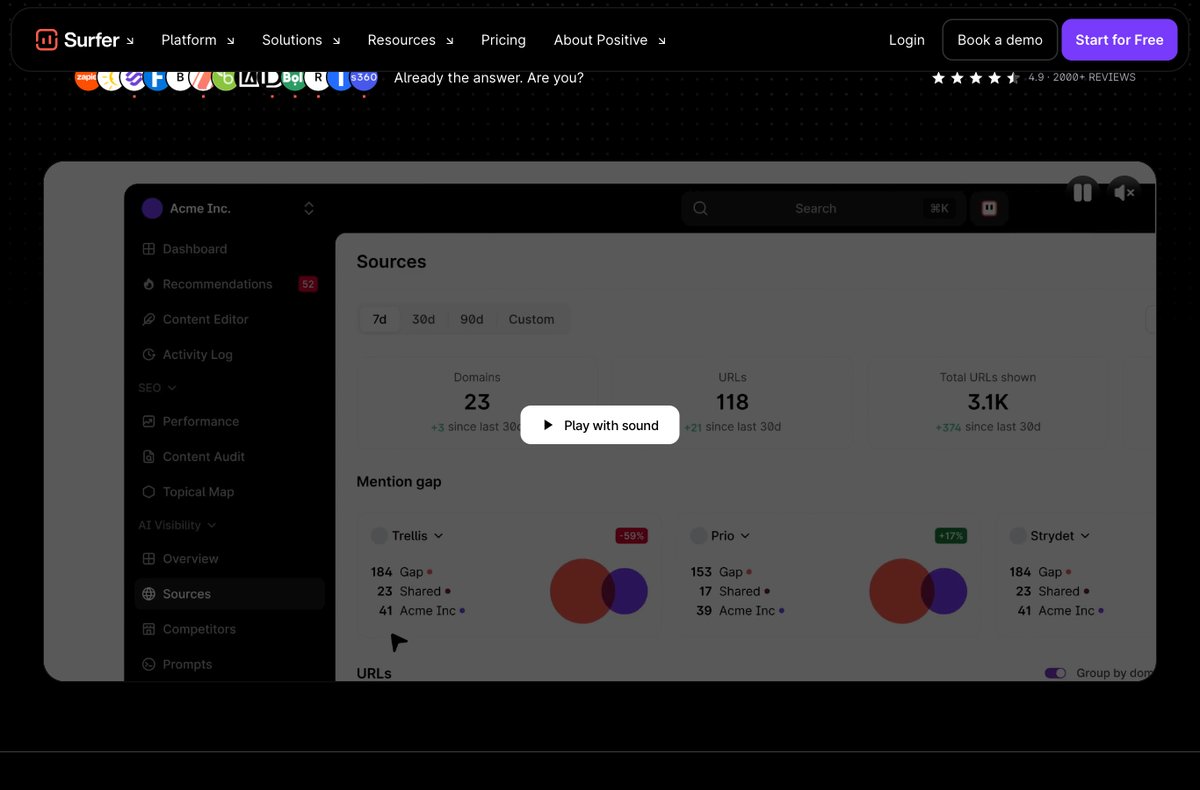
Surfer SEO's dashboard guides on-page optimization and tracks content visibility.
Surfer SEO is the best companion tool for writers and content teams who want pages that actually rank. Rather than trying to be a full suite, Surfer focuses on data-driven on-page optimization — analyzing the top-ranking results for a keyword and telling you exactly what to include to compete.
Standout features: The Content Editor scores your draft in real time against target keywords, suggested terms, ideal word count, headings, and structure, making it a favorite for content writers and agencies producing at scale. The SERP Analyzer reveals the on-page patterns behind ranking pages, the Content Audit flags existing posts that need refreshing, and Surfer's built-in AI writer can draft optimized content end to end. In 2026 it also tracks how your content surfaces in AI Overviews and answer engines.
Pricing: Essential starts at ~$89/month, Scale ~$219/month, with higher tiers for teams; a money-back guarantee is offered in place of a free trial.
In practice, Surfer fits neatly into a content workflow: a writer drafts in the Content Editor, hits the target score, and publishes confident the page covers what Google expects. Agencies use its bulk tools and Google Docs/WordPress integrations to keep large teams consistent, while solo bloggers use it to punch above their weight against bigger sites. Just remember it optimizes content you still have to make genuinely useful — it's an amplifier, not a substitute for good writing.
Pros: Genuinely improves rankings for new and existing pages; excellent, intuitive content editor; integrates with Google Docs and WordPress; AI writing built in.
Cons: On-page focused, not a full SEO suite (you'll still need a research/backlink tool); blindly following its scores can encourage over-optimization; can get costly at scale.
Verdict — 4.5/5: The best on-page optimization tool for content-led teams. Pair it with Ahrefs or SEMrush and you have a powerful research-to-publish workflow.
5. Screaming Frog SEO Spider — Best for Technical SEO Audits
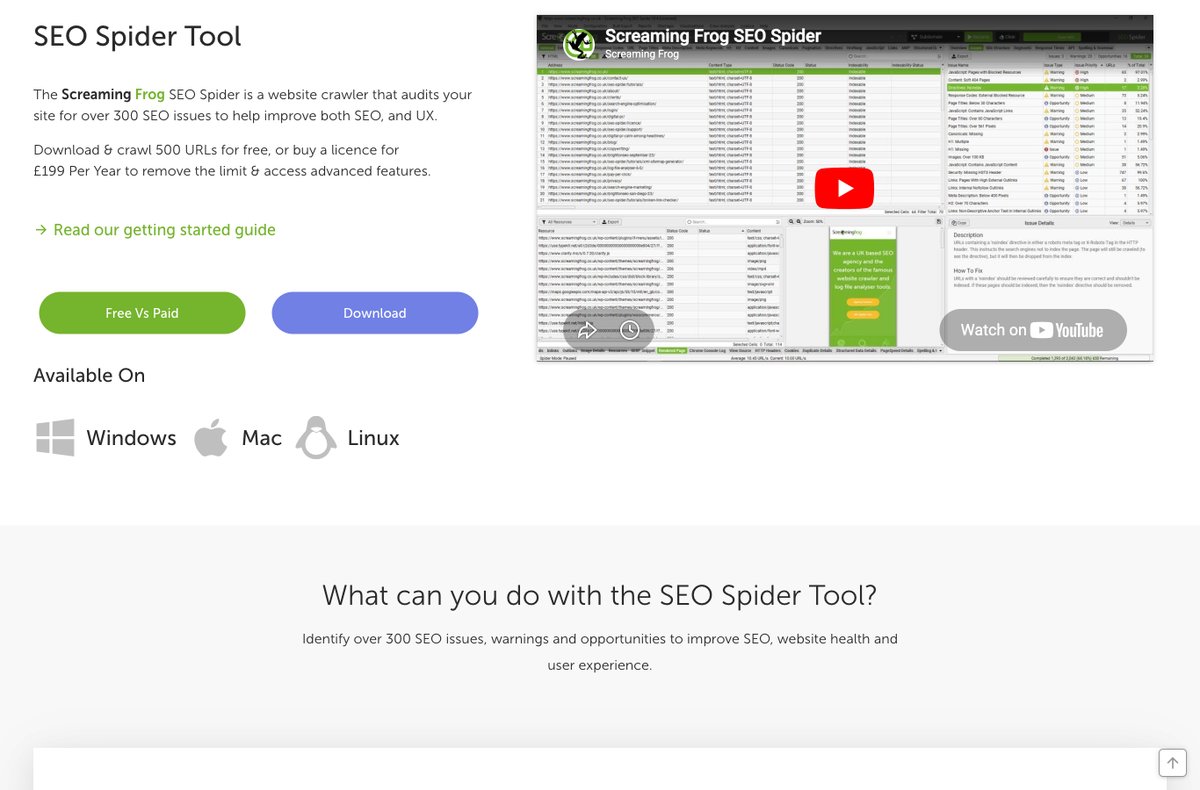
The Screaming Frog SEO Spider desktop app crawls your site to surface technical SEO issues.
Screaming Frog SEO Spider is the technical SEO specialist's desktop crawler of choice. It downloads and analyzes a website the way a search engine would, exposing the technical issues — broken links, redirect chains, duplicate content, missing metadata, and more — that hold rankings back.
Standout features: It's fast and exhaustive: crawl an entire site and instantly see response codes, page titles, meta descriptions, H1s, canonicals, hreflang, and word counts in a sortable grid. It integrates with Google Analytics, Search Console, and PageSpeed Insights to layer traffic and Core Web Vitals data onto the crawl, supports custom extraction with XPath, generates XML sitemaps, and visualizes site architecture. For finding exactly what's broken on a large site, nothing is quicker.
Pricing: The free version crawls up to 500 URLs; the paid license is ~$259/year (roughly $21/month) and removes the limit while unlocking JavaScript rendering, scheduling, and integrations.
Because it runs locally, Screaming Frog is also a favorite for migrations and large audits — crawling staging sites, comparing before-and-after states, or scraping custom data at scale. SEOs use it to find orphan pages, audit redirects during a site move, validate hreflang on international sites, and extract structured data. The learning curve is real, but the official user guide and active community mean almost any question you'll hit has already been answered.
Pros: Incredibly fast and thorough technical crawling; excellent value (one flat annual fee); deep integrations; trusted across the industry.
Cons: Desktop-only (Windows, Mac, Linux), not cloud-based; the dense, spreadsheet-style interface intimidates beginners; large crawls use significant RAM.
Verdict — 4.6/5: An essential, affordable tool for anyone doing serious technical SEO. The free tier alone is worth installing today.
6. SE Ranking — Best Value All-Rounder
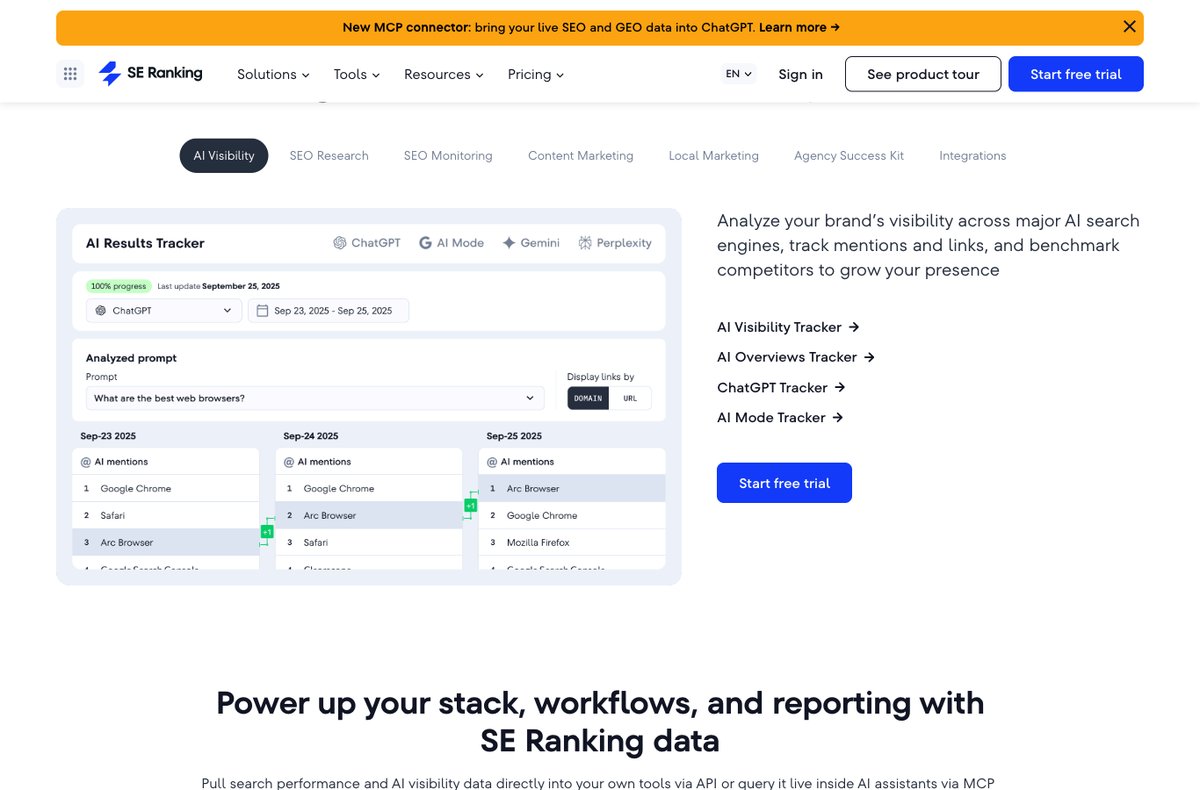
SE Ranking combines rank tracking with newer AI-search visibility reporting.
SE Ranking delivers a remarkable amount of the big-platform feature set at a fraction of the price, which is why it's a favorite of freelancers, small agencies, and budget-conscious teams. It covers keyword research, accurate rank tracking, competitor analysis, backlink monitoring, site audits, and reporting in one tidy package.
Standout features: Its rank tracker is one of the most accurate and flexible at this price, with granular location and device targeting. The platform bundles a competitive-research toolkit, an on-page checker, a backlink monitor, and white-label reporting that agencies love. In 2026, SE Ranking has invested heavily in AI-search visibility — tracking how brands appear across ChatGPT, Gemini, AI Overviews, and Perplexity — making it one of the better-value ways to monitor the new answer-engine landscape.
Pricing: Plans start at ~$65/month (Essential), with Pro ~$119/month and Business ~$259/month; pricing flexes with keyword and frequency limits, and a 14-day free trial is available.
SE Ranking is especially popular with agencies thanks to white-label reporting, client management, and lead-gen widgets — you can brand the platform and reports as your own. Flexible pricing (you pay for the keyword volume and check frequency you actually need) makes it easy to scale up or down per client. For freelancers and small shops that need to look professional and cover the full SEO workflow without an enterprise budget, it's one of the smartest buys in 2026.
Pros: Excellent value for a near-complete toolkit; very accurate, flexible rank tracking; strong white-label client reporting; genuinely useful AI-visibility features.
Cons: Databases aren't quite as deep as Ahrefs/SEMrush; interface is functional rather than polished; costs rise as you add keywords and frequency.
Verdict — 4.5/5: The best value all-rounder in 2026. If SEMrush or Ahrefs feels too expensive, SE Ranking covers 90% of the job for far less.
7. Ubersuggest — Best Budget Tool
Ubersuggest, Neil Patel's SEO tool, is built for affordability and simplicity. It won't match the depth of the premium platforms, but for solopreneurs, bloggers, and small sites that need solid keyword research and basic competitive insight without a recurring enterprise bill, it's hard to beat on price.
Standout features: Keyword suggestions with search volume, difficulty, and seasonal trends; content ideas based on what already ranks; competitor keyword and top-page analysis; a basic site audit; and rank tracking. The interface is clean and approachable, and Ubersuggest's standout selling point is its one-time lifetime pricing — a rarity in an industry dominated by subscriptions. In 2026 it has added AI-driven recommendations and tracking of brand mentions in AI assistants.
Pricing: Subscriptions start at ~$12/month (Individual), with Business and Enterprise tiers; lifetime plans (a one-time payment from ~$120) remain the biggest draw. A free account allows limited daily searches.
Ubersuggest is best understood as a starter tool: it gets a new site owner researching keywords, studying competitors, and fixing obvious on-page issues without a steep learning curve or big commitment. The Chrome extension overlays keyword data right inside Google's results, and Neil Patel's extensive free content helps you act on it. You'll likely graduate to a deeper tool eventually, but few options deliver this much value at this price — especially via the lifetime plan. For a side project or a first client site, that low barrier to entry is exactly what you want.
Pros: Very affordable, with unique lifetime pricing; simple, beginner-friendly interface; covers the keyword-research essentials; free tier to test it.
Cons: Data depth and accuracy trail premium tools; fewer advanced features; some users report occasional data inconsistencies.
Verdict — 4.0/5: The best budget option for small sites and beginners. The lifetime plan makes it a genuine bargain for anyone who wants to avoid monthly fees.
8. AccuRanker — Best for Rank Tracking
AccuRanker does one thing and does it better than almost anyone: rank tracking. Billed as the world's fastest rank tracker, it's the specialist tool agencies and enterprises turn to when they need precise, on-demand keyword position data rather than the "good enough" tracking bundled into all-in-one suites.
Standout features: Near-instant on-demand ranking refreshes (rather than waiting for a daily cycle), highly accurate local and mobile tracking, share-of-voice metrics, and granular segmentation by tags and folders. It tracks across Google, Bing, YouTube, and more, integrates with Google Analytics, Search Console, Looker Studio, and Google Sheets, and in 2026 has added robust AI Overview and SERP-feature tracking so you can see exactly where you appear in AI-enhanced results.
Pricing: Plans start at ~$129/month and scale with the number of tracked keywords; a 14-day free trial is available. It's priced as a premium specialist rather than a budget tool.
AccuRanker is built for teams that report on rankings constantly — agencies sending client updates or in-house teams tracking thousands of keywords across markets. Its speed means you're never waiting on data during a client call, and the share-of-voice metric plus tags and folders make it easy to slice performance by campaign, location, or product line. If rank tracking is a footnote for you, an all-in-one tool suffices; if it's central to proving SEO value, AccuRanker earns its premium. Its API and scheduled email reports also make it easy to plug ranking data straight into your own dashboards.
Pros: The fastest, most accurate rank tracking available; excellent local/mobile precision; strong reporting and integrations; detailed SERP-feature and AI-result tracking.
Cons: Single-purpose (you'll still need research/backlink tools); pricing is keyword-based and adds up; overkill if you only track a handful of terms.
Verdict — 4.6/5: The go-to when rank-tracking accuracy and speed genuinely matter — ideal for agencies and data-driven in-house teams.
9. KWFinder (Mangools) — Best for Keyword Research
KWFinder, part of the Mangools suite, is the friendliest dedicated keyword-research tool around — especially for finding the low-competition, long-tail keywords smaller sites can realistically rank for. Where enterprise tools can feel overwhelming, KWFinder is fast, visual, and a pleasure to use.
Standout features: A genuinely helpful, color-coded keyword-difficulty score; accurate search volumes and trends; localized keyword research down to the city level (great for US local SEO); and an intuitive SERP overview that shows the authority of pages you'd be competing with. Your subscription also unlocks the rest of the Mangools suite — SERPWatcher (rank tracking), SERPChecker (SERP analysis), LinkMiner (backlinks), and SiteProfiler — which together make a capable, affordable mini-platform.
Pricing: Mangools plans (including KWFinder) start at ~$29/month (Entry) and ~$49/month (Basic) with annual billing; a 10-day free trial is available.
KWFinder is the tool we'd hand a beginner first, because it makes keyword difficulty genuinely understandable rather than an abstract score. It's particularly strong for local businesses and niche bloggers hunting achievable, low-competition terms in specific US cities or regions. Combined with the rest of the Mangools suite for tracking and backlinks, it gives small operators a complete, affordable toolkit that covers the essentials without the intimidating depth — or price — of enterprise platforms. The 10-day trial is generous enough to test it against your own keyword lists before you commit.
Pros: Best-in-class keyword-difficulty accuracy and ease of use; excellent for long-tail and local research; the whole Mangools bundle is great value; clean, beginner-friendly design.
Cons: Lower lookup limits than premium tools; backlink and audit features are lighter than Ahrefs/SEMrush; less suited to large enterprises.
Verdict — 4.4/5: The best keyword-research experience for small businesses, bloggers, and local SEO — powerful, affordable, and refreshingly easy.
10. Google Search Console — Best Free SEO Tool
Google Search Console (GSC) is non-negotiable: it's free, it comes straight from Google, and no paid tool can replace the first-party data it provides about how your site actually performs in Google Search. Every site owner should set it up before paying for anything else.
Standout features: The Performance report shows the real queries driving impressions and clicks, your average position, and click-through rates — data no third-party tool can fully replicate. The Index Coverage and Pages reports reveal exactly which URLs Google has indexed and why others are excluded; the URL Inspection tool lets you test and request indexing of individual pages; and Core Web Vitals, mobile usability, and manual-action reports flag issues that directly affect rankings. Pair it with the free Google Analytics 4 for a complete, no-cost view of search and on-site behavior.
Pricing: Completely free with any Google account.
Because the data comes straight from Google, Search Console is also the best place to catch problems early — a sudden drop in impressions, a spike in crawl errors, a manual action, or pages falling out of the index. Smart SEOs check it weekly, use the Performance report to find 'striking distance' keywords stuck on page two, and export query data to guide content updates. Connect it to Looker Studio for custom dashboards and it quietly becomes one of the most valuable tools you own.
Pros: Free, accurate, first-party Google data; essential indexing and performance insights; direct issue alerts; integrates with GA4 and Looker Studio.
Cons: Limited to sites you own and verify (no competitor data); data is sampled and capped at 16 months; the interface is basic and reports take getting used to.
Verdict — 4.8/5: The foundation of every SEO toolkit. Start here, master it, then layer a paid tool on top — never the other way around.
15 More SEO Tools Worth Knowing
Beyond the top 10, these specialized tools earn their place for specific jobs — from local SEO to content briefs to free technical checks.
- Google Keyword Planner — Free keyword volume and CPC data straight from Google Ads; best for advertisers and beginners. Free.
- GTmetrix — Detailed page-speed and Core Web Vitals analysis with actionable fixes. Free; paid from ~$15/month.
- Majestic — Backlink specialist known for its Trust Flow and Citation Flow metrics. From ~$50/month.
- Monitor Backlinks — Backlink monitoring and outreach with link-quality alerts. From ~$25/month.
- SERPWatcher — Mangools' simple, visual rank tracker with a handy "dominance" score. Part of Mangools, from ~$29/month.
- Clearscope — Premium content-optimization platform loved for clean, accurate briefs. From ~$189/month.
- MarketMuse — AI-driven content planning and topical-authority analysis. Free tier; paid plans vary.
- BrightLocal — Dedicated local SEO suite for rank tracking, citations, and reviews. From ~$39/month.
- Whitespark — Local citation building and Google Business Profile tools. From ~$25/month.
- Yoast SEO — The most popular WordPress SEO plugin for on-page optimization and schema. Free; Premium ~$99/year.
- Rank Math — Feature-packed WordPress SEO plugin and strong Yoast alternative. Free; Pro from ~$6.99/month.
- Answer the Public — Visualizes the questions people ask around a keyword — great for content ideas. Free limited; paid from ~$11/month.
- SpyFu — Competitor keyword and PPC intelligence at a budget-friendly price. From ~$39/month.
- Serpstat — Affordable all-in-one platform for keywords, audits, and rank tracking. From ~$59/month.
- Conductor — Enterprise SEO and content-intelligence platform for large organizations. Custom enterprise pricing.
Key Features to Look for in SEO Tools
Data Accuracy and Freshness
When evaluating SEO tools, prioritize platforms that provide:
- Real-time or frequently updated data
- Multiple data sources for verification
- Transparent data collection methodologies
- Historical data preservation for trend analysis
User Interface and Ease of Use
The best SEO tools balance powerful functionality with intuitive design:
- Clean, organized dashboards
- Customizable reporting options
- Mobile-friendly interfaces
- Comprehensive help documentation
Integration Capabilities
Modern SEO tools should integrate seamlessly with your existing marketing stack:
- Google Analytics and Search Console connections
- CRM and marketing automation platforms
- Content management systems
- Social media management tools
Scalability and Pricing
Choose tools that can grow with your business:
- Flexible pricing tiers
- Scalable data limits
- Team collaboration features
- White-label options for agencies
Budget-Friendly SEO Tools for Small US Businesses
Small businesses in the United States often operate with limited marketing budgets, making cost-effective SEO tools essential. Here are excellent options under $50/month:
Free SEO Tools Worth Using
Google Search Console: Provides essential insights directly from Google Google Analytics: Tracks organic traffic and user behavior Google Keyword Planner: Basic keyword research capabilities Bing Webmaster Tools: Insights for Bing search optimization
Affordable Paid Options
Ubersuggest ($12/month): Comprehensive keyword research and competitor analysis KWFinder ($29.90/month): Excellent for local keyword research SERPWatcher ($29.90/month): Simple, effective rank tracking Yoast SEO Premium ($99/year): WordPress optimization
Advanced SEO Tools for Enterprise Businesses
Large US enterprises require sophisticated SEO tools that can handle:
- Massive keyword portfolios
- Multiple website properties
- Complex reporting requirements
- Team collaboration workflows
Enterprise-Level Platforms
Conductor Searchlight: Comprehensive content optimization and workflow management BrightEdge: AI-powered SEO platform with advanced analytics DeepCrawl: Technical SEO platform for large websites seoClarity: Enterprise SEO platform with advanced reporting
These platforms typically offer:
- Custom pricing based on needs
- Dedicated account management
- Advanced API access
- Custom integrations
How to Choose the Right SEO Tools for Your Business
Assess Your Current SEO Maturity
Beginner Level:
- Start with free tools (Google Search Console, Analytics)
- Add one comprehensive platform (Moz, Ubersuggest)
- Focus on learning fundamentals
Intermediate Level:
- Combine specialized tools for different needs
- Invest in comprehensive platforms (SEMrush, Ahrefs)
- Add technical SEO tools
Advanced Level:
- Use multiple specialized tools
- Consider enterprise platforms
- Implement advanced automation
Consider Your Industry and Competition
Highly Competitive Industries (Finance, Insurance, Legal):
- Invest in premium tools with extensive data
- Focus on competitor analysis capabilities
- Prioritize link building tools
Local Service Businesses:
- Emphasize local SEO tools
- Focus on Google My Business optimization
- Track local rankings
E-commerce:
- Prioritize technical SEO tools
- Focus on product page optimization
- Track seasonal keyword trends
Budget Allocation Guidelines
20% of Marketing Budget: For small businesses just starting with SEO 15% of Marketing Budget: For established businesses with ongoing SEO 10% of Marketing Budget: For mature businesses with optimized processes
Common Mistakes to Avoid When Using SEO Tools
Tool Overload
Many businesses make the mistake of purchasing too many SEO tools, leading to:
- Overlapping functionality
- Increased costs without proportional benefits
- Analysis paralysis from too much data
- Lack of expertise in any single platform
Solution: Start with one comprehensive platform and add specialized tools as needed.
Focusing Only on Rankings
While rank tracking is important, obsessing over rankings can lead to:
- Neglecting user experience factors
- Ignoring conversion optimization
- Missing broader traffic opportunities
- Focusing on vanity metrics over business results
Solution: Balance ranking metrics with traffic, conversions, and business outcomes.
Ignoring Mobile SEO
With mobile-first indexing, ignoring mobile optimization can severely impact performance:
- Poor mobile page speeds
- Non-responsive design issues
- Mobile usability problems
- Different mobile vs. desktop rankings
Solution: Use tools that specifically track mobile performance and optimization.
Neglecting Local SEO (For US Businesses)
Many US businesses miss local SEO opportunities by:
- Not optimizing Google My Business profiles
- Ignoring local citation opportunities
- Failing to track local rankings
- Missing location-specific content opportunities
Solution: Incorporate local SEO tools and strategies into your overall approach.
The AI-SEO Landscape in 2026
AI Is Now Standard in Every SEO Tool
In 2026, AI has fully transformed SEO. Every major platform now offers:
- AI content generation built into SEMrush, Ahrefs, and Surfer
- Google AI Overviews optimization for the new search landscape
- Predictive ranking analysis powered by machine learning
- Automated technical audits that identify and prioritize fixes
AI Overviews and Zero-Click Search
Google AI Overviews now appear on 40%+ of US searches, changing SEO strategy:
- Zero-click optimization for AI-generated answers
- E-E-A-T signals that determine AI citation priority
- Structured data that feeds directly into AI Overviews
- Multimodal search optimization across text, image, and video
Core Web Vitals and User Experience
Google's emphasis on user experience metrics is driving tools to focus on:
- Page speed optimization
- Mobile usability testing
- User interaction tracking
- Performance monitoring
Privacy and Data Changes
Evolving privacy regulations and cookie changes are pushing tools toward:
- First-party data utilization
- Privacy-compliant tracking methods
- Alternative attribution models
- Enhanced local data collection
Getting Started: Your SEO Tool Implementation Roadmap
Phase 1: Foundation (Month 1-2)
- Set up Google Search Console and Analytics
- Choose one comprehensive SEO platform (SEMrush, Ahrefs, or Moz)
- Conduct initial keyword research
- Perform baseline technical audit
- Set up basic rank tracking
Phase 2: Expansion (Month 3-6)
- Add specialized tools based on identified needs
- Implement content optimization workflows
- Expand keyword tracking
- Begin competitor analysis
- Establish reporting routines
Phase 3: Optimization (Month 6+)
- Automate repetitive tasks
- Integrate tools with existing workflows
- Advanced competitive intelligence
- Predictive analysis and planning
- ROI measurement and optimization
Measuring ROI from SEO Tools
Key Metrics to Track
Traffic Metrics:
- Organic traffic growth
- Keyword ranking improvements
- Click-through rate increases
- Search visibility expansion
Business Metrics:
- Lead generation from organic search
- Conversion rate improvements
- Revenue attribution to organic traffic
- Customer acquisition cost reduction
Efficiency Metrics:
- Time saved on manual tasks
- Faster problem identification
- Improved content creation speed
- Better team productivity
Calculating Tool ROI
Simple ROI Formula: (Revenue Generated - Tool Cost) / Tool Cost × 100
Example Calculation:
- Monthly tool cost: $200
- Additional monthly revenue from improved SEO: $2,000
- Monthly ROI: ($2,000 - $200) / $200 × 100 = 900%

AI has fundamentally changed how SEO tools work in 2026
AI-Powered SEO Tools (New in 2026)
These AI-native SEO tools have become essential in 2026:
26. ChatGPT and Claude for SEO
ChatGPT and Claude have become indispensable for keyword brainstorming, content outlines, meta descriptions, and schema markup. Not traditional SEO platforms, but they dramatically speed up content workflows.
Pricing: ~20/month each for Pro plans. Best For: Content acceleration
27. Surfer AI Writer
Surfer SEO now includes a full AI article writer that generates optimized long-form content based on SERP analysis and NLP.
Pricing: Included with Surfer from ~89/month. Best For: Automated optimized content
28. Originality.ai
Detects AI-generated content and plagiarism. Essential for quality assurance as AI content floods the web.
Pricing: From ~15/month. Best For: Content quality assurance
29. Frase.io
Frase combines AI content generation with SEO research, analyzing top-ranking pages and generating optimized drafts.
Pricing: From ~15/month. Best For: Research + writing in one tool
30. AI Overview Tracking
Tools like seoClarity, BrightEdge, and SEMrush now track whether your content appears in Google AI Overviews.
Best For: Enterprise AI search optimization
Frequently Asked Questions
What is the best free SEO tool in 2026?
Google Search Console remains essential. Combined with Google Analytics and Keyword Planner, you have a powerful free stack. Ubersuggest offers limited free daily searches.
Is SEMrush or Ahrefs better?
Both are excellent. SEMrush offers the broadest feature set including PPC and social tools. Ahrefs has the best backlink database and cleaner interface. Choose SEMrush for all-in-one, Ahrefs for pure SEO.
Do I need AI SEO tools in 2026?
Yes. Google AI Overviews appear on 40%+ of searches. Tools like Surfer AI, Frase, and AI features in SEMrush and Ahrefs help optimize for both rankings and AI answers.
Best SEO tool for small businesses?
Ubersuggest (~12/mo) offers best value. Moz Pro (~49/mo) has great learning resources. For WordPress, RankMath (free) is excellent.
Conclusion: Building Your SEO Tool Arsenal
The landscape of SEO tools has been transformed by AI in 2026, driven by changes in search algorithms, user behavior, and technology. For US businesses, having the right combination of SEO tools isn't just an advantage"”it's essential for surviving and thriving in the competitive digital marketplace.
Remember that tools are only as effective as the strategy behind them. The most expensive SEO platform won't deliver results without a clear understanding of your business goals, target audience, and competitive landscape. Start with the fundamentals, choose tools that align with your specific needs and budget, and focus on consistent implementation rather than perfection.
Whether you're a small local business in Kansas or a major enterprise headquartered in New York, the key to SEO success lies in selecting the right tools, using them consistently, and continuously learning from the data they provide. The investment in quality SEO tools will pay dividends in improved search visibility, increased traffic, and ultimately, business growth.
As you embark on or continue your SEO journey, remember that the best tool is the one you'll actually use. Choose platforms that fit your team's capabilities, provide clear value for your business, and support your long-term growth objectives. With the right tools in your arsenal and a commitment to ongoing optimization, your business can achieve the online visibility it deserves in the competitive US market.