Google Play Personal Apps: What Private AI-Built Apps Change
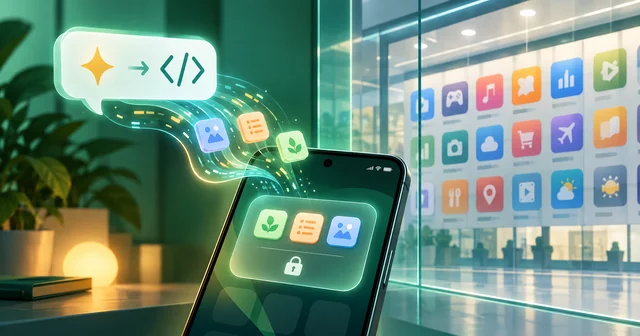
Google Play now lets anyone in the U.S. and some other markets who is 18 or older run an Android app they built with Google AI Studio on their own devices, using an ordinary Google account. The app stays private, never appears in the public store, and needs no paid developer account, USB cable or sideloading.
What Happened
On Tuesday, October 13, 2026, Google announced a batch of Play Store changes in a post on The Keyword by Sam Bright, vice president and general manager of Google Play and the developer ecosystem. The headline item: apps you "vibe code" in Google AI Studio can now be launched on your own device through Google Play. Google says these personal apps stay "private, secure, and separate from the public store catalog," and that only a standard Google account is needed, with "no developer account required." The feature began rolling out the same day to select markets, including the U.S., for users aged 18 and over.
TechCrunch reported that the apps will not show up in Play search or on listing pages and are not shared with anyone but their creator, and that they still have to comply with Google Play's existing policies. 9to5Google reported that the apps live in a new "personal library" section, so you can reinstall them on other devices and restore them on a new phone. Engadget added that the library works on tablets and computers that have Play Store access, not just phones.
Two follow-ups are promised but undated. "In the coming months," Google says, you will be able to share personal apps with "a close circle of friends and family." And if an app outgrows that circle, Play will help you "graduate to a professional developer account," at which point the app goes through the same Trust and Safety reviews as any other Play listing.
The same announcement included AI-driven game discovery (Game Finder and "Gamer DNA"), app comparisons in the Ask Play assistant, 48-hour multiplayer "Sprints," and a Family Link option that shares a child's age range rather than a birthdate with apps. Those are separate features; this article is about the personal apps.
Why It Matters
Until now, the only official way to get an app onto an Android phone through Play was to publish it to the public store, which means paying the one-time developer registration fee, filling in store listing and privacy forms, and, for new personal developer accounts, running a closed test with a group of outside testers before going live. That is a lot of ceremony for a grocery-list app built for one household. TechCrunch noted that the friction pushed many people who build apps with AI toward web apps instead of native Android ones.
The other route, sideloading an APK, is getting harder. Google's Android developer verification guide says that from September 30, 2026, certified Android devices in Brazil, Indonesia, Singapore and Thailand begin enforcing a rule that apps come from registered developers, with a global rollout planned for 2027 and beyond. Unregistered apps can still be installed, but through an "advanced flow" with extra safeguards meant to slow down scams. A personal app delivered by Play sidesteps that friction entirely because it arrives through the store the phone already trusts.
For Google, the move pulls a fast-growing category of homemade software inside Play's security and policy umbrella rather than leaving it to APK files passed around by link. It also gives Google a funnel: the person who builds a family chore tracker today is a potential paying developer tomorrow, which is exactly the "graduate" language Bright uses. And it is a sharp contrast with Apple, which spent part of 2026 pulling vibe-coding apps from the App Store in an inconsistent crackdown.
How It Works
The pipeline has three stages: build, install, and (later) share.
1. Building the app in AI Studio
Google added native Android output to AI Studio on May 19, 2026, as described in the Android Developers blog announcement. You pick "Build an Android app" in the build tab and describe what you want. Gemini writes a Kotlin app using Jetpack Compose, the user-interface toolkit Google recommends for Android, and you can preview it in an Android emulator embedded in the browser. Because the output is a real native app rather than a web page in a wrapper, it can use phone hardware: Google lists the camera, location, accelerometer, Bluetooth and NFC. Google's suggested starting points are personal utilities such as habit trackers, study quizzes and event itineraries, apps that read sensors, and apps that call the Gemini API.
The project is not locked in. You can download it as a ZIP file or export it to GitHub and continue in Android Studio or another editor. That is the same AI Studio that gained full-stack vibe coding with Firebase earlier this year.
2. Getting it onto your phone
Before this week there were two ways to install the result. You could plug the phone in with a USB cable, turn on developer options, and let AI Studio push the app over the Android Debug Bridge (adb). Or, if you held a Google Play developer account, AI Studio could create the app record, package the bundle and upload it to an internal testing track in Play Console.
The new third path removes both requirements. From AI Studio you launch the app as a personal app, and it appears in the Play Store's personal library on devices signed in to your Google account. Play handles installation and, presumably, updates the way it does for any other app, which is what makes the cross-device restore work. Nothing touches the public catalog: there is no store listing, no search result and no review page.
3. Sharing, and graduating
Sharing is the part still to come. 9to5Google reported that it is meant for small-scale use and that shared apps will go through a security review. That fits the structure Google has already built for developer verification, which includes a free "limited distribution" tier for students and hobbyists that lets them install apps on up to 20 devices without providing government ID. Google has not said whether personal-app sharing will use that tier or have its own cap. Publishing to everyone still means moving to a full Play developer account and the normal review.
What's Still Unknown
Several practical questions are not answered in Google's post or the coverage so far:
- Which markets. Google says "select markets, including the U.S." but has not published the list. India, for example, is not named.
- How much checking happens. Personal apps must follow Play policy, but Google has not described what automated scanning they get before reaching your phone, or how a policy breach is handled for an app only one person uses.
- Limits. There is no stated cap on how many personal apps one account can hold, how large they can be, or how often they can be updated.
- The sharing cap and timing. "Coming months" and "close circle" have no numbers attached yet.
- Costs inside the app. An app that calls the Gemini API needs an API key and may incur usage charges. Google has not explained how keys are handled in personal apps or who pays if a shared app's usage grows.
- Long-term support. If Google changes AI Studio or Play policy, it is unclear whether existing personal apps keep working or need rebuilding.
Frequently Asked Questions
Do I need a Google Play developer account to run my own AI-built app?
No. Google says a standard Google account is enough to launch a personal app on your own devices through Google Play. A developer account, which carries a one-time registration fee and extra paperwork, is only needed if you later want to publish the app publicly, at which point it goes through Play's normal Trust and Safety review.
Can other people find or download my personal app?
Not at launch. TechCrunch reports that personal apps do not appear in Play search or listing pages and are not shared with anyone except their creator. Google says sharing with a small circle of friends and family will arrive in the coming months, and that shared apps are expected to pass a security review before others can install them.
Which tool do I use to build a personal Android app?
Google AI Studio. Since May 19, 2026, its build tab has offered a "Build an Android app" option that turns a written description into a Kotlin and Jetpack Compose app. You can preview it in a browser-based emulator, keep refining it with more prompts or by editing code, and export the project to GitHub or a ZIP file.
Who can use the personal apps feature right now?
Google says it began rolling out on October 13, 2026, to select markets including the United States, for users aged 18 and over. The company has not published the full list of countries. If your account is outside those markets or belongs to a minor, the option should not appear yet, though you can still install AI Studio apps over USB.
Is this the same as sideloading an APK?
No. Sideloading installs a file from outside the store, and Android's developer verification rules are making that path slower for apps from unregistered developers. A personal app is delivered by Google Play itself, appears in your personal library, and can be reinstalled on another device signed in to the same Google account without enabling developer options.
Do personal apps still have to follow Google Play's rules?
Yes. TechCrunch reports that personal apps must comply with Google Play's existing policies even though they never appear in the public catalog. Google has not detailed how compliance is checked for apps only their creator uses, so it is sensible to treat the usual Play rules on malware, data collection and deceptive behaviour as fully in force.
Can a personal app become a public Play Store app later?
Google says yes. If you want to share an app with everyone, Play will help you "graduate" to a professional developer account. At that stage the app goes through the same Trust and Safety reviews and quality standards as any other public listing, so expect to supply a privacy policy, store listing details and identity verification.
Related Reading
For the bigger policy picture, read how Google framed its new era for Android openness and the end of its Epic Games feud. If you want to test an AI-built app on a computer before putting it on a phone, our roundup of the best Android emulators for running apps on a PC covers the options. And before trusting generated code with anything important, it is worth reading why vibe coding is getting a reality check from professional developers.