Best Capture Cards in 2026: 8 Picks for Streaming, PS5 and Switch 2
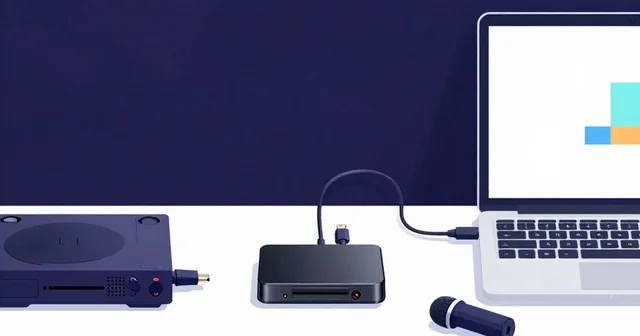
For most people, the best capture card in 2026 is the Elgato 4K X: it records up to 4K at 144 fps over USB-C and passes the same signal to your TV or monitor. If 4K60 is enough for your PS5 or Nintendo Switch 2, the Elgato 4K S costs less, and if you only stream at 1080p, a budget card like the AVerMedia StreamLine MINI+ records 1080p60 while still passing 4K60 HDR to your screen.
As an Amazon Associate, SaveDelete earns from qualifying purchases made through links on this page.
The picks below are current models checked against the makers' own spec pages. SaveDelete has not tested them, so specs and claims are attributed to the companies that make them.
Quick picks
- Best overall: Elgato 4K X (USB-C, up to 4K144 capture and passthrough)
- Best value for PS5 and Switch 2: Elgato 4K S (4K60 capture over USB-C)
- Best for high frame rates on a 5Gbps port: AVerMedia Live Gamer Ultra S (GC553Pro)
- Best internal (PCIe) card: Elgato 4K Pro (8K60 passthrough, 4K60 HDR capture)
- Internal alternative for Windows: AVerMedia Live Gamer 4K 2.1 (GC575)
- Best cheap capture card: AVerMedia StreamLine MINI+ (GC311G2)
- Best for travel and laptops: Genki ShadowCast 3 and ShadowCast 3 Pro
- Best for Linux and pro video: Magewell USB Capture HDMI 4K Pro
Capture card comparison
Prices are the makers' US store prices at the time of writing (November 2026). Prices and stock change often, so check before you buy.
| Card | Connection | Max capture | Max passthrough | HDR capture | US price |
|---|---|---|---|---|---|
| Elgato 4K X | USB-C, USB 3.2 Gen 2 | 4K144 | 4K144 | Windows only | $249.99 |
| Elgato 4K S | USB-C, USB 3.0 | 4K60 | 4K60, 1440p120, 1080p240 | Up to 1080p60, Windows only | $159.99 |
| AVerMedia Live Gamer Ultra S | USB-C, 5Gbps | 4K60, 1440p144, 1080p240 | 4K60, 1440p144, 1080p240 | 1440p30 and 1080p60, not on macOS | $153.94 |
| Elgato 4K Pro | PCIe 2.0 x4 | 4K60 | 8K60 | Up to 4K60, Windows | $299.99 |
| AVerMedia Live Gamer 4K 2.1 | PCIe Gen 3 x4 | 4K144 (Streaming Center only), 4K60 | 4K144, 1440p240, 1080p360 | HDR10, Windows | $269.99 regular, sold out |
| AVerMedia StreamLine MINI+ | USB-C, USB 3.0 | 1080p60 | 4K60 HDR, 1440p144, 1080p240 | Not listed | $79.99 |
| Genki ShadowCast 3 / 3 Pro | USB-C | 4K60 or 1080p120 | Pro only | Not listed | $59.99 / $89.99 |
| Magewell USB Capture HDMI 4K Pro | USB 3.2 Gen 2x2 | 4Kp60, up to 4096x2160 | Loop-through up to 4096x2160 at 60 fps | Not listed | No price on Magewell's site |
The best capture cards in 2026
1. Elgato 4K X: best overall
What it is: An external HDMI 2.1 capture card that Elgato calls its most powerful USB card. It records and passes through up to 4K144, with VRR and HDR10 passthrough.
Who it's for: PS5, PS5 Pro, Xbox Series X and gaming PC players who play at 120Hz or more and want to capture at those frame rates too.
Key specs: USB-C with USB 3.2 Gen 2 (10 Gbps) for full performance; Elgato says a USB 3.2 Gen 1 port works with reduced capture resolution. Works with Windows, Mac and iPad. HDR10 capture runs at up to 4K30, 1440p60 or 1080p120 on Windows; Mac and iPad captures are tone mapped to SDR.
Price: $249.99 at Elgato's US store. Also sold on Amazon as the Elgato 4K X.
Worth knowing: On screens that use Display Stream Compression (DSC), Elgato says passthrough is limited to 4K120. Connect it straight to your computer, not through a hub or dock.
2. Elgato 4K S: best value for PS5 and Switch 2
What it is: A cheaper USB-C capture card built around HDMI 2.0. Elgato lists passthrough up to 2160p60, 1440p120 and 1080p240, with VRR support and HDR10 passthrough up to 2160p60.
Who it's for: PS5 and Nintendo Switch 2 owners who want clean 4K60 recordings without paying for HDMI 2.1.
Key specs: Capture resolutions listed as 2160p60, 1440p60, 1080p120 and lower. HDR10 capture up to 1080p60, Windows only. Needs a USB 3.0 Type-C port. Supports Windows 11, macOS 14.2 or later and iPadOS 18 on iPads with USB-C. It has a 3.5 mm audio input for party chat accessories.
Price: $159.99 at Elgato's US store, or on Amazon as the Elgato 4K S.
Worth knowing: Elgato's pages disagree on high frame rate capture. The spec list stops at 1080p120, while other Elgato copy says it captures up to 1080p240. Elgato also claims latency as low as 30ms when you play through an app's preview window.
3. AVerMedia Live Gamer Ultra S (GC553Pro): best for high frame rates on a 5Gbps port
What it is: An external HDMI 2.0 capture card that runs on a USB 3.2 Gen 1 (5Gbps) Type-C port.
Who it's for: Players who want 1440p144 or 1080p240 recordings but don't have a 10Gbps USB port.
Key specs: AVerMedia lists capture up to 2160p60, 1440p144 and 1080p240, and HDR capture at 1440p30 and 1080p60. Passthrough reaches 2160p60, 1440p144 and 1080p240 with HDR and VRR. It supports Windows 10 and 11, macOS 13 or later and iPadOS 17 or later, plus 5.1 multi-channel audio.
Price: $153.94 at AVerMedia's US store. On Amazon: AVerMedia Live Gamer Ultra S (GC553Pro).
Worth knowing: HDR capture isn't available on macOS, and AVerMedia says 4K60 MJPEG capture on a Mac needs an M1 Ultra, M2 Ultra or better.
4. Elgato 4K Pro: best internal capture card
What it is: An internal PCIe card with HDMI 2.1 passthrough up to 8K60 and recording up to 4K60, including HDR10.
Who it's for: Desktop PC streamers, especially dual-PC setups, who want to record and stream from the same card.
Key specs: Needs a PCIe x4 slot or larger, Gen 2 or newer. Windows 10 64-bit or higher only. Elgato says it captures HDR10 at up to 4K60 on Windows and supports VRR and ALLM passthrough.
Price: $299.99 at Elgato's US store, or on Amazon as the Elgato 4K Pro.
Worth knowing: It won't work with laptops. The upside of PCIe is that 4K Pro can send its feed to several apps at once, while Elgato says USB capture cards on Windows are limited to one application at a time.
5. AVerMedia Live Gamer 4K 2.1 (GC575): internal alternative for Windows
What it is: An HDMI 2.1 PCIe capture card using a PCIe Gen 3 x4 slot.
Who it's for: Windows PC players with very fast monitors who want 4K144 recording from an internal card.
Key specs: Passthrough up to 2160p144, 1440p240 and 1080p360 with HDR and VRR. Capture up to 2160p60, or 2160p144 in AVerMedia's Streaming Center app. VRR recording at 1440p60, 1080p120 and 1080p240. AVerMedia lists Windows 10 and 11 as its system requirements.
Price: AVerMedia's US store lists a $269.99 regular price but showed it as sold out. It is also listed on Amazon as the AVerMedia Live Gamer 4K 2.1 (GC575).
Worth knowing: Streaming Center is Windows only. AVerMedia notes that with a DSC monitor, passthrough may top out at 4K120.
6. AVerMedia StreamLine MINI+ (GC311G2): best cheap capture card
What it is: A USB 3.0 Type-C capture card that records 1080p60 and passes through up to 2160p60 HDR.
Who it's for: New streamers who broadcast at 1080p and want to keep playing in 4K HDR on the TV.
Key specs: Max capture 1080p60. HDR passthrough at 2160p60, 1440p144 and 1080p240. Works with Windows 10 and 11, macOS 14 or later and iPadOS 17 or later on iPads with a Type-C port.
Price: $79.99 at AVerMedia's US store (regular price $89.99). On Amazon: AVerMedia GC311G2.
Worth knowing: Elgato's Game Capture Neo is the closest rival: 1080p60 recording, 4K60 HDR passthrough, $129.99, but Elgato's US store showed it as sold out.
7. Genki ShadowCast 3 and ShadowCast 3 Pro: best for travel and laptops
What it is: A tiny HDMI-to-USB-C capture card that Genki calls the world's smallest 4K60 capture card. It turns a laptop or iPad into a screen for your console.
Who it's for: Switch 2 owners and travelers who want to play on a laptop or iPad without a TV.
Key specs: Genki says it captures gameplay in 4K60 or 1080p120 and needs no drivers or software install. The ShadowCast 3 Pro adds HDMI passthrough to a TV or monitor.
Price: $59.99 for ShadowCast 3 and $89.99 for ShadowCast 3 Pro at Genki's US store. The Pro is on Amazon as the Genki ShadowCast 3 Pro.
Worth knowing: Genki's page doesn't list HDR capture, so check before buying if HDR matters to you.
8. Magewell USB Capture HDMI 4K Pro: best for Linux and pro video
What it is: A one-channel 4Kp60 capture device with HDMI loop-through, aimed at pro video as much as gaming.
Who it's for: Linux and ChromeOS users, and anyone capturing for long sessions or business video rather than only games.
Key specs: Input and loop-through up to 4096x2160 at 60 fps, capture frame rates up to 240 fps, and USB 3.2 Gen 2x2 (up to 20G). Supports Windows, Linux, Mac and Chrome. Magewell rates it to work continuously 24 hours a day and gives a 3-year warranty.
Price: Magewell doesn't list a price on its site. It is sold on Amazon as the Magewell USB Capture HDMI 4K Pro.
Worth knowing: The box includes a USB-C to C cable rated up to 20Gbps and a USB-C to A cable rated up to 10Gbps.
How to choose a capture card
Passthrough vs capture
Passthrough is what your TV or monitor shows while you play. Capture is what gets recorded or streamed. They can differ: Elgato's example is playing at 4K144 while capturing at 1080p60 for a stream. If you stream at 1080p, a card with 1080p60 capture and 4K60 passthrough is often enough.
HDR and tone mapping
HDR capture is mostly a Windows feature. Elgato's 4K X captures HDR only on Windows, and AVerMedia says HDR capture isn't available on macOS for the Live Gamer Ultra S. On a Mac or iPad, Elgato's cards tone map HDR to SDR for capture.
VRR and high refresh rates
If you play at 120Hz or above with VRR, check the passthrough specs, not just the capture specs. HDMI 2.1 cards like the 4K X and Live Gamer 4K 2.1 pass 4K144; HDMI 2.0 cards like the 4K S top out at 4K60.
USB vs PCIe
External USB cards work with laptops, Macs and many iPads. Internal PCIe cards need a desktop slot. Match the USB speed: the 4K X needs USB 3.2 Gen 2 for full performance, and Elgato says USB 2.0 ports don't provide enough bandwidth.
Encoder load
A capture card doesn't take the encoding work off your PC. Elgato says encoding is handled by your CPU or a hardware encoder like NVIDIA NVENC either way, so budget for a computer that can record at your chosen resolution.
Latency and software
Play on the passthrough screen, not the preview window: Elgato says passthrough adds no input lag. For software, Elgato Studio is a free recorder, OBS Studio is free on Windows, macOS and Linux, and AVerMedia's Streaming Center runs on Windows only.
Console settings
On PS5, Elgato says to go to Settings > System > HDMI and turn off Enable HDCP, and the PS5 must be connected straight to a TV to change it. Elgato says Xbox does not enforce HDCP on games, and no HDCP setting is needed on Switch 2. Connect the HDMI cable from the Switch 2 dock, not the console.
Frequently Asked Questions
What is the best capture card for streaming?
The Elgato 4K X is the strongest all-round pick, with up to 4K144 capture and passthrough over USB-C. If you stream at 1080p or 4K60, the Elgato 4K S costs less and works on PC, Mac and iPad. Both appear as a source in OBS Studio and other streaming apps.
Do I need a capture card to stream?
Not always. Elgato says PS5 can broadcast to Twitch and YouTube at up to 1080p60, Xbox Series X streams through a Twitch app at 30 fps, and Switch 2 has no built-in streaming. On a single gaming PC you don't need one, because OBS captures the game directly; see our guide to the best game recording software.
What is the best capture card for PS5?
The Elgato 4K S covers PS5 at 4K60, and the 4K X adds 4K120 and higher capture over HDMI 2.1. Whichever you pick, turn off HDCP first under Settings > System > HDMI, or the capture card won't receive video.
What is the best capture card for Nintendo Switch 2?
Elgato lists the Switch 2 as an HDMI 2.0 console with up to 4K60 in TV mode, 120 fps at 1080p or 1440p, and HDR10. A 4K60 card like the Elgato 4K S matches that, and the Genki ShadowCast 3 is a cheaper option for playing on a laptop. Plug the capture card into the dock's HDMI output.
Is an internal or external capture card better?
External USB cards are easier to set up and move between a desktop, laptop, Mac or iPad. Internal PCIe cards like the Elgato 4K Pro only fit desktop PCs, but they can feed several apps at once, which helps if you stream and record from the same card. For most console players, external is the simpler choice.
Is a cheap capture card worth it?
Yes, if you stream or record at 1080p. The AVerMedia StreamLine MINI+ records 1080p60 and still passes 4K60 HDR to your TV for $79.99 at AVerMedia's US store. With unbranded dongles, check that the listing names the capture resolution and frame rate, not just a 4K input.
Why does my capture card show a black screen?
On PS5, HDCP is the most common cause, so make sure Enable HDCP is off. Elgato also suggests using a USB 3.0 port connected directly to the computer and trying another HDMI cable. Capture cards can't record HDCP-protected signals, and Genki notes that devices generally switch HDCP on when certain video apps launch.
Want to stream or post your recordings somewhere other than the usual sites? See our list of YouTube alternatives.