Android's New Scam Protections: What Enhanced Mode Changes
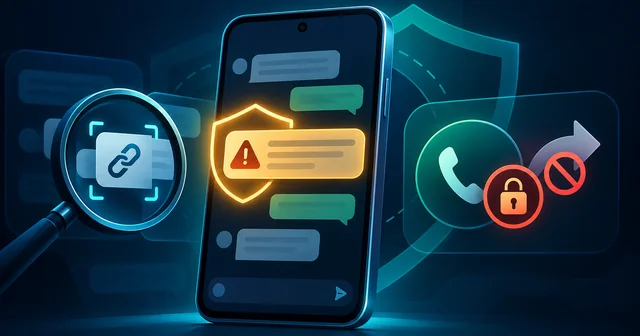
Google is adding an opt-in Enhanced protection mode to Google Messages that sends texts from unknown senders to cloud Gemini models for scam analysis, checks unfamiliar links with on-device Gemini Nano, and adds warnings before you tap them. Android will also block apps from secretly switching on call forwarding, a common trick for stealing one-time passcodes.
What Happened
On October 14, 2026, Google announced a set of new Android scam defenses timed to Cybersecurity Awareness Month. The announcement on Google's Keyword blog, written by Alberto Pastor Nieto of the Google Messages team and Shaifali Bhandari of the Android team, describes five changes: an Enhanced protection mode in Google Messages, wider availability of scam warnings in chat notifications, automatic screen-share privacy in Chrome and WebView, protection against background call forwarding, and verified calls from banks.
Google says Scam Detection in its Phone and Messages apps already flags more than 5 million suspected scam calls and texts each month. It also cites a Google and YouGov survey in which 40% of smartphone users in the US, Canada and Australia said they were "very" or "extremely" concerned about mobile fraud.
The timing differs by feature. Enhanced protection mode in Messages rolls out "in the coming weeks." Screen-share privacy in Chrome and WebView reaches devices on Android 15 and later this month. Call-forwarding protection starts in early December on Pixel phones and "other select devices." Notification-level scam warnings come to phones from HONOR, Infinix, iQOO, itel, JOVI, Motorola, OPPO, OnePlus, realme, TECNO, vivo and Xiaomi "later this year," with availability set by each manufacturer. 9to5Google's write-up gives the same schedule.
The bank call verification started in Brazil. Google says it built the feature with Banco do Brasil, Itaú Unibanco and other banks, and that Android has blocked more than 3 million spoofed calls from those two banks alone since June. Google points to figures from the Brazilian Federation of Banks (FEBRABAN) showing bank impersonation scams in Brazil up 195.7% over 12 months. Google says Revolut customers are also covered.
Why It Matters
Most mobile scams no longer depend on an obviously bad link. The messages that work best look harmless at first: a "wrong number" text, a job offer, a delivery notice, a friendly stranger. The fraud comes later, after trust has been built, through an investment site, a payment request, or a call from someone posing as your bank. Blocklists miss this because the opening messages contain nothing suspicious.
That is why Google is moving from checking individual messages to judging the whole conversation and the sender's apparent intent. Engadget's coverage gives an example of the pattern: a sender poses as a dog owner who has texted the wrong number, then asks for the recipient's name. No single line in that exchange is malicious, but the pattern is familiar to anyone who has studied "pig butchering" and romance scams.
The call-forwarding change targets a different and more technical attack. Many banks, payment apps and account recovery flows still send one-time passcodes by SMS or voice call. If an attacker can quietly forward your calls to their own number, they can receive the voice OTP and take over your account without touching your phone again. Weaknesses in the phone network itself, such as the SS7 and Diameter flaws that surveillance vendors exploit, need carrier fixes. Call forwarding set from the handset is a hole Android can close on its own.
How It Works
Enhanced protection mode in Google Messages
Enhanced protection is a single opt-in switch that turns on three defenses. The first is Scam Detection with Private AI Compute. When you are chatting with a sender who is not in your contacts, Messages sends the conversation context to Google's cloud Gemini models, which judge whether the exchange looks like a scam. Google says this adds to, rather than replaces, the on-device scam detection that Messages already runs.
The privacy claim depends on Private AI Compute, the cloud system Google introduced in 2025 for features that need bigger models than a phone can run. Google says data sent there is encrypted and processed in a secure environment "inaccessible to anybody else, even Google." This is an important change. Until now, Google framed its messaging scam detection as fully on-device. Enhanced protection deliberately sends some message content off the phone, which is why it is opt-in.
The second defense is link checking with Gemini Nano. Google Messages already flags links to known malicious and phishing sites. In Enhanced mode, the on-device Gemini Nano model also uses real-time web signals to assess unfamiliar links before you open them. That catches newly registered scam domains that are not yet on any blocklist. Google lists this for the Pixel 10 and later, the Galaxy S26 series, the Galaxy Z Flip 8 and Z Fold 8, and other select devices, because it needs hardware that can run Nano locally. Running the model locally has storage costs: Chrome's silent 4 GB Gemini Nano download showed how large these on-device models are.
The third defense is a set of redesigned "checkpoints" that slow you down before you open a link from a number that is not in your contacts. They explain why the link may be risky and add a short pause. Google says these warnings were previously limited to some countries or to phones with Android Advanced Protection turned on. The footnotes say they work on Android 6 and later, so they reach far more phones than the AI checks.
Scam warnings in notifications
On Pixel phones, Android can already flag a suspicious message in the notification shade before you open the messaging app. The expansion to a dozen other Android brands is handled through partnerships, so the timing and the exact models are up to each manufacturer.
Automatic screen-share privacy
In "remote support" scams, a caller pretending to be from a bank or a tech company asks the victim to share their screen and then watches as they log in. Android already hides some sensitive content during screen sharing. The new version extends this to Chrome and Android WebView, so login fields, card security codes and payment screens inside web pages are blanked automatically during a live share. This reaches Android 15 and later this month.
Call-forwarding protection
Call forwarding on GSM-style networks is controlled by short MMI codes you type into the dialer, such as **21* followed by a number to forward every call. Scammers abuse this in two ways: malicious apps that set forwarding silently in the background, and social engineering where a "support agent" tells the victim to dial a code. From early December, Android will stop apps from turning on call forwarding in the background. If you type a forwarding code yourself, Android will show a warning before it takes effect.
Verified financial calls
Bank impersonation works because caller ID can be spoofed. With verified financial calls, Android checks with the official banking app on your phone, in real time, whether the bank really placed an incoming call that shows the bank's number. If the app says it did not, Android hangs up and alerts you. It also blocks calls that spoof numbers banks use only for incoming calls. Banks have to join, and Google has published developer documentation for them.
What's Still Unknown
Several questions remain open. Google has not named every device that will get Enhanced protection or the Gemini Nano link checks, beyond the Pixel and Samsung models listed. It has not said which Gemini model runs the cloud analysis, how long message content stays in Private AI Compute, or whether anyone outside Google has audited the "even Google" claim for this feature.
Accuracy is also unclear. Google gives a monthly total of flagged calls and texts but no false-positive rate, and an overeager warning on a real bank or delivery message could teach people to ignore alerts. Coverage outside Brazil is another gap: Google says it will add more partner banks but has not said when US or Indian banks will join. It is also unclear whether people using Samsung Messages or another default SMS app, rather than Google Messages, get any of the Messages features.
The rules around caller identity are shifting too. Regulators are tightening identity checks at the carrier level, as with the FCC rule ending anonymous prepaid numbers, and it is not yet clear how phone-level and network-level protections will work together.
Frequently Asked Questions
How do I turn on Enhanced protection in Google Messages?
Google says Enhanced protection is an opt-in setting in Google Messages that rolls out over the coming weeks, so it may not appear on your phone yet. Once it does, look in the Messages settings under the scam and spam protection options. You need the current version of Google Messages from the Play Store, and some parts, such as Gemini Nano link checks, need a supported phone.
Does Google read my messages in Enhanced protection mode?
For conversations with unknown senders, the content is sent to Google's cloud Gemini models for scam analysis. Google says it is encrypted and processed in Private AI Compute, which it describes as inaccessible to anyone else, including Google. Messages from your saved contacts are not part of this analysis. Because content leaves the phone, the mode is opt-in, and you can leave it off.
Which phones get the Gemini Nano link checks?
Google lists the Pixel 10 and later, the Samsung Galaxy S26 series, the Galaxy Z Flip 8 and Z Fold 8, and other select devices it has not named. These phones can run Gemini Nano locally. Older or cheaper phones can still get the redesigned link warnings, which Google says work on Android 6 and later, but not the AI link assessment.
What is an MMI code and why do scammers use it?
MMI codes are short dialer commands, usually starting with * or #, that change network settings such as call forwarding or call waiting. A scammer who convinces you to dial a forwarding code can receive your calls, including voice one-time passcodes from your bank. From early December, Android warns you before a forwarding code you type takes effect, on Pixel and select other phones.
When does call-forwarding protection arrive?
Google says call-forwarding protection starts in early December 2026 on Pixel phones and other select devices. It blocks apps from enabling call forwarding in the background and warns you if you type a forwarding code yourself. Google has not given dates for other manufacturers, so Samsung, Motorola and other users should watch for it in their own security updates.
Do verified bank calls work in the US or India?
Not yet, based on Google's announcement. The feature launched in Brazil with Banco do Brasil, Itaú Unibanco and other banks, and Google says Revolut customers are also covered. Each bank has to integrate with Android and its own banking app. Google says it will work with more banks but has not named any in the US or India or given a timeline.
Will screen-share privacy hide my passwords on every app?
The update extends existing protection to Chrome and Android WebView, which covers web pages and many apps that show web content. Google says login fields, payment screens and card security codes are blanked automatically during a live screen share. It reaches Android 15 and later this month. Apps that draw their own screens without WebView depend on Android's existing protections and the developer's choices.
Do I still need a security app after these updates?
Google's tools focus on messages, calls and screen sharing. They do not replace basic habits, such as installing apps only from trusted stores, keeping Android updated and using app-based or hardware-key two-factor login instead of SMS codes. A dedicated security app can add malware scanning, but the most effective scam defense is still slowing down before you act on an unexpected request.
Related Reading
For background on the network-level attacks that make SMS codes risky, read our report on how surveillance vendors exploit SS7 and Diameter to track phones. If you are deciding whether a phone also needs a paid scanner, our overview of antivirus software options compares the main choices. To see how malicious apps get onto phones before any scam starts, read about the spyware maker caught distributing fake Android apps.