iPhone Keyboard Blocklist: What Apple's Hidden List Blocks
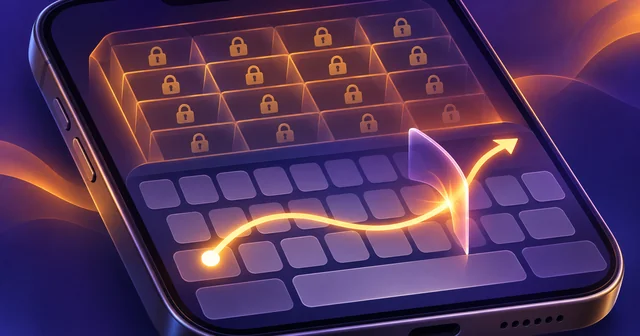
Apple's iPhone keyboard carries a hidden list of phrases it will not suggest and often will not let you swipe. Researcher Derik Kauffman decoded the list from iOS 27.0, finding 4,513 English entries. Nothing stops you typing them letter by letter, but Apple has not said how entries get chosen.
What Happened
On November 6, 2026, Reuters reported that Kauffman, founder of the paper-checking start-up Blacklight, had found the list after noticing in September that swipe typing stumbled on some phrases but not on similar ones. The Verge reports that he used OpenAI's Codex and Anthropic's Claude Code to dig through iOS. He then published the results at Swipeblocked, along with the code and data on GitHub, so anyone can rerun the recovery.
The headline number needs unpacking. Coverage cites more than 100,000 words and phrases, which is a total across languages; The Next Web describes it as Kauffman's conservative estimate, excluding Chinese characters. The English list alone is 4,513 phrases, and Swipeblocked says Apple keeps similar lists for 27 other languages and scripts. Matt Suiche, an engineer at the security company Tolmo, independently recovered the same list, according to The Next Web's account of the Reuters report.
Most entries concern slurs, sex, drugs and violence. The part drawing attention is the rest: "sleepy Joe", "dictator Trump", "Tibetan independence", "Kashmir dispute", "United Ireland" and "Covid was a hoax" in English, plus Hindi entries such as a 2014 BJP campaign slogan and a jibe at Rahul Gandhi. Some are simply odd: "Santa isn't real" and "iMessage isn't working".
Apple told reporters the keyboard is designed to avoid offering inappropriate or offensive suggestions, and that people can always type what they want or override a suggestion. The Guardian reports that Kauffman told Reuters the political entries amount to a "light-touch form of censorship".
Why It Matters
A filter on swear words is old news. Former Apple engineer Ken Kocienda has explained the famous "ducking" substitution as a deliberate choice not to put obscenities into messages by accident. This list goes further in two ways.
First, it reaches into contested politics in many countries, and the entries are not obviously even-handed or consistent. "Taiwan is country" is blocked, for example, while "Taiwan is a country" is not. Second, swipe typing does not merely stay silent. The keyboard picks a different word, sometimes rewriting one you already entered. Swipe "conspiracy" after "left wing" and Swipeblocked shows "wing" becoming "wrong". Reuters' testing, as relayed by Digital Trends, turned "United Ireland" into "United Iceland". A person swiping quickly could send a changed message without noticing.
That matters because a keyboard sits underneath everything you write on a phone: messages, notes, search boxes and work email. Suggestions shape what is easiest to say, even if they forbid nothing. David Greene of the Electronic Frontier Foundation told Reuters that users should be told about the list and be able to change it. No such setting has been reported, and Apple does not publish the list.
It is also a good example of a wider pattern, covered in our look at how Apple Intelligence differs in China: the rules inside consumer software are often invisible until someone outside the company reverse-engineers them.
How It Works
The clever part is that Apple's file contains no words at all. Kauffman's technical write-up describes a table of 32-bit fingerprints, built so that it can answer only one question: is this exact sequence of words on the list?
Where the files live. English, Chinese and Cantonese ship inside iOS. Other languages, and English updates between iOS releases, arrive as background language downloads from Apple's servers. So the list can change without a full system update. English has two tables: a default list used for predictions and completions, and a smaller one of about 2,800 phrases for swipe typing, which Apple calls QuickPath. Other languages use one list for both.
The check. Before offering a candidate, the keyboard looks at the words it would complete, from two to six words long. Each word maps to a blocklist ID, and many forms share one ID, which is why "sleepy Joe" also covers "sleepier Joe". The IDs are combined into a key and looked up in a minimal perfect hash table, a structure built once for a fixed set of keys so that each lands in its own slot with no collisions. The keyboard then computes a fingerprint using Bob Jenkins's public-domain hashword function and compares it with the one stored in that slot. If they match, the candidate is dropped.
This design keeps the English table under 30 KB. It also has a weakness. The fingerprint confirms any correct guess, and the English table uses only about 930 word IDs, so the short phrases can be guessed exhaustively. Kauffman's script recovers the whole English table in about ten minutes on eight CPU cores. Five- and six-word phrases were grown from shorter hits.
Why the results look strange. Sharing IDs produces side effects. "Left" and "right" are one ID, so "left wing conspiracy" and "right wing conspiracy" are the same key. Because matching is exact, a small change in wording slips through. Random collisions also exist: about 176 meaningless four-word strings match by chance, close to the 174 that the mathematics predicts, and the keyboard treats them as blocked too. One such string shares a slot with "Covid was a hoax". Kauffman separated real entries from these by checking older builds, where IDs are renumbered and only genuine phrases still match.
Single words follow separate rules. The English dictionary labels some words vulgar, offensive or sensitive. Vulgar words are held back until you have typed them three times; offensive ones are never suggested. Chinese also behaves differently: blocked words still appear as pinyin candidates, but the keyboard stops predicting what comes next.
The list keeps moving. Swipeblocked's changelog shows the English list growing from about 1,700 phrases in iOS 14.0 (2020) to 4,513 in iOS 27.0. "Make America great again" arrived in a June 2022 update, "dictator Trump" in iOS 16.1 and "sleepy Joe" in iOS 16.2. "President Trump" and "President Bush" were removed in iOS 26.3 after being blocked since 2022.
What's Still Unknown
The biggest gap is why. Apple has not explained how phrases are chosen, who reviews them, or why specific political terms are included. Swipeblocked itself cautions that a phrase's presence does not reveal Apple's reason, and that many entries look machine-expanded from seed phrases, so an odd pairing may come from a template rather than a decision.
Coverage is uneven too. English is fully recovered, but long German, French, Hindi, Spanish and Italian tables are only partly decoded, so the worldwide total is an estimate. The site's headline English count of 4,513 also differs slightly from the 4,525 in its technical table, and we did not find an explanation. Behaviour was checked on iPhones and the iOS Simulator for selected phrases, not every entry, so being on the list does not guarantee an identical result on your phone. Nothing we read establishes that any government requested an entry, and whether Apple will respond by changing the list is an open question.
Frequently Asked Questions
Can I still type words on Apple's blocklist?
Yes. Typing letter by letter always works, and Swipeblocked is clear that nothing on the list stops you writing a phrase. The restriction affects only help from the keyboard: predictive text will not offer the phrase, and swipe typing may produce a different word instead. Your message is not blocked, flagged or prevented from sending by this mechanism.
How many phrases does the iPhone keyboard block?
The English list holds 4,513 phrases as of iOS 27.0, with about 2,800 of those also applying to swipe typing. Coverage of the research cites more than 100,000 entries in total across languages, but that is an estimate, because several long language tables are only partly decoded. Apple has not confirmed any figure publicly.
Does the blocklist report what I type to Apple?
Nothing in the published research suggests that. The check described by Kauffman runs against a small table on the phone, and its outcome is simply whether a candidate gets shown. The research is about suggestion filtering rather than monitoring. It does not audit every network connection the keyboard makes, so it cannot rule out all data sharing by itself.
Why does my iPhone change a word when I swipe it?
If a swiped word would complete a blocked sequence, the keyboard rejects that candidate and picks another, sometimes an implausible one. It can also rewrite a word you already entered, which is how "left wing" can become "left wrong". Check swiped messages before sending, and tap out the word letter by letter if the keyboard keeps changing it.
Can I turn the blocklist off on iPhone?
No setting for it has been reported, and the EFF's David Greene has argued that users should get one. You can turn off predictive text in keyboard settings, or type difficult phrases by hand. A text replacement shortcut has worked around swear-word substitutions in the past, but we have not tested it against this phrase list.
Do other keyboards filter words too?
Filtering is common. Tom's Hardware reported years ago on a list of about 1,400 words in Android's keyboard, with a setting to disable the filter, and Digital Trends compares Apple's list to blocking by Chinese phone makers and the LINE app. Third-party iPhone keyboards use their own prediction systems, but the research does not test them.
Is Apple's keyboard list the same in every country?
Lists vary by language rather than clearly by country, based on the published research. Hebrew has just six entries, Japanese 15 in its plain-text list, while German and French tables are long. Whether Apple varies behaviour by region beyond language is unconfirmed. Language data also updates in the background, so the same phone can change behaviour between iOS releases.
Related Reading
If the keyboard keeps fighting a phrase you use often, our guide to setting up text replacement on iPhone shows how to add your own shortcuts, and using dictation for hard-to-spell words covers another way around the keyboard. For more on what recent iPhone software does behind the scenes, read our iOS 27.2 explainer on Siri AI and hidden watermarks. Apple's control over language and content on its platforms also features in its new App Store rules on AI nudify apps.