Lawful Phone Monitoring in 2026: Parental Controls and Family-Safety Apps That Respect Consent
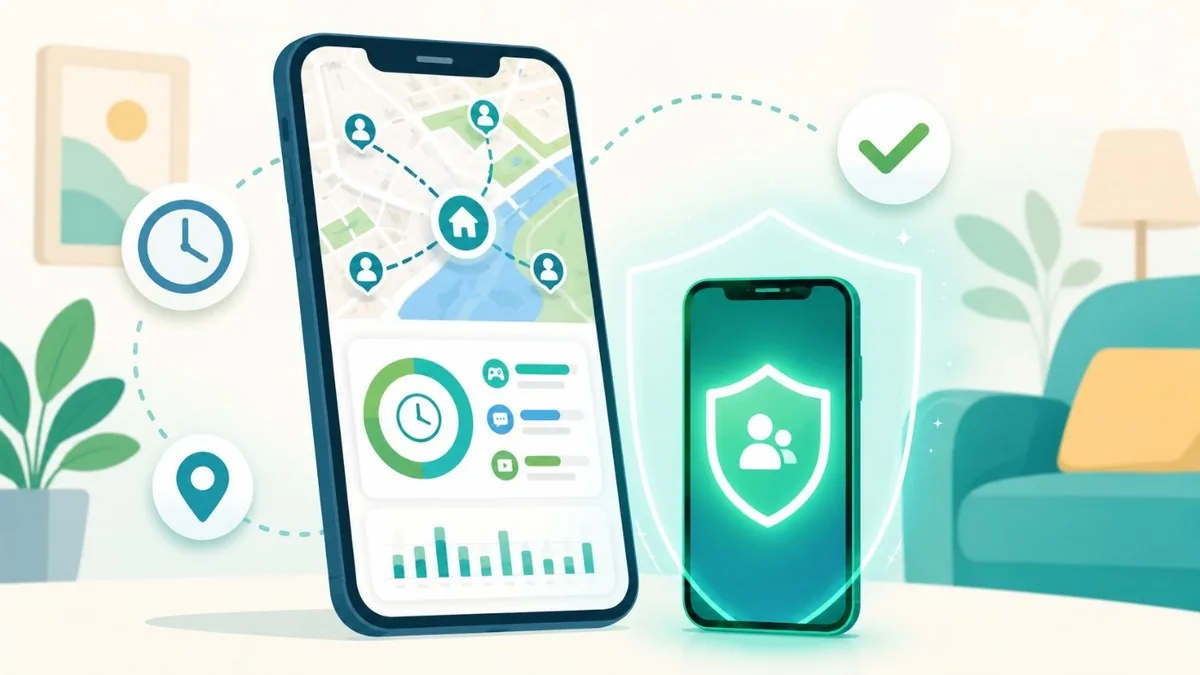
Searches for "spy apps to catch a cheater" lead straight to stalkerware: software marketed to secretly monitor another adult's phone. Installing such an app on a partner's device without their knowledge is not a clever relationship hack; in the United States and most other jurisdictions it is a crime under the Computer Fraud and Abuse Act, the Electronic Communications Privacy Act, and state wiretapping and stalking statutes. The FTC has banned stalkerware vendors outright, and covert surveillance is a documented tool of abuse. This guide deliberately does not recommend any of that. Instead, it covers the legitimate, consent-based monitoring that actually exists in 2026: parental controls a parent lawfully applies to their own minor child's device, and transparent, disclosed monitoring of company-owned equipment. Below are eight reputable family-safety and location-sharing apps worth verifying for 2026, with current pricing and platform notes, followed by guidance on what to do if you are worried about a relationship. The honest answer there is a conversation or a counselor, not a hidden app.
Read this first. Secretly monitoring another adult’s phone — including a partner’s — is stalkerware. It is unethical and, in most places, illegal under wiretapping, stalking and computer-misuse laws. This guide does not endorse or recommend that. It covers lawful family-safety tools only: a parent supervising their own minor child’s device, or transparent monitoring of a company-owned device that the user knows about. If your real worry is a relationship, scroll to the end for the responsible path forward.
Lawful Family-Safety Apps at a Glance
- Google Family Link — Free / Android, iOS (parent app), Chromebook
- Apple Screen Time (Family Sharing) — Free with iOS / iPadOS / macOS via Family Sharing
- Bark — Bark Jr ~$5/mo or $49/yr; Premium $14/mo or $99/yr (~$8
- Qustodio — Free (1 device); Basic ~$59
- Norton Family — ~$49
- Canopy — From ~$7
- Life360 — Free; Silver ~$7
The Best Parental Control and Family-Safety Apps in 2026
Google Family Link
Free / Android, iOS (parent app), Chromebook
Google's free parental-control service lets a parent supervise a minor child's Android phone or Chromebook from their own device. Parents approve or block Play Store downloads and purchases, set daily screen-time budgets and bedtime locks, filter Chrome, Search and YouTube, and see the child's location on a map. It is consent-appropriate only because it is designed for a parent and their own under-13 (or supervised teen) account, with the child aware of the supervised setup. When a child turns 13 (the applicable age varies by country), both parent and child are notified that account options can be updated, but supervision cannot be removed without the parent's approval.
Apple Screen Time (Family Sharing)
Free with iOS / iPadOS / macOS via Family Sharing
Built into every iPhone, iPad and Mac, Apple's Screen Time becomes a parental-control system when paired with Family Sharing and a child Apple Account. Parents remotely set Downtime, App Limits (which in iOS 26 can fully block apps, not just impose a one-minute cap), Communication Limits governing who a child can contact, and Content & Privacy Restrictions. Communication Safety can warn on nudity in Messages and AirDrop. It is free, deeply integrated and transparent: the child sees the limits. Coverage is Apple-only, so mixed-device households often pair it with a cross-platform tool.
Bark
Bark Jr ~$5/mo or $49/yr; Premium $14/mo or $99/yr (~$8.25/mo annual); plus Bark Phone/Watch hardware
Bark takes a content-monitoring rather than total-lockdown approach: instead of letting parents read everything, its AI scans texts, email and 30-plus social platforms and alerts parents only to potential issues like bullying, self-harm or predation. Bark Jr covers screen-time scheduling, web filtering and location for unlimited devices; Premium adds the content-alert engine. Bark also sells a kid-focused Bark Phone and Bark Watch with controls baked in. Designed for parent-and-minor use, its alert-only model preserves more of a teen's privacy than full surveillance while still flagging genuine danger. Both plans include a 7-day trial.
Qustodio
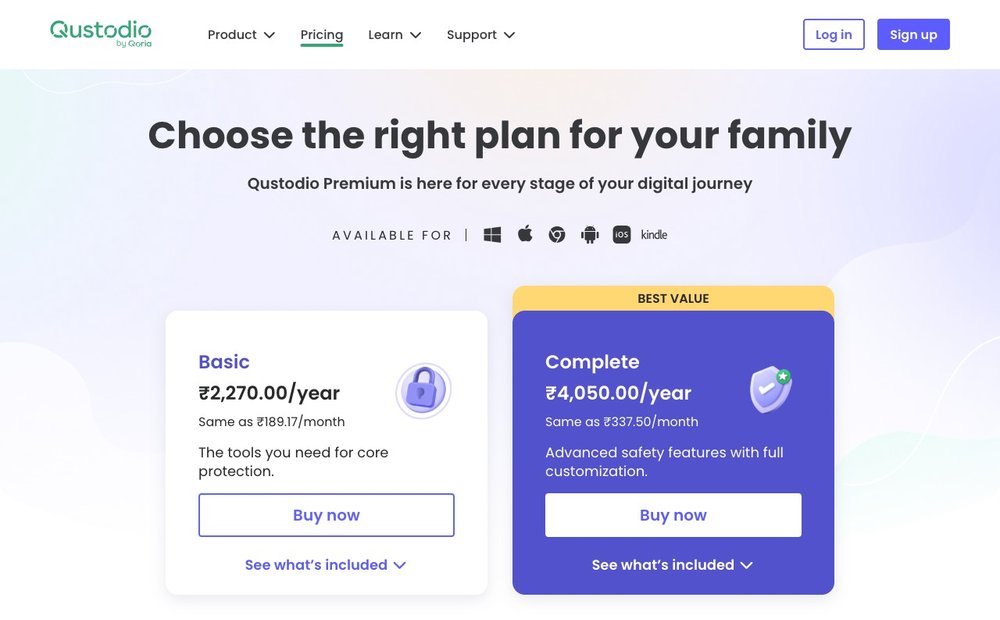
Free (1 device); Basic ~$59.95/yr (up to 5 devices); Complete ~$109.95/yr (unlimited devices)
Qustodio is a full-featured cross-platform parental suite for Windows, macOS, Android, iOS and Kindle. A free tier covers one device; Basic Premium protects up to five with app blocking, web filtering, location and internet pause; Complete adds per-app time limits, custom routines and schedules, call and text monitoring, YouTube monitoring, social-media oversight and unlimited devices. Its dashboard and activity reports make it a strong choice for parents managing several children across mixed device ecosystems. As with all of these tools, it is intended for a parent supervising their own minor child, not for monitoring another adult.
Norton Family
~$49.99/yr standalone; included in Norton 360 Deluxe/Premium
Norton Family is a lightweight, affordable parental-control tool bundled free with Norton 360 Deluxe and Premium, or sold standalone. Parents get web supervision across 47 block categories, daily time limits and schedules, app supervision, search and video history, plus location tracking with geofencing alerts. Kid apps run on iOS, Android and Windows; the parent dashboard works on mobile and major browsers. It deliberately skips conversation/message monitoring, focusing on web habits and screen time, which keeps it simple and transparent for families already in the Norton security ecosystem.
Canopy
From ~$7.99/mo annual; Individual/Duo/Family (3/5/10 devices)
Canopy specializes in real-time explicit-content filtering. Its AI Smart Filtering scans web pages as they load and whites out explicit images on the spot, and its Sexting Prevention feature can stop a child from saving or sending nude photos and alert parents. It runs on iOS, Android, Windows and macOS with web/app filtering, scheduling, location and activity reports. Notably it does not offer general screen-time limits or broad message monitoring, so many families pair it with another tool. Built for parents protecting minors, its image-level filtering is among the most aggressive on the market.
Life360
Free; Silver ~$7.99/mo, Gold ~$14.99/mo, Platinum ~$24.99/mo
Life360 is a consent-based location-sharing app for families, where everyone installs it and joins a shared Circle, so members can see one another rather than being covertly tracked. The free tier gives live location, limited history and place alerts; paid Silver/Gold/Platinum tiers add 30-day history, unlimited geofence alerts, driving reports, crash detection with emergency dispatch, roadside assistance and ID-theft protection. Because it is mutual and visible, it suits families coordinating teens and adults who agree to share. It is not a covert tracker, and using it to follow someone without their knowledge would defeat its design and the law.
If Your Real Concern Is a Relationship
Not an app to install but an essential reference for this topic. The Coalition Against Stalkerware, backed by security firms, the EFF and domestic-violence organizations, defines stalkerware, explains why covert partner-monitoring tools are harmful and unlawful, and offers detection and safety guidance for anyone who suspects their own phone has been compromised. If your real concern is that a relationship has eroded trust, these resources, along with the FTC's stalkerware guidance and a licensed couples counselor, are the responsible places to turn rather than any spy app.
The honest, lawful and more effective path is not surveillance but a direct conversation, clear boundaries you both agree to (such as mutual, consented location sharing through an app like Life360), and, if trust has broken down, a licensed couples counselor. If you suspect your own phone has been compromised by stalkerware, the resources above explain how to detect and remove it safely.
Safety and Reference Resources
- FTC: Stalkerware — What To Know
- FTC bars SpyFone from selling secret phone-monitoring apps
- Coalition Against Stalkerware
- National Network to End Domestic Violence — Safety Net (tech safety)
- Apple Support: Use parental controls to manage your child's iPhone or iPad
Frequently Asked Questions
Is it illegal to put a spy app on my partner's phone?
In almost all cases, yes. Secretly installing monitoring software on another adult's phone without their consent can violate the federal Computer Fraud and Abuse Act, the Electronic Communications Privacy Act, and state wiretapping and stalking laws in all 50 states. Penalties include felony charges and significant fines. The FTC has also banned stalkerware vendors outright. We do not endorse covert partner surveillance under any circumstances.
When is phone monitoring actually legal?
Two clear cases. First, a parent or legal guardian may lawfully use parental-control tools on a device belonging to their own minor child. Second, an employer may monitor company-owned devices when it discloses the monitoring, ideally in a written, acknowledged policy; some states such as Connecticut, Delaware and New York legally require that notice. Monitoring another adult's personal phone without their genuine consent is generally not legal.
Are free parental-control apps good enough?
For many families, yes. Google Family Link (Android/Chromebook) and Apple Screen Time via Family Sharing (iPhone/iPad/Mac) are free, well-integrated, and cover screen-time limits, app approvals, content filtering and location. They are usually the best starting point. Paid tools like Qustodio, Bark or Norton Family add cross-platform coverage, content alerts, or message monitoring that the free, single-ecosystem options do not provide.
Do I have to tell my child the phone is monitored?
Legally, a parent supervising their own minor child has wide latitude, but experts and the apps themselves recommend transparency. Tools like Bark are built around alerting parents to risks rather than exposing everything, which preserves a teen's privacy and trust. Open conversation about why limits exist tends to work better long-term than secret surveillance, and it models the honest behavior you want your child to learn.
What should I do if I think my partner is cheating?
Not install spyware. Beyond being illegal, covert monitoring damages the relationship further and can constitute abuse. The constructive paths are an honest, direct conversation, and if needed a licensed couples or individual therapist. If you feel unsafe, contact a domestic-violence support service. If you suspect your own phone is being monitored, the Coalition Against Stalkerware and the FTC offer detection and safety guidance.
This article is general information, not legal advice. Monitoring laws vary by country and by US state. Only monitor a device you own and are legally responsible for (such as your own minor child’s), and prefer transparency and consent. Never install monitoring software on another adult’s device without their knowledge and agreement.