The Best Screenshot Tools for Windows 11 in 2026
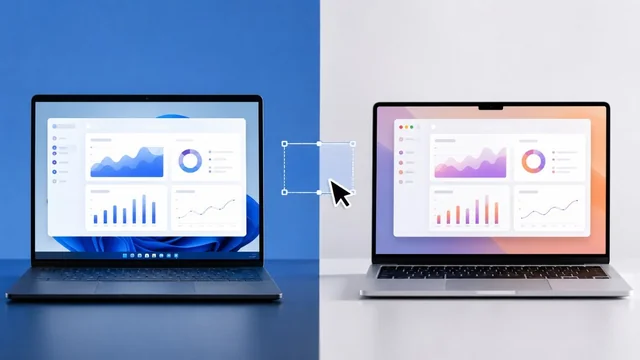
Screenshot tools have quietly become full content-capture suites in 2026 — annotation, scrolling capture, OCR text extraction, and short-form video recording are now table stakes. Windows 11's built-in Snipping Tool has caught up dramatically since 2024, but power users still reach for ShareX, Snagit, or Flameshot for advanced workflows. This guide ranks ten current tools by what they actually do on Windows 11 today, from free open-source kings to premium paid options. If you just want the built-in keyboard shortcuts, see our full guide to taking screenshots on Windows and Mac.
Windows 11 Screenshot Tools at a Glance
| Tool | Type | Price | Best For |
|---|---|---|---|
| Windows Snipping Tool | Built-in | Free | Quick captures, zero install |
| ShareX | Open source | Free | Power users & automation |
| Greenshot | Open source | Free | Lightweight capture |
| Lightshot | Free | Free | Instant share-link screenshots |
| Snagit | Premium | $62.99 one-time | Documentation & tutorials |
| PicPick | Free (personal) | Free / paid | Designers needing pixel tools |
| Flameshot | Open source | Free | Cross-platform teams |
| Awesome Screenshot | Browser extension | Freemium | Capturing web pages |
| Loom | Freemium | Free / paid | Async video updates |
| Nimbus Capture (FX Capture) | Freemium | Free / paid | Screenshot + screen video |

The Picks, Reviewed
1. Windows Snipping Tool
Built-in · free · best for quick captures with zero install
The Windows 11 Snipping Tool has been transformed since 2024: it now records video clips with audio, extracts text via OCR (Text Actions), redacts sensitive content automatically, and even captures HDR. Win+Shift+S still grabs a region in under a second, and the integrated editor handles basic annotation, cropping, and shape recognition. For most users this is now genuinely enough. (For heavier text extraction, compare the best OCR software.)
2. ShareX
Open source · free · best for power users and workflow automation
ShareX remains the open-source king in 2026, with an almost overwhelming feature set: region/window/scrolling capture, GIF and video recording, OCR, customizable workflows that auto-upload to dozens of destinations, and a powerful annotation editor. The learning curve is steep but rewards heavy users with the most flexible pipeline of any tool on the list, completely free with no upsells.
3. Greenshot
Open source · free · best for lightweight, no-nonsense capture
Greenshot is the minimalist's choice — small footprint, fast, and focused on screenshots rather than video. Region, window, and full-screen capture with a clean built-in editor, plus direct export to Word, PowerPoint, Outlook, and image hosts. Development has been quieter recently, but the 1.3 release line still runs perfectly on Windows 11 24H2 and beyond.
4. Lightshot
Free · best for instant share-link screenshots
Lightshot's appeal is speed: press Print Screen, drag a region, annotate, and either save locally or one-click upload to prntscr.com for a shareable URL. The cloud links are public and not indexed but findable, so treat it as a sharing tool rather than a private archive. No video or OCR, but for quick visual feedback in chats it is hard to beat.
5. Snagit
Premium · $62.99 one-time · best for documentation and tutorials
TechSmith's Snagit is the paid benchmark for serious documentation work. Scrolling capture handles long web pages and chat logs cleanly, the Simplify tool auto-converts a screenshot into a stylized diagram, and Snagit 2024+ adds AI-assisted background removal and text replacement. At $62.99 (one-time, with optional maintenance) it is the obvious upgrade once free tools start to feel cramped.
6. PicPick
Free for personal use · best for designers needing pixel tools
PicPick bundles a capable screenshot tool with a small graphics suite — color picker, pixel ruler, protractor, crosshair, magnifier, and whiteboard. Scrolling capture, full image editor with layers-lite, and direct export to cloud and FTP. Free for personal use; commercial users need a license. A solid middle ground between Greenshot and Snagit.
7. Flameshot
Open source · free · best for cross-platform teams
Flameshot started on Linux but the Windows build is stable in 2026 and offers one of the cleanest in-screen annotation experiences anywhere. Region capture with immediate on-canvas tools (arrows, blur, text, numbered pins), direct upload to Imgur, and a scriptable CLI for automation. No video or OCR, but for teams working across Linux, macOS, and Windows it is the consistency play.
8. Awesome Screenshot
Browser extension · freemium · best for capturing web pages
Awesome Screenshot lives in Chrome, Edge, and Firefox and excels at full-page scrolling captures of web content — the use case where desktop tools often struggle. The free tier handles screenshots and short videos; paid plans add longer recording, cloud team libraries, and integrations with Slack, Jira, and Trello. The browser context means it captures behind logins without extra setup.
9. Loom
Freemium · screen recording focus · best for async video updates
Loom is screenshot-adjacent but indispensable in 2026 for anyone sending async video walkthroughs. The free Starter plan allows up to 25 videos per person at five minutes each, with auto-transcription and AI-generated titles, summaries, and chapters now standard. Paid plans remove the limits and add SSO. Use it alongside ShareX or Snagit rather than instead of them. For dedicated capture, see the best screen recording software.
10. Nimbus Capture (FX Capture)
Freemium · best for combined screenshot + screen video workflows
Now branded as part of the FX product family, Nimbus Capture offers browser and desktop apps that combine screenshots, scrolling page capture, and screen recording with webcam overlay. The free tier covers most personal use; paid tiers add longer recordings, cloud storage, and integrations with the Nimbus Note knowledge base. A reasonable Loom + Awesome Screenshot alternative in one app.
Visit Nimbus Capture (FX Capture) »
How to Choose a Screenshot Tool for Windows 11 in 2026
Start with the built-in Snipping Tool. Seriously — Microsoft has spent the last two years closing the feature gap with paid tools, adding video recording, OCR via Text Actions, automatic content redaction, and shape recognition. For 80% of users in 2026, Win+Shift+S plus the new video shortcut (Win+Shift+R) covers daily capture needs without installing anything.
Reach for ShareX when you need automation. Its real power is not any single feature but the configurable workflow: capture, run OCR, watermark, upload to your chosen host, and copy a Markdown-formatted link to your clipboard in one keystroke. If you take dozens of screenshots a day and they all need the same post-processing, ShareX pays for itself in minutes.
Upgrade to Snagit when documentation is your job. Scrolling capture of long pages, the Simplify stylization for cleaner tutorials, and the polished editor with templates make Snagit the standard for technical writers and trainers. For image edits beyond a screenshot editor, see the best photo editing software. The $62.99 one-time price is a rounding error compared to the time saved on a real documentation project.
For specialized needs, pick by context: Awesome Screenshot for web-only captures including pages behind logins, Loom for async video updates with built-in transcription, Flameshot for cross-platform consistency, and Lightshot for the absolute fastest path from screen to shared link. Most power users end up running two tools — usually Snipping Tool plus ShareX or Snagit — rather than one.
Sources & Further Reading
- Microsoft Snipping Tool support page
- ShareX official documentation
- TechSmith Snagit feature overview
Frequently Asked Questions
Does the Windows 11 Snipping Tool record video in 2026?
Yes. Microsoft added screen video recording with audio to Snipping Tool in late 2024, and the feature has matured since. Press Win+Shift+R or open Snipping Tool and switch to the video mode to record a region of the screen as MP4.
Can the Snipping Tool extract text from images?
Yes. The Text Actions feature added in 2024 uses on-device OCR to extract text from any screenshot, including automatic redaction of emails and phone numbers. It works offline and supports most major languages.
Which screenshot tool is best for capturing long, scrolling web pages?
Snagit handles scrolling capture most reliably on desktop apps and web content. For web pages specifically, Awesome Screenshot's browser extension is often easier because it works inside the rendered page, including content behind logins.
Is ShareX really free with no upsells?
Yes. ShareX is open source under the GPL, has no paid tier, no ads, and no telemetry. It is funded by donations and developed in the open on GitHub. The trade-off is a steep learning curve compared to commercial tools.
What is the best free Snagit alternative?
ShareX is the closest free equivalent for power users — it matches or exceeds Snagit on capture flexibility and automation but lacks the polished editor. Greenshot and PicPick are gentler free alternatives if you find ShareX overwhelming.
Do these tools work on ARM-based Windows 11 devices?
The built-in Snipping Tool, ShareX, Greenshot, and PicPick all run natively or through emulation on Windows on ARM as of 2026. Snagit added native ARM64 support in its 2024 release. Confirm with the vendor for the latest status on your specific device.
Information is based on public sources and vendor pages current as of June 2026. Details, prices and plans change frequently — verify on the official site before relying on them.