Download 50+ Free T-Shirt Templates & Mockup PSD for 2026
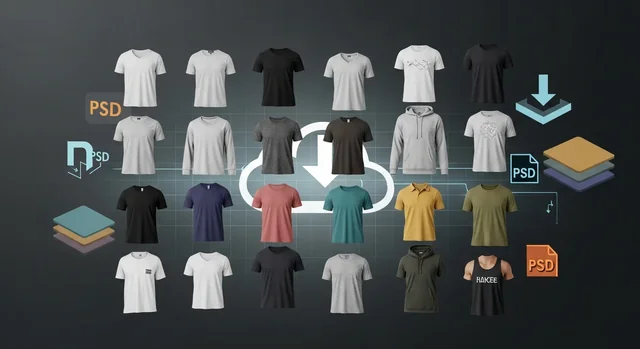
If you design t-shirts — for a personal brand, a print-on-demand store, an Etsy shop, or a client — the right mockup file is the difference between a flat product photo and a listing that actually sells. The mockup landscape changed dramatically going into 2026: Smartmockups officially shut down, Freepik rebranded to Magnific, and AI-powered mockup generators went from a novelty to a serious workflow. This guide is the rebuilt 2026 edition of our long-running list — over 50 free t-shirt templates and mockups across PSD, AI, vector, and AI-generator formats, with practical guidance on which to use for which platform.
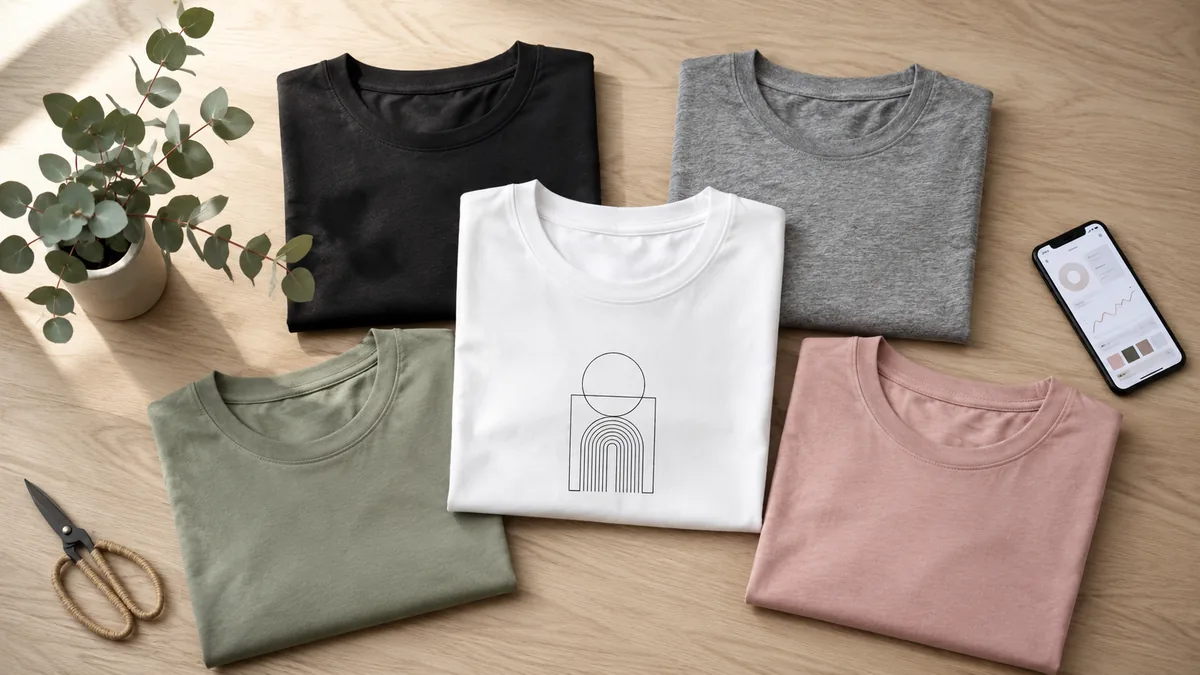
What's New in 2026 (Read This First)
Before you bookmark a single resource, three structural changes happened in 2025-2026 that every t-shirt designer needs to know:
- Smartmockups is gone. Canva (which acquired Smartmockups in 2021) closed the standalone product in September 2024 and wound down the final integration in February 2026. If you still have it bookmarked, replace it with one of the alternatives in the dedicated section below.
- Freepik is now Magnific. On April 28, 2026, Freepik rebranded as Magnific, folding its 250M+ asset library, mockups, and AI generation tools into one platform. Your old Freepik links still work — they redirect — but the brand to remember is Magnific.
- AI mockup generators are now production-grade. Tools like Recraft, Mockey AI, Bulk Mockup, and Media.io (powered by Nano Banana Pro) can turn a flat PNG design into a photoreal t-shirt scene in under 60 seconds. We've added a full section on these below because, for most POD sellers, they've replaced PSD editing for daily work.
Why T-Shirt Mockups Still Matter in 2026
Even with AI-generated product photography improving fast, hand-prepared mockups remain the conversion workhorse for clothing listings. Here's what they do for you:
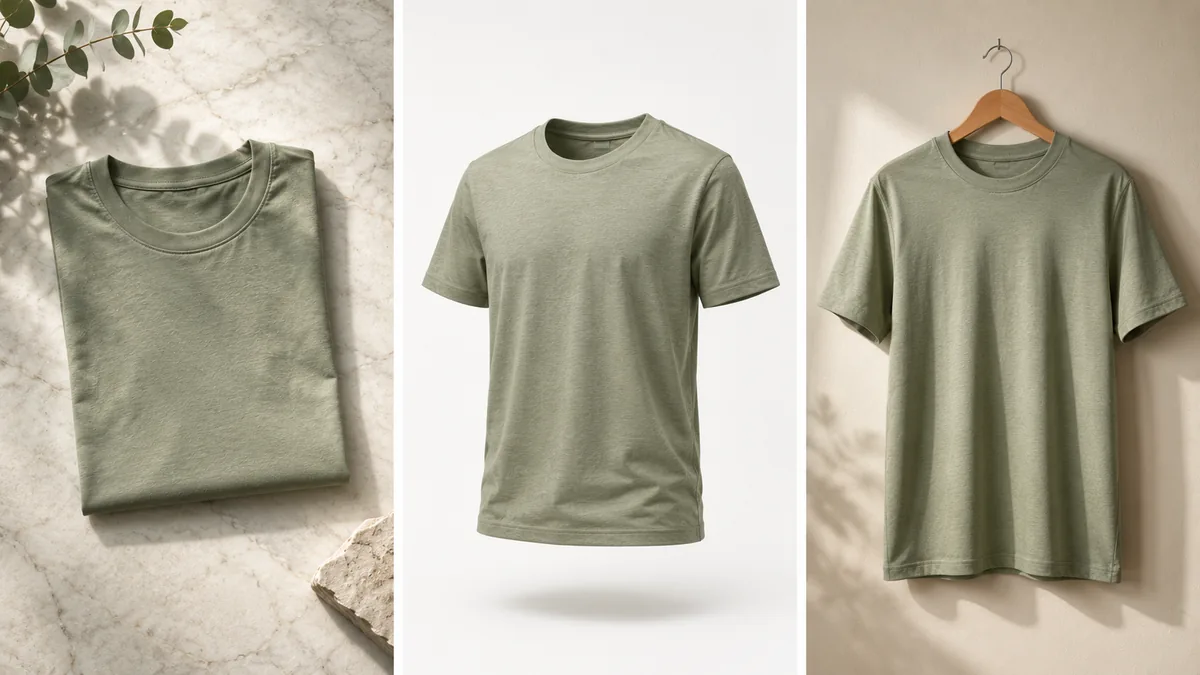
- Photoreal visualization without a sample run. See fabric folds, drape, and color the way a customer will — before you pay a printer.
- Marketplace-ready product images. Etsy, Amazon Merch on Demand, and Redbubble all reward listings with consistent, high-resolution lifestyle and ghost-mannequin shots.
- A/B testing on the cheap. Drop the same design into a flat lay, a hanging mockup, and a lifestyle mockup, then see which thumbnail wins on click-through.
- Trademark-safe presentation. A generic, royalty-free mockup avoids the legal headaches of using competitor product photography or stock imagery without proper licensing.
- Speed for POD scale. If you're publishing 30+ designs a week to Printify or Printful, batched mockup workflows (especially AI-driven ones) keep your output rate sustainable.
Best Free T-Shirt Mockup Sites in 2026
These are the resources still worth your time in 2026 — verified live, with free commercial-use options. We've removed Smartmockups (shut down) and updated Freepik to Magnific.
1. MockupsJar
Still a reliable, no-account-needed source of clean PSD t-shirt mockups. Smart Objects are well-organized, file sizes are reasonable, and you can grab crew-neck, V-neck, and hanging variants without a paywall. Best for designers who want fast PSD downloads without a sign-up funnel.
2. Pixeden
A staple since the early 2010s. Free PSDs require a free account, premium files require a subscription, but the quality is consistently print-ready. The "Apparel" section now includes photoreal oversized and boxy-fit mockups that match 2026 streetwear trends.
3. Magnific (formerly Freepik)
Magnific kept Freepik's huge mockup library and layered an AI image generator, upscaler, and video tools on top. There are 5,000+ t-shirt mockup sets available, with new AI-generated lifestyle variants added weekly. Free plan includes daily downloads with attribution; the Premium plan removes both.
4. GraphicBurger
A favorite for the quality of the file rather than the size of the library. Their flagship "T-Shirt MockUp PSD" remains one of the most-downloaded free mockups on the internet — drag-and-drop smart layer, custom shirt color, contrast intensity control. The site loads fast and there's no paywall.
5. Placeit by Envato
The biggest browser-based mockup library in 2026: 50,000+ templates and the most logical fallback after Smartmockups closed. Free tier gives you watermark-free downloads on a small subset; the $14.95/month plan unlocks everything. Best when you don't want to open Photoshop at all.
6. Mockuptree
An underrated free-mockup hub that took on momentum after Smartmockups shut down. PSD t-shirt templates across men's, women's, raglan, crop-top, and oversized styles — all free for commercial use with no attribution. Categorized cleanly by garment type and color.
7. PsFiles
Specializes in hyper-realistic hanging and folded t-shirt mockups with proper fabric simulation. Their 2026 release of the "Folded T-Shirt Bag" and "Poly-Packed" mockups are perfect for the e-commerce listings that need to look retail-ready.
8. Resource Boy
Curated freebies pulled from across the web with a strict quality filter and verified commercial-use status. Their t-shirt mockup index is one of the easiest to browse if you don't already know which file you want.
9. Pixelbuddha
Pixelbuddha's photoreal mockups let you edit shirt color, drop in a design via Smart Object, and have the artwork follow folds and wrinkles automatically. They release a handful of new t-shirt sets each quarter, and their freebies are unusually generous in resolution (often 5000+ pixels wide).
10. Dynamic Mockups
An online mockup editor and PSD downloader that bridges the gap between Photoshop and pure browser tools. Adjust placement, size, rotation in the browser; download the PSD if you need pixel-level control. Their API also powers a lot of Shopify mockup automations in 2026.
11. Mockup World
The web's longest-running free-mockup directory, still maintained, and still useful when you need an obscure style (cropped raglan, performance tee, women's deep V) that the big libraries don't carry.
12. Yellow Images
Premium-leaning, but their "Object Mockups" category has free spotlight downloads each week, and the apparel files are the highest-fidelity you'll find anywhere — the choice when you're shooting a hero image for a Shopify storefront.
13. Behance & Dribbble
Both communities still surface excellent free PSD mockups, especially "freebie" posts by designers building portfolios. Search "free t-shirt mockup PSD" plus the current year. Be sure to read each post's specific license; some require attribution.
14. Printful's Free Mockup Generator
Free, account-only, and the cleanest way to generate mockups that match what Printful will actually print. Particularly useful for Etsy and Shopify sellers using Printful as their fulfillment partner. The 2026 update added AI lifestyle scenes for popular blanks like Bella+Canvas 3001 and Gildan 5000.
15. Media Loot
Subscription-driven but with a regularly-refreshed free section. Their t-shirt mockups lean editorial — great for fashion-style listings rather than generic POD blanks.
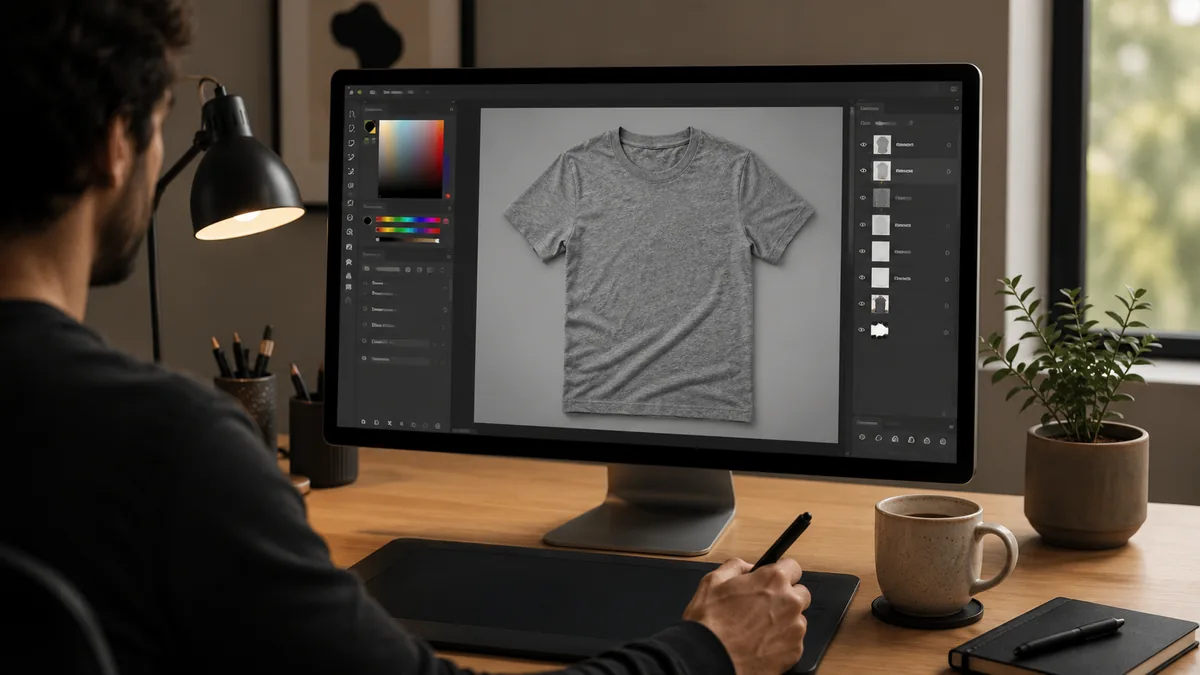
AI T-Shirt Mockup Generators (The 2026 Game-Changer)
This category did not meaningfully exist in our 2024 update. By 2026, AI mockup generators are doing 70%+ of what most POD sellers used Smartmockups for — in less time, with more variation, and at lower cost. Here are the tools worth your attention:
Recraft
The current darling of the AI mockup space. Recraft's t-shirt mockup generator takes a flat design and outputs proportional, pixel-perfect t-shirt scenes with realistic shadows and curves in under a minute. Free tier is generous; paid plans unlock 4K downloads. The output quality is high enough that most buyers won't tell it's AI.
Mockey AI
The friendliest AI mockup tool for beginners. Mockey has 20,000+ templates across 45+ categories, including a full apparel section. Free tier adds a small watermark; the $9/month plan removes it and unlocks more templates. Workflow is identical to Smartmockups, so it's the easiest direct replacement.
Bulk Mockup
Built for sellers shipping hundreds of designs. As a Photoshop plugin, Bulk Mockup lets you batch-insert designs into thousands of shirt templates simultaneously. If you're scaling an Amazon Merch on Demand or Redbubble catalog, this is the time-saver that pays for itself in a week.
Media.io (powered by Nano Banana Pro)
Media.io's mockup generator runs on Nano Banana 2 and Nano Banana Pro — the same image models powering several leading 2026 AI-image tools. The "Media 2.0" mode has unusually strong clothing-fold and fabric control. Best for hyper-realistic single-product hero shots.
Mockuuups Studio
5,000+ customizable product mockups with web, app, and design-tool plugins. The t-shirt collection focuses on premium-feel lifestyle scenes — the kind of imagery you'd see on a high-end DTC brand site.
Seller Mockups
Purpose-built for POD sellers. Where most generators recycle the same scenes, Seller Mockups generates unique AI environments per export, with brand-accurate colors for common blanks like Bella+Canvas, Comfort Colors, and Gildan. Strong choice if your Etsy competitors are using the same Placeit templates as you.
Kittl
A POD-focused design platform with built-in mockup generation starting at $12/month. Especially useful if you also need design tools (vintage badges, retro typography presets) bundled with the mockup workflow.
Smartmockups Is Gone — Here's Exactly What To Use Instead
If you landed here because Smartmockups stopped loading or your Canva integration broke, here is the replacement map most ex-Smartmockups users have settled into by Q2 2026:
- You loved Smartmockups for its simplicity? Use Mockey AI — the upload-select-download flow is nearly identical and the free tier is more generous.
- You used it for a large catalog? Move to Placeit for breadth (50,000+ templates) or Bulk Mockup for automation.
- You needed quick lifestyle scenes? Try Recraft or Seller Mockups; both lean photoreal and produce unique scenes.
- You're already on Canva? Canva absorbed a subset of Smartmockups templates into Canva Pro's mockup library. The selection is significantly smaller than the standalone product was, but the workflow is integrated.
- You used the Smartmockups API? The closest active equivalent in 2026 is the Dynamic Mockups API, which mirrors most of the original endpoints.
Best T-Shirt Mockup by Use Case
The "best" mockup is whichever one fits the platform you're listing on. Here's how working sellers in 2026 actually choose:
For Etsy listings
Etsy's algorithm rewards consistent, high-contrast lifestyle thumbnails. Use a flat lay PSD from Mockuptree or GraphicBurger, or generate a unique lifestyle scene in Recraft. Avoid Placeit's most popular templates — they're so widely used that buyers recognize them, which hurts perceived originality.
For Amazon Merch on Demand
Amazon strips out lifestyle context and shows your design on a flat blank. Use a standard ghost-mannequin or hanger mockup for your Amazon-side listing imagery (the off-Amazon ads / Pinterest pins). Bella+Canvas-styled blanks like the ones in Printful's free generator match what Amazon's automated product images look like.
For Shopify and DTC stores
Higher production value pays off. Use Yellow Images or Pixelbuddha hero mockups for your product page, plus 3-4 angles (flat lay, hanging, ghost mannequin, lifestyle on a model). Pair with Recraft-generated lifestyle alternates for ad creative.
For streetwear and drop brands
Lean into editorial lifestyle scenes. Mockuuups Studio and Media.io produce magazine-style imagery that fits the streetwear aesthetic better than the clean studio shots POD sellers usually use.
For influencer / collab merch
Speed matters more than perfection — the design will be live for 72 hours. Use Mockey AI or Placeit to push out a clean mockup in under five minutes per variant.
How to Edit a Free PSD Mockup Like a Pro
Most free t-shirt mockups ship as PSDs with a Smart Object placeholder. Here's the modern Photoshop 2026 workflow for placing your design realistically:
- Open the PSD in Photoshop. Look for a layer titled "Your Design Here," "Place Design Here," or a green/red highlighted placeholder.
- Double-click the Smart Object thumbnail. A new tab opens at the size the design is printed at — typically 12×12 inches at 300 DPI.
- Paste or drag your artwork in. Center it, then File > Save (Ctrl/Cmd-S). Do not "Save As" — that breaks the Smart Object link.
- Return to the main mockup tab. Your design should now appear, following the t-shirt's folds and lighting.
- Recolor the shirt by enabling the dedicated "Shirt Color" or "Hue/Saturation" adjustment layer most quality mockups include. If yours doesn't, add a Hue/Saturation adjustment layer clipped to the shirt layer.
- Use Edit > Transform > Warp if the design needs to bend more aggressively to follow heavy folds. New in Photoshop 2026: the Generative Warp action automatically conforms a design to the underlying fabric texture — one click, no manual handles.
- Polish with a layer mask. Add a soft black brush at 10-20% opacity along seams and shadow valleys to make the design recede naturally into the fabric.
- Export as JPG at quality 10 for marketplace listings, or PNG-24 if you need transparency for ad creative.
For a step-by-step video walkthrough using Smart Objects, the tutorial below is one of the clearest currently on YouTube:
Generate Your Own Mockup with AI (2026 Workflow)
If you're already designing with AI, it makes sense to mock up with AI too. The workflow most working POD sellers use in 2026 looks like this:
- Design generation — Use ChatGPT (image generation), Midjourney, Ideogram (best for typography-led designs), or Flux Pro (best for hi-res illustration) to generate your t-shirt artwork.
- Background removal — Drop the result into remove.bg or Photoshop's "Remove Background" action.
- Mockup placement — Upload the transparent PNG to Recraft, Mockey AI, or Media.io. Pick your blank, generate, download.
- Variant generation — For A/B testing, ask the same tool for 4-6 environment variants (white studio, brick wall, beach, indoor flat lay). Pin the top two for your listing thumbnails.
- Final QA in Photoshop — Bring the best version into Photoshop, run a quick Camera Raw pass (contrast +5, clarity +10), and export.
This pipeline takes about 15 minutes per design start to finish — roughly 4-5x faster than the traditional PSD-only workflow.
POD Platform Compatibility Cheat Sheet
Each print-on-demand platform has its own opinions about how your mockups should look. This is the abbreviated version of what works in 2026:
| Platform | Listing Image Size | Recommended Mockup Style | What to Avoid |
|---|---|---|---|
| Etsy | 2000×2000 (square) | Flat lay + lifestyle alternates | Overused Placeit templates |
| Amazon Merch on Demand | Auto-generated by Amazon | Ghost mannequin for off-Amazon ads | Stylized lifestyle (Amazon doesn't show it) |
| Redbubble | 2400×3200 (portrait) | Hanging mockup or model lifestyle | Square crops (Redbubble shows portrait) |
| Printify / Printful | Uses platform-supplied blanks | Use platform generators + AI alternates | Off-brand color variants (will mismatch) |
| Shopify (DTC) | 2048×2048+ | 4-5 angles, mix studio + lifestyle | Single mockup (looks like a placeholder) |
| TikTok Shop | 1080×1080 / 1080×1920 vertical | Lifestyle + short-form video mockup | Static studio shots alone |
2026 T-Shirt Design Trends Worth Designing For
The mockup is only half the listing — the design itself has to land. These are the design trends pulling the most search demand and conversion in 2026:
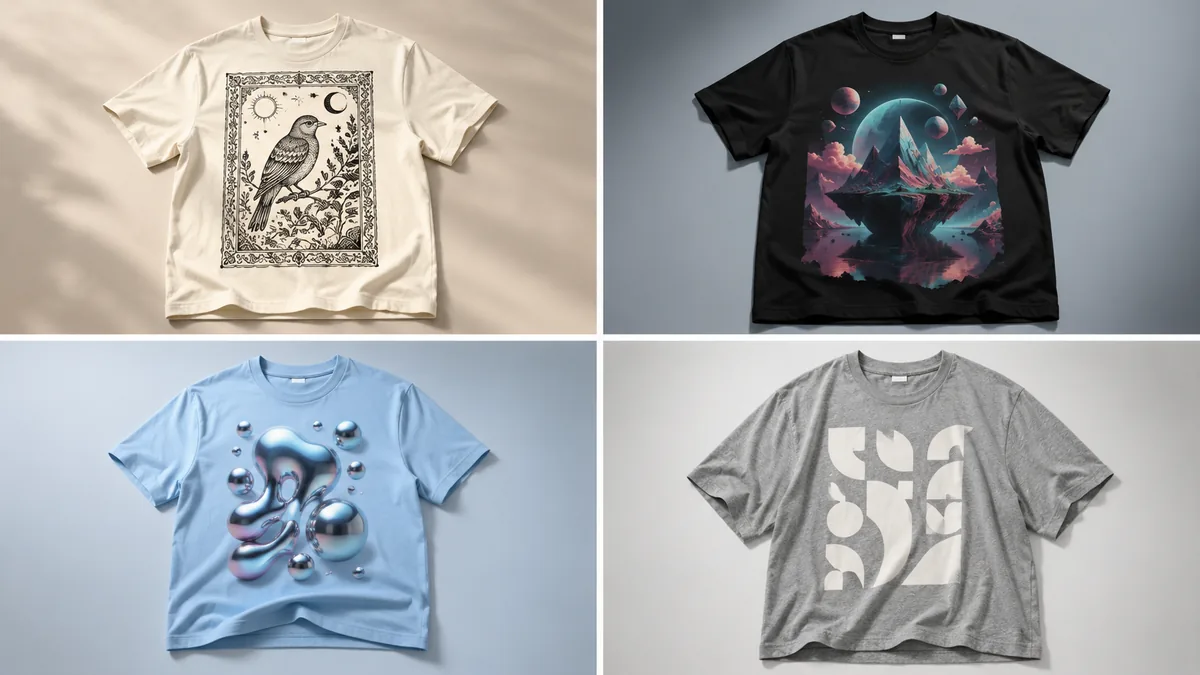
- Neo-Craft. Hand-illustrated woodcut, gothic typography, stone-carving textures — traditional craft aesthetics rendered through modern (often AI-assisted) tools. The "anti-AI" look, ironically often made with AI.
- AI surrealism. Surreal landscapes, stylized pet portraits, abstract geometric compositions, and mashups that would be uneconomical to commission from a human illustrator. Etsy's fastest-growing visual category in 2026.
- Y2K chrome revival. Glossy 3D chrome text, butterfly motifs, frosted-tip gradients. Now extending into early-2010s Tumblr nostalgia.
- Biophilic / nature-core. Botanical illustration, mushroom and fungi motifs, mountain silhouettes, weather typography. Strong on Etsy and Pinterest.
- Slogan typography. Bold, single-statement type-only shirts — the cheapest design to produce and one of the most consistent sellers.
- Personalization-first designs. Names, dates, pet portraits, "team [child's name]" — lifted further by AI personalization tools that batch-generate variants.
- Hybrid AI + handmade. Designs that pair an AI-generated illustration with hand-lettering or a hand-textured frame. The visual signature of the year.
Commercial Use & Licensing — What's Actually Safe
This is the section most "free mockup" articles skip, and it's the one most likely to bite a seller. The short version:
- "Free for commercial use" is not the same as "no attribution required." Always check the specific license on the page you downloaded from, not the homepage. Magnific and Pixeden's free tiers, for example, require attribution; Mockuptree and Resource Boy do not.
- You don't own the mockup, you license it. Most royalty-free mockups grant you a perpetual, non-exclusive license to use them in your product images. You can't resell the mockup file itself.
- Watch the model-release problem. Lifestyle mockups featuring a person on a stock image platform usually have a model release on file. Mockups grabbed off forums or random Behance freebies often don't — use them on Amazon at your own risk.
- The trademark trap. A mockup is for visualizing your design. Putting a trademarked phrase, character, or logo onto a "free for commercial use" mockup doesn't make the underlying design legal.
- AI mockup generators have their own terms. Recraft and Mockey AI grant commercial-use rights on paid plans; the free tiers may add restrictions. Read the current TOS before relying on them at scale.
Comparison: Best T-Shirt Mockup Resources in 2026
| Resource | Free Tier | Output Format | AI Features | Best For | 2026 Standout Feature |
|---|---|---|---|---|---|
| MockupsJar | Full free | PSD | No | Quick PSD downloads | No sign-up required |
| Pixeden | Limited free | PSD | No | Premium presentations | 2026 oversized fits added |
| Magnific (Freepik) | Daily limit | PSD, AI, Vector | Yes — full AI suite | Variety + AI gen | 40+ AI models built in |
| GraphicBurger | Full free | PSD | No | High-quality realism | Drag-and-drop smart layer |
| Placeit | Limited | Browser generator | Yes | Largest library | 50,000+ templates |
| Mockuptree | Full free | PSD | No | Commercial-use freebies | No attribution required |
| PsFiles | Full free | PSD | No | Retail-ready hanging shots | Poly-packed 2026 release |
| Recraft | Generous free | PNG / JPG | Yes (core feature) | Fast, unique scenes | Pixel-perfect AI proportions |
| Mockey AI | Free + watermark | PNG / JPG | Yes | Smartmockups replacement | 20,000+ AI templates |
| Bulk Mockup | Paid (PS plugin) | PSD batch | Yes | POD at scale | Batch hundreds in one run |
| Dynamic Mockups | Free + paid API | PSD / Browser | Partial | Shopify automations | API replacement for Smartmockups |
| Printful Generator | Free (account) | JPG / PNG | Yes | Printful sellers | 2026 AI lifestyle scenes |
FAQ: Free T-Shirt Mockups in 2026
The questions we hear most often from designers and POD sellers — updated for the 2026 landscape.
- Are free t-shirt mockups safe to use for commercial purposes?
Mostly yes, but always check the specific license on the download page. Mockuptree, Resource Boy, and GraphicBurger's flagship PSD are royalty-free with no attribution required. Magnific (formerly Freepik) and Pixeden require attribution on free-tier downloads. Free AI mockups from Recraft and Mockey AI are commercial-use on paid plans — read each tool's current TOS.
- What software do I need to customize a t-shirt mockup in 2026?
You no longer strictly need Photoshop. For PSD files, Photoshop remains the standard; GIMP (free) and Affinity Photo 2 are valid alternatives. For online mockup generation, browser tools like Recraft, Mockey AI, Placeit, and Dynamic Mockups work entirely in the browser with no installation.
- Is Smartmockups still available?
No. Canva pulled the standalone Smartmockups product in September 2024 and fully wound down the integration in February 2026. A small subset of templates was absorbed into Canva Pro. For a direct replacement, most former Smartmockups users have moved to Mockey AI (similar simplicity) or Placeit (similar template breadth).
- What is the best AI t-shirt mockup generator in 2026?
For most users, Recraft delivers the best balance of speed, photorealism, and free-tier usability. For beginners, Mockey AI is the easiest to learn. For sellers running large POD catalogs, Bulk Mockup's batch processing is the strongest workflow tool.
- How do I find the Smart Object layer in a Photoshop mockup?
Look in the Layers panel for a layer named "Your Design Here," "Place Design Here," "Replace Design," or similar — often highlighted green or red. Double-click its thumbnail (not the layer name) to open the smart object in a new tab. Paste your design, save with Ctrl/Cmd-S, then return to the original mockup tab.
- Can I use free t-shirt mockups for print-on-demand on Etsy and Amazon?
Yes, with two caveats: (1) ensure the mockup license permits commercial e-commerce use, and (2) ensure your design itself is original and not trademark-infringing. The mockup file's license has no bearing on the legality of the design printed on it.
- How do I change the t-shirt color in a free PSD mockup?
Quality mockups include a dedicated "Shirt Color," "Hue/Saturation," or "Solid Color" adjustment layer — toggle or recolor that layer. If your mockup doesn't include one, add a Hue/Saturation adjustment layer clipped to the shirt layer (Layer > New Adjustment Layer > Hue/Saturation, then Alt-click between the two layers).
- Where can I find high-resolution t-shirt mockups for 4K product photography?
Yellow Images, Pixelbuddha, PsFiles, and Recraft (paid tier) consistently deliver 4K and above. For free 4K, GraphicBurger's flagship PSD and Mockuptree's hero downloads are the highest-resolution truly free files we've tested in 2026.
- What's the difference between a flat lay, ghost mannequin, and lifestyle mockup?
Flat lay: shirt photographed from above on a surface — clean and Etsy-friendly. Ghost mannequin: shirt shown as if on an invisible body — standard for Amazon and most marketplaces. Lifestyle: shirt on a real model in a real environment — converts best for DTC stores and ads. Use all three for a complete product listing.
- How do I make a free mockup look less generic?
Three quick wins: (1) recolor the shirt to a non-default tone, (2) add a slight Camera Raw pass (clarity +10, contrast +5, warmth +3), (3) generate a unique background or environment in an AI tool like Recraft or Adobe Firefly. The most-overused free mockups are recognizable to repeat buyers, so any differentiation helps your click-through rate.
- Are there free mockups that match specific blank brands like Bella+Canvas or Gildan?
Yes — Printful's free generator includes brand-accurate mockups for Bella+Canvas 3001, Gildan 5000/64000, and Comfort Colors 1717. Seller Mockups specifically calls out brand-accurate colorways for the most popular blanks.
- Do I need to worry about FAQ schema or rich results in 2026?
Google removed FAQ rich results from Search appearance in May 2026. FAQ schema is still valid markup, however, and pages with FAQPage structured data are about 3.2x more likely to be cited in Google AI Overviews, ChatGPT search, and Perplexity. Keep your FAQs — they earn AI-search citations even if they no longer earn snippet rich results.
- What's the fastest way to mock up dozens of designs at once?
Bulk Mockup (Photoshop plugin) or Dynamic Mockups (API) for traditional PSD-based batches. For AI-generated batches, Recraft and Mockey AI both support multi-design queues on paid tiers.
- Can I generate a t-shirt mockup directly with ChatGPT or Midjourney?
Yes — both can produce a photoreal t-shirt scene with your design described in the prompt, though placement precision is lower than a dedicated mockup generator. The most reliable hybrid workflow is: generate your design with ChatGPT or Midjourney, then place it on a mockup with Recraft or Mockey AI for accurate proportions and fabric realism.
- How often should I refresh my mockup library?
Every 6-12 months for top-selling listings. Mockup styles drift visibly — the lifestyle shots that converted in 2023 read as dated in 2026. Refreshing the hero image alone, with no design change, frequently lifts CTR 5-15% on Etsy and Shopify.
Editor's Note
This guide is maintained by the SaveDelete editorial team. We've been tracking free design resources since 2015 — this article was originally published in May 2015 and has been rewritten end-to-end for 2026 to reflect Smartmockups' shutdown, the Freepik → Magnific rebrand, and the rise of AI mockup generation. Every resource above was verified live and tested for commercial-use suitability in May 2026. If you spot a broken link or a tool that should be added, leave a comment — we review and update this guide quarterly.
Conclusion
Free t-shirt mockups are still one of the highest-leverage assets a designer or POD seller can stock up on — the right mockup turns an okay design into a click-worthy listing. The 2026 landscape rewards designers who combine traditional PSD craftsmanship (for hero shots and Smart-Object-driven precision) with AI mockup tools (for speed and lifestyle variation). Start with two or three resources from the list above — one PSD source, one AI generator, one platform-specific generator — and you'll have a mockup pipeline that can keep up with how quickly t-shirt trends move this year.