Best Board Management Software in 2026: 10 Board Portals Compared
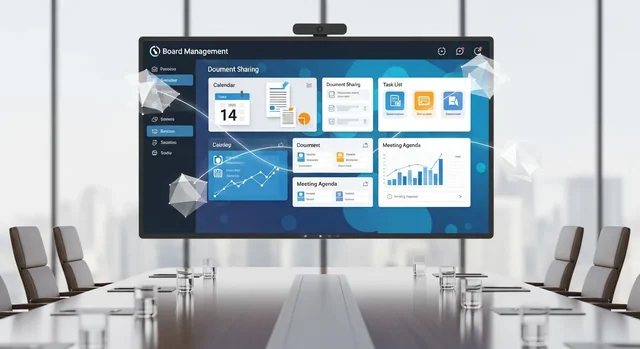
Board management software, also called a board portal, gives a board of directors one secure place for agendas, board packs, minutes, votes and signatures, instead of email attachments and paper. We checked 10 board portals on their own websites on 18 November 2026 and compared what they cost, who they suit, and what they include for AI minutes, mobile apps and security.
Short answer: Diligent Boards and Nasdaq Boardvantage lead for public companies, OnBoard is the strongest all-rounder, and BoardEffect, Boardable and BoardPro are built for nonprofits. Only three of the ten publish their prices: BoardPro, Boardable and BoardCloud. Everyone else quotes.
Quick Comparison: Best Board Management Software in 2026
| Software | Best For | Published Price | Try It | Standout Feature |
|---|---|---|---|---|
| Diligent Boards | Public companies, large enterprises | Quote only | Demo | GovernAI answers with citations |
| OnBoard | Most corporate and nonprofit boards | Quote (3 plans) | Free trial | AI Assist on every plan |
| Nasdaq Boardvantage | Listed and regulated companies | Quote (“one price, no upcharges”) | Self-guided tour | AI summaries and draft minutes |
| BoardEffect | Nonprofits, higher education | Quote (Pro, Plus) | Demo | AI board book summaries |
| Boardable | Nonprofits | From $20.99/user/month* | Free trial | AI minutes on Professional+ |
| BoardPro | Small and mid-size boards | $165/board/month, unlimited users | 30-day free trial | Free-for-life Impact Project |
| Govenda | Boards with many users | Quote, unlimited users | Demo | Gabii AI transcripts and minutes |
| Aprio | Boards that want every feature | Quote, per user | Free trial on request | iOS, Android and Windows apps |
| Convene | Self-hosting | Quote (Lite, Standard, Enterprise) | Free trial via sales | Cloud or on-premise hosting |
| BoardCloud | Tight budgets | $9.99/user/month nonprofit, $18.99 business | 30-day free trial | All features on every plan |
Prices in US dollars from each vendor’s own site on 18 November 2026. *Boardable’s first-year price, billed annually.
1. Diligent Boards — Best for Public Companies and Large Enterprises
Diligent is the biggest name in board portals. It says 1 million users at more than 25,000 organizations use it, including 750,000 board directors in 130 countries, and that three quarters of the Fortune 500 and 85% of the FTSE 350 are Diligent customers.
Diligent Boards can assemble board packs with AI and handle approvals, votes and e-signatures with audit logs. Its GovernAI assistant answers directors’ questions from the board materials, and every answer cites its source in the board books, minutes or resolutions. It connects to Microsoft 365, Google Docs, DocuSign, NetSuite and S&P Global Market Intelligence.
- Price: Quote only (request pricing)
- Pros: Enterprise standard, AI answers with citations, wide integrations, one vendor for board and GRC software
- Cons: No published pricing; more platform than a small board needs
- Best for: Public companies, large private companies and boards with complex committees
2. OnBoard — Best All-Round Board Portal
OnBoard says it has more than 6,000 customers and 175,000 users, and that more than 100,000 meetings a year run on it. It sells three plans, Essentials, Premium and Ultimate, and committees cost nothing extra on any of them.
Every plan includes AI Assist for board books from the last two years, and Premium adds minutes, approvals, e-signatures, surveys and task management. OnBoard has iOS and Android apps, Zoom and Teams integration, and says it complies with SOC 2, ISO 27001 and GDPR. Premium and Ultimate customers get a dedicated Customer Success Manager.
- Price: Quote; priced by plan and number of users
- Pros: Easy to use, AI on every plan, unlimited committees, strong compliance list
- Cons: Prices are by quote only
- Best for: Corporate, association and nonprofit boards that want a polished portal without enterprise complexity
3. Nasdaq Boardvantage — Best for Listed and Regulated Companies
Nasdaq Boardvantage is Nasdaq’s board portal. It uses AI to summarize board materials and draft meeting minutes, and handles approvals, voting and electronic signatures, with a DocuSign integration and Microsoft 365 calendar sync.
Directors can save materials for offline access on a desktop, tablet or phone. You do not need to be listed on Nasdaq or use other Nasdaq products: Nasdaq says Boardvantage works as a standalone product and is also designed for private companies, nonprofits and highly regulated organizations. Pricing is by request, which Nasdaq describes as “one price, no upcharges”.
- Price: Quote only
- Pros: AI summaries and draft minutes, offline access, no add-on upcharges
- Cons: No published prices; self-guided tour rather than a free trial
- Best for: Public companies and regulated organizations such as banks and healthcare networks
4. BoardEffect — Best for Nonprofits and Higher Education
BoardEffect is owned by Diligent and built for mission-driven organizations. It says more than 5,000 customers and 260,000 users rely on it, with 24/7 support. It has two plans: Pro, for one board, with AI board book summaries, an audit log, Microsoft integration, survey templates and SSO/MFA; and Plus, with unlimited boards, minutes, messenger and data integrations.
BoardEffect lists ISO 27001, 27017 and 27018, SOC 1 and SOC 2, and HIPAA and HITECH compliance, and gives board members online and offline access to documents, including on mobile devices.
- Price: Quote (Pro and Plus plans)
- Pros: Made for nonprofits, strong security certifications, offline access
- Cons: Quote-based pricing; Pro covers only one board
- Best for: Nonprofits, foundations, hospitals and universities
5. Boardable — Best for Nonprofits That Want Published Prices
Boardable is board software built for nonprofits, and it is one of the few that publishes prices. All three plans are priced per user and billed annually: Essentials starts at $20.99 a user a month in the first year ($251.88 a year), Professional at $29.99 ($359.88) and Professional+ at $35.99 ($431.88). Volume pricing lowers the per-user rate as you add users.
Essentials covers the document center, agenda builder, meeting scheduler and board packets, with Google Drive and Microsoft Teams integration, and stores up to 1,000 files. Professional adds eSignatures, governance forms and public sites. Professional+ adds AI meeting minutes and transcripts, an agenda approval workflow and Boardable Video at no extra cost. There is a mobile app and a free trial.
- Price: From $20.99/user/month in the first year, billed annually
- Pros: Clear published prices, nonprofit-specific features, AI minutes on the top plan
- Cons: Per-user pricing adds up for big boards; prices shown are first-year rates
- Best for: Small and mid-size nonprofits
6. BoardPro — Best Value for Small Boards
BoardPro prices per board, not per user, and every plan includes unlimited users and unlimited document storage. Commercial plans are Essentials at $165 a board a month or $1,650 a year, Premium at $275 a month or $2,750 a year, and Ultimate at $440 a month or $4,400 a year. Paying annually saves 17%. Each sub-committee is billed separately, at US$82.50 a month or US$825 a year.
Premium and Ultimate add BoardPro AI, which includes an AI Assistant and AI Minutes, plus voting, eSignatures and flying minutes. Nonprofits with expenses under $1 million get 40% off (Essentials $990 a year), and larger nonprofits get 20% off, on annual billing. There is a free 30-day trial with no credit card, and BoardPro says 30,000+ board members in 38 countries use it.
- Price: $165 a board a month, or $1,650 a year, on Essentials
- Pros: Unlimited users on every plan, published prices, big nonprofit discounts, free Impact Project
- Cons: Sub-committees cost extra; AI is on Premium and up
- Best for: Small and mid-size boards, especially nonprofits and schools
7. Govenda — Best for Unlimited Users
Govenda includes unlimited users with no implementation fees, so adding executives, auditors or staff to the portal does not raise the bill. Its Gabii AI joins meetings to generate transcripts and draft minutes, and purges transcripts on a schedule for security.
Govenda also offers in-browser Microsoft 365 collaboration, directors’ and officers’ questionnaires, voting and eSignatures, and promises personalized onboarding, 24/7/365 support and unlimited training. Pricing is by request.
- Price: Quote only
- Pros: Unlimited users, no implementation fees, AI transcripts and minutes, unlimited training
- Cons: No published prices
- Best for: Private companies, pre-IPO companies and public companies with large governance teams
8. Aprio — Best All-Features-Included Plan
Aprio has no “lite” version and no add-ons: every customer gets every feature on a pay-per-user license, with unlimited committees and administrators, unlimited training and 24/7 support from former board administrators. It has separate corporate and nonprofit pricing, both by quote, and a free trial on request.
Aprio has mobile apps for iOS, Android and Windows, and lists ISO 27001, SOC 2 Type 2, SOC 3 and HIPAA compliance, AES-256 encryption and a 99.99% uptime service level agreement.
- Price: Quote; pay per user
- Pros: Every feature included, Windows app as well as iOS and Android, unlimited training
- Cons: Prices by quote only
- Best for: Credit unions, banks, healthcare and nonprofit boards that want one simple plan
9. Convene — Best for On-Premise Hosting
Convene, from Azeus, sells three plans: Lite for meetings and secure cloud hosting, Standard with resolutions, review rooms, a document library, audit trails, task management and onboarding with 24/7 support, and Enterprise for organizations with thousands of users.
It is one of the few board portals that offers on-premise hosting as well as the cloud, which matters for boards that must keep data on their own servers. Prices are by quote, and Convene offers free trials through its sales team.
- Price: Quote (Lite, Standard, Enterprise)
- Pros: On-premise option, scales to thousands of users, 24/7 support
- Cons: No published prices
- Best for: Banks, government bodies and other organizations that need self-hosting
10. BoardCloud — Lowest Published Per-User Price
BoardCloud, from Syncrony Digital, lists two US plans with all features included: a Non-Profit plan at $9.99 a user a month and a Business plan at $18.99 a user a month. There is no contract lock-in, a discount for yearly billing and a 30-day free trial. (In November 2026 it was also running a pre-Black Friday sale on both plans.)
Every plan includes unlimited meetings and committees, unlimited support and training, an agenda builder, document signatures, votes and resolutions, a minutes builder and Teams and Zoom integration. An Enterprise Edition adds unlimited users and self-hosting.
- Price: $9.99/user/month (Non-Profit) or $18.99/user/month (Business)
- Pros: Cheapest published per-user price, all features on every plan, no lock-in
- Cons: Smaller vendor than the market leaders
- Best for: Small nonprofits and businesses on a tight budget
What Is the Best Free Board Management Software for Nonprofits?
The best free board management software for nonprofits is BoardPro through its Impact Project, which gives selected small nonprofits a BoardPro subscription that is free for life. None of the other nine portals here has a free plan, so most nonprofits will choose between a nonprofit discount and a low per-user price.
- BoardPro Impact Project (free): for organizations with annual operating expenses under NZD$500,000. An Impact Panel scores applications on board and governance structure, community impact and willingness to work with BoardPro on publicity (a third each). BoardPro says there is no expiry date and no renewal fee. Apply for the Impact Project.
- BoardPro nonprofit pricing: 40% off for nonprofits with expenses under $1 million (Essentials $990 a year, any number of users) and 20% off above that, paid annually. See BoardPro’s nonprofit pricing.
- BoardCloud Non-Profit: $9.99 a user a month, all features, 30-day free trial.
- Boardable: made for nonprofits, from $20.99 a user a month in the first year.
- BoardEffect: built for nonprofits and higher education, priced by quote.
- Do it yourself: Google Workspace for Nonprofits is $0 a user a month for eligible nonprofits and includes Gmail, Drive, Calendar, Docs, Forms and Meet. It is not a board portal, so you lose board packs, voting and minutes tools, but it costs nothing. See Google Workspace for Nonprofits.
Which is cheaper depends on board size. At list price, BoardCloud’s Non-Profit plan costs $119.88 a user a year, while BoardPro’s discounted Essentials plan is $990 a year for any number of users, so BoardPro works out cheaper once your board has nine or more users.
How Much Does Board Management Software Cost?
Board portals are priced in three ways: per board (BoardPro), per user (Boardable, BoardCloud, Aprio) or by custom quote (Diligent, OnBoard, Nasdaq Boardvantage, BoardEffect, Govenda, Convene). Here is what a 10-user board would pay a year at the published list prices we found:
| Plan | How It Is Priced | 10 Users, Per Year |
|---|---|---|
| BoardCloud Non-Profit | $9.99 a user a month | $1,198.80 |
| BoardPro Essentials (commercial) | $1,650 a board a year, unlimited users | $1,650 |
| BoardCloud Business | $18.99 a user a month | $2,278.80 |
| Boardable Essentials | $251.88 a user a year (first year) | $2,518.80 |
| Boardable Professional+ | $431.88 a user a year (first year) | $4,318.80 |
List prices from each vendor’s site on 18 November 2026, before volume or yearly-billing discounts. A nonprofit under $1 million in expenses would pay $990 for BoardPro Essentials.
Enterprise portals do not publish prices, so ask each vendor for a quote based on your number of boards, committees and users, and ask what is included: AI features, e-signatures, onboarding and support are add-ons on some platforms and included on others.
What Is the Best App for Board Meetings?
For directors who read board packs on a phone or tablet, look for a native app with offline reading. BoardPro’s app works on iPhone, iPad and Android, lets directors download packs for offline reading and annotate them, and is included with every subscription at no extra cost. OnBoard has iOS and Android apps, Aprio adds a Windows app, and Nasdaq Boardvantage and BoardEffect both offer offline access on mobile devices.
For the video call itself, most portals connect to the tools you already use: OnBoard and BoardCloud integrate with Zoom and Teams. See our guide to the best video conferencing software if you need a meeting platform too.
How to Choose Board Management Software
- Security proof, not promises: ask for certifications. BoardEffect lists ISO 27001, SOC 1 and SOC 2; Aprio lists ISO 27001 and SOC 2 Type 2; OnBoard lists SOC 2 and ISO 27001.
- How you are billed: per-board pricing (BoardPro) or unlimited users (Govenda) suits big boards and governance teams; per-user pricing suits small boards.
- Committees: OnBoard and Aprio include unlimited committees, while BoardPro bills each sub-committee separately.
- AI minutes: now common, but often only on higher plans (Boardable Professional+, BoardPro Premium and up).
- Offline and mobile: directors who travel need offline board packs on a tablet or phone.
- Hosting: if your data must stay on your own servers, Convene and BoardCloud Enterprise offer self-hosting.
- Leaving later: confirm you can export board packs, minutes and documents. BoardPro, for example, says your organization owns its data and can export it at any time.
Board Portal or Project Management Tool?
A project management platform such as a kanban board is built for teams moving tasks forward, not for directors. It has no board packs, formal votes, resolutions, signed minutes or director-level permissions. Use a board portal for the board itself, and a project tool for the staff work behind it. If you need the second, see our guide to the best kanban software, and for everyday staff chat, the best team communication tools.
Frequently Asked Questions
What is board management software?
Board management software, or a board portal, is a secure platform where a board of directors builds agendas, shares board packs, takes minutes, votes, signs documents and keeps its records. It replaces emailed PDFs and printed packs, and limits who can see each document.
What is the best board management software?
For public companies and large enterprises, Diligent Boards or Nasdaq Boardvantage. For most other corporate boards, OnBoard. For nonprofits, BoardEffect, Boardable or BoardPro, with BoardPro and BoardCloud the best value at their published prices.
Is there free board management software?
Not as a standard plan from the ten vendors here; most offer a free trial instead (BoardPro and BoardCloud for 30 days). The exception is BoardPro’s Impact Project, which gives selected nonprofits with annual operating expenses under NZD$500,000 a subscription that is free for life.
How much does BoardPro cost?
BoardPro’s commercial plans cost $165, $275 or $440 a board a month (Essentials, Premium, Ultimate), or $1,650, $2,750 or $4,400 a year, with unlimited users. Nonprofits get up to 40% off on annual billing, and there is a free 30-day trial.
Does BoardPro have an app?
Yes. The BoardPro mobile app works on iPhone, iPad and Android, and is included with every BoardPro subscription at no extra cost. Directors can download board packs to read offline, add private annotations and update their actions.
Does OnBoard publish its prices?
No. OnBoard has three plans, Essentials, Premium and Ultimate, priced by plan tier and number of users, and you request a quote through a demo. It offers a free trial.
Who owns BoardEffect?
Diligent. BoardEffect is Diligent’s board management software for nonprofits and higher education, alongside Diligent Boards for corporate boards.
Is Nasdaq Boardvantage only for Nasdaq-listed companies?
No. Nasdaq says Boardvantage works as a standalone product without other Nasdaq products, and is designed for private companies, nonprofits and highly regulated organizations as well as public companies.
Is board management software secure?
The established platforms publish independent certifications. BoardEffect lists ISO 27001, SOC 1, SOC 2 and HIPAA; Aprio lists ISO 27001, SOC 2 Type 2 and AES-256 encryption; OnBoard lists SOC 2 and ISO 27001. Ask any vendor for its current reports before you sign.
Can I use project management software instead of a board portal?
For staff tasks, yes, but not for the board itself. Project tools lack board packs, formal voting, signed minutes and director permissions, which are the core of a board portal.
Bottom Line: Which Board Management Software Is Best?
The best board management software in 2026 is Diligent Boards for large and listed companies, OnBoard for most other boards, and BoardEffect, Boardable or BoardPro for nonprofits. Choose by your board and budget:
- Public company or enterprise: Diligent Boards or Nasdaq Boardvantage.
- Best all-rounder: OnBoard, with AI Assist on every plan.
- Nonprofit: BoardEffect, Boardable, or BoardPro with up to 40% off.
- Free: BoardPro’s Impact Project, if your nonprofit qualifies.
- Lowest published price: BoardCloud from $9.99 a user a month, or BoardPro for boards of nine or more users.
- Lots of users: Govenda, with unlimited users and no implementation fees.
- Self-hosting: Convene.
For the rest of your back office, see our guide to the best accounting software.