Best Monitors for Mac Mini in 2026: Ultimate Buying Guide
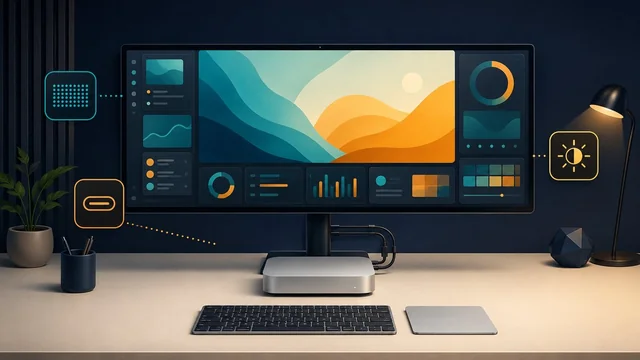
The Mac Mini's compact form factor and powerful performance make it an excellent choice for both home and professional use. However, to unlock its full potential, you need a quality external display. The M4 Mac Mini supports up to three external monitors simultaneously — two up to 6K at 60Hz over Thunderbolt, plus one up to 4K at 60Hz over HDMI.
In this guide, we compare the best monitors for Mac Mini across every budget, from $250 budget picks to $5,000 professional displays. Every monitor listed includes a direct Amazon link so you can check current pricing instantly.
Quick Comparison: Best Monitors for Mac Mini 2026
| Monitor | Resolution | Price | Best For | Buy |
|---|---|---|---|---|
| LG UltraFine 5K | 5K | ~$1,299 | Best overall | Check Price |
| Dell S2722QC | 4K UHD | ~$300 | Best value 4K | Check Price |
| ASUS ProArt PA278QV | 1440p QHD | ~$300 | Budget color-accurate | Check Price |
| BenQ PD2705U | 4K UHD | ~$500 | Designers | Check Price |
| LG 27UL850-W | 4K HDR | ~$400 | HDR content | Check Price |
What to Consider When Choosing a Monitor for Mac Mini
Resolution
The Mac Mini M4 supports 4K, 5K, and 6K resolutions. For a 27-inch display, 4K (3840 x 2160) delivers sharp text at 163 PPI. For true Retina-level sharpness matching the old iMac, you want 5K (5120 x 2880) at 218 PPI. Anything below 4K will look noticeably soft on macOS.
Connectivity
USB-C/Thunderbolt monitors are ideal for Mac Mini — single-cable setup carries video, audio, and data. The M4 Mac Mini has three Thunderbolt 4 ports (front and back) plus HDMI 2.1. If your monitor only has HDMI or DisplayPort, that works too via the HDMI port or a Thunderbolt adapter.
Color Accuracy
For creative work, look for 99%+ sRGB or DCI-P3 coverage. Factory-calibrated monitors save you the hassle of manual calibration. macOS color management works best with monitors that support P3 wide color gamut.
Best Overall: LG UltraFine 5K (27MD5KL-B)
Price: ~$1,299 | Resolution: 5K (5120 x 2880) | Size: 27"
The LG UltraFine 5K remains the benchmark monitor for Mac users. Apple helped design this display, so macOS integration is flawless — brightness controls work natively, True Tone is supported, and the P3 wide color gamut delivers accurate colors out of the box.
- 5K resolution at 218 PPI — true Retina sharpness
- DCI-P3 99% color gamut
- Built-in Thunderbolt 3 hub with downstream USB-C ports
- 500 nits brightness
- macOS native brightness and True Tone support
Best for: Professional content creators, photographers, and video editors who need color accuracy and Retina-level sharpness.
Best Value 4K: Dell S2722QC
Price: ~$300 | Resolution: 4K UHD (3840 x 2160) | Size: 27"
The Dell S2722QC hits the sweet spot of 4K resolution, USB-C connectivity with 65W power delivery, and built-in speakers — all under $350. It is the most recommended budget 4K monitor for Mac Mini by reviewers at RTINGS, Wirecutter, and Macworld.
- 4K UHD at 60Hz
- USB-C with 65W power delivery (charges laptops too)
- Built-in dual 3W speakers
- AMD FreeSync for smooth visuals
- 99% sRGB color accuracy
Best for: Home office, general productivity, and budget-conscious users who want sharp 4K without overspending.
Best for Designers: BenQ PD2705U
Price: ~$500 | Resolution: 4K UHD (3840 x 2160) | Size: 27"
BenQ's designer monitor offers factory-calibrated color accuracy with 99% sRGB and 95% DCI-P3 coverage. The Thunderbolt 3 daisy-chain support lets you connect two monitors through a single cable from your Mac Mini. AQCOLOR technology ensures consistent color across the entire panel.
- Factory-calibrated ΔE < 3 color accuracy
- 99% sRGB, 95% DCI-P3
- Thunderbolt 3 with 65W power delivery and daisy-chain
- KVM switch for multi-computer setups
- Hotkey Puck for quick profile switching
Best for: Graphic designers, illustrators, and photographers who need reliable color accuracy at a mid-range price.
Best Budget Color-Accurate: ASUS ProArt PA278QV
Price: ~$300 | Resolution: 1440p QHD (2560 x 1440) | Size: 27"
Do not let the 1440p resolution fool you — this ASUS ProArt monitor delivers factory-calibrated 100% sRGB accuracy, a fully adjustable ergonomic stand, and professional features at a budget price. It is the best color-accurate monitor under $350.
- 100% sRGB, 100% Rec. 709 factory calibrated
- ΔE < 2 color accuracy out of the box
- DisplayPort, HDMI, USB-C hub
- Fully adjustable stand (height, tilt, swivel, pivot)
- Anti-glare coating
Best for: Students, home office workers, and budget-conscious creatives who prioritize color accuracy over resolution.
Best 4K HDR: LG 27UL850-W
Price: ~$400 | Resolution: 4K UHD (3840 x 2160) | Size: 27"
The LG 27UL850-W adds HDR10 support and VESA DisplayHDR 400 certification to the 4K package. With 99% sRGB and USB-C connectivity, it sits between the budget Dell and the premium LG 5K — ideal for users who want HDR content viewing alongside productivity work.
- 4K UHD with HDR10 and VESA DisplayHDR 400
- 99% sRGB color gamut
- USB-C with power delivery
- AMD FreeSync
- Height-adjustable stand with pivot
Best for: Users who watch HDR content and want a versatile 4K display for both work and entertainment.
How to Set Up Your Mac Mini with an External Monitor
- Connect the cable — USB-C/Thunderbolt monitors plug directly into the Mac Mini's Thunderbolt ports. HDMI monitors use the built-in HDMI 2.1 port.
- Adjust resolution — Go to System Settings > Displays. macOS auto-detects the native resolution, but you can scale for larger text or more space.
- Calibrate colors — For creative work, go to System Settings > Displays > Color Profile and select the monitor's native profile or run the built-in calibration assistant.
- Arrange multiple displays — If using 2-3 monitors, go to System Settings > Displays > Arrangement to position them logically.
For the best audio setup with your Mac Mini, check our noise-cancelling headphones guide. For creative work, see our iPad drawing apps roundup.
Frequently Asked Questions
How many monitors can Mac Mini M4 support?
The Mac Mini M4 supports up to three external displays simultaneously: two displays up to 6K at 60Hz via Thunderbolt, plus one display up to 4K at 60Hz via HDMI. The Mac Mini M4 Pro supports up to three 6K displays via Thunderbolt.
Do I need a Thunderbolt monitor for Mac Mini?
No. Any monitor with HDMI, DisplayPort, or USB-C input works with Mac Mini. Thunderbolt monitors offer the cleanest single-cable setup with daisy-chain support, but a standard 4K HDMI monitor works perfectly via the Mac Mini's built-in HDMI 2.1 port.
Is 4K or 5K better for Mac Mini?
5K (5120 x 2880) on a 27-inch display gives you true Retina sharpness at 218 PPI, matching the old iMac experience. 4K (3840 x 2160) at 27 inches is 163 PPI — sharp but not quite Retina. If budget allows, 5K is noticeably sharper for text. If budget is a factor, 4K is still excellent.
What is the best budget monitor for Mac Mini?
The Dell S2722QC at around $300 is the best budget option. It offers 4K resolution, USB-C with 65W power delivery, built-in speakers, and solid color accuracy. For even less, the ASUS ProArt PA278QV at ~$300 gives you factory-calibrated color accuracy at 1440p.
Prices shown are approximate and may vary. As an Amazon Associate, SaveDelete earns from qualifying purchases.