Best Mapping Software 2026: Which Platform Delivers the Most Value?
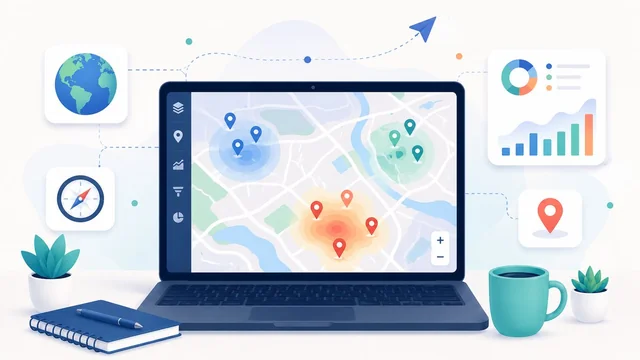
Mapping software in 2026 has split into five clearly defined tiers — pick the wrong tier and you either pay way too much for what you need or hit a feature ceiling early. Whether you're a small business plotting customer addresses, an enterprise GIS team analysing service territories, a developer embedding maps in a product, a driver looking for traffic, or a researcher visualising satellite imagery — there's a tool aimed specifically at your use case. Here are the five mapping platforms worth shortlisting, with prices, what each is best at, and where they fall short.
Best mapping software in 2026 (at a glance)
| Platform | Starting price | Best for |
|---|---|---|
| Maptive | $250 / mo Pro (annual) | Business map building — sales territories, routing, customer mapping |
| ArcGIS by Esri | From $700 / yr (single user) | Enterprise GIS, government, infrastructure |
| Google Maps Platform | Pay-as-you-go, $200 free / mo | Developers embedding maps in apps / sites |
| Waze | Free (consumer) | Real-time traffic-aware navigation |
| Google Earth Pro | Free (was $399 / yr until 2015) | Satellite imagery + 3D visualisation |
1. Maptive — the business mapping workhorse
Maptive is the mapping platform built for business use rather than developers or GIS specialists. Upload a spreadsheet of addresses, get instant pin maps, heatmaps, density maps, territory maps and routing — without writing a line of code. Strong for sales territory planning, customer-base visualisation, multi-stop route optimisation, and field-team logistics. Pricing starts at $250 / month (Pro, billed annually) for unlimited maps and up to 100,000 markers per map; team and enterprise plans scale up. Best for: sales, operations, real-estate, franchise and field-services teams plotting business data on maps.
2. ArcGIS by Esri — the enterprise GIS standard
ArcGIS by Esri remains the default GIS platform in 2026 for governments, utilities, telecoms, environmental agencies, transportation departments and any organisation doing serious spatial analysis. ArcGIS Online (cloud), ArcGIS Pro (desktop), ArcGIS Enterprise (self-hosted) and ArcGIS API for JavaScript / Python collectively cover everything from field data collection to network analysis to satellite imagery interpretation. Pricing starts at $700 / year for a single Creator user; enterprise deployments often run six-to-seven figures annually. Best for: any organisation where "GIS analyst" is a job title.
3. Google Maps Platform — the developer default
Google Maps Platform is what you reach for when you need maps embedded in your own app or website. APIs for Maps JavaScript, Geocoding, Directions, Distance Matrix, Places, Street View, Routes, Roads, Geolocation. Pay-as-you-go with $200 of free usage per month (which covers many small apps entirely). The 2024–2025 pricing restructure consolidated similar APIs under SKUs and made it easier to forecast costs. Best for: developers building products that need maps, geocoding, place search, or navigation embedded; particularly anything consumer-facing where users already know the Google Maps look-and-feel.
4. Waze — the community navigation pick
Waze (owned by Google) is the consumer turn-by-turn navigation app powered by community-reported traffic, hazards, speed traps, road closures and accidents. Wins on real-time traffic intelligence — the crowd-sourced data routinely beats Google Maps and Apple Maps for routing around incidents. Free for end-users. For businesses, the Waze Ads platform lets local advertisers reach drivers near their location. Best for: anyone who commutes through congested cities, drives professionally, or wants real-time traffic intelligence that’s smarter than what comes out of the box on Apple / Google Maps.
5. Google Earth Pro — satellite imagery + visualisation
Google Earth Pro went free in 2015 (it was previously $399 / year) and remains the easiest tool for satellite-imagery exploration, historical-imagery time-lapses, 3D terrain visualisation, KML import/export, and presentation-quality map screenshots. Used by journalists, researchers, educators, and architects for context maps and visual reporting. Free download for Windows / Mac / Linux. Best for: anyone who needs presentation-quality 3D satellite views, historical imagery, or wants to overlay their own KML data on satellite imagery.
How to pick
- You have a spreadsheet of addresses to visualise: Maptive ($250 / mo) — no code, no GIS expertise required.
- You're an enterprise / government doing real spatial analysis: Esri ArcGIS — the industry standard with serious analytical depth.
- You're a developer embedding maps in an app or site: Google Maps Platform with the free $200 / month tier covers small apps; Mapbox is a strong open-alternative if Google's pricing escalates.
- You want the best real-time traffic for driving: Waze — community-sourced traffic remains best-in-class.
- You need satellite imagery and 3D context: Google Earth Pro — free and unmatched for desktop visualisation.
What to look for when picking mapping software
- Type of data you're mapping. A spreadsheet of addresses needs Maptive or Mapbox Studio. Raster satellite imagery needs ArcGIS, Google Earth, or QGIS. Live moving assets need a real-time geo-database like Google Maps Platform or Mapbox GL.
- Who uses it. Business users without GIS training: Maptive, BatchGeo, Mapline. GIS analysts: ArcGIS, QGIS (free open-source), MapInfo. Developers: Google Maps Platform, Mapbox, OpenLayers, Leaflet.
- Privacy / data residency. Public mapping APIs (Google, Apple) send the data you submit to their servers. ArcGIS Enterprise and QGIS can be self-hosted. Maptive lets you mark maps private; the data still lives on Maptive's cloud.
- API rate limits + cost scaling. Google Maps Platform charges per request — budget control matters for high-traffic apps. Mapbox is generally cheaper for high volume; OpenStreetMap-based tiles via providers like Maptiler or Stadia are cheaper still.
- Offline mode. For field workers in remote areas, ArcGIS Field Maps and Mapbox both support offline tile + data sync. Most cloud-only tools don't.
- 3D / satellite imagery quality. Google Earth Pro and Mapbox Satellite have the strongest 3D and imagery in 2026; ArcGIS imagery is excellent but tied to your subscription tier.
What changed in mapping software in 2025–2026
- Google Maps Platform pricing restructure. Mid-2024 Google consolidated their dozens of APIs under SKUs and adjusted free-tier mechanics — small apps got cheaper, very high-volume apps got more expensive.
- Apple Maps APIs maturing. MapKit JS and Apple Maps Server APIs are now genuinely viable alternatives to Google Maps for iOS-centric apps; the free tier is more generous, though feature parity is still behind.
- Mapbox AI Navigation launched 2025 — an LLM-powered routing layer that takes natural-language destinations ("the bookshop near where we had brunch last week") and finds them.
- QGIS 3.40+ made big strides on usability; QGIS is now a genuine free-and-open-source alternative to ArcGIS for many use cases.
- Waze + Google Maps data unification. Google has progressively merged the underlying data engines, so traffic intelligence is now similar across both apps — Waze still wins on UI for active drivers, Google Maps on general utility.
Frequently asked questions
Maptive vs Google My Maps — which one?
Google My Maps is free and works for small personal projects (under ~2,000 markers, simple pin maps). Maptive ($250 / mo) is the right tool when you need 5,000+ markers, density / heatmap visualisations, territory drawing, routing, or to share interactive maps with a team or clients. The line is roughly "personal trip planning" vs. "business operations".
Is ArcGIS worth the cost for a small business?
For most small businesses, no — ArcGIS is overkill and the learning curve is steep. Maptive, BatchGeo or Mapline cover the typical SMB mapping needs (territory planning, customer mapping, route optimisation) at a fraction of the cost. ArcGIS becomes worth it when you need real geospatial analysis: network analysis, demographic enrichment, location intelligence, predictive modelling, or interoperability with other GIS systems.
What is the cheapest mapping API for developers?
For very small apps, Google Maps Platform’s $200 / month free tier covers most low-traffic use cases for free. For higher-volume apps where the free tier is exceeded, Mapbox is usually cheaper per request, and OpenStreetMap-based tile providers (Maptiler, Stadia Maps, Protomaps) are cheaper still — sometimes free for self-hosted setups. Choose based on volume + which feature set you need (Places search, Directions, Geocoding).
Is there a free alternative to ArcGIS?
Yes — QGIS is the leading free and open-source desktop GIS, with the 3.40+ release in 2024–2025 closing much of the usability gap with ArcGIS Pro. QGIS handles raster + vector data, has a rich plugin ecosystem, and exports to most standard GIS formats. Worth trying if you’re a solo analyst or your organisation can’t justify ArcGIS’s annual cost.
Can I use Google Earth for business presentations?
Yes — Google Earth Pro is free, and its desktop version produces high-quality presentation imagery and recorded fly-throughs. The licensing terms allow business use of screenshots and tour recordings, provided the Google attribution remains visible. For very polished commercial use you may want to compare against ArcGIS Pro’s 3D scene exports or a Mapbox-built bespoke visualisation.
For more business-tools guides, see our best web analytics tools and the best data migration tools picks.