Is the iPhone 14 Pro Max Waterproof? Water Resistance Explained (2026)
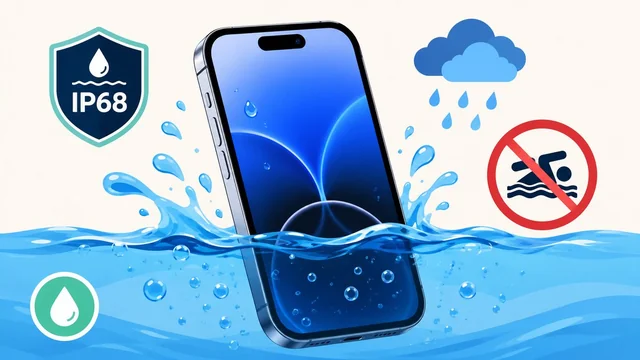
The iPhone 14 Pro Max is water-resistant, not waterproof — and that distinction matters more than most people realize. With an IP68 rating, it can survive submersion in fresh water up to 6 meters (about 20 feet) for 30 minutes under laboratory conditions. But real-world exposure involves chlorine, salt water, soap, and pressure that Apple's warranty does not cover.
Here is exactly what your iPhone 14 Pro Max can and cannot survive, plus what to do if it gets wet.
iPhone Water Resistance Comparison
| iPhone | IP Rating | Depth | Duration |
|---|---|---|---|
| iPhone 14 Pro Max | IP68 | 6 meters | 30 minutes |
| iPhone 15/16 Pro Max | IP68 | 6 meters | 30 minutes |
| iPhone 13 Pro Max | IP68 | 6 meters | 30 minutes |
| iPhone 12 | IP68 | 6 meters | 30 minutes |
What IP68 Actually Means
The IP68 rating has two numbers. The 6 means complete protection against dust. The 8 means protection against submersion in fresh water beyond 1 meter. Apple specifies 6 meters for 30 minutes for the iPhone 14 Pro Max.
Critical caveat: IP68 testing uses fresh, still, room-temperature water in a laboratory. It does NOT cover:
- Salt water (ocean, sea) — salt corrodes internal components
- Chlorinated water (pools, hot tubs) — chemicals degrade seals
- Soapy water (showers, dishwashing) — soap reduces surface tension
- Pressurized water (water jets, power washers, water slides)
- Hot water (steam, hot tubs) — heat weakens adhesive seals
What Your iPhone 14 Pro Max CAN Survive
- Rain and splashes — completely fine
- Accidental drop in a sink or toilet — retrieve quickly and it will be fine
- Spilled drinks — wipe it off, no damage
- Brief submersion in fresh water — within the IP68 parameters
- Sweaty workouts — no problem
What Your iPhone 14 Pro Max Should NOT Do
- Swimming (pool or ocean) — chlorine and salt degrade seals
- Showering with it — steam and soap are enemies
- Water sports (kayaking, jet skiing) — pressure exceeds IP68 limits
- Hot tub use — heat + chemicals destroy water resistance
What to Do If Your iPhone Gets Wet
- Remove it from water immediately
- Do NOT charge it — wait at least 5 hours before plugging in
- Do NOT use a hair dryer or put it in rice — both can cause more damage
- Tap it gently with the Lightning/USB-C port facing down to drain water
- Leave it in a dry, ventilated area for at least 24 hours
- If the "liquid detected" warning appears, do not override it — wait until it clears
Does Apple's Warranty Cover Water Damage?
No. Despite the IP68 rating, Apple's warranty explicitly does not cover liquid damage. Every iPhone has liquid contact indicators (LCI) inside — small white tabs that turn red when exposed to water. If these are triggered, Apple will deny any warranty or AppleCare claim related to the damage.
For protecting your iPhone, see our guide to the best VPN services for digital security, and check the best noise-cancelling headphones for waterproof audio options.
Frequently Asked Questions
Can I take my iPhone 14 Pro Max swimming?
Apple explicitly advises against swimming with any iPhone. While the IP68 rating means it can survive accidental submersion, pool chlorine and ocean salt degrade the water-resistant seals over time. If your iPhone falls in a pool briefly, it will likely survive. But intentional swimming use is not recommended and not covered by warranty.
Does water resistance degrade over time?
Yes. The adhesive seals that provide water resistance degrade with normal wear, drops, temperature changes, and exposure to chemicals. An iPhone that was IP68 when new may offer significantly less protection after 1 to 2 years of use. Screen repairs and battery replacements can also compromise the original seal.
Should I put my wet iPhone in rice?
No. Apple specifically advises against putting iPhones in rice. Small rice particles can get into ports and speakers, and rice is not effective at absorbing moisture from sealed electronics. Instead, gently shake excess water out with the port facing down, then leave the phone in a dry, well-ventilated area for at least 24 hours.