
The best AI transcription tool for most people in 2026 is Otter.ai for meetings, Happy Scribe for multilingual transcripts and subtitles with optional human proofreading, and Descript for podcasts and video. Developers should start with AssemblyAI or Deepgram, and anyone who needs free, private transcription can run OpenAI's open-source OpenAI Whisper on their own computer.
We compared 29 AI transcription tools, from meeting notetakers and creator apps to cloud APIs, accessibility apps and specialist medical and legal software. Every price below was checked on the vendor's own pricing page in October 2026; monthly prices are shown unless a plan is only sold annually. AI accuracy depends heavily on your audio, so treat any vendor accuracy claim as a best case and test your own recordings on a free plan first.
Quick Picks: Best by Use Case
Short on time? Here's the bottom line before the detail.
- Best overall for meetings: Otter.ai, automatic notes, summaries and AI chat for Zoom, Teams and Meet.
- Best for multilingual transcripts and subtitles: Happy Scribe, AI transcription in 150+ languages with optional human proofreading.
- Best for podcasts and video: Descript, edit your recording by editing the text.
- Best API for developers: AssemblyAI, strong speech models plus PII redaction and audio intelligence.
- Best for high volume and voice apps: Deepgram, from $0.0043 a minute, built for real-time workloads.
- Best free and private option: OpenAI Whisper, open source and runs on your own computer.
- Best when accuracy is non-negotiable: Rev.ai, human transcription with a 99%+ guarantee.
- Best for doctors: Dragon Medical One, dictation straight into the health record.
What Changed in 2026
If you last compared transcription tools a year ago, five shifts matter.
- Free plans shrank. Otter.ai cut its free plan from 600 to 300 minutes a month, Castmagic dropped its free tier, and Fireflies moved to a storage limit. Check the free allowance before you commit a workflow to it.
- API prices fell. Amazon Transcribe dropped to a flat $0.006 a minute in June 2026, Azure batch transcription costs $0.18 an hour, and Deepgram's Nova-3 starts at $0.0043 a minute. Transcribing large archives has never been cheaper.
- New models replaced old defaults. OpenAI now recommends gpt-transcribe over Whisper for hosted transcription, AssemblyAI launched Universal-3.5 Pro, Speechmatics launched Melia 1 for mixed-language audio, and Google's Chirp 3 leads its API.
- Meeting tools went bot-free. Fireflies, Grain, Notta and Supernormal can now record from a desktop app instead of sending a visible bot into your call.
- The field consolidated. Airgram shut down and merged into Notta, Podscribe left transcription for podcast ad measurement, Riverside.fm became Riverside, and Microsoft is moving Dragon Medical One customers to Dragon Copilot.

Professional AI Transcription Services
These are the strongest all-round transcription services: polished apps for meetings and interviews, and the leading APIs for developers who build transcription into their own products.
Otter.ai
Real-time meeting transcription with AI summaries and chat
Otter.ai is still the default choice for transcribing meetings and interviews in English. It joins Zoom, Microsoft Teams and Google Meet calls automatically, labels speakers, and produces summaries and action items, while AI Chat lets you ask questions across all your past meetings. Transcription covers six languages (English, Spanish, French, German, Japanese and Chinese), so it suits English-first teams best.
- Live transcription with automatic speaker labels
- AI summaries, action items and AI Chat across meetings
- Auto-joins Zoom, Microsoft Teams and Google Meet
- Shared notes with highlights and comments
- Transcription in 6 languages
Rev.ai
AI transcription API with an optional human-verified service
Rev.ai is the developer API from Rev, the transcription company, and pairs low-cost machine transcription with Rev's human transcription service when a result has to be right. Its Reverb models cover 57+ languages, and per-use add-ons handle translation, summaries, language identification and sentiment. Human transcription is what makes Rev a go-to for legal, academic and published work.
- Reverb speech recognition in 57+ languages
- Human transcription with a 99%+ accuracy guarantee
- Pay-per-use add-ons: translation, summaries, sentiment
- Well-documented REST and streaming APIs
- Free credits worth 5 hours to start
AssemblyAI
Developer API with leading speech models and audio intelligence
AssemblyAI is an API-first speech platform for teams building transcription into their own products. Its Universal models handle pre-recorded and streaming audio, Universal-3.5 Pro (July 2026) switches between 18 languages mid-conversation, and add-ons cover sentiment analysis, PII redaction, content moderation and topic detection. LLM Gateway connects transcripts to large language models for summaries and Q&A.
- Universal speech models for batch and real-time audio
- Code-switching across 18 languages (Universal-3.5 Pro)
- PII redaction, content moderation and sentiment add-ons
- LLM Gateway for summaries and questions over transcripts
- Voice Agent API for conversational apps
Happy Scribe
Multilingual AI transcription with professional human proofreading options
Happy Scribe combines automated transcription with optional human proofreading, making it a versatile choice for users who need transcripts for interviews, podcasts, meetings, and video content. The platform supports transcription in multiple languages, automatically identifies speakers, and includes tools for editing transcripts, translating content, and generating subtitles. Users can also export transcripts in different formats to fit their workflows.
- AI transcription and subtitle generation in 150+ languages
- Automatic speaker identification and editable transcripts
- AI-powered translation and subtitle creation
- Export options including TXT, DOCX, SRT, and VTT, depending on the plan
- Optional human transcription and proofreading for higher accuracy
Deepgram
Fast, low-cost speech recognition built for scale and voice apps
Deepgram is built for high-volume and real-time workloads, from call analytics to voice agents. Its Nova-3 model transcribes 50+ languages and is designed to stay accurate on noisy, real-world audio, while Flux adds turn detection for conversational apps. Aura-2 text-to-speech and a Voice Agent API sit alongside transcription, so one vendor can cover a full voice pipeline.
- Nova-3 speech-to-text in 50+ languages
- Streaming and batch transcription at very low per-minute cost
- Flux model with built-in turn detection for voice agents
- Aura-2 text-to-speech and Voice Agent API
- Custom model training through sales
Speechmatics
Multilingual speech recognition that handles language switching
Speechmatics is strongest where speakers mix languages, accents and dialects. Its Melia 1 model (June 2026) transcribes 56 languages and switches language mid-sentence without being told which one to expect, and the platform now covers 55+ languages overall. Self-serve pay-as-you-go pricing replaced quote-only plans, and there are specialist medical and voice-agent models.
- 55+ languages with mid-sentence language switching
- Custom vocabulary and domain adaptation
- Real-time and batch transcription
- Medical (Oak 1) and voice-agent (Linden 1) models
- Confidence scores and word-level timestamps
Content Creator Tools
For podcasters and video creators, transcription is the start of the edit. These tools record, cut and repurpose content from the transcript. Pair them with one of the best AI video editors and a decent microphone from our podcast microphones guide.
Descript
Edit audio and video by editing the transcript
Descript turns a transcript into an editing timeline: delete a sentence from the text and it disappears from the audio or video. That makes it the fastest way for podcasters and video creators to cut interviews, remove filler words and fix mistakes, with transcription in 25 languages. AI Speech (formerly Overdub) can regenerate a misspoken line in your own voice, and the Underlord co-editor automates rough cuts.
- Edit audio and video by editing the text
- AI Speech voice cloning to fix flubbed lines
- Automatic filler-word removal and Studio Sound
- Underlord AI co-editor for rough cuts
- Transcription in 25 languages
Riverside
Studio-quality remote recording with built-in transcription
Riverside (renamed from Riverside.fm in May 2026) records each guest locally in up to 4K, so remote interviews sound and look like they were made in one studio. Transcripts arrive automatically in 100+ languages, Magic Clips cuts short highlight videos, and an AI Co-Creator helps edit. Webinars, live streaming and podcast hosting have joined the recording tools.
- Local multi-track recording up to 4K video
- AI transcription in 100+ languages
- Magic Clips for short highlight videos
- AI Co-Creator editing agent
- Direct publishing, live streaming and podcast hosting
Castmagic
Turn recordings into show notes, posts and clips
Castmagic transcribes a podcast, webinar or meeting and then turns it into the assets around it: show notes, summaries, social posts, newsletters and blog drafts. Transcripts are speaker-labelled in 60+ languages, Magic Chat answers questions about your content, and Studio creates captioned clips and audiograms for social channels.
- Speaker-labelled transcription in 60+ languages
- AI show notes, summaries and social posts
- Custom prompt templates for repeatable content
- Studio clipping, captioned audiograms and AI images
- API access from the Starter plan
Enterprise and Business Solutions
The big cloud platforms and enterprise specialists, chosen for scale, compliance and data residency rather than a consumer app.
Microsoft Azure Speech
Enterprise speech-to-text API with custom models
Azure Speech (now branded Azure Speech in Foundry Tools) is Microsoft's developer service for transcription, with real-time, fast and batch modes in 100+ languages and variants. Custom speech models learn company terminology, and enterprise security and compliance come with Azure. Note that Teams' built-in meeting transcription is a separate Microsoft 365 feature; Azure Speech is for building your own apps.
- Real-time, fast and batch transcription
- Custom speech models for your terminology
- 100+ languages and variants
- MAI-Transcribe models alongside the standard engine
- Azure security, compliance and data residency
Google Cloud Speech-to-Text
Google's speech recognition API with the Chirp 3 model
Google Cloud Speech-to-Text gives developers Google's speech models through an API, now led by Chirp 3, a foundation model trained across 100+ languages. The service supports 125+ languages, speaker diarization, automatic punctuation, streaming and model adaptation, with single- or multi-region data residency. Dynamic batch mode makes large back catalogues cheap to process.
- Chirp 3 speech foundation model
- 125+ languages and variants
- Speaker diarization and automatic punctuation
- Model adaptation for custom terms
- Regional data residency on the V2 API
Amazon Transcribe
Scalable speech recognition inside AWS
Amazon Transcribe adds speech recognition to applications already running on AWS. Batch transcription fell to a flat $0.006 per minute in June 2026, billed per second, and specialist versions cover medical dictation and contact-center call analytics. Custom vocabularies, custom language models and automatic PII redaction help with domain-specific and sensitive recordings.
- Batch and streaming transcription billed per second
- Custom vocabulary and custom language models
- Automatic content and PII redaction
- Transcribe Medical and Call Analytics versions
- Native integration with other AWS services
Verbit
AI plus human transcription and captioning for education and legal
Verbit combines its Captivate speech engine with human reviewers for organizations where captions and transcripts carry compliance weight. Its Campus Complete plans target ADA Title II and WCAG 2.1 AA requirements in education, while Legal Capture and Legal Visor serve court reporters and attorneys. Pricing is by quote, with demos instead of a free trial.
- AI transcription with human verification
- Education plans built for ADA Title II and WCAG 2.1 AA
- Legal Capture and Legal Visor for legal work
- Live and post-production captions in 100+ languages
- Enterprise security and integrations
Specialized and Niche Tools
Meeting notetakers, newsroom tools and the open-source option. If meetings are your main use, our full guide to the best AI meeting assistants compares more of them.
Fireflies.ai
Meeting notetaker with search, analytics and CRM sync
Fireflies.ai records and transcribes meetings in 100+ languages, then turns them into searchable notes, summaries and action items, with the AskFred assistant answering questions across calls. It can join as a bot or record bot-free through its desktop app and Chrome extension. Conversation intelligence and team analytics sit on the Business plan, which makes it popular with sales teams.
- Meeting transcription in 100+ languages
- Bot-free recording via desktop app and Chrome extension
- AI summaries, action items and AskFred search
- CRM sync and conversation intelligence (Business)
- Unlimited transcription on the free plan
Grain
AI meeting notes with highlight clips and revenue intelligence
Grain records and transcribes customer calls, writes AI notes, and makes it easy to share the moments that matter as clips and highlight reels. It has grown into a revenue-intelligence tool for sales and success teams, with coaching, trackers and HubSpot and Salesforce sync on the Business plan, plus bot-free desktop capture and custom vocabulary.
- AI meeting notes and custom note templates
- Shareable clips and highlight reels
- Bot-free desktop capture
- AI coaching, trackers and CRM sync (Business)
- Custom vocabulary and multilingual transcripts
OpenAI Whisper
Free, open-source speech recognition you can run privately
Whisper is OpenAI's open-source speech recognition model, free under the MIT licence and able to run entirely on your own computer, which makes it the go-to option for private or offline transcription. It covers 98 languages, with accuracy that varies by language. For hosted transcription OpenAI now recommends its newer gpt-transcribe model, while the whisper-1 API remains for timestamps, subtitle formats and translation into English.
- Free and open source (MIT licence)
- Runs locally, so audio never leaves your machine
- 98 languages, plus translation into English
- Hosted whisper-1 API, with newer gpt-transcribe models
- Widely built into other apps and tools
Sonix
Accurate transcription with a strong editor and AI analysis
Sonix pairs fast automated transcription with one of the most usable browser editors, which is why researchers, journalists and media teams like it. It transcribes and translates 54+ languages, exports SRT and VTT subtitles, and its AI Analysis summarizes files, finds themes and answers questions with citations across a whole folder. Sonix states SOC 2 Type 2 and HIPAA compliance.
- Transcription and translation in 54+ languages
- In-browser editor with speaker labels
- AI Analysis: summaries, themes and cited answers
- SRT and VTT subtitle export
- SOC 2 Type 2 and HIPAA compliance
Trint
Transcription and search built for newsrooms
Trint is designed for journalists and producers who work through large volumes of interviews. Transcripts become a searchable library where you can find quotes, mark up passages and build stories together, with transcription in 50+ languages and translation into 70+. Newsroom integrations, an API and SSO sit on the Business plan.
- Searchable transcript library for quotes and topics
- Collaborative editing and story building
- 50+ transcription and 70+ translation languages
- AI summaries and a caption editor
- Newsroom integrations on the Business plan
Budget-Friendly Options
Low-cost tools for students, freelancers and occasional users who want good transcripts without enterprise pricing.
Transkriptor
Affordable transcription and meeting notes in 100+ languages
Transkriptor keeps transcription simple and inexpensive: upload a file or record, and get a transcript in 100+ languages that you can export to TXT, Word or SRT. It now doubles as a meeting assistant with a bot for Zoom, Google Meet and Teams, a desktop recorder and AI summaries, and a 50% education discount makes it popular with students.
- Transcription in 100+ languages
- Meeting bot for Zoom, Google Meet and Teams
- iOS and Android apps plus a Chrome extension
- AI summaries and Ask Transkriptor chat (Pro)
- TXT, Word and SRT export
Transcribe by Wreally
Low-cost transcription and a manual transcription editor
Transcribe by Wreally is a browser-based tool that suits people who transcribe for themselves and want help, not a full platform. A $20 yearly licence unlocks the editor with dictation and foot-pedal support, and automatic transcription in 80+ languages costs $6 per hour on top. The editor works offline, and exports cover DOC, TXT, SRT and WebVTT.
- Browser-based editor that also works offline
- Automatic transcription in 80+ languages
- Dictation and foot-pedal support for manual work
- Automatic timecodes and speaker identification
- DOC, TXT, SRT and WebVTT export
Notta
Budget-friendly meeting transcription and AI notes
Notta records meetings, calls and voice notes and transcribes and translates them in 58 languages. Meeting bots join Zoom, Google Meet, Teams and Webex, and a bot-free desktop recorder and Chrome extension cover everything else, while Notta Brain searches across meetings to draft follow-ups. Notta also absorbed Airgram, its former sister product, in 2024.
- Transcription and translation in 58 languages
- Meeting bots for Zoom, Meet, Teams and Webex
- Bot-free desktop recorder and Chrome extension
- Notta Brain cross-meeting AI search
- Calendar integration and mobile apps
Mobile and Accessibility-Focused Tools
Live captions and dictation for accessibility and on-the-go use. Phone makers are adding similar features too, such as Nothing's AI dictation tool.
Live Transcribe by Google
Free real-time captions on Android
Live Transcribe is Google's free Android app for deaf and hard-of-hearing people, and it is just as useful for anyone who needs live captions of a conversation. It transcribes 80+ languages and dialects in real time, works offline on supported phones, and alerts you to sounds like alarms or your name. In 2026 it added Sign-to-text, which uses the camera to turn American Sign Language into text.
- Real-time captions in 80+ languages and dialects
- Offline transcription on supported Android phones
- Sound notifications, including your name being called
- Sign-to-text for American Sign Language (2026)
- Completely free
Ava
Live captions with AI and human captioners for accessibility
Ava provides live captions for deaf and hard-of-hearing people in conversations, meetings and classes. Individuals can start free, while organizations add Scribe, which combines AI with human review for 99% accuracy and is the option Ava positions for ADA compliance. Ava Connect brings captions into Zoom, Teams and Google Meet, and ASL interpretation is also available.
- Live AI captions for conversations and calls
- Scribe human-reviewed captions for organizations
- Ava Connect captions in Zoom, Teams and Meet
- Translation into 15+ languages
- ASL interpretation services
Speechnotes
Simple, distraction-free voice typing in the browser
Speechnotes is a clean online notepad for dictation: speak, and your words appear with punctuation and formatting from spoken commands. It runs in Chrome and Edge, with an Android app, and is free with ads. A separate pay-as-you-go service transcribes audio and video files with speaker labels, timestamps and SRT export.
- Distraction-free dictation notepad
- Spoken punctuation and formatting commands
- Free with ads; ad-free Premium is inexpensive
- File transcription with SRT export ($0.10/minute)
- Export to Google Drive and email
Industry-Specific Solutions
Speech recognition trained for one profession, with the vocabulary and integrations that general tools lack.
Dragon Medical One
Clinical speech recognition for healthcare documentation
Dragon Medical One from Microsoft (Nuance) lets clinicians dictate straight into electronic health records with medical vocabulary built in and no voice training required. It integrates with Epic, Oracle Health and MEDITECH, and PowerMic Mobile turns a phone into a dictation microphone. Microsoft now steers customers toward Dragon Copilot, which adds ambient note-taking from patient conversations.
- Medical vocabulary with no voice training needed
- Direct dictation into Epic, Oracle Health and MEDITECH
- PowerMic Mobile smartphone microphone
- Shared AutoText shortcuts across teams
- Upgrade path to Dragon Copilot ambient AI
Dragon Legal Anywhere
Cloud dictation with legal vocabulary and citation formatting
Dragon Legal Anywhere is Nuance's cloud speech recognition for lawyers and legal staff, with legal vocabulary and citation formatting built in. It dictates into desktop applications, works in Citrix, VMware and RDS environments, and includes the Dragon Anywhere mobile app. Licences are sold through Nuance and its resellers rather than at a published price.
- Legal vocabulary and citation formatting
- Dictation into desktop applications
- Works in Citrix, VMware and RDS environments
- Dragon Anywhere mobile app included
- Central management of licences and custom words
CallRail Conversation Intelligence
Call transcription and AI insights for marketing and sales
CallRail transcribes the phone calls generated by your marketing and turns them into lead insights. Basic transcription comes with every Lead Tracking plan, while Premium Conversation Intelligence adds summaries, sentiment, automatic tagging, AI lead scoring and coaching. It suits businesses that win customers by phone and want to know which campaigns produce good calls.
- Automatic call transcription
- AI lead scoring and qualification by intent
- Call summaries, sentiment and auto-tagging
- Coaching and follow-up drafts
- CRM and marketing platform integrations
Emerging and Innovative Tools
Newer approaches: bot-free meeting capture that turns into finished documents, and infrastructure for developers building their own notetaker. For connecting transcripts to the rest of your stack, see our best AI workflow tools.
Supernormal
Bot-free meeting notes that turn into docs and decks
Supernormal records meetings from a desktop app without sending a bot into the call, then writes structured notes, decisions and action items. Its 2026 relaunch adds the ability to turn notes into slides, documents and spreadsheets, groups meetings into projects, and moves to shared credits with unlimited seats, which suits agencies and small teams.
- Bot-free meeting notetaker (desktop app)
- Structured notes, decisions and action items
- Turn meetings into slides, docs and sheets
- Projects that group related meetings
- Shared credits with unlimited seats
Recall.ai
Meeting-bot API for developers building notetakers
Recall.ai is the infrastructure behind many meeting tools: one API that sends bots into Zoom, Google Meet, Microsoft Teams, Webex, GoTo Meeting and Slack Huddles and returns recordings, diarized transcripts and participant data. A Desktop Recording SDK captures meetings without a bot, and US, EU and Japan data residency is available.
- One API for Zoom, Meet, Teams, Webex and more
- Real-time or async diarized transcripts
- Desktop Recording SDK for bot-free capture
- Free Calendar API
- US, EU and Japan data residency
How to Choose an AI Transcription Tool
Six questions narrow 29 tools down to the two or three worth trying.
- Start with what you record. Meetings point to a notetaker such as Otter.ai or Fireflies.ai; podcasts and videos to Descript or Riverside; files and interviews to Happy Scribe, Sonix or Rev; and your own app to an API such as AssemblyAI or Deepgram.
- Check languages, not just the count. Otter.ai covers six languages while Happy Scribe lists 150+. If speakers switch languages mid-conversation, test Speechmatics or AssemblyAI's Universal-3.5 Pro.
- Decide whether you need human review. Court filings, published quotes and captions under compliance rules justify human transcription from Rev, Happy Scribe or Verbit; most internal notes do not.
- Read the privacy and compliance terms. For confidential audio, look for SOC 2, HIPAA and data-residency options, or keep the audio on your own hardware with Whisper.
- Match the pricing model to your volume. Per-minute APIs suit large or irregular volumes, per-seat plans suit teams with regular meetings, and credit-based plans such as Supernormal's suit small teams sharing an allowance.
- Test with your own audio. Accuracy depends more on your microphone, room and speakers than on any published figure, so run the same recording through two or three free plans before you pay.
Tips for Better AI Transcription Results
The same tool can produce a clean transcript or a messy one depending on the recording. These habits make the biggest difference.
Before recording
- Use a dedicated microphone close to the speaker; a laptop mic across the room is the biggest cause of errors.
- Record in a quiet, soft-furnished room and turn off fans and notifications.
- Record each remote guest on their own track where the tool allows it (Riverside does this by default).
During recording
- Ask people to speak one at a time and to say their names at the start, which helps speaker labelling.
- Spell out names, product terms and acronyms the first time they come up.
- Keep the recording level steady and avoid clipping.
After transcription
- Add names, jargon and product terms to the tool's custom vocabulary so the next file comes back cleaner.
- Check numbers, names and quotes against the audio before you publish anything.
- Review the speaker labels, then export to the format you need: DOCX for documents, SRT or VTT for captions.
| Tool | Free option | Starting price | Languages | Real-time | Best for |
|---|---|---|---|---|---|
| Otter.ai | 300 min/month | Pro $16.99/mo | 6 | Yes | Business meetings |
| Rev.ai | Credits for 5 hours | AI $0.20/hour; human $1.99/min | 57+ | Yes | Accuracy-critical work |
| AssemblyAI | $50 credit | $0.15/hour | Multilingual | Yes | Developers and APIs |
| Happy Scribe | 10-minute trial | Paid plans | 150+ | Meeting notetaker | Multilingual transcripts and subtitles |
| Deepgram | $200 credit | $0.0043/min | 50+ | Yes | High volume and voice apps |
| Descript | 1 hour/month | Hobbyist $16/mo (annual) | 25 | No | Podcast and video editing |
| Microsoft Azure Speech | 5 hours/month | Batch $0.18/hour | 100+ | Yes | Microsoft-based enterprises |
| Google Cloud Speech-to-Text | 60 min/month | $0.016/min | 125+ | Yes | Developers on Google Cloud |
| Fireflies.ai | Free plan | Pro $18/seat/mo | 100+ | Yes | Meeting notes and CRM sync |
| OpenAI Whisper | Free (open source) | API $0.006/min | 98 | No | Private, offline transcription |
| Sonix | 30-minute trial | $10/hour or $25/mo | 54+ | No | Researchers and media teams |
Frequently Asked Questions
What is the best AI transcription software in 2026?
For most people, Otter.ai is the best AI transcription software for meetings, Happy Scribe is the best for multilingual transcripts and subtitles with optional human proofreading, and Descript is the best for podcasts and video. Developers should start with AssemblyAI or Deepgram, and OpenAI Whisper is the best free option if you can run it yourself.
What is the most accurate AI transcription tool?
No single tool is most accurate for every recording, because audio quality, accents and jargon matter more than the engine. Among AI models, AssemblyAI's Universal-3.5 Pro, Deepgram's Nova-3, Speechmatics' Melia 1 and OpenAI's gpt-transcribe lead in 2026. When a transcript must be right, use human review: Rev guarantees 99%+ accuracy for clear audio.
What is the best free AI transcription tool?
OpenAI Whisper is free and open source with no usage limit if you run it yourself. Google's Live Transcribe is free on Android for live captions. Among apps, Fireflies.ai offers unlimited transcription on its free plan with limited storage, Otter.ai gives 300 minutes a month, and Notta 120 minutes a month.
Which AI model is best for transcription?
In 2026 the strongest speech-to-text models are AssemblyAI Universal-3.5 Pro, Deepgram Nova-3, Speechmatics Melia 1, Google Chirp 3 and OpenAI gpt-transcribe. Whisper remains the best open-source model you can run locally. The right one depends on language, latency and price, so compare them on a sample of your own audio.
Can AI transcription tools handle multiple speakers?
Yes. Most modern tools label speakers automatically, a feature called speaker diarization. Otter.ai, Fireflies.ai, Happy Scribe, AssemblyAI and Deepgram all identify who said what. Accuracy drops when people talk over each other, so recording each person on a separate track, as Riverside does, gives the cleanest result.
Which transcription tools work best for non-English languages?
Happy Scribe covers 150+ languages, Google Cloud Speech-to-Text 125+, Azure Speech and Riverside 100+, and Whisper 98. For conversations that switch languages mid-sentence, Speechmatics' Melia 1 and AssemblyAI's Universal-3.5 Pro are built for code-switching. Otter.ai supports only six languages.
Which AI transcription tools are best for legal or confidential recordings?
For legal work, Dragon Legal Anywhere handles dictation with legal vocabulary, Verbit serves court reporters and attorneys, and Rev offers human-verified transcripts. For confidential audio, look for SOC 2 and HIPAA compliance, which Sonix and Supernormal state, or keep recordings entirely on your own hardware with OpenAI Whisper.
How do I get accurate transcripts of technical terminology?
Use a tool with custom vocabulary. Amazon Transcribe supports custom vocabularies and language models, Azure Speech trains custom speech models, Google Cloud offers model adaptation, and Speechmatics and Grain accept custom word lists. Doctors and lawyers should use Dragon Medical One or Dragon Legal Anywhere, which ship with specialist vocabularies.
Can I transcribe audio privately without uploading it?
Yes. OpenAI Whisper runs entirely on your own computer, so the audio never leaves it, and many desktop apps are built on it. Google's Live Transcribe can also work offline on supported Android phones. Cloud services upload your audio, so check their data-retention and training policies before sending sensitive recordings.
How much does AI transcription cost in 2026?
APIs are the cheapest per minute: Deepgram starts at $0.0043, Amazon Transcribe at $0.006 and Google Cloud at $0.016 a minute. App subscriptions typically cost $8 to $30 per user a month, with free tiers from most vendors. Human transcription costs about $2 a minute, such as Rev at $1.99.
Can AI transcription tools generate subtitles and captions?
Yes. Happy Scribe, Sonix, Descript and Transcribe by Wreally export SRT and VTT subtitle files, and Trint includes a caption editor. For live captions, use Ava, Verbit or Google's Live Transcribe. Organizations with accessibility obligations usually add human review, which Verbit and Ava offer.
What's the difference between AI and human transcription?
AI transcription is fast and costs fractions of a cent per minute, but it can stumble on poor audio, heavy accents and jargon. Human transcription costs around $2 a minute and takes longer, but providers such as Rev guarantee 99%+ accuracy. Hybrid services like Happy Scribe and Verbit combine AI drafts with human proofreading.
Conclusion and Recommendations
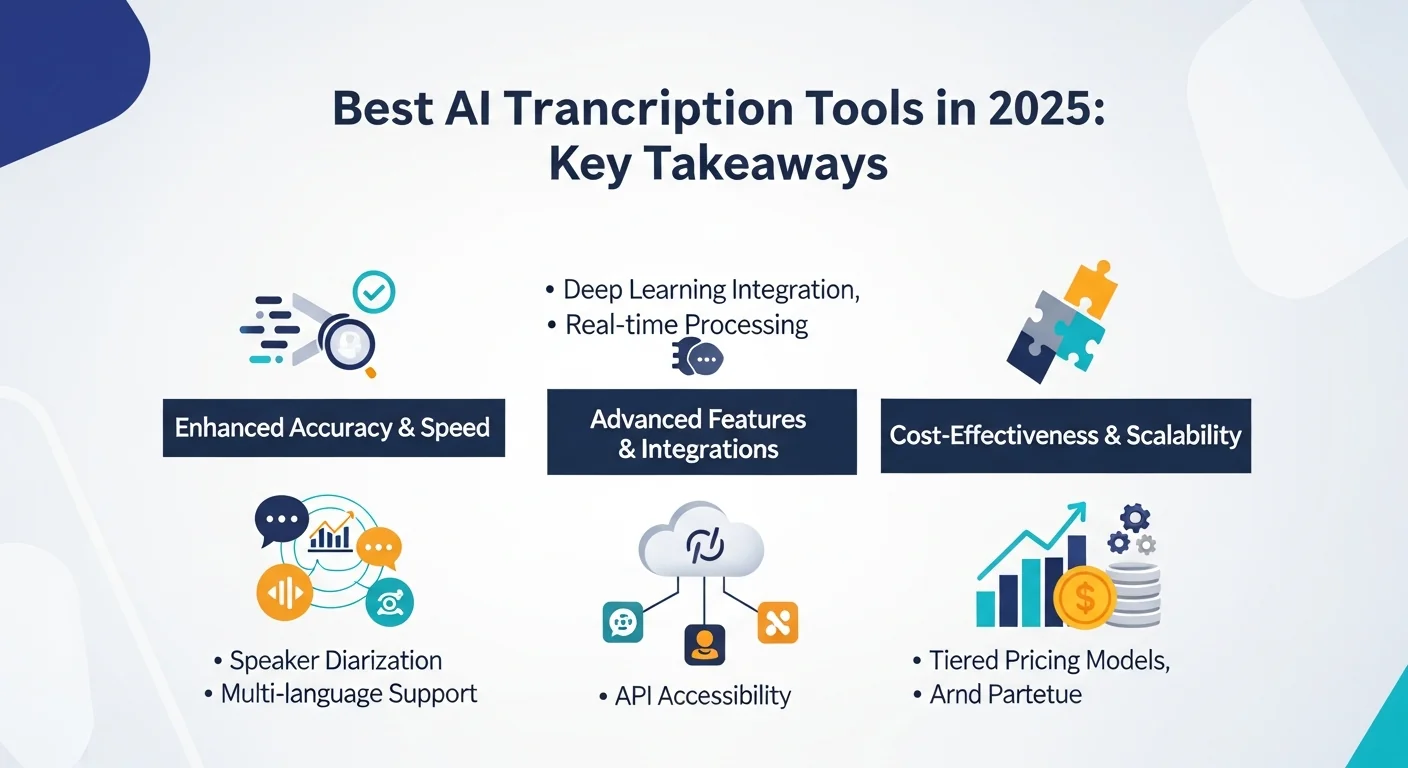
AI transcription in 2026 is cheaper and more capable than ever, but the best tool still depends on what you record and who reads the result.
For business meetings: Otter.ai is still the easiest notetaker for English-speaking teams, while Fireflies.ai adds deeper search and CRM sync and Supernormal turns meetings into finished documents.
For multilingual work and subtitles: Happy Scribe combines AI transcription in 150+ languages with optional human proofreading and subtitle export, and Speechmatics handles conversations that switch languages.
For content creators: Descript remains the fastest way to edit from a transcript, Riverside records studio-quality remote interviews, and Castmagic turns episodes into show notes and posts.
For developers: AssemblyAI and Deepgram lead on models and price, the cloud platforms from Microsoft Azure Speech, Google Cloud Speech-to-Text and Amazon Transcribe win on scale and compliance, and OpenAI Whisper is the free, private choice.
For legal, medical and accuracy-critical work: Rev.ai and Verbit add human review, while Dragon Medical One and Dragon Legal Anywhere bring specialist vocabularies.
For tight budgets and accessibility: Transkriptor and Notta are inexpensive all-rounders, and Live Transcribe by Google and Ava provide live captions for deaf and hard-of-hearing users.
Whatever you choose, run your own audio through two or three free plans first: the differences you hear on your recordings matter more than any published benchmark.
Related guides
- Best AI meeting assistants: notetakers that join your calls
- Best AI video editors: for cutting and captioning video
- How to edit videos with AI: a step-by-step guide
- Best AI voice generators: text-to-speech, the reverse of transcription
- Free AI video editors without a watermark: including automatic subtitles
- Podcast microphones guide: better audio means better transcripts
- Productivity tools for students and educators: lecture transcription and note-taking
- Best AI tools in 2026: our top picks across every category