Best Free Blogger Templates: Where to Download (2026)
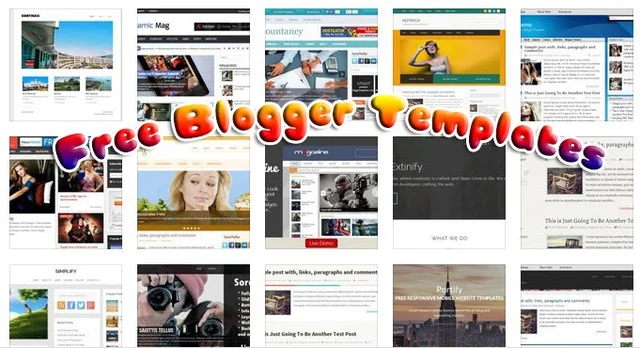
A good template instantly gives your Blogger (Blogspot) blog a clean, responsive, professional look — and you don’t have to pay for it. The trick is knowing where to find quality, up-to-date templates that are fast and mobile-friendly. Here are the best places to download free Blogger templates in 2026, plus how to install one.
Best Sites for Free Blogger Templates in 2026
BTemplates
BTemplates is the largest directory of free Blogger templates anywhere, with thousands of designs you can filter by columns, style, colour and features. It’s the classic first stop for free Blogspot themes.
SoraTemplates
SoraTemplates offers modern, fast and fully responsive Blogger templates, with a strong free collection alongside premium designs — popular for magazine, news and personal blogs.
Gooyaabi Templates
Gooyaabi Templates shares premium-quality Blogger templates for free, often versions of paid themes, covering many niches with clean, SEO-friendly designs.
ThemeXpose
ThemeXpose creates clean, professional and SEO-optimised free Blogger templates with a focus on speed and modern design — great for blogs that want to look premium for free.
Templateify
Templateify builds sleek, responsive Blogger (and Ghost) templates, with both free and premium options and a reputation for fast, well-coded themes.
Colorlib
Colorlib curates large collections of free templates, including responsive Blogger and Blogspot themes, all hand-checked for quality and modern design.
Blogger’s Built-in Themes
Don’t overlook Blogger’s own built-in themes. The official, free responsive themes (Contempo, Soho, Emporio, Notable and more) are reliable, mobile-friendly and customisable right inside your dashboard — the safest starting point.
How to Install a Blogger Template
- Download the template (usually a .xml file, often inside a ZIP — unzip it first).
- In your Blogger dashboard, go to Theme.
- Click the arrow next to “Customize” and choose Restore (or Backup/Restore).
- Upload the .xml file and confirm. Your new template goes live instantly.
- Always back up your current theme first (Backup) so you can roll back if needed.
How to Choose a Free Blogger Template
- Responsive & mobile-friendly — essential, since most readers are on phones.
- Fast-loading — lightweight, clean code helps SEO and Core Web Vitals.
- SEO-ready — proper headings, schema and a tidy structure.
- Right layout for your niche — magazine, personal, portfolio, etc.
- Trusted source — download from reputable sites to avoid hidden encrypted/credit links or malware.
Frequently Asked Questions
What is the best site for free Blogger templates?
BTemplates has the largest free collection, while SoraTemplates, Gooyaabi and ThemeXpose offer the most modern, responsive designs. Blogger’s own built-in themes are the safest, most reliable free option.
Are free Blogger templates safe?
Templates from reputable sites are safe, but free third-party themes sometimes include hidden “encrypted” footer/credit links or scripts. Stick to trusted sources, scan the code if you can, and prefer Blogger’s official themes when in doubt.
How do I install a Blogger template?
Download the template’s .xml file, then in Blogger go to Theme → Backup/Restore, upload the .xml and confirm. Back up your existing theme first so you can restore it if needed.
Are Blogger templates responsive?
Most modern free templates are fully responsive, and all of Blogger’s built-in themes are mobile-friendly. Always preview a template on mobile before committing, since older designs may not adapt well.
Can I use free Blogger templates for a professional blog?
Yes. Many free templates look thoroughly professional. For the most polished, support-backed designs you may eventually want a premium template, but a quality free theme is perfectly suitable for most blogs.
Final Thoughts
You don’t need to spend a penny to give your Blogger blog a great look. Start with BTemplates for sheer choice, SoraTemplates or ThemeXpose for modern designs, or Blogger’s own built-in themes for the safest option. Pick a fast, responsive template from a trusted source, back up before you switch, and you’re ready to publish.