YouTube Video Downloader Tools: Features, Speed, and Format Comparison
If you've ever searched for a YouTube video downloader, you know the options are plentiful. But how do they actually stack up against each other? In this comparison, we'll break down the key differentiators between popular download tools: their supported formats, download speeds, output quality, and overall user experience.
Rather than ranking tools by name, we'll focus on the features and technical capabilities that matter most. This framework will help you evaluate any tool you encounter and make an informed choice based on your specific needs.
Format Support Comparison
The most basic measure of a download tool is which output formats it supports. Nearly every tool offers MP4 for video and MP3 for audio, and these two formats cover the vast majority of use cases. They're universally compatible, well-compressed, and produce good quality at reasonable file sizes.
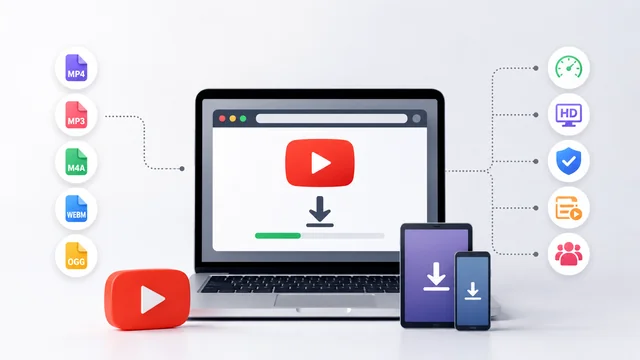
More capable tools extend their format lineup to include WebM (Google's open format, efficient for web content), M4A (Apple's preferred audio format), and OGG (used primarily in open-source ecosystems). While these additional formats are nice to have, they're rarely necessary for typical users.
The real differentiator in format support is quality retention. Some tools re-encode the downloaded video, which can introduce quality loss. The best tools provide direct downloads of the original stream when possible, preserving full quality without re-encoding artifacts. A YouTube video download tool that avoids unnecessary re-encoding will consistently produce better results.
Download Speed Analysis
Speed is where tools differ most noticeably in day-to-day use. The overall download time has two components: processing time (how long the server takes to prepare your file) and transfer time (how long the actual download takes).
Processing time depends entirely on the tool's server infrastructure. Well-funded services with distributed server networks can process requests in 2-5 seconds. Budget services might take 15-30 seconds for the same video. This gap becomes particularly noticeable when downloading multiple videos in a session.
Transfer speed is primarily limited by your internet connection, but the tool's server bandwidth also plays a role. Premium services with ample bandwidth can saturate a typical broadband connection, while overloaded free services might throttle download speeds during peak hours.
Quality Output Comparison
Quality output depends on two factors: the maximum resolution available and the encoding quality at each resolution level. Most tools support downloads up to the original upload resolution, meaning a video uploaded at 1080p can be downloaded at 1080p.
Where tools diverge is in their handling of video encoding. Direct stream downloads preserve the original YouTube encoding quality exactly. Tools that re-encode the video to change format or reduce file size may introduce compression artifacts, color shifts, or audio desync issues.
For audio extraction, bitrate is the key quality metric. Most tools extract MP3 at 128 kbps to 320 kbps. Higher bitrates produce better audio fidelity at the cost of larger files. A 320 kbps MP3 is essentially indistinguishable from the original audio for most listeners.
User Interface Design
The best download tool is the one you can use without thinking about it. Clean, minimal interfaces with a single prominent input field, clear format/quality selectors, and an obvious download button represent the gold standard.
Ad-heavy interfaces with multiple fake download buttons, pop-up windows, and redirect chains represent the worst of the category. These designs aren't just annoying; they're a security risk, as fake buttons often lead to malicious downloads or phishing pages.
Device Compatibility
Browser-based tools inherently work across all devices with a modern web browser. However, the mobile experience varies significantly between tools. Responsive design, touch-friendly controls, and sensible mobile layouts separate good mobile experiences from frustrating ones.
Some tools also handle the downloaded file differently on different platforms. On desktop browsers, files typically save directly to the Downloads folder. On mobile, the behavior can vary by browser and operating system, and some tools provide clearer guidance on file location than others.
Batch Download Capabilities
For power users who regularly download multiple videos, batch processing support is a significant differentiator. Some tools allow you to queue multiple URLs and download them sequentially, while others handle only one video at a time.
Playlist support is another advanced feature worth noting. Certain tools can process an entire YouTube playlist URL and offer downloads for each video in the list. This saves considerable time compared to downloading each video individually.
Reliability and Uptime
A download tool is only useful when it works. Service reliability varies enormously across the market. Established services with proper server infrastructure maintain high uptime and consistent performance. Newer or less well-maintained services may experience frequent outages or degraded performance.
One practical test is to try downloading the same video at different times of day. Reliable services produce consistent results regardless of timing. Unreliable ones might work fine at 3 AM but fail during evening peak hours.
Privacy and Security
Security-conscious users should evaluate what information a tool collects and how it handles that data. The most privacy-friendly tools operate without accounts, cookies, or tracking. They process the video URL, serve the download, and retain no record of the transaction.
Tools requiring account creation, email verification, or persistent cookies represent a higher privacy cost, even if they may offer additional features in return. Each user must weigh the convenience against their personal privacy preferences.
Bottom Line
Choosing the right YouTube download tool comes down to matching features with your specific needs. For occasional downloads, a simple browser-based tool with MP4/MP3 support and 1080p capability is more than sufficient. For heavy usage, prioritize speed, reliability, and batch processing. In all cases, favor tools with clean interfaces and minimal data collection. The technology is mature enough that you don't need to compromise on any of these fundamentals.