Windows 10 - Tips, Tricks & Disable Inactive Window Scrolling
By Jaspal Singh
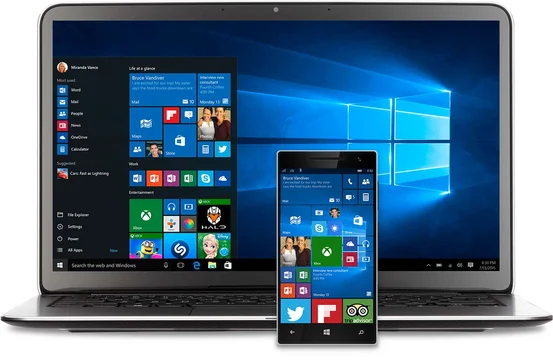
Windows 10 was first unveiled in September last year since then a new era has begun for everyone associated with Windows. With the vision of empowering people, an organization on a single platform, single store and across devices of smallest, largest and no screen products has finally arrived.
More than five million users feedback have been incorporated in Windows 10, and it has been offered as a free upgrade for genuine Windows 8.1, Windows Phone 8.1 and Windows 7 customers.
Also see - The Best Antivirus of Windows 10
Windows 10 is accessible and available in 190 nations from today. The celebration has begun and by tagging #UpgradeYourWorld on social media, a global nonprofit organization will receive a cash donation. More information on Upgrade Your World is available at http://www.windows.com/upgradeyourworld.The Best Windows Ever - Windows 10
1) Windows 10 is fast and familiar - The start menu, Taskbar, Desktop and Live Tiles all look superb. 2) The most secure Windows ever - with all new Windows Defender, Smart Screen and Windows Hello (biometric authentication to access all your Windows 10 devices) 3) More personal more productive - Gesture, Pen and Voice for interacting with your PC. And the new Cortana that is your personal digital assistant to find correct info at right time. 4) Microsoft Edge - a new Internet browser that allows fast access to online world.Business in all new Windows 10
With the new built-in enterprise security, options for replacing passwords for employees have become more secure than ever. All kind of data that needs protection from corporate identities can now feel safe and Azure cloud strength has improved a lot. Windows 7 and 8.1 users can take advantage of this free upgrade on PCs and Tablets.Top Apps Available on Windows 10
All the free and paid games, movies, music, apps and TV shows will work seamlessly on all Windows 10 devices. Cortana the personal assistant will control all the app tiles and get all the real time notification for your. Try the new Windows Store and I am sure you will fall in love with it.Disable Scroll for Inactive window
In Windows 10 a new feature for scrolling an inactive window has been incorporated while you hover on that window. This setting can be stopped by Opening the settings app and clicking on devices. Click on the mouse and tab with touchpad. Switch to off where it say "Scroll inactive windows when I hover over them." Simple isn't.Tips and Tricks for Windows 10
- Stop Windows 10 from updating your system
- Stop all forced restarts
- Stop all P2P sharing
- Use All app list in start menu
- Change Default Browser