Create Fake Magazine Covers For Free & Get Popular on Facebook
By Jaspal Singh

Do you wish to see how your images appear on covers of famous magazines like Playboy or Vogue? You must have guessed that you require improved photo editing software, such as Photoshop. You may also think that you need to possess a lot of skills to accomplish that. In reality, you can easily place your images on famous magazine covers following which you share them with your friends online, without even having to download any software or require special skills.
Below are 10 online tools with which you can do this job easily. All you have to do is upload your images and then select a magazine cover to obtain the required result.
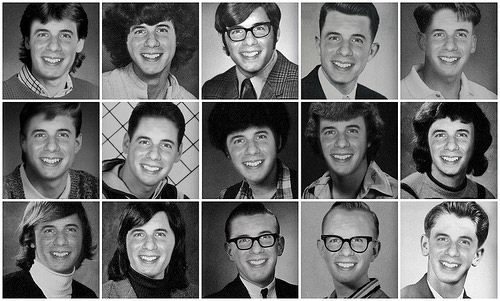 Transform your photo into a yearbook with black and white pictures. Choose an image and upload it in the yearbook. You can make four custom pages which can be added to the copy.
1. Fakeazine
Fakeazine permits you to put your images on approximately 100 magazines. You upload your photo and then attune it by performing the following operations-zooming in or out, dragging and specifying the colour of the background. You can then download the image to your device or obtain the sharing code and post it on your social sites-all without getting yourself registered to the site.2. Fakemagazinecover
Fakemagazine cover allows you to place your images on the cover of many famous magazines-from celebrity gossip magazines to learning magazines for kids. Currently, its database has 864 magazine templates which gives you many choices. You can add various effects like props, text captioning and frames for your covers. You can then download the image or get the HTML and post it on websites or blogs.3. Writeiton
With Writeiton, you can put your images on some well-known magazines like Wired, Time, Playboy etc. Begin by choosing a cover following which you upload your images. If required, you can put a news title or a subtitle. You can then save the image or share it on Facebook or MySpace quite easily. Images up to 8 MB can be uploaded.4. Enjoypic
Enjoypic permits to put your image on around 100 magazine covers, such as Time, Make Up etc. Select a cover after which you upload your image or use any picture on the internet. You may require to tweak the picture on the magazine by resizing, cropping or dragging so that it appears great. Download the image or share it.5. Yearbook Yourself
Transform your photo into a yearbook with black and white pictures. Choose an image and upload it in the yearbook. You can make four custom pages which can be added to the copy.