ChromeOS Updates End in 2034: What Googlebook OS Means for You
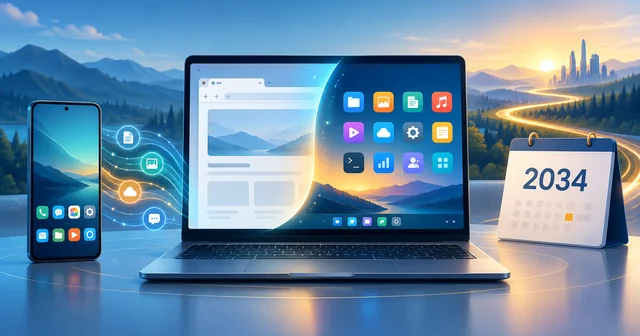
Google says ChromeOS devices will keep getting regular updates and security patches through mid-2034, while it moves its laptop platform to Googlebook OS, a new Android-based system. Many newer Chromebooks will be able to switch to Googlebook OS, but Google has not yet said which models qualify or how the migration will work.
What Happened
Google set out the timeline in an IT administrator help page titled "What the Googlebook announcement means for your ChromeOS devices" on its Google Workspace Admin Help centre, last updated on September 23, 2026. Tech outlets including 9to5Google, Engadget, Android Police and Gizmodo reported on it on September 28, less than a week before the first Googlebook laptops ship.
The help page makes four commitments. First, current Chromebooks "will continue to receive updates through their supported lifetime" under Google's existing Auto Update policy. Second, ChromeOS devices will receive regular updates and security patches "through mid-2034." Third, "many of our newest Chromebook devices will be eligible to transition over to Googlebook OS," with details on migration paths and eligibility promised later. Fourth, full fleet management for Googlebooks (the admin console tools that schools and businesses use) will start rolling out in the second half of 2027.
The context is Google's new laptop line. Google first announced Googlebook on May 12, 2026, and opened pre-orders on September 21 in a post on the Keyword, Google's official blog. The first machines come from Acer, ASUS, Dell, HP and Lenovo, start at $899, and go on sale on October 4 in the United States and on October 5 in Canada, the UK, Ireland, France, Germany and Australia. Gizmodo lists final launch prices ranging from $899 for the Acer Googlebook 14 (a limited-time price) to $1,299 for the Asus Googlebook 14.
Why It Matters
For fifteen years, "Chromebook" has meant a cheap, simple, web-first laptop, and in many schools it is simply the laptop. Google is now telling that installed base that the platform it bought into has an end date, and that the future is a different operating system built on a different foundation.
The 2034 date matters most to anyone planning purchases. A school district that buys a Chromebook this year expects to use it for years. Google's Auto Update policy promises ChromeOS devices 10 years of updates from their platform release date, so a machine launched in 2026 would normally be covered into 2036. The new help page reconciles those two promises: for qualifying devices "whose 10-year support lifecycle extends beyond 2034," Google says it is "committed to supporting your transition to Googlebook OS." In plain terms, the last years of support on today's newest Chromebooks may arrive as Googlebook OS rather than ChromeOS.
It also matters for how people use these machines. Googlebook OS is designed around Android apps, phone integration and Gemini AI features, where ChromeOS was designed around the Chrome browser. Google stresses that web apps remain supported, but the centre of gravity is moving.
Finally, it matters for money. Google says ChromeOS Enterprise Upgrade and Education Upgrade licences stay valid for managing Chromebooks through each device's lifecycle, but Googlebooks, and Chromebooks migrated to Googlebook OS, will be managed "under a new licensing structure." Organisations that have budgeted for one licence model now know a second one is coming, without knowing its price.
How It Works
What Googlebook OS is. Google describes Googlebook OS as an evolution of the ChromeOS foundation "building on the Android tech stack." In practice, that means the operating system underneath is Android-based, while the desktop experience keeps the full Chrome browser, including extensions. The pre-order announcement lists access to Play Store apps, native versions of tools such as Adobe Photoshop, Lightroom and CapCut, and full terminal access for developers.
What changes on top. Google's pitch leans on three things ChromeOS did only partly. The first is phone integration: a "Quick Access" feature shows files from an Android phone inside the laptop's file browser, and features called Continue On and Cast My Apps move tasks and apps between phone and laptop. The second is Gemini Intelligence, Google's set of built-in AI features, including Magic Pointer, which offers suggestions for whatever the cursor points at, and Create My Widget, which builds a custom dashboard from a text prompt. The third is hardware: the launch models use Intel and Qualcomm chips with neural processing units rated at 45 TOPS or more, and OLED touchscreens up to 2.8K.
How the support clock works. Under the Auto Update policy, the 10-year clock starts from the release date of a device's "platform," the set of components (processor, Wi-Fi chip and so on) a manufacturer builds around. Each device's end date is published on Google's list of supported models. Some models already on that list run past the new cut-off. The Acer Chromebook 311 (C725), for example, is listed with automatic updates until June 2036. Under the new plan, ChromeOS itself stops in mid-2034, and devices like that are the ones Google points towards Googlebook OS for the remaining years.
What happens to management. The October 2026 Googlebooks are consumer devices. Google's help page says they do not yet support domain enrollment or centralised fleet management. For now, users can sign in with a managed Google Workspace account, if their administrator permits it, and opt in to cloud-based Chrome browser management. Google says the full toolkit (device and user controls, reporting, zero-touch enrollment and APIs for third-party mobile device management providers) will arrive in phases starting in the second half of 2027.
What stays the same. Google says the new system keeps ChromeOS's core security features: sandboxing, verified boot, automatic updates, secure student assessments and layered content filtering. A Chromebook that is not migrated keeps running ChromeOS and receiving updates until its own end date or mid-2034, whichever comes first. Google's Auto Update policy also notes that a ChromeOS device that has stopped getting updates still checks itself at every startup and repairs itself if the system has been tampered with.
What's Still Unknown
Which Chromebooks qualify. Google says only "many newer commercial Chromebook models" will be able to upgrade. It has not published a list, minimum hardware requirements or any rule of thumb. Reader comments on 9to5Google speculate about a memory floor, but Google has said nothing about one.
How migration works. Whether a switch to Googlebook OS wipes a device, runs as a normal update, or requires IT staff to re-enroll machines is not known. Google says it will share migration paths "in advance of commercial availability."
What the new licence costs. Google has confirmed that a new licensing structure will apply to Googlebooks and migrated Chromebooks, but not its price or terms.
What it means for home users. The help page is written for school and business IT administrators. Engadget noted that the consumer ChromeOS timeline has not been spelled out as clearly, though the 2034 date is stated for ChromeOS devices generally.
Whether the web-first model survives. Google says it remains committed to web apps and web developers, while also saying it will "support and optimize Android apps." How that balance looks in practice, especially on low-cost classroom hardware, will only be clear once migrated devices are in use.
Frequently Asked Questions
Will my Chromebook stop working in 2034?
No. A Chromebook does not shut down when updates end. Google says ChromeOS devices get regular updates and security patches through mid-2034, or until their own published end date if that comes sooner. After updates stop, the laptop still runs, but it no longer receives security fixes, so it becomes riskier to use online and some managed policies may stop working.
What is Googlebook OS?
Googlebook OS is Google's new laptop operating system, built on the Android tech stack with ChromeOS foundations. It keeps the full Chrome browser with extensions, adds native Android apps from the Play Store, integrates closely with Android phones and includes Gemini AI features such as Magic Pointer. It debuts on Googlebook laptops from Acer, ASUS, Dell, HP and Lenovo in October 2026.
Can I upgrade my Chromebook to Googlebook OS?
Possibly, if it is a recent model. Google says many newer commercial Chromebook models will be able to move to Googlebook OS, and that devices whose 10-year support window runs past 2034 will get help transitioning. It has not published an eligibility list or migration steps yet, and says those details will come before Googlebook management becomes commercially available.
How do I check when my Chromebook stops getting updates?
Open Settings, choose About ChromeOS, then look under Additional details for the update schedule, which shows your device's end date. Google also publishes a full list of models and their "automatic updates until" dates on its Auto Update policy page. Remember that, under the new plan, ChromeOS updates end in mid-2034 even if a listed date is later.
Should schools and businesses keep buying Chromebooks?
Google says Chromebooks remain available for all school and enterprise deployments and that current devices keep their full management tools. Googlebooks cannot be enrolled in a domain until management features start arriving in the second half of 2027. Organisations buying now should favour recent models with long support dates, and wait for Google's eligibility list before counting on a migration.
What happens to Chrome Education Upgrade and Enterprise Upgrade licences?
Existing Chrome Education Upgrade and Chrome Enterprise Upgrade licences stay active and supported for managing ChromeOS devices for each device's lifetime. Googlebooks, and any Chromebooks migrated to Googlebook OS, will be managed under a new licensing structure. Google says it will share full licensing details and migration paths before commercial availability, but has not announced prices.
Will Googlebook OS still run web apps and Chrome extensions?
Yes. Googlebook OS includes the full Chrome browser with support for extensions, and Google's help page says it still believes in the value of web apps and will continue to support their management for IT administrators. The difference is that Android apps now run natively alongside the browser, rather than being a secondary layer on top of a browser-first system.
Related Reading
The shift comes as many districts rethink classroom laptops, a trend we covered in why schools are taking back Chromebooks amid a tech backlash. For a sense of how far premium Chromebooks had already moved from the budget image, see our HP Elite Dragonfly Chromebook review and our look at the upgradable Framework Chromebook. Googlebook also builds on Android's move towards desktop computing, which began with desktop mode for Pixel phones. If you are choosing a laptop for study now, our guide to the best laptops for college students compares Chromebooks with Windows and Mac options.