Best Tablets with Stylus in 2026: Top Picks for Drawing, Notes & Productivity
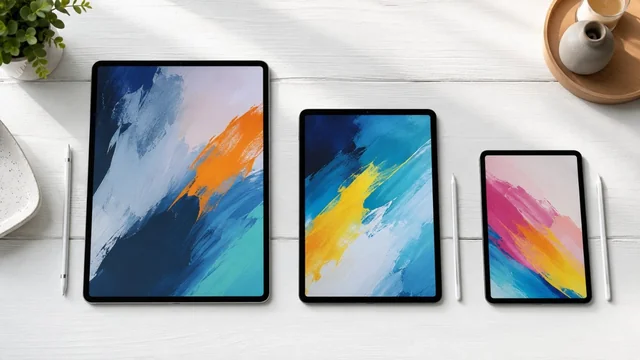
The stylus tablet market in 2026 is the most competitive it has ever been: Apple Pencil Pro has matured into a real creative tool, Samsung's S Pen now ships with AI handwriting features, Microsoft's Slim Pen 2 finally has the Snapdragon X muscle behind it, and e-ink rivals like reMarkable and Boox have closed the gap on responsiveness. Whether you sketch, take meeting notes, mark up PDFs, or just want paper-feel writing without paper, there is now a pen tablet tuned to exactly how you work. Below are the ten tablets worth considering this year, with notes on pen latency, pressure sensitivity, and who each one is actually for.
Key takeaways:
- The iPad Pro M5 with Apple Pencil Pro is the best overall stylus tablet of 2026 thanks to its tandem OLED, 9ms latency and pro-grade pen features.
- Samsung's Galaxy Tab S10 Ultra and S10+ include the S Pen for free and offer the best Android stylus experience with Galaxy AI handwriting tools.
- The Microsoft Surface Pro 11 is the only pick that runs full Windows, making it ideal for Photoshop, Clip Studio and desktop-grade creative work.
- For distraction-free notes and PDFs, the reMarkable Paper Pro and Boox Note Air 4C deliver paper-like e-ink writing with multi-week battery life.
- Pen technology and use case matter more than spec sheets, so match Apple Pencil Pro, S Pen, Slim Pen 2 or Wacom EMR to whether you draw, write or annotate.
The Best Stylus Tablets at a Glance
- Apple iPad Pro M5 (13-inch) with Apple Pencil Pro — iPadOS 19 · 13" tandem OLED · premium · best overall for artists
- Apple iPad Air M3 (13-inch) with Apple Pencil Pro — iPadOS 19 · 13" Liquid Retina · mid-premium · best mainstream pick
- Apple iPad mini 7 with Apple Pencil Pro — iPadOS 19 · 8.3" Liquid Retina · mid · best pocket notebook
- Samsung Galaxy Tab S10 Ultra with S Pen — Android 15 + One UI · 14.6" AMOLED 120Hz · premium · best Android tablet
- Samsung Galaxy Tab S10+ with S Pen — Android 15 + One UI · 12.4" AMOLED 120Hz · mid-premium · best Android value
- Microsoft Surface Pro 11 with Slim Pen 2 — Windows 11 on Snapdragon X Elite · 13" OLED 120Hz · premium · best 2-in-1
- Lenovo Tab Plus with Lenovo Tab Pen Plus — Android 14 · 11.5" 2K LCD 90Hz · budget · best budget note-taker
- Wacom MovinkPad 11 — Android 14 · 11.45" 2.2K 90Hz · mid · best standalone for artists
- reMarkable Paper Pro — reMarkable OS · 11.8" color E Ink Gallery 3 · mid · best for distraction-free notes
- Boox Note Air 4C — Android 13 · 10.3" color E Ink Kaleido 3 · mid · best e-ink for power users
The Picks, Reviewed
1. Apple iPad Pro M5 (13-inch) with Apple Pencil Pro
iPadOS 19 · 13" tandem OLED · premium · best overall for artists
The iPad Pro M5 pairs Apple's tandem OLED Ultra Retina XDR display with the M5 chip and Apple Pencil Pro, which adds barrel roll, squeeze gestures, haptic feedback and find-my support on top of 4,096 pressure levels and tilt. Pen-to-glass latency is effectively imperceptible at 9ms with ProMotion 120Hz, and the laminated display has almost no parallax. It is the go-to for Procreate, Affinity, Clip Studio and Photoshop users who want a real production tool. In 2026 it stands out for finally treating the Pencil like a first-class input, with system-wide squeeze actions and barrel-roll-aware brushes.
2. Apple iPad Air M3 (13-inch) with Apple Pencil Pro
iPadOS 19 · 13" Liquid Retina · mid-premium · best mainstream pick
The iPad Air M3 is the sweet spot for most people who want a serious stylus tablet without paying Pro money. It supports the full Apple Pencil Pro feature set, the M3 chip handles Procreate brushes and 4K timeline scrubbing without sweating, and the 13-inch panel gives you real canvas space. You lose ProMotion and OLED versus the Pro, but the 60Hz LCD is still bright, color-accurate and laminated. In 2026 this is the tablet to recommend to students, illustrators on a budget, and note-takers who want pencil parity with Pro users.
3. Apple iPad mini 7 with Apple Pencil Pro
iPadOS 19 · 8.3" Liquid Retina · mid · best pocket notebook
The iPad mini 7 is the only small tablet that supports Apple Pencil Pro, with squeeze, barrel roll and haptics in a 293g body you can hold one-handed. The A17 Pro chip is comfortable with GoodNotes, Notability, Concepts and even Procreate Dreams. Pen latency feels the same as on the bigger iPads thanks to the same predictive engine, though the 60Hz panel shows a bit more lag than ProMotion in fast strokes. It is the best ultra-portable digital notebook of 2026 for clinicians, field engineers and anyone who journals on the go.
4. Samsung Galaxy Tab S10 Ultra with S Pen
Android 15 + One UI · 14.6" AMOLED 120Hz · premium · best Android tablet
The Galaxy Tab S10 Ultra is the closest Android answer to the iPad Pro, with a 14.6-inch 120Hz AMOLED, Dimensity 9300+ silicon and an S Pen that ships in the box at no extra cost. The S Pen has 4,096 pressure levels, 2.8ms latency, tilt support and zero charging since it's EMR-based. Galaxy AI handles handwriting-to-text, sketch-to-image and live translation directly on-device. In 2026 the standout is Notes' AI handwriting correction and the new anti-reflective display coating, which makes it the most readable big tablet outdoors.
5. Samsung Galaxy Tab S10+ with S Pen
Android 15 + One UI · 12.4" AMOLED 120Hz · mid-premium · best Android value
The Tab S10+ delivers nearly all of the Ultra's pen experience in a more manageable 12.4-inch chassis with the same 120Hz AMOLED, S Pen-in-box and Galaxy AI suite. EMR means the pen never needs charging and stays magnetically attached to the back for charging-free convenience. Pen latency is identical to the Ultra at 2.8ms, and palm rejection in Samsung Notes and Clip Studio is excellent. In 2026 it is the best buy for Android sketchers who don't need the Ultra's extra real estate.
6. Microsoft Surface Pro 11 with Slim Pen 2
Windows 11 on Snapdragon X Elite · 13" OLED 120Hz · premium · best 2-in-1
The Surface Pro 11 is the only mainstream pen tablet that runs full Windows, which means real Photoshop, Illustrator, Clip Studio, ZBrush and OneNote with desktop-class plugins. The OLED 120Hz display is gorgeous, and the Slim Pen 2 delivers 4,096 pressure levels, tilt and haptic feedback that simulates pencil-on-paper texture. Snapdragon X Elite finally makes Arm-native Adobe apps usable, and battery life with the pen is genuinely all-day. It is the 2026 pick for anyone who wants a tablet that doubles as a laptop without compromising creative software.
7. Lenovo Tab Plus with Lenovo Tab Pen Plus
Android 14 · 11.5" 2K LCD 90Hz · budget · best budget note-taker
The Lenovo Tab Plus is the most underrated budget stylus tablet of 2026, pairing an 11.5-inch 2K display and JBL quad-speaker soundbar with optional Tab Pen Plus support (4,096 pressure levels, tilt, USI 2.0). Latency is higher than premium tablets at around 26ms, but it's perfectly fine for note-taking in Nebo or Squid, and color accuracy is surprisingly good for the price. The standout in 2026 is the integrated kickstand and 8-hour battery for the cost of a basic iPad. Recommended for students who need annotation, not illustration.
8. Wacom MovinkPad 11
Android 14 · 11.45" 2.2K 90Hz · mid · best standalone for artists
Released in late 2025, the MovinkPad 11 is Wacom's first standalone Android drawing tablet, freeing you from a tethered computer entirely. It ships with the Wacom Pro Pen 3, offering 8,192 pressure levels, tilt, and the legendary near-zero parallax and stroke accuracy Wacom is known for. The 11.45-inch 2.2K display is factory-calibrated to 100% sRGB and supports Clip Studio Paint, Concepts and Infinite Painter natively. In 2026 it is the only tablet that gives you a true Wacom pen feel without a Cintiq's price or cabling.
9. reMarkable Paper Pro
reMarkable OS · 11.8" color E Ink Gallery 3 · mid · best for distraction-free notes
The reMarkable Paper Pro is the most refined e-ink writing tablet of 2026, with an 11.8-inch color Canvas display, a front light for low-light writing, and the Marker Plus stylus with built-in eraser and tilt support. Pen latency on e-ink is now down to 12ms, which is finally good enough that handwriting feels natural rather than laggy. There are no apps, no notifications and no browser, which is the whole point. Recommended for executives, researchers, students and anyone who wants a digital legal pad that can also handle PDFs and convert handwriting to text.
10. Boox Note Air 4C
Android 13 · 10.3" color E Ink Kaleido 3 · mid · best e-ink for power users
The Boox Note Air 4C is the e-ink tablet for people who wanted reMarkable's writing feel but also want the Google Play Store, Kindle, OneNote, Notion and side-loaded Android apps. The 10.3-inch Kaleido 3 color display, Snapdragon processor and Pen Plus stylus (4,096 pressure levels, tilt) make it equally good for annotating PDFs, sketching loose concepts and reading manga. In 2026 the new BOOX AI Assistant handles on-device handwriting OCR, translation and summarization. It is the most flexible color e-ink tablet you can buy.
How to Choose the Right Stylus Tablet in 2026
The single biggest decision is the pen technology, because it determines feel, charging, and which tablets you can even consider. Apple Pencil Pro is active and Bluetooth-charged on the side of the iPad, and adds squeeze, barrel-roll and haptic feedback that no other pen offers. Samsung's S Pen uses EMR (electromagnetic resonance), so it never needs a battery and is included free with every Galaxy Tab S10. Microsoft's Slim Pen 2 uses MPP (Microsoft Pen Protocol) with haptic feedback and stores in the keyboard. Wacom EMR (on MovinkPad, Wacom One, Boox, reMarkable) is the standard pros have used for two decades and still has the cleanest stroke dynamics.
Latency, pressure levels and tilt are the specs that most affect drawing. Anything under 20ms feels natural; premium tablets are now at 9-12ms. Pressure levels matter less than the marketing suggests, 4,096 is plenty for everything except pro Wacom workflows (the MovinkPad's 8,192 is genuine overkill in a good way). What matters more is consistent initial-activation force, palm rejection, and how the pen handles tilt for shading. All ten tablets here support tilt; the iPad Pro and Galaxy Tab Ultra have the best palm rejection in their respective OSes.
Match the tablet to the job. For serious digital art and animation, get an iPad Pro M5, Surface Pro 11 or Wacom MovinkPad. For mainstream sketching plus everything else, an iPad Air M3 or Galaxy Tab S10+ is the smarter buy. For handwritten notes, journaling, and PDF markup, the iPad mini 7, reMarkable Paper Pro or Boox Note Air 4C all excel, with the two e-ink options winning on eye comfort and battery (weeks vs hours). If you need handwriting-to-text OCR, Samsung Notes, Apple Notes/Scribble, Nebo on Boox and reMarkable's built-in conversion are all genuinely accurate in 2026.
Finally, think about display technology. LCD and OLED tablets are bright, fast and color-accurate but reflective and tiring for long reading sessions. E-ink (reMarkable, Boox) is matte, glare-free and easy on the eyes, but limited refresh rates make it unsuitable for animation, video or fast color work. OLED (iPad Pro, Galaxy Tab S10, Surface Pro 11) gives the best color volume for illustration but costs more. If you only buy one stylus tablet and your work is mixed, an LCD or OLED iPad/Galaxy is the safest pick; if you already have a phone and laptop and just want a digital paper replacement, go e-ink without hesitation.
Sources & Further Reading
Frequently Asked Questions
What is the best tablet with a stylus in 2026?
For most creative users, the iPad Pro M5 with Apple Pencil Pro is the best overall thanks to its tandem OLED display, 9ms pen latency, and barrel-roll plus squeeze gestures. If you prefer Android, the Samsung Galaxy Tab S10 Ultra is the closest equivalent and includes its S Pen in the box. For full desktop software, the Surface Pro 11 wins because it runs real Windows.
Is the Apple Pencil Pro worth it over the older Apple Pencil 2?
Yes if you draw or sketch. The Pencil Pro adds barrel roll for natural brush rotation, a squeeze gesture for tool palettes, haptic feedback, and Find My support, on top of the same pressure sensitivity and tilt. Note-takers will be fine with a cheaper Pencil or USI stylus, but illustrators will notice the Pro upgrade within minutes.
Which stylus tablet is best for handwritten notes?
The reMarkable Paper Pro is the best dedicated note tablet because its color e-ink display feels like paper and has no distractions. The iPad mini 7 with Apple Pencil Pro is the best mainstream choice if you also want apps, and the Samsung Galaxy Tab S10+ is the best Android pick. All three handle handwriting-to-text conversion accurately.
Do e-ink tablets like reMarkable and Boox work for drawing?
They work for sketching, storyboarding and loose concept work but not for finished illustration. The refresh rate, limited color volume (even on Kaleido 3 and Canvas color), and lack of advanced brush engines mean you should treat them as digital sketchbooks rather than Procreate replacements. The Boox Note Air 4C has the most flexibility because it runs Android apps including drawing software.
What is the difference between EMR, active and MPP styluses?
EMR styluses (Samsung S Pen, Wacom, reMarkable, Boox) are powered by the tablet's digitizer, so they never need charging and are usually lighter. Active styluses (Apple Pencil) have their own battery and Bluetooth, enabling features like squeeze and haptics. MPP (Microsoft Pen Protocol) is what Surface devices use and sits between the two, with battery-powered features but broader Windows compatibility.
Can a stylus tablet replace a laptop in 2026?
The Surface Pro 11 genuinely can because it runs full Windows 11 on Snapdragon X Elite with desktop apps and a real keyboard. The iPad Pro M5 with Magic Keyboard comes close for most workflows but still struggles with pro audio, complex video editing pipelines, and developer tools. Android tablets like the Galaxy Tab S10 Ultra with DeX mode are usable as light laptops but not full replacements.
Information is based on public sources and vendor pages current as of June 2026. Details, prices and plans change frequently — verify on the official site before relying on them. SaveDelete may earn a small commission on purchases made through some links on this page, at no extra cost to you.