Best Architecture Software in 2026: 13 Programs Compared With Prices
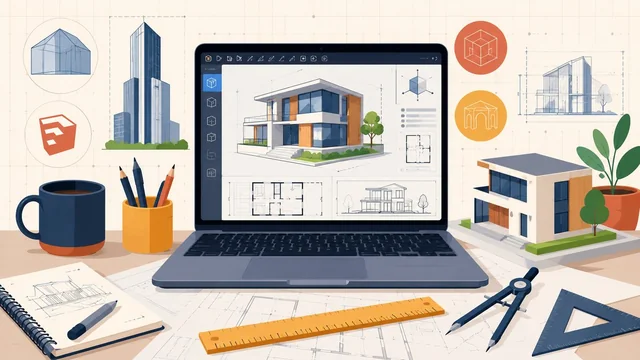
Architecture software helps architects and designers draw, model and document buildings, from quick 3D concept models to full BIM (Building Information Modeling) projects with coordinated plans, sections and schedules. The right program depends on what you design and who you work with: a licensed firm sharing models with engineers needs different tools from a student, a home remodeler or a visualization specialist.
We checked 13 architecture programs on their official websites in November 2026. Short answer: Revit is the best architecture software for most professional firms, Archicad is the best Revit alternative and the best BIM choice on a Mac, SketchUp is the quickest way to model concepts, and FreeCAD and Blender with Bonsai are the best free options. Prices below are US list prices before tax, checked on each vendor’s site on 18 November 2026.
Best Architecture Software at a Glance
| Software | Best For | Price (US) | Free Option |
|---|---|---|---|
| Autodesk Revit | BIM for architecture firms | $3,005/year or $380/month | Free for students and educators |
| Graphisoft Archicad | Revit alternative, BIM on Mac | From $2,414/year (Studio) | Free EDU license |
| AutoCAD | 2D drafting and construction drawings | $2,095/year or $260/month | Free for students and educators |
| SketchUp | Concept models and quick 3D | Pro $33.25/month, billed annually | SketchUp Free (browser) |
| Rhino 9 + Grasshopper | Parametric and freeform design | $995 one-time | Education $195 |
| Vectorworks Architect | Design-led BIM and presentation drawings | Subscription, priced by country | Free EDU license (select markets) |
| Chief Architect Premier | Residential design and remodeling | $1,995/year or $229/month | Free trial download |
| Autodesk Civil 3D | Site and civil design | $2,870/year or $360/month | Free for students and educators |
| Bentley MicroStation | Infrastructure-scale projects | 12-month subscription, priced by country | Free academic access |
| Enscape | Real-time rendering inside your CAD/BIM tool | From $47.90/month, billed annually | 14-day free trial |
| D5 Render | Real-time rendering and animation | Pro $360/year | Community plan is free |
| FreeCAD | Free open-source CAD with BIM tools | Free | Free and open source |
| Blender + Bonsai | Free visualization and open BIM | Free | Free and open source |
Prices checked on vendor sites on 18 November 2026. Vectorworks and Bentley show prices in your local currency in their online stores.
1. Autodesk Revit — Best BIM Software for Architecture Firms
Revit is Autodesk’s BIM software for designing buildings and infrastructure in 3D. You model the building once, and plans, sections, elevations and schedules all come from that single model, so a change in one view updates the others. The current version is Revit 2027.
An annual subscription costs $3,005 a year ($251 a month, paid annually) or $380 billed month to month, and Autodesk also sells Flex tokens ($99 for 33 tokens; Revit uses 10 tokens a day). If you also need AutoCAD and site tools, the Architecture, Engineering & Construction Collection costs $3,675 a year and bundles Revit, Forma Site Design, AutoCAD and more.
Revit 2027 needs 64-bit Windows 11 and at least 16 GB of RAM. There is no Mac version; Autodesk lists a Parallels Desktop configuration for running it on a Mac.
- Price: $3,005/year, $380/month, or Flex tokens; free for eligible students and educators.
- Pros: One model for every drawing; the format most engineering and construction partners expect; huge ecosystem of add-ins and content.
- Cons: Most expensive single program here; Windows only; steep learning curve.
- Best for: Licensed architecture firms doing coordinated building projects with engineers and contractors.
Revit overview | Revit pricing
2. Graphisoft Archicad — Best Revit Alternative and Best BIM on Mac
Archicad is a full BIM program for architects, with smart tools for stairs, railings and curtain walls and coordinated drawings that update with the model. It runs natively on both Mac (Apple Silicon and Intel) and Windows; the current Archicad 30 supports Windows 10 and 11 and recent macOS versions up to macOS 27.
Graphisoft sells three plans. Archicad Studio costs $2,414 a year ($201 a month with the yearly payment) or $345 month to month; Archicad Collaborate costs $2,840 a year and adds cloud teamwork through BIMcloud; Archicad Max costs $5,700 a year for AI- and data-driven practices. Archicad also has AI tools: an AI Assistant for guidance and documentation, and the cloud-powered AI Visualizer that turns concept models into near-photorealistic images.
- Price: From $2,414/year (Studio); free EDU license for students and educators.
- Pros: Native Mac and Windows versions; cheaper than Revit; many designers find it easier to learn.
- Cons: Fewer US engineering partners work in Archicad than in Revit; the Max plan is expensive.
- Best for: Design-led studios, Mac users and small to mid-size firms that want full BIM.
Archicad overview | Archicad pricing
3. AutoCAD — Best for 2D Drafting and Construction Drawings
AutoCAD is still the standard tool for precise 2D drafting and DWG files, and AutoCAD 2027 adds Autodesk AI features to help with routine tasks. AutoCAD comes with specialized toolsets, including an Architecture toolset that Autodesk says boosts architectural design and drafting productivity by up to 61%.
It costs $2,095 a year ($175 a month, paid annually) or $260 month to month. Many firms use AutoCAD alongside Revit for details and for drawings they exchange with consultants and contractors.
- Price: $2,095/year or $260/month; free for eligible students and educators.
- Pros: Universal DWG format; fast, precise 2D drafting; specialized toolsets included.
- Cons: Not a BIM tool: drawings do not update each other the way views in Revit or Archicad do.
- Best for: Detailed 2D documentation, drawing exchange and firms that still draft in 2D.
4. SketchUp — Best for Concept Design and Quick 3D
SketchUp is the fastest way to turn an idea into a 3D model, which is why architects use it for early concept work and client presentations. SketchUp Free runs in a web browser with 10 GB of Trimble Connect cloud storage.
Paid plans are billed annually: Go costs $10.75 a month (iPad and web only), Pro costs $33.25 a month and adds the desktop modeler, LayOut for 2D documentation and more than 1,000 extensions, and Studio costs $71.58 a month (Windows only) and adds photorealistic rendering, Revit import and export, and modeling on 3D point clouds. Students pay $55 a year.
- Price: Free (web); Go $10.75/month, Pro $33.25/month, Studio $71.58/month, all billed annually; students $55/year.
- Pros: Very easy to learn; free browser version; huge 3D Warehouse model library.
- Cons: Not full BIM; large projects need LayOut, extensions or another tool for construction documents.
- Best for: Concept design, client presentations, interiors and small residential projects.
SketchUp plans and pricing | SketchUp Free
5. Rhino 9 + Grasshopper — Best for Parametric and Freeform Design
Rhino is the go-to modeler for curved facades and complex geometry, and Grasshopper is its visual programming tool for computational and parametric design. Rhino 9 ships with the new Grasshopper 2 next to Grasshopper 1, and adds RhinoAI, which connects an AI assistant to your open Rhino and Grasshopper document.
Rhino is one of the few programs here you can still buy outright: a license costs $995 for Windows and Mac and is permanent, with no maintenance fees. Students and faculty pay $195, and upgrading from an older version costs $595 ($395 on a promotion that ends 1 March 2027).
- Price: $995 one-time; $195 education; $595 upgrade.
- Pros: Permanent license; runs on Windows and Mac; unmatched freeform modeling; Grasshopper included.
- Cons: Not a BIM program; most firms pair it with Revit or Archicad for documentation.
- Best for: Parametric facades, design research and complex geometry.
6. Vectorworks Architect — Best for Design-Led BIM
Vectorworks Architect lets you sketch, draw and model in one integrated BIM workflow, from pre-design and massing through construction documents. The current version is Vectorworks 2027. It supports openBIM and IFC and has direct links with Revit, SketchUp, Rhino, Photoshop and Cinema 4D.
Vectorworks sells Architect as a monthly or yearly subscription in its online store, with prices set by country. Students and educators in select markets can get a free educational license, and the student2PRO program gives graduates 50% off three years of a professional subscription.
- Price: Subscription, priced by country in the Vectorworks store; free educational license in select markets.
- Pros: Strong 2D drawing and presentation graphics; BIM and design in one package; wide file support.
- Cons: Smaller user base than Revit or Archicad; prices are not published in one public list.
- Best for: Small to mid-size firms that want design freedom and BIM in one program.
7. Chief Architect Premier — Best for Residential Design and Remodeling
Chief Architect Premier is built for home design: as you draw walls and place smart objects such as doors and windows, it builds the 3D model, generates a materials list and helps produce construction documents. The current version is Premier X18.
Premier costs $1,995 a year (billed annually) or $229 a month. For DIY home projects, the same company sells Home Designer (Home Designer 2027), which costs $495 a year or $79 a month.
- Price: $1,995/year or $229/month; Home Designer $495/year or $79/month.
- Pros: Fast residential drawings; automatic framing, materials lists and 3D views; manufacturer catalogs.
- Cons: Aimed at houses, not large commercial buildings; sold as a subscription.
- Best for: Home builders, remodelers, and kitchen and bath designers.
Chief Architect Premier | Home Designer
8. Autodesk Civil 3D — Best for Site and Civil Design
Civil 3D is Autodesk’s tool for civil infrastructure: grading, roads, drainage and site design. Architects rarely use it alone, but it matters when a project includes serious site work or when you coordinate with civil engineers who work in it.
It costs $2,870 a year ($240 a month, paid annually) or $360 month to month.
- Price: $2,870/year or $360/month; free for eligible students and educators.
- Pros: Industry-standard civil tool; works with AutoCAD drawings.
- Cons: Overkill for building-only work; costs almost as much as Revit.
- Best for: Firms that handle site design, landscape-heavy projects or civil coordination.
9. Bentley MicroStation — Best for Infrastructure-Scale Projects
MicroStation is Bentley’s CAD platform for infrastructure design, used for rail, roads, utilities and large public projects. It imports DWG, DXF and IFC files into its own DGN format, so mixed-format teams can work together, and it runs on Windows 11.
Bentley sells MicroStation online as a 12-month Virtuoso subscription that includes one license and two Keys you can spend on training or services; the store shows the price in your local currency.
- Price: 12-month Virtuoso subscription, priced by country.
- Pros: Built for very large, data-heavy projects; reads DWG and IFC without conversion.
- Cons: Few small architecture firms use it; Windows only.
- Best for: Firms working on transport, utilities and other infrastructure.
10. Enscape — Best Real-Time Rendering Plugin
Enscape (by Chaos) adds real-time rendering and walkthroughs directly inside Revit, SketchUp, Rhino, Archicad and Vectorworks, so you see a lit, textured view of the design as you model it. All plans include Veras, Chaos’s AI tool, along with AI credits for enhanced images and videos.
Enscape Solo costs $47.90 a month, billed annually; Premium ($55.90) and Collection ($60.90) add more assets and AI credits. There is a 14-day free trial, and Chaos was running a Black Friday sale of 20% off all Enscape plans when we checked.
- Price: From $47.90/month, billed annually; 14-day free trial.
- Pros: Works inside the tools architects already use; very fast; easy for non-specialists.
- Cons: A plugin, not a modeler; ongoing subscription.
- Best for: Architects who want quick, good-looking client visuals without leaving their CAD or BIM program.
11. D5 Render — Best Free Real-Time Renderer
D5 Render is a real-time renderer for images, panoramas and videos, with LiveSync plugins for SketchUp, Revit, Rhino, Archicad, Vectorworks, Blender and 3ds Max. The free Community plan includes unlimited projects, rendering and landscaping tools; it runs on Windows 10 or later.
Pro costs $360 a year ($30 a month, billed yearly) and adds unlimited AI features, VR walkthroughs and 16,000+ assets. D5 says that when D5 Render 3.2 arrives in early December 2026, a new Basic plan will start at $7 a month, Pro will stay at $38 a month, and both paid plans will include monthly AI credits.
- Price: Free Community plan; Pro $360/year; new plans from December 2026.
- Pros: Generous free plan; fast real-time output; syncs with most design tools.
- Cons: Windows only; needs a decent graphics card.
- Best for: Students and small studios that want high-quality renders and animations for free or cheaply.
D5 pricing | D5 pricing update
12. FreeCAD — Best Free Open-Source CAD With BIM Tools
FreeCAD is a free, open-source parametric 3D modeler for product design, engineering and architecture, with a dedicated BIM workbench. It runs on Windows, Mac and Linux and reads and writes open formats including IFC and DXF. The current stable version is 1.1.4.
- Price: Free and open source; no licensing fees.
- Pros: Truly free with no subscription; IFC support; active community.
- Cons: Rougher interface than commercial BIM tools; fewer ready-made architectural libraries.
- Best for: Students, hobbyists and small offices that want BIM-style modeling at no cost.
13. Blender + Bonsai — Best Free Option for Visualization and Open BIM
Blender is a free, open-source 3D suite that architects use for renders, animations and walkthroughs. The latest release is Blender 5.3.0, released on 10 November 2026, and it runs on Windows, macOS and Linux.
With Bonsai, Blender also becomes a BIM tool: Bonsai Studio is a native IFC authoring environment built on Blender, so every edit reads and writes real IFC data. Bonsai is free software.
- Price: Free and open source.
- Pros: Photorealistic rendering and animation at no cost; native IFC through Bonsai.
- Cons: Blender’s interface takes time to learn; Bonsai is community-built, so support is via forums.
- Best for: Visualization, animations, and open BIM on a zero budget.
What Software Do Architecture Students Use?
Architecture students mostly use the same programs as professionals, because the big vendors give them away free for education. The usual student toolkit is Revit or Archicad for BIM, AutoCAD for 2D drawings, SketchUp or Rhino for concept models, and Enscape, D5 Render or Blender for renders.
- Autodesk (Revit, AutoCAD, Civil 3D and more): free educational access for one year, renewable while you remain eligible. Educational licenses are for learning only, not commercial or professional work.
- Archicad: a free Archicad EDU license for students and educators at accredited schools.
- Vectorworks: a free educational license of Vectorworks Design Suite in select markets.
- SketchUp: $55 a year for students and educators.
- Rhino 9: $195 for students and faculty, and the license does not expire.
- Free for everyone: D5 Render Community, FreeCAD, Blender and Bonsai.
Tip: learn the program the firms near you use. In most of the US, that means Revit plus AutoCAD.
Is Archicad Better Than Revit?
Neither is better for everyone. Archicad is better if you work on a Mac, want a lower price ($2,414 a year for Archicad Studio versus $3,005 for Revit) or prefer a more design-friendly interface. Revit is better if your engineers, consultants and contractors work in Revit, which is common in the US, because sharing models is simpler in the same program.
Both are full BIM programs with coordinated plans, sections and schedules, both export IFC for openBIM workflows, and both are free for students. If you are choosing for a firm, check which program your main collaborators use before you buy.
Can ChatGPT Do Architectural Drawings?
Not real ones. ChatGPT Images can create new images and edit existing ones from your description, so it can produce concept sketches, mood images or a rough floor-plan picture. But those are pictures, not measured CAD or BIM drawings: they have no reliable scale or dimensions and no layers, and you cannot open them in Revit or AutoCAD as editable plans.
Where ChatGPT does help architects is with words and code: drafting project descriptions and specifications, explaining building-code concepts (always check the actual code), and writing scripts for tools such as Grasshopper or Revit’s automation. For drawings you can build from, use CAD or BIM software, and use the AI built into those tools for visuals.
Which AI Is Best for Architects?
The most useful AI for most architects is the AI built into the software they already use, because it works on the real model instead of a description:
- Archicad AI Visualizer and AI Assistant: turn conceptual models into near-photorealistic images and get help with documentation.
- Enscape with Veras: AI-enhanced images and videos from your Revit, SketchUp, Rhino, Archicad or Vectorworks model.
- D5 Render: AI features in the Pro plan, with monthly AI credits on paid plans from December 2026.
- Autodesk Forma Site Design: AI-powered cloud software for site planning, massing and early analysis, from $59 a month and included in the AEC Collection.
- RhinoAI: connects an AI assistant to your open Rhino and Grasshopper document to build geometry and definitions.
- ChatGPT: concept images, writing and scripting help, as described above.
Is AI Replacing Architects?
No. The US Bureau of Labor Statistics projects employment of architects to grow 4% from 2025 to 2035, about as fast as the average for all jobs, with about 6,900 openings a year. Every US state requires architects to be licensed, and licensed architects sign and seal the final documents, which AI cannot do.
What AI is changing is the work itself: renders that took hours now take minutes, early site and massing studies are faster, and routine documentation gets help. Architects who learn these tools will do more in the same time.
How to Choose Architecture Software
- Licensed firm working with engineers: Revit, or the AEC Collection if you also need AutoCAD and Forma Site Design.
- Mac-based or design-led studio: Archicad or Vectorworks Architect.
- Concept design and client presentations: SketchUp Pro plus Enscape or D5 Render.
- Complex geometry: Rhino 9 with Grasshopper.
- Houses and remodels: Chief Architect Premier, or Home Designer for DIY projects.
- Site, civil or infrastructure work: Civil 3D or MicroStation.
- No budget: SketchUp Free, FreeCAD, Blender with Bonsai, and D5 Render Community.
Most vendors offer a free trial, so test your shortlist on a small real project before you commit to a yearly subscription.
Frequently Asked Questions
What is the most used architecture software?
Revit is the most widely used BIM program at professional architecture firms, especially in the US, and AutoCAD is still the most common tool for 2D drafting. SketchUp is the most common tool for early concept models.
Is there free architecture software?
Yes. SketchUp Free runs in your browser, FreeCAD is free and open source with a BIM workbench, Blender with the Bonsai add-on is free for visualization and IFC-based BIM, and D5 Render’s Community plan is free. Students can also get Revit, AutoCAD, Archicad and Vectorworks free for education.
How much does Revit cost in 2026?
Revit costs $3,005 a year ($251 a month, paid annually) or $380 billed month to month in the US. Autodesk also sells Flex tokens for occasional use, and Revit is free for eligible students and educators.
What is the best architecture software for Mac?
Archicad is the best BIM program for Mac, with native Apple Silicon support. Rhino 9 also runs on Mac, as do FreeCAD and Blender. Revit has no Mac version.
Can I use SketchUp for professional architecture work?
Yes, for concept design, presentations and small residential projects, especially with LayOut (included in SketchUp Pro) for 2D drawings. For large projects with full construction documents and BIM coordination, most firms move the design into Revit or Archicad.
Is Revit or AutoCAD better for architecture?
Revit is better for designing buildings, because it is BIM: plans, sections and schedules come from one 3D model and update together. AutoCAD is better for precise 2D drafting and DWG exchange. Many firms use both.
Which architecture software is easiest for beginners?
SketchUp is the easiest to learn. For home design, Chief Architect’s Home Designer is also beginner-friendly. Among BIM programs, many users find Archicad easier to learn than Revit.
Do I need a powerful computer for architecture software?
For BIM and rendering, yes. Revit 2027 needs Windows 11 and at least 16 GB of RAM, and D5 Render needs a dedicated graphics card such as an NVIDIA GTX 1060 6GB or better. SketchUp Free and SketchUp Go run in a browser or on an iPad.
Which architecture software can I buy without a subscription?
Rhino 9 is sold as a permanent license for $995, with no maintenance fees. FreeCAD and Blender are free. Revit, AutoCAD, Archicad, SketchUp, Chief Architect, Enscape and D5 Render are sold as subscriptions.
Bottom Line: What Is the Best Architecture Software?
The best architecture software for most professional firms in 2026 is Revit, because it is the BIM standard that engineers and contractors expect; Archicad is the best alternative, especially on a Mac. Add SketchUp or Rhino for design, Enscape or D5 Render for visuals, and use FreeCAD or Blender with Bonsai if you need free tools.
Related guides: CAD software explained, free CAD software, free floor plan software and interior design software.