10 Best Free Astronomy Software in 2026: Sky Charts, Planetariums & Telescope Control
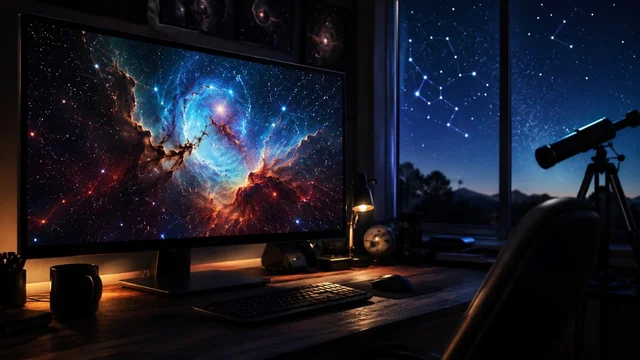
Astronomy software has come a long way since the days of bulky CD-ROM planetariums. In 2026 you can simulate the entire observable universe, drive a GoTo telescope, or identify a planet through your phone camera — all without paying a cent. Below are the ten best free (or generously free-tier) astronomy apps worth installing this year.
Key takeaways:
- Stellarium remains the single best free astronomy program for almost everyone in 2026.
- For phones, the free tiers of Stellarium Mobile and SkySafari already outclass most paid apps from a decade ago.
- If you own a GoTo telescope or imaging rig, KStars + Ekos with INDI is the most powerful free control suite available.
- Browser-based tools like NASA's Eyes, Solar System Scope and WorldWide Telescope are ideal for classrooms and casual exploration.
- Most serious observers end up combining a desktop planetarium, a mobile app and a satellite tracker rather than relying on a single tool.
The Best Free Astronomy Software at a Glance
- Stellarium — Windows, macOS, Linux · open source (GPL) · best overall desktop planetarium
- Stellarium Mobile — iOS, Android · free tier + paid Plus · best mobile point-and-identify
- SkySafari — iOS, Android · free 'SkySafari 7' tier + paid Plus/Pro · best free tier for amateurs
- Celestia — Windows, macOS, Linux · open source · best for 3D solar-system exploration
- KStars + Ekos — Windows, macOS, Linux, Raspberry Pi · open source (KDE) · best for telescope control
- Cartes du Ciel (SkyChart) — Windows, macOS, Linux · free (GPL) · best printable star charts
- NASA's Eyes — Web (WebGL) · free · best for live mission visualization
- Heavens-Above — Web + companion Android app · free · best for ISS and satellite passes
- Solar System Scope — Web + iOS + Android · free with optional upgrade · best for beginners and kids
- WorldWide Telescope — Web + Windows · open source (community-run) · best for guided sky tours
The Picks, Reviewed
1. Stellarium
Windows, macOS, Linux · open source (GPL) · best overall desktop planetarium
Stellarium is still the gold standard for free desktop astronomy. It renders a photo-realistic 3D sky with over 1.69 billion stars (Gaia DR3), accurate atmosphere, eclipses, satellites and deep-sky imagery from the DSS. The 24.x and 25.x releases added improved nebula textures, better DSLR/CCD field-of-view tools and tighter telescope-control plugins. Genuinely free, ad-free and cross-platform.
2. Stellarium Mobile
iOS, Android · free tier + paid Plus · best mobile point-and-identify
The mobile sibling from Stellarium Labs offers a free version that handles night-sky identification, constellation lines and basic AR mode using your phone's gyroscope. The Plus tier unlocks the full Gaia catalog, deep-sky survey overlays and telescope control, but the free edition is plenty for casual stargazing.
3. SkySafari
iOS, Android · free 'SkySafari 7' tier + paid Plus/Pro · best free tier for amateurs
Simulation Curriculum's SkySafari remains the most polished sky-charting app on mobile. The free edition includes 120,000 stars, all planets, the Messier catalog and basic night mode. Plus and Pro add millions more objects, observation planning and Bluetooth/Wi-Fi telescope control, but the free tier alone outclasses most paid competitors from a decade ago.
4. Celestia
Windows, macOS, Linux · open source · best for 3D solar-system exploration
Where Stellarium keeps you Earth-bound, Celestia lets you fly. The community-maintained 1.7.x line renders the solar system, exoplanets and known galaxies in real 3D so you can orbit Europa, chase New Horizons or watch a Jovian eclipse from Io. A massive add-on library covers spacecraft and high-resolution planetary textures.
5. KStars + Ekos
Windows, macOS, Linux, Raspberry Pi · open source (KDE) · best for telescope control
KStars is a full desktop planetarium, but its real superpower is the bundled Ekos imaging suite and INDI driver framework. Together they automate focusing, plate solving, guiding, mount alignment and multi-target imaging sequences — the kind of workflow that costs hundreds of dollars on Windows. Pair it with an Astroberry or StellarMate Raspberry Pi for a complete free observatory controller.
6. Cartes du Ciel (SkyChart)
Windows, macOS, Linux · free (GPL) · best printable star charts
Cartes du Ciel is the veteran chart-making tool that serious visual observers still rely on. It produces clean, printable finder charts at any scale, supports dozens of catalogs and drives telescopes via ASCOM or INDI. The interface looks dated next to Stellarium, but for planning a Messier marathon it is hard to beat.
Visit Cartes du Ciel (SkyChart) »
7. NASA's Eyes
Web (WebGL) · free · best for live mission visualization
NASA's Eyes runs entirely in a browser and visualizes the real-time positions of the planets, asteroids, Artemis, Perseverance, JWST, Europa Clipper and dozens of other active missions using actual ephemeris data. The 'Eyes on the Solar System' and 'Eyes on Exoplanets' modules are particularly good for classrooms. No login, no install, no ads.
8. Heavens-Above
Web + companion Android app · free · best for ISS and satellite passes
Heavens-Above is the long-running site amateurs use to predict visible ISS, Tiangong and Starlink passes, Iridium-style flares, and comet positions for their exact location. The interface is utilitarian but the data is authoritative and updated constantly.
9. Solar System Scope
Web + iOS + Android · free with optional upgrade · best for beginners and kids
Solar System Scope is a beautiful, browser-based 3D model of the solar system with accurate orbits, rotation and a night-sky mode. It runs on practically any device, requires no account and is one of the friendliest first-touch astronomy tools for children.
10. WorldWide Telescope
Web + Windows · open source (community-run) · best for guided sky tours
Originally a Microsoft Research project, WorldWide Telescope is now stewarded by the American Astronomical Society and a community of volunteers. It stitches together imagery from Hubble, Chandra, SDSS and ground surveys into a seamless multi-wavelength sky you can pan, zoom and record narrated 'tours' through.
How to Pick the Right Free Astronomy Software
The first question is what you actually want to do under the sky. If you want a realistic planetarium that shows the sky as it looks tonight from your backyard, Stellarium (desktop) and Stellarium Mobile or SkySafari (phone) are the obvious starting points. If instead you want a sky chart for planning a serious observing session — printable, catalog-rich, eyepiece-aware — Cartes du Ciel and KStars are the traditional choices.
The mobile vs desktop trade-off is mostly about workflow. Phones win for in-the-field identification and AR star-pointing; desktops win for planning, deep-zoom imagery and driving hardware. Most observers end up using one of each.
If you own a GoTo telescope or are building an astrophotography rig, telescope control becomes the deciding factor. On Windows the de-facto standard is ASCOM, while Linux, macOS and Raspberry Pi observatories use INDI. KStars + Ekos talks INDI natively and is the most complete free imaging suite available at any price.
For AR 'point your phone and ID a star,' Stellarium Mobile and SkySafari both work well. For eclipses, transits and ISS passes, Heavens-Above is unbeatable. For 3D exploration of the solar system and exoplanets, Celestia and Solar System Scope are purpose-built.
Sources & Further Reading
Frequently Asked Questions
Is Stellarium really free?
Yes. Desktop Stellarium is open-source software released under the GPL and is free for any use, with no ads or paid tiers. The separate Stellarium Mobile app has a paid 'Plus' edition, but the original desktop version is fully free forever.
What is the best free astronomy app for a phone in 2026?
For most people, either Stellarium Mobile's free edition or SkySafari 7's free tier is the best starting point. Both offer AR star identification, accurate sky simulation and a clean interface. SkySafari has a slightly more polished observing-list workflow, while Stellarium Mobile feels closer to its renowned desktop sibling.
Can I control my telescope with free software?
Yes. KStars with the built-in Ekos module and INDI drivers can fully control GoTo mounts, cameras, focusers and filter wheels on Windows, macOS, Linux and Raspberry Pi. Stellarium and Cartes du Ciel can also send slew commands through INDI or ASCOM.
What is the difference between a planetarium and a sky chart program?
A planetarium like Stellarium renders a photorealistic dome of the sky as you would see it, complete with horizon, atmosphere and Milky Way. A sky chart like Cartes du Ciel produces a clean, often black-on-white diagram optimized for planning, printing and use at the eyepiece. Most observers use both.
Is there a free alternative to Starry Night or TheSkyX?
Yes — Stellarium for visual planetarium use and KStars + Ekos for telescope control and imaging together cover essentially everything the paid commercial suites offer, often at higher quality.
What is the easiest way to see when the ISS will fly over my house?
Heavens-Above is the most accurate and longest-running free resource for ISS, Tiangong and bright satellite predictions. Enter your location once and it returns a table of upcoming visible passes with magnitude, direction and elevation.
Information is based on public sources and vendor pages current as of June 2026. Details, prices and plans change frequently — verify on the official site before relying on them.