7 Tips to Help You Avoid Losing Your Stuff
Everyone misplaces things — keys, wallet, phone, cards. It’s a normal part of life, but a frustrating one, especially when you need the item right now. The good news is that a few simple habits (and one cheap gadget) can dramatically cut how often you lose your stuff. Here are seven tips to help.
1. Develop and stick to a routine
The single best way to stop losing things is to build a routine and stick to it. Keep your everyday items — keys, wallet, phone — in the same spot every time. Once it becomes a habit, you’ll always know where to look.
2. Give every important item a designated home
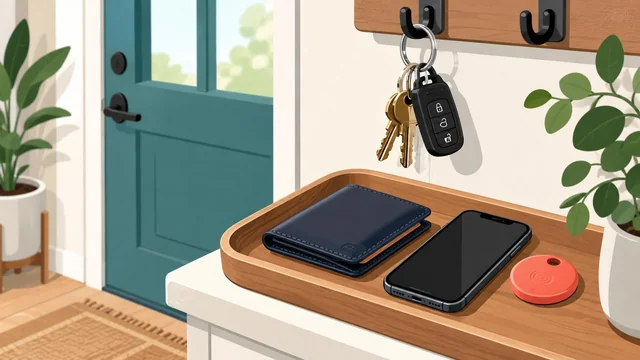
Put a small tray, bowl or hook by your front door for keys and wallet, and a dock for your phone. When everything has a home, you put it back automatically — and a quick glance tells you if something is missing.
3. Don’t set things down in unfamiliar places
Most lost items disappear when you put them down somewhere you don’t normally go — a café table, a shop counter, a friend’s sofa. In those situations, keep your phone, keys and wallet on you (a pocket or bag) rather than setting them down.
4. Use a Bluetooth tracker
A Bluetooth tracker is a tiny tag you attach to your keys, wallet or bag so you can find it from your phone — just make it ring, or see its last location on a map. The best options in 2026 are Apple AirTag (best for iPhone users, via the huge Find My network), Tile (works on both iPhone and Android), Samsung Galaxy SmartTag (best for Samsung phones) and Chipolo (which makes cards and tags that work with both Apple and Google networks).
5. Keep your space tidy
Clutter hides things. When your home is reasonably tidy, a misplaced item stands out instead of blending in. Regular quick tidy-ups, plus designated spots for remotes, chargers and keys, prevent most “where did I put it?” moments.
6. Turn on Find My and back up your devices
For phones, tablets and laptops, switch on Find My (Apple) or Find My Device (Google/Android) so you can locate, lock or erase a lost device remotely. Backing up to the cloud means a lost phone never means lost photos or data.
7. Be extra careful when your routine changes
You’re most likely to lose things when you break your normal routine — travelling, staying somewhere new, or rushing. At those times, slow down and do a quick “phone, keys, wallet” check before you leave each place.
Frequently Asked Questions
What is the best way to stop losing your keys and wallet?
Combine a habit and a gadget: give your keys and wallet a designated spot by the door, and attach a Bluetooth tracker (like an AirTag, Tile or Chipolo) so you can make them ring or see their last location if they go missing.
What is the best Bluetooth tracker in 2026?
For iPhone users, Apple AirTag is the best thanks to the vast Find My network. Tile works across both iPhone and Android, Samsung Galaxy SmartTag is best for Samsung phones, and Chipolo offers slim card trackers that work with both Apple and Google networks.
How do Bluetooth trackers work?
You attach the small tag to an item and pair it with an app on your phone. You can ring the tag to find it nearby, see its last known location on a map, and — with AirTag, Tile and Chipolo — locate it anywhere using a crowd-sourced network of other phones.
How can I find a lost phone?
Use Find My (iPhone) or Find My Device (Android) from another device or a web browser to see its location, play a sound, lock it or erase it. Turn these features on in advance, and keep your data backed up to the cloud.
Why do I keep losing things?
Usually it’s a lack of routine and too much clutter. Designating a home for each item, tidying regularly, and being extra careful when your routine changes will fix most of it — and a tracker handles the rest.