10 Best Mood Board Software for Designers in 2026 (Free & Paid)
Updated June 2026: refreshed the full lineup, current pricing, and platform support. Two tools from the original list — InVision (shut down December 31, 2024) and Adobe XD (discontinued and now in maintenance mode) — have been retired and replaced with actively developed alternatives.
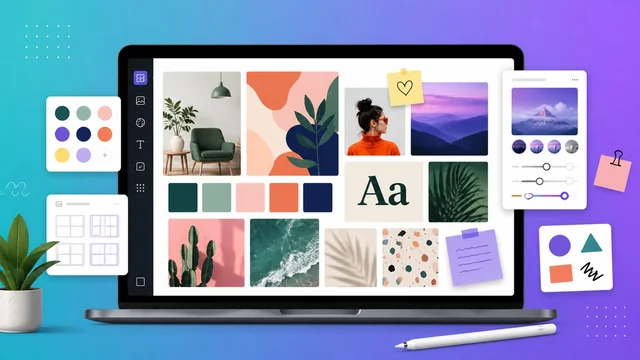
Mood boards are a powerful tool for graphic designers and creatives to organize ideas, visualize concepts, and communicate a vision to clients or teammates. A mood board is essentially a collage of images, textures, colors, and typography that conveys the mood, style, and aesthetic of a project. Boards were once built from magazine clippings and paper; today, mood board software offers a faster, more flexible, and collaborative digital approach. Below are the 10 best mood board tools for designers and creatives in 2026, with what each is best for, the platforms it runs on, and current pricing.
The 10 best mood board software in 2026
1. Milanote — best overall for creative projects
Milanote is a visual workspace built for moodboards, mind maps, and creative planning. Boards are flexible and interactive: you can drop in images, notes, links, and video, then add comments and feedback to any element. A large library of templates gives you a fast starting point, and real-time sharing makes client collaboration easy.
Best for: creatives who want a polished, presentation-ready board. Platforms: web, desktop, mobile. Price: free (100-card limit); Pro $9.99/mo (annual); Team $49/mo flat.
2. Canva — easiest, with the most templates
Canva is a hugely popular design platform with a dedicated mood board workflow. Its drag-and-drop editor, enormous stock library, and ready-made templates let anyone assemble a board in minutes with no prior design experience — making it the most beginner-friendly pick.
Best for: beginners and fast, template-driven boards. Platforms: web, desktop, mobile. Price: free; Pro around $15/mo.
3. Figma & FigJam — best for design teams
If your team already designs in Figma, you can build mood boards directly on the canvas or in FigJam, Figma's collaborative whiteboard. You get colors, type, and image collections alongside real-time editing and commenting, keeping inspiration in the same ecosystem as production work. FigJam's built-in AI can also help organize and generate board content.
Best for: product and UI teams already in Figma. Platforms: web, desktop. Price: free starter; paid from $15/editor/mo (FigJam is cheaper).
4. Miro — best collaborative whiteboard
Miro is an infinite collaborative whiteboard with a deep library of templates, widgets, and icons for mood boards, plus chat, comments, and video collaboration. Notably, Miro acquired InVision's Freehand in 2024, consolidating its position as the go-to whiteboard for distributed teams.
Best for: large, distributed teams. Platforms: web, desktop, mobile. Price: free (3 boards); paid from $8/user/mo (annual).
5. Pinterest — best free source of inspiration
Pinterest isn't a dedicated mood board tool, but it remains one of the most popular ways to gather and organize visual inspiration. Create boards, pin images and video, and use its strong discovery engine to surface new ideas — all for free.
Best for: early inspiration gathering. Platforms: web, mobile. Price: free.
6. PureRef — best lightweight reference board
PureRef is a tiny, fast desktop app beloved by illustrators, 3D artists, and concept designers for arranging reference images on an infinite canvas. It stays on top of other windows and offers smooth zooming and panning to inspect details and textures up close. PureRef 2.0 added a refreshed interface and more organization features.
Best for: artists who want a no-frills reference canvas. Platforms: Windows, macOS, Linux. Price: free (donationware); $49 permanent license.
7. Eagle — best for organizing visual assets
Eagle is a reference and asset manager that designers use to collect, tag, and search thousands of images, screenshots, fonts, and color palettes — effectively a searchable mood board library on your desktop. Its auto-tagging and powerful filtering make large reference collections manageable.
Best for: building a large, searchable reference library. Platforms: Windows, macOS. Price: one-time $29.95 (lifetime, free updates).
8. Mural — best for facilitated team sessions
Mural is a collaborative whiteboard aimed at UX, product, and marketing teams, with strong facilitation features for workshops and brainstorming alongside mood-boarding. Templates and guided methods make it easy to run a structured creative session.
Best for: facilitated workshops and team brainstorms. Platforms: web, desktop, mobile. Price: free (3 murals); paid from around $10/user/mo.
9. SampleBoard — best for interior & product designers
SampleBoard is a cloud-based platform tailored to interior designers, stylists, and architects. It lets you build interactive mood boards that include product information, pricing, and sourcing details, with a library of pre-made templates for client presentations.
Best for: interior, styling, and product design. Platforms: web. Price: subscription with a free trial.
10. Niice — best brand hub for remote teams
Niice has evolved into a brand hub for remote creative teams, but it still offers clean, shareable mood boards built around visual curation. It's a good fit for agencies that want moodboards to live alongside brand assets and guidelines in one organized place.
Best for: agencies centralizing brand assets and boards. Platforms: web. Price: free plan; paid team tiers.
Quick comparison
| Tool | Best for | Platforms | Starting price |
|---|---|---|---|
| Milanote | Polished creative boards | Web, desktop, mobile | Free; $9.99/mo |
| Canva | Beginners & templates | Web, desktop, mobile | Free; ~$15/mo |
| Figma / FigJam | Design teams | Web, desktop | Free; $15/editor/mo |
| Miro | Distributed teams | Web, desktop, mobile | Free; $8/user/mo |
| Inspiration gathering | Web, mobile | Free | |
| PureRef | Reference canvas for artists | Win, macOS, Linux | Free; $49 one-time |
| Eagle | Asset organization | Win, macOS | $29.95 one-time |
| Mural | Facilitated workshops | Web, desktop, mobile | Free; ~$10/user/mo |
| SampleBoard | Interior & product design | Web | Subscription (free trial) |
| Niice | Brand hub for teams | Web | Free; paid teams |
How to choose the right mood board tool
Match the tool to your workflow. For client-ready creative boards, start with Milanote or Canva. If your team already designs in Figma, keep boards on the same canvas. For real-time team collaboration and workshops, choose Miro or Mural. Solo artists who just need a fast reference canvas should grab PureRef or Eagle (both one-time purchases). And for pure, free inspiration gathering, Pinterest is hard to beat. Most of these offer a free tier, so trying two or three before committing costs nothing.
Conclusion
Mood boards remain an essential way for designers and creatives to organize and communicate ideas. The right software depends on your needs — Milanote's polish, Canva's templates, Miro and Mural's collaboration, or PureRef and Eagle's lightweight reference workflows. With the discontinued InVision and Adobe XD now replaced by actively maintained tools, this 2026 lineup reflects what designers are actually using to streamline their process, collaborate more effectively, and capture the exact mood and style they're after.
Frequently Asked Questions
What is the best mood board software in 2026?
Milanote is the best overall mood board software for most creatives in 2026 thanks to its flexible, presentation-ready boards and easy client sharing. Canva is the most beginner-friendly, while Miro and Mural are best for real-time team collaboration.
Is there a free mood board tool?
Yes. Milanote, Canva, Figma, Miro, Mural, and Pinterest all offer free plans, and PureRef is free donationware. Pinterest is completely free, making it the easiest no-cost way to gather visual inspiration.
What happened to InVision and Adobe XD?
InVision shut down all of its services on December 31, 2024, and sold its Freehand whiteboard to Miro. Adobe XD has been discontinued and is in maintenance mode — it receives security fixes but no new features and is no longer sold to new customers. Both have been removed from this list and replaced with Eagle and Mural.
Which mood board software is best for teams?
Miro and Mural are the best mood board tools for teams, offering infinite collaborative whiteboards with real-time editing, comments, and facilitation features. If your team already works in Figma, FigJam keeps mood boards in the same ecosystem as your design files.
What is the best mood board app for artists?
PureRef and Eagle are the favorites among illustrators, 3D artists, and concept designers. PureRef offers a fast, always-on-top reference canvas, while Eagle excels at organizing and searching large libraries of reference images — and both are affordable one-time purchases.