Commander One Review 2026: Dual-Pane File Manager for macOS
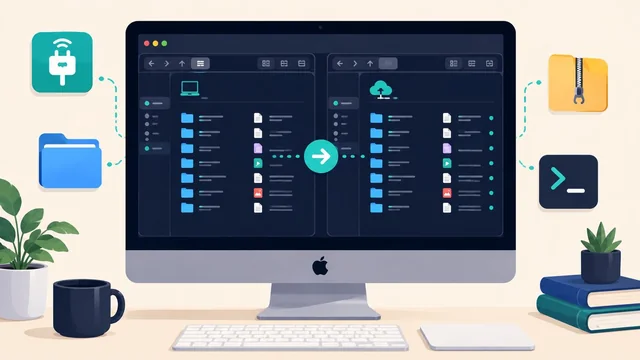
Commander One by Eltima Software is the leading dual-pane file manager for macOS in 2026 — a modern replacement for the Finder workflow when you need real file management power: FTP/SFTP/FTPS connections, archive handling, bulk file operations, and the classic commander-style two-panel layout that power users have relied on since the DOS era. Here is a detailed 2026 review.
What is Commander One?
Commander One is a dual-pane file manager for macOS (Mac App Store and direct download). The left and right panels show independent directory views — you navigate in one panel and copy/move to the other. For bulk file operations, this is dramatically faster than Finder's single-window model.
Pricing: Commander One Pro is $29.99 one-time (Mac App Store) or available as part of the Setapp subscription ($9.99/month, covers 240+ Mac apps). A free tier is available with limited features.
Key features in 2026
Dual-pane interface
Two independent panels, each browsable independently. Keyboard shortcuts mirror the classic Total Commander / Midnight Commander paradigm: Tab to switch panels, F5 to copy, F6 to move, F8 to delete. For users who navigate primarily by keyboard, this is dramatically faster than Finder drag-and-drop.
Remote connections (FTP, SFTP, WebDAV, cloud)
Commander One Pro connects directly to FTP, SFTP, FTPS, and WebDAV servers — the server appears as a panel in the interface, letting you drag files between local and remote just like a local folder. Cloud connections include Dropbox, Google Drive, OneDrive, Amazon S3, Backblaze B2, and more. For web developers and server administrators, this replaces a dedicated FTP client.
Archive management
Open, browse, and extract ZIP, RAR, 7z, TAR, BZIP2 and other archive formats as if they were regular folders. Create archives with compression options. No third-party archive utility needed for most formats.
Process viewer
Built-in process manager showing running processes, CPU and memory usage — useful for troubleshooting and killing stuck applications without opening Activity Monitor.
Terminal emulator
Embedded terminal below the panels. The terminal's working directory syncs with the active panel — type a command in the terminal and the panel updates. Reduces context-switching between Finder and Terminal.app.
Hotkey navigation
Configurable keyboard shortcuts for everything — bookmarks, panel syncing, filter/search, custom column views. Power users can replicate their entire Midnight Commander or Total Commander muscle memory.
Pros and cons
Pros:
- Best dual-pane file manager on macOS — no close competitor
- FTP/SFTP built-in replaces a dedicated FTP client
- Archive handling without third-party apps
- Available on Setapp — huge value if you already subscribe
- One-time purchase option ($29.99) — no subscription required
- Native Apple Silicon (M1/M2/M3/M4) support
Cons:
- Free tier is limited — you need Pro for most useful features
- UI design is functional but not polished to macOS HIG standards
- S3/cloud connections require the Pro tier
- Steeper learning curve than Finder for macOS newcomers
Who should use Commander One?
- Web developers who deploy via FTP/SFTP and want one app instead of Finder + Cyberduck + Terminal
- Power users who came from Windows and used Total Commander or similar
- Server administrators who need quick file management across local + remote in one view
- Setapp subscribers who get it free as part of their existing subscription
Alternatives to Commander One
| App | Price | Notes |
|---|---|---|
| Transmit 5 | $45 one-time / Setapp | Best macOS FTP/cloud transfer app; no dual-pane local files |
| ForkLift 4 | $29.95 / Setapp | Dual-pane + FTP alternative, more polished macOS UI |
| Cyberduck | Free / donation | Best free FTP client for Mac; no file management |
| macOS Finder | Free (built-in) | Default; fine for most users, no FTP/dual-pane |
2026 verdict
Commander One Pro remains the best dual-pane file manager for macOS in 2026, especially for web developers who want FTP/SFTP built in alongside local file management. At $29.99 one-time — or free via Setapp — it's an easy buy for the right user. ForkLift 4 is the strongest alternative if you prefer a more Mac-native design aesthetic. If you only need FTP, Cyberduck is free and excellent.
Frequently asked questions
Is Commander One worth buying in 2026?
Yes, for web developers and power users who need dual-pane file management + FTP/SFTP in one app. At $29.99 one-time or via Setapp, it's good value. For users who only need FTP, Cyberduck is free. For users who prefer a more macOS-native UI, ForkLift 4 is the closest alternative at a similar price.
Commander One vs ForkLift — which is better?
ForkLift 4 has a more polished macOS-native interface and feels more at home on the platform. Commander One has a slightly wider feature set (process viewer, terminal emulator, more archive formats) and a more traditional commander-style keyboard workflow. Both are on Setapp. Try both free — Commander One has a free tier and ForkLift has a trial.
For more Mac app guides, see our best Mac apps roundup and our best online backup for Mac picks.