TunesKit iPhone Unlocker Review (2026): What It Really Unlocks — and What It Can't
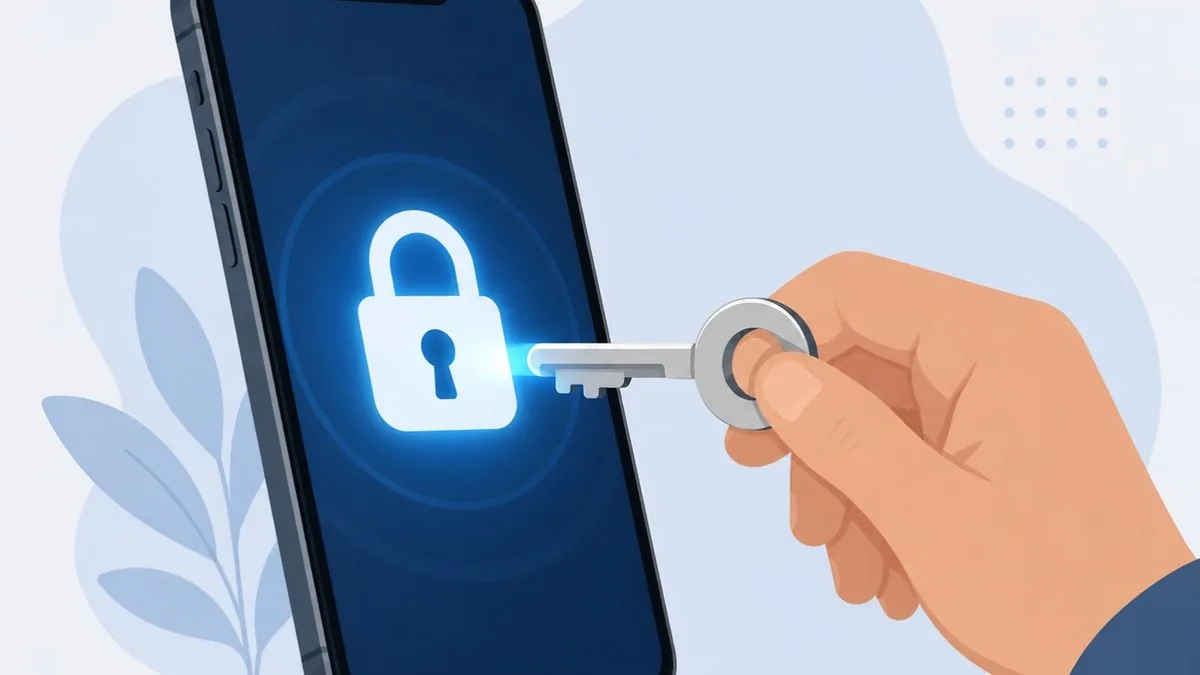
TunesKit iPhone Unlocker is a Windows and Mac desktop tool that removes a forgotten iPhone or iPad screen passcode, an Apple ID, a Screen Time passcode and MDM profiles — useful if you are legitimately locked out of a device you own. It works, but with real catches: unlocking the screen erases everything on the device, and its headline iCloud Activation Lock claim only covers older hardware and older iOS. Before you pay, know that Apple offers a free official way to reset a forgotten passcode, and that genuine iCloud Activation Lock needs the original Apple ID.
Lawful use only. A tool like this is appropriate only on a device you own or are explicitly authorised to access — your own locked-out iPhone, a disabled device, or a second-hand phone you can legitimately prove is yours. Never use it on a lost, stolen or someone else’s device. Throughout this review, “unlock” means unlocking a device you own.
Key takeaways:
- TunesKit reliably resets a forgotten or disabled screen passcode on a device you own — but doing so erases all data on the phone.
- Apple offers the same passcode reset for free via Recovery Mode, the Security Lockout screen, or iCloud.com/find; TunesKit's value is convenience, not unique capability.
- Its iCloud Activation Lock bypass only covers old hardware and old iOS, is partial (often no cellular) and can re-lock — it does not work on iPhone 11 or newer.
- Genuine Activation Lock requires the original Apple ID or proof of purchase to Apple; no third-party tool reliably defeats it on a modern iPhone.
- Use it only on devices you own or are authorised to unlock — never on lost or stolen phones — and verify current pricing and version on the official site before buying.
What TunesKit iPhone Unlocker Is
TunesKit iPhone Unlocker is paid desktop software (Windows and macOS) that connects to an iPhone, iPad or iPod touch over USB and removes several kinds of locks without the original password. Its main modes are: remove a forgotten screen passcode (4/6-digit, custom, Touch ID, Face ID), remove an Apple ID from the device, remove a Screen Time passcode, and remove an MDM (Mobile Device Management) profile. A separate Activation Lock mode targets iCloud lock on certain older devices.
It positions itself as a beginner-friendly, no-jailbreak alternative to manual recovery, with a guided wizard that downloads matching firmware and walks you through the steps. That convenience is the real product — most of what it does, Apple also lets you do for free, just with less hand-holding.
Key Features
Screen passcode removal: The core feature. It clears the lock screen on a disabled, broken-screen or simply forgotten device so you can set it up again. This always wipes the device. Apple ID removal: Removes the signed-in Apple ID — but only cleanly when Find My is off; with Find My on it is limited to iOS 11.4+, requires the screen passcode plus two-factor authentication, and will not touch a device already in Activation Lock. Screen Time and MDM removal: Removes a forgotten Screen Time passcode and can strip an MDM profile, both advertised as no-data-loss. MDM removal is appropriate for a personal device, not for circumventing controls on a company- or school-owned phone you do not own.
How to Use It (Typical Steps)
The workflow is similar across modes: (1) install TunesKit on a Windows PC or Mac, with iTunes also installed since it is required; (2) connect your iPhone with a cable and pick the lock type to remove; (3) put the device into Recovery or DFU mode following the on-screen prompts; (4) let TunesKit identify the model and download the matching firmware package; (5) confirm and start, then wait while it flashes the device and removes the lock.
When it finishes, the device reboots to the ‘Hello’ setup screen and you set it up as new. For a forgotten passcode, that means the phone works again — but as a blank device. Back up first if the data is at all reachable.
What It Can't Do — Activation Lock and Data Loss
Removing the screen passcode erases the device. TunesKit itself states no tool can remove an iPhone screen lock without data loss. If you have never backed up to iCloud or a computer, that data is gone. This is a limitation of how iOS security works, not a flaw unique to TunesKit — but it is the single most important thing to understand before paying.
iCloud Activation Lock is the big asterisk. TunesKit advertises an Activation Lock bypass, but its own tech specs restrict that mode to roughly iOS 12.0–16.7 and to older hardware (around iPhone 5S to iPhone X). It does not work on iPhone 11, 12 or anything newer. Even where it ‘works’, bypass tools of this class typically leave the phone unable to make cellular calls or use cellular data, can break iMessage/FaceTime, and re-lock if you factory reset or update iOS. The result is a fragile, partial device — not a fully restored iPhone.
It cannot defeat genuine Activation Lock on a modern iPhone. Per Apple, a true iCloud/Activation Lock requires the original Apple ID and password. The only legitimate ways to clear it are to have the previous owner remove the device from their account, or to submit proof of purchase to Apple. No third-party tool reliably changes that.
Pricing & Compatibility
TunesKit sells iPhone Unlocker on tiered licences — typically a 1-month plan, a 1-year plan and a perpetual/lifetime licence, with the monthly option being poor value relative to the yearly or lifetime tiers. List prices were roughly in the mid-$30s monthly, around $50/year and about $60 for lifetime at the time of writing, but vendors run frequent discounts and change pricing often, so check the official store for the current number. A licence is tied to one platform (a Windows key will not activate the Mac app).
Compatibility is broad for the standard modes: Windows 7 through 11 and a wide range of macOS versions, supporting iOS 7 up to the latest iOS on current iPhones. The crucial exception is the Activation Lock mode, which is limited to older iOS and older devices. There is a free trial, but it only diagnoses; you must pay to actually complete an unlock.
Alternatives — Including Apple's Free Method
Start with Apple's free option. For a forgotten passcode on a device you own, you do not need to buy anything. You can erase and reset the iPhone using Recovery Mode with Finder (Mac) or iTunes/Apple Devices (Windows), or — on iOS 15.2 and later — directly from the Security Lockout screen using your Apple ID, or remotely via iCloud.com/find. These do the same core job (wipe and reset) for free; paid tools mainly add a friendlier wizard.
Paid competitors include Tenorshare 4uKey, iMyFone LockWiper, PassFab iPhone Unlocker and Wondershare Dr.Fone. They overlap heavily with TunesKit and carry the same fundamental limits: passcode removal wipes data, and none reliably beats genuine Activation Lock on modern iPhones. They differ mainly in interface, success rate, licensing and price.
Pros & Cons
Pros: Genuinely simple, guided interface; reliable at the common job of clearing a forgotten/disabled screen passcode; broad device and OS support for the main modes; no jailbreak required; removes Apple ID (Find My off), Screen Time and MDM on a device you own; flexible licensing if you only need it briefly.
Cons: Screen-unlock always erases your data; the Activation Lock bypass is narrow (old iOS/old hardware only), partial and can re-lock; it cannot defeat real iCloud lock on a current iPhone; marketing oversells what is actually possible; Apple's free method does the core passcode job at no cost; the monthly tier is overpriced.
The Verdict
For its honest use case — you own the device, you are locked out, and you want a guided one-click way to reset it — TunesKit iPhone Unlocker works and is reasonably priced on the yearly or lifetime tier. If you are comfortable following Apple's free Recovery Mode steps, you can accomplish the same passcode reset without paying; TunesKit's value is convenience, not capability.
Where it falls down is exactly where its marketing leans hardest: iCloud Activation Lock. On any modern iPhone, treat Activation Lock as unbeatable without the original Apple ID or proof of purchase to Apple. If your real problem is a second-hand phone still tied to someone else's iCloud, no software is the answer — contact the seller or Apple. Buy TunesKit for the forgotten-passcode, own-device scenario; do not buy it expecting to walk past Apple's anti-theft protection.
Alternatives at a Glance (Including Free Options)
| Option | Notes |
|---|---|
| Apple Recovery Mode (Finder / iTunes / Apple Devices) | Free, official. Wipes and resets a device you own after a forgotten passcode — the same end result as paid tools for the passcode case, just with less hand-holding. |
| Apple ID reset at Security Lockout / iCloud.com/find | Free, official. On iOS 15.2+ you can erase and reset directly from the lock screen using your Apple ID, or remotely via Find My. No computer or purchase needed. |
| Tenorshare 4uKey | Paid competitor. Covers screen passcode, Apple ID, Screen Time, MDM. Same data-wipe and Activation Lock limits apply; verify current price. |
| iMyFone LockWiper | Paid competitor that splits features into separate licences. Similar capabilities to TunesKit; check which SKU covers the lock type you need. |
| PassFab iPhone Unlocker | Paid Windows/Mac tool for screen passcode, Apple ID and Screen Time. Comparable to TunesKit; differs mainly in UI and pricing. |
| Apple Activation Lock support request | Free, official. For a genuinely locked iCloud device you legitimately own, submit proof of purchase to Apple or have the previous owner remove it. The only reliable route for modern iPhones. |
Sources & Further Reading
- Apple Support: If you forgot your iPhone passcode
- Apple Support: iPhone Unavailable or Security Lockout
- Apple Support: Activation Lock for iPhone and iPad
- Apple Support: How to remove Activation Lock
- TunesKit iPhone Unlocker official product page
Frequently Asked Questions
Does TunesKit iPhone Unlocker delete my data?
Yes — for screen passcode removal it does, and TunesKit says so itself: no tool can remove an iPhone screen lock without erasing the device. If you have an iCloud or computer backup you can restore afterward, but data that was never backed up is lost. Screen Time and MDM removal are advertised as no-data-loss, but the headline passcode unlock always wipes the phone.
Can TunesKit bypass iCloud Activation Lock on a new iPhone?
No. Its Activation Lock mode is limited to older devices (roughly iPhone 5S to iPhone X) on iOS 12 through 16.7 and does not work on iPhone 11 or newer. Even on supported devices the result is partial — often no cellular calls — and it can re-lock after a reset or update. Genuine Activation Lock on a modern iPhone needs the original Apple ID, and no third-party tool reliably changes that.
Is there a free way to do what TunesKit does?
For a forgotten passcode on your own device, yes. Apple lets you erase and reset for free using Recovery Mode with Finder or iTunes, or — on iOS 15.2 and later — directly from the Security Lockout screen with your Apple ID, or remotely via iCloud.com/find. These produce the same reset; TunesKit mainly adds a simpler wizard.
Is it legal to use TunesKit iPhone Unlocker?
It is appropriate only on a device you own or are clearly authorised to unlock — your own locked-out iPhone, a disabled device, or a second-hand phone you can prove is yours. Using it on someone else's device, or on a lost or stolen iPhone, can be illegal and violates Apple's terms. Treat it strictly as a recovery tool for your own hardware.
I bought a used iPhone still locked to the previous owner — can this help?
Generally no, if it is a genuine iCloud Activation Lock on a recent device. The reliable fix is to ask the seller to remove the device from their Apple account, or to submit proof of purchase to Apple via an Activation Lock support request. Software bypasses on modern iPhones are unreliable and partial — and a phone still locked to someone else may be one you should not have bought.
This article is for general information only and is not professional, legal or financial advice. Information is based on public sources and vendor pages current as of June 2026. Prices, plans and features change frequently — verify on the official site before purchasing. SaveDelete may earn a small commission on purchases made through some links on this page, at no extra cost to you.