SpyBubble Review (2026): What It Claims to Do, the Law, and Safer Alternatives
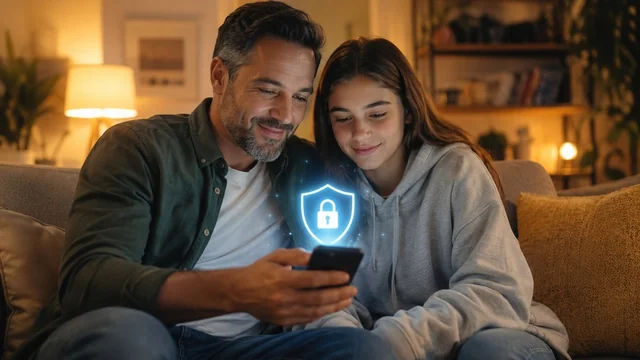
SpyBubble is one of the better-known names in the "cell phone monitoring" category, and people search for it constantly to figure out what it does and whether it's safe or even legal to use. This review explains, in plain terms, what the app claims to offer, where the legal lines actually fall, and which transparent, mainstream tools do the legitimate job of protecting kids or managing company devices without crossing into covert surveillance. We don't sell or endorse SpyBubble — the goal here is to help you stay on the right side of the law and treat the people around you fairly.
Before you read: Phone monitoring is lawful only on a device you own, or your own minor child's device — and where required, with the user's knowledge, consent, and clear disclosure. Secretly tracking a partner, another adult, or any device you don't own is illegal in most places under wiretap, stalking, and computer-misuse laws, and can be a crime. This article carries no affiliate links and does not recommend buying any spy app.
Key takeaways:
- Phone monitoring is lawful only on a device you own or your own minor child's device, and for employers on company-owned devices with clear disclosure.
- Secretly tracking a partner or any other adult is illegal in most jurisdictions under wiretap, stalking, and computer-misuse laws — and can be a crime.
- A 'stealth' or 'undetectable' mode is the defining red flag of stalkerware; legitimate safety tools are always visible to the person using the device.
- Start with free, built-in, transparent tools — Apple Screen Time, Google Family Link, or Microsoft Family Safety — before paying for anything.
- If you wouldn't be comfortable telling the person you're monitoring them, that's the clearest sign you've crossed a legal and ethical line — stop.
What SpyBubble is and what it claims to do
SpyBubble markets itself as a mobile monitoring app that feeds a phone's activity to a web dashboard you log into from any browser. According to its own marketing and third-party reviews, the data it claims to surface includes call logs, SMS/MMS text messages (including some deleted ones), GPS location history, browsing history, and activity inside apps like WhatsApp, Instagram, and Facebook. Higher tiers advertise more invasive capabilities on Android — keystroke logging (a keylogger that records what's typed, including passwords), and in some descriptions live call listening and ambient mic recording.
Installation differs by platform. On Android, the company says you need physical access to the target phone to install the app directly. For iPhone, it advertises a no-install approach that relies on the target's iCloud credentials to pull data from backups. The dashboard is said to refresh roughly every few minutes. Crucially for this discussion, SpyBubble — like most apps in this category — promotes a "stealth" or hidden mode designed to keep the app invisible to the person being monitored. That single design choice is what moves a tool from "parental control" toward what security researchers call stalkerware.
We're describing these as claims on purpose. Independent reviews of SpyBubble are mixed-to-negative, frequently citing unreliable data syncing, missing app coverage on iOS, no free trial, and complaints about billing and refunds. Treat any feature list in this category as marketing until proven otherwise.
The law: when phone monitoring is and isn't legal
This is the part most "spy app" reviews skip, and it matters more than any feature. In the United States and most comparable jurisdictions, secretly intercepting someone's communications or tracking their device without authorization can break several laws at once.
- Generally lawful: Monitoring a device you own; monitoring your own minor child's device (ideally openly and age-appropriately); and an employer monitoring a company-owned device for legitimate business reasons with clear, written disclosure and, in several states, the employee's acknowledgment.
- Generally illegal: Secretly installing monitoring software on a spouse's, partner's, ex's, or any other adult's phone; tracking an adult who hasn't consented; or accessing a device or account you don't own without authorization.
The federal Electronic Communications Privacy Act (ECPA) and the Computer Fraud and Abuse Act (CFAA) are the big ones — the former bars intercepting communications without consent or a recognized exception, the latter bars accessing a device or account without authorization. Many states layer stalking, harassment, and all-party-consent recording laws on top. Penalties are not theoretical: federal stalking carries a baseline of up to five years in prison, and civil liability is on top of that.
The FTC has also made its position unmistakable. In 2021 it banned the stalkerware vendor SpyFone and its CEO from the surveillance business entirely, ordered deletion of secretly collected data, and required the company to notify victims. The agency's stated condition for any lawful monitoring product is that buyers attest they'll use it only on a child, an employee, or another adult who has consented in writing. If you can't truthfully make that attestation, you shouldn't be using a monitoring app at all. This is general information, not legal advice — check the laws in your country and state before monitoring anyone.
Honest pros, cons, and red flags in this category
Even when your use case is legitimate, apps built around covert surveillance carry risks that mainstream parental-control tools don't. Here's what to weigh — and what to watch for across SpyBubble and its competitors.
- Data-security risk. A monitoring app collects a phone's most sensitive data and ships it to a third-party server. If that vendor is breached — and stalkerware companies have a poor track record here; SpyFone exposed thousands of people's data — everything it harvested can leak to attackers. You're trusting an entire stranger's company with your family's most private information.
- Subscription and billing traps. Pricing in this category is steep and pushes you toward long commitments to get a reasonable monthly rate. Reviewers repeatedly flag aggressive upsells, no real free trial, and difficulty getting refunds. Read the cancellation terms before you ever enter a card.
- Overstated accuracy. "Reads deleted messages," "works on any iPhone with just iCloud," and "100% undetectable" are marketing claims, not guarantees. iOS in particular limits what any third party can pull, and real-world reliability often falls short of the sales page.
- The secrecy red flag. The single biggest warning sign is a "stealth/hidden mode" sold as a headline feature. Legitimate safety tools are visible to the person using the device. A tool whose main selling point is invisibility is built for the use cases this article warns against.
Legitimate, transparent alternatives
For the lawful jobs people actually need — keeping kids safer online, managing screen time, or administering company devices — there are mature, transparent tools that don't rely on secrecy. Start with the free, built-in options before paying for anything.
- Apple Screen Time — Free, built into iPhone, iPad, and Mac. Best for Apple households that want app limits, downtime schedules, content restrictions, and purchase approvals managed through Family Sharing.
- Google Family Link — Free, for Android phones and Chromebooks. Best for app-install approvals, daily screen-time limits, device bedtime locks, and seeing a child's device location on a map.
- Microsoft Family Safety — Free, across Windows PCs, Xbox, and mobile. Best for families centered on Windows and Xbox who want per-app limits and weekly activity email reports.
- Bark — Paid. Best for content-and-message monitoring across dozens of social platforms with alerts for issues like bullying or predatory contact, plus location and geofencing — designed to flag concerns rather than show you everything.
- Qustodio — Paid. Best for granular screen-time rules and routines across the widest range of platforms (including Windows, Kindle, and Chromebook), with activity reports and location tracking.
- Aura — Paid. Best as an all-in-one family digital-safety suite that bundles content filtering and parental controls with broader protections like identity-theft and online-privacy features.
The common thread: these tools are designed to be used openly. A child or employee can see they're in place, which is exactly what keeps you on the right side of both the law and basic trust.
How to talk to your kids and family about monitoring
Security and child-safety experts — including the Coalition Against Stalkerware — agree on one point: the difference between a legitimate parental control and stalkerware is transparency. Secret surveillance damages the trust you're trying to build, and for kids it teaches that being watched without consent is normal. Open monitoring does the opposite — it becomes a shared safety agreement.
- Tell them it's there. Explain what you're using, what it can and can't see, and why — framed around safety, not suspicion.
- Make it age-appropriate and time-limited. The goal is to taper oversight as a child earns independence, not to surveil indefinitely.
- Agree on the rules together. Screen-time limits and content filters land better when they're a family decision rather than a punishment imposed in secret.
- Use the honesty test. If you wouldn't be comfortable telling the person you're monitoring them, that's the clearest sign you've crossed a line — stop.
For adults, the rule is simpler: never monitor another adult without their genuine, informed consent. If your concern is about a partner or a relationship, that's a conversation (or a professional's help), not an app.
Bottom line
SpyBubble is a phone-monitoring app that advertises broad, deep access to a target device — and, like most of its category, leans on a hidden "stealth" mode as a selling point. That feature is exactly why we can't recommend it. Used the way its marketing implies — secretly, on someone else's phone — it can expose you to serious legal liability under wiretap, stalking, and computer-misuse laws, and it puts highly sensitive data in the hands of a vendor with the security risks this category is known for.
If you have a genuinely lawful need — protecting your own minor child or managing a company-owned device with disclosure — you don't need a spy app. Start with the free, transparent tools (Apple Screen Time, Google Family Link, Microsoft Family Safety) and step up to a reputable paid service (Bark, Qustodio, or Aura) only if you need more. Whatever you choose, do it in the open. That's the line that separates protecting someone from spying on them.
Sources & Further Reading
- FTC: SpyFone banned from the surveillance business
- FTC consumer advice: stalking apps that secretly monitor phones
- Coalition Against Stalkerware
- Apple — Use Screen Time on your devices
- Google Family Link
- Microsoft Family Safety
Frequently Asked Questions
Is it legal to use SpyBubble?
It depends entirely on whose device you put it on. Monitoring a device you own, or your own minor child's device, can be lawful — ideally done openly. Secretly installing it on a partner's, ex's, or any other adult's phone is illegal in most places under wiretap, stalking, and computer-misuse laws and can be a crime. Always check your local and state laws first; this is not legal advice.
Can I use a monitoring app on my spouse's or partner's phone?
Not secretly. Covertly tracking another adult's phone without their consent generally violates federal and state law and can carry criminal and civil penalties. The only lawful path is genuine, informed consent from the other adult. If your concern is about the relationship itself, that calls for a conversation or professional help, not surveillance software.
What's the difference between a parental control app and stalkerware?
Transparency. Legitimate parental controls are visible to the person using the device and ideally discussed in advance. Stalkerware is defined by secrecy — its main selling point is staying hidden from the person being monitored. If an app advertises a 'stealth' or 'undetectable' mode as a headline feature, that's the red flag that it's built for covert surveillance.
Are there free alternatives to SpyBubble?
Yes, and they're made by the platform owners themselves. Apple Screen Time (iPhone/iPad/Mac), Google Family Link (Android/Chromebook), and Microsoft Family Safety (Windows/Xbox) are all free, built-in, and transparent. They cover screen-time limits, content filtering, app approvals, and location for kids' devices without installing a third-party spy app.
Can my employer monitor my phone?
On a company-owned device, an employer can generally monitor work-related activity for a legitimate business purpose — but they typically must disclose it, and several states require written notice and your acknowledgment. Monitoring an employee's personal device, or their private communications, is a different matter and is far more restricted. Policies and state laws vary, so the safe practice for employers is clear written disclosure.
Is it safe to install a phone monitoring app?
These apps collect a phone's most sensitive data and send it to a third-party server, so a breach at the vendor can expose everything they've gathered — stalkerware companies have a documented history of poor security, and the FTC fined one for exactly that. Even for lawful uses, that risk is real. Built-in tools from Apple, Google, or Microsoft keep your data within platforms you already trust.
Feature and pricing details are drawn from the vendor's own marketing and are presented as claims, not verified facts. Legal points are general information, not legal advice, and laws vary by country and state. This article contains no affiliate links. Information is based on public sources and vendor pages current as of June 2026. Details, prices and plans change frequently — verify on the official site before relying on them.