The 12 Best Cooking and Recipe Apps for 2026 (Discovery, Meal Planning, Clipping & AI)
The recipe app landscape has changed a lot since our original guide: Yummly shut down for good in December 2024, AI cooking assistants went mainstream, and old favourites like Paprika and NYT Cooking quietly got smarter. We looked at the leading apps across five jobs people actually use them for: discovering recipes, planning meals, clipping and organising recipes, building grocery lists, and getting AI help at the stove. Below are 12 apps worth your home screen in 2026, with honest notes on platform, price and the one feature that makes each stand out.
Key takeaways:
- Yummly is gone for good (shut down December 20, 2024), so if you used it, migrate to an app with a real export option.
- Pick an app based on your primary job — discovery, clipping/organising, meal planning, grocery lists or AI help — rather than chasing one app that does everything.
- Paprika still leads for subscription-free recipe clipping, while Crouton is the standout for Apple-ecosystem cooks.
- AI cooking assistants like ChefGPT, plus built-in AI in Samsung Food, can invent recipes and estimate nutrition from photos, but always sanity-check their output.
- Free options are strong in 2026: SuperCook, Allrecipes Dinner Spinner and the free tiers of Mealime, Kitchen Stories and Samsung Food cover most casual cooks.
Best Cooking & Recipe Apps at a Glance
- Paprika Recipe Manager 3 — Recipe organising/clipping · iOS, Android, Mac, Windows · Paid (one-time, no subscription)
- Samsung Food (formerly Whisk) — AI meal planning + clipping · iOS, Android, Web · Freemium (Food+ $6.99/mo or $59.99/yr)
- NYT Cooking — Recipe discovery · iOS, Android, Web · Paid (~$5 / 4 weeks, ~$40–50/yr)
- Crouton — Recipe organising + cooking mode · iOS, iPad, Mac, Apple Watch, Vision Pro · Freemium
- Mealime — Meal planning · iOS, Android · Freemium (Pro from ~$2.99–$5.99/mo)
- Plan to Eat — Meal planning + clipping · iOS, Android, Web · Paid ($5.95/mo or $49/yr, 14-day trial)
- BigOven — Recipe discovery + organising · iOS, Android, Web · Freemium (Pro $2.99/mo or $24.99/yr)
- SuperCook — Recipe discovery (pantry-first) · iOS, Android, Web · Free
- AnyList — Grocery lists + recipes · iOS, Android, Web, Apple Watch · Freemium (Complete from $9.99/yr)
- Kitchen Stories — Recipe discovery (video) · iOS, Android · Freemium (Plus subscription)
- Allrecipes Dinner Spinner — Recipe discovery (community) · iOS, Android · Free (with ads)
- ChefGPT — AI cooking assistant · iOS, Android, Web · Freemium (Pro ~$2.99/mo)
The Picks, Reviewed
1. Paprika Recipe Manager 3
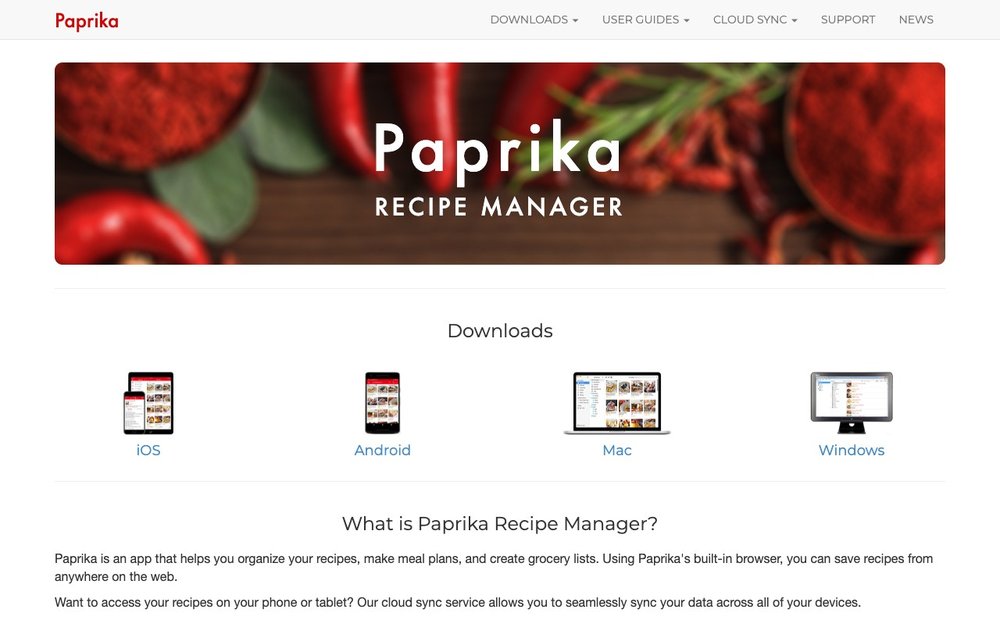
Recipe organising/clipping · iOS, Android, Mac, Windows · Paid (one-time, no subscription)
Paprika is the long-standing gold standard for clipping recipes off cooking blogs and websites, stripping away the life-story filler to save just the title, ingredients, photo and steps. Its built-in browser, automatic grocery-list aisle sorting, meal planner and ingredient scaling make it a complete kitchen hub. The standout in 2026 remains its pricing: a one-time purchase per platform (roughly $5 iOS, $4 Android, ~$30 desktop) with free Cloud Sync and no recurring fee. Best for cooks who hate subscriptions and want full ownership of a tidy recipe library.
Visit Paprika Recipe Manager 3 »
2. Samsung Food (formerly Whisk)
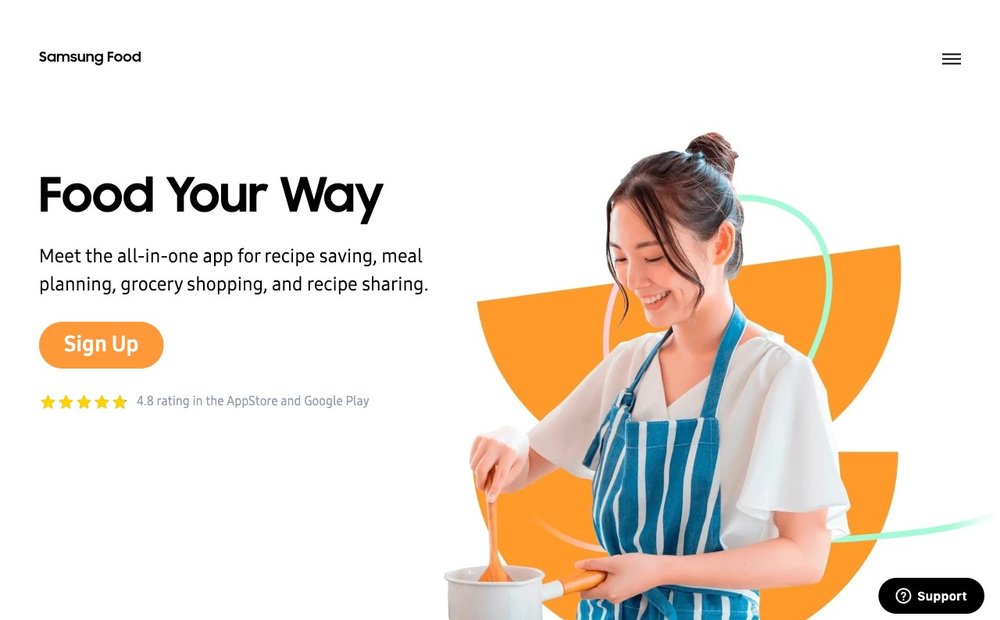
AI meal planning + clipping · iOS, Android, Web · Freemium (Food+ $6.99/mo or $59.99/yr)
Born as the recipe-clipping tool Whisk and rebuilt by Samsung after its 2019 acquisition, Samsung Food is now an all-in-one recipe book, meal planner and shopping list. It imports recipes from any website and generates personalised AI meal plans around your diet. Its standout feature is Vision AI, which recognises ingredients and estimates calories from a photo, plus a Smart Cook Mode that distils any recipe into clean step-by-step guidance. You do not need a Samsung phone, though some AI features work best on Galaxy devices.
Visit Samsung Food (formerly Whisk) »
3. NYT Cooking
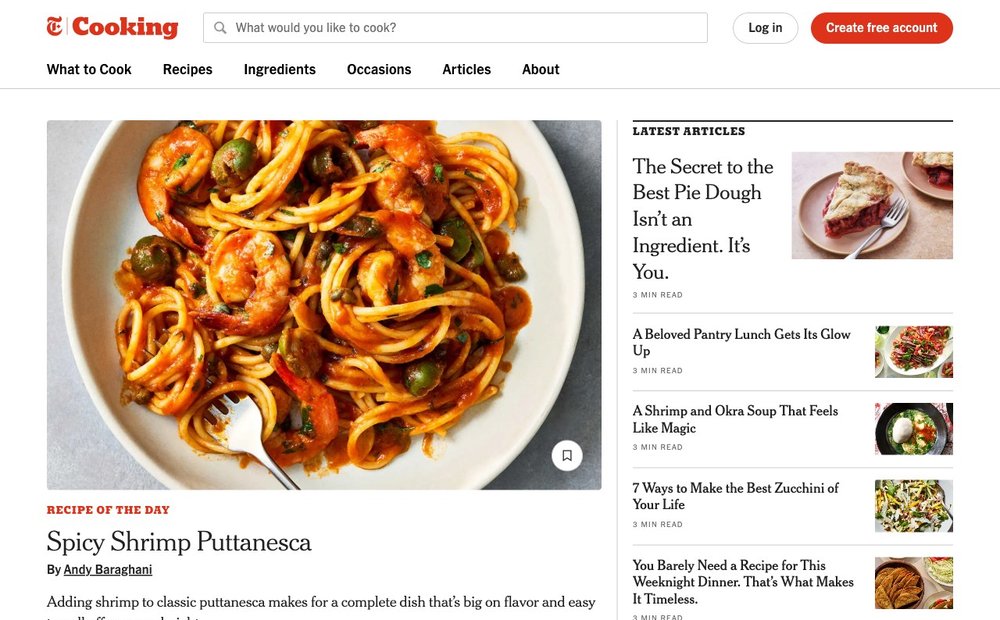
Recipe discovery · iOS, Android, Web · Paid (~$5 / 4 weeks, ~$40–50/yr)
NYT Cooking is the premium destination for professionally tested, editor-curated recipes with reliable results and strong food writing. You get a personal Recipe Box that auto-organises saves, 125+ editor collections, weekly meal plans and video cooking guides. The standout is sheer editorial quality and trust: every recipe is rigorously tested, and a built-in Cooking Mode keeps the screen awake and breaks instructions into readable steps. Best for cooks who value curated quality over a bottomless crowdsourced database.
4. Crouton
Recipe organising + cooking mode · iOS, iPad, Mac, Apple Watch, Vision Pro · Freemium
Crouton is an elegant, Apple-native recipe manager that won a 2024 Apple Design Award for Interaction. It imports recipes from websites, cookbooks and handwritten notes using AI/OCR, plans your week and generates grocery lists synced over iCloud. Its signature feature is hands-free Cook Mode: you wink at your iPhone or iPad to advance steps, keeping messy hands off the screen. Best for Apple-ecosystem cooks who want a beautiful, distraction-free experience at the counter.
5. Mealime
Meal planning · iOS, Android · Freemium (Pro from ~$2.99–$5.99/mo)
Mealime makes weeknight cooking effortless by building personalised meal plans of quick, ~30-minute recipes and auto-generating an organised grocery list. It supports eight diet types (keto, vegan, paleo, pescatarian and more) plus allergy and preference filters, with most meals free. Pro unlocks nutrition info, calorie customisation and exclusive recipes. Best for busy households that want a low-effort, set-and-forget dinner planner rather than a sprawling recipe archive.
6. Plan to Eat
Meal planning + clipping · iOS, Android, Web · Paid ($5.95/mo or $49/yr, 14-day trial)
Plan to Eat is a dedicated planner built around a drag-and-drop calendar and a recipe clipper that pulls recipes from anywhere into one digital cookbook. Its killer feature is the automated shopping list: add recipes to your calendar and it instantly compiles an organised, aisle-sorted list of everything you need. One subscription covers the whole family across all devices, and you can scale servings and reuse saved weekly plans. Best for serious planners who want a flexible calendar and bulletproof grocery automation.
7. BigOven
Recipe discovery + organising · iOS, Android, Web · Freemium (Pro $2.99/mo or $24.99/yr)
BigOven pairs a library of 1,000,000+ recipes with a meal planner, grocery lists and recipe clipping. It shines at reducing waste: the Use Up Leftovers tool finds recipes from up to three ingredients you already have, and RecipeScan transcribes handwritten family recipes into the app. The free tier covers imports and lists but caps you at 200 recipes with heavy ads, so Pro is worth it for active users. Best for cooks who want a huge searchable database plus practical leftover tools.
8. SuperCook
Recipe discovery (pantry-first) · iOS, Android, Web · Free
SuperCook flips recipe search around: you tell it what is in your kitchen and it shows only recipes you can make right now. It aggregates over 11 million recipes from thousands of sites in 20 languages, and a voice-dictation mode lets you reel off your fridge contents to build your pantry hands-free. The standout in 2026 is that all of this is genuinely free with no subscription. Best for reducing food waste and answering the daily 'what can I cook with what I have?' question.
9. AnyList
Grocery lists + recipes · iOS, Android, Web, Apple Watch · Freemium (Complete from $9.99/yr)
AnyList is the best-in-class shared grocery list that doubles as a recipe box and meal planner. Lists auto-sort into store-matched categories, combine duplicate ingredients and sync in real time across the whole household, with Alexa and Siri support for hands-free adds. The paid Complete tier adds web access, recipe import and scaling, and meal planning for just $9.99–$14.99 a year. Best for families who want frictionless shared shopping lists that flow straight from saved recipes.
10. Kitchen Stories
Recipe discovery (video) · iOS, Android · Freemium (Plus subscription)
Kitchen Stories offers thousands of free recipes wrapped in beautiful photography and clear HD instructional videos, making it ideal for visual learners and newer cooks. Each recipe walks you through step-by-step photos with built-in timers and a hands-free Cook Mode. The Plus subscription adds fridge-based recipe suggestions to cut waste, web recipe saving and a personalised feed tuned to your diet. Best for beginners who learn by watching and want a polished, magazine-style experience.
11. Allrecipes Dinner Spinner
Recipe discovery (community) · iOS, Android · Free (with ads)
Backed by one of the largest community recipe sites, Allrecipes Dinner Spinner is built for crowd-tested, real-home-cook recipes with millions of ratings and reviews. Its signature gimmick, the slot-machine-style Dinner Spinner, randomly serves up a meal idea when you are stuck, alongside powerful ingredient and dietary search filters, smart shopping lists and step-by-step videos. Best for budget-conscious cooks who trust the wisdom of millions of reviews and want a free idea generator.
Visit Allrecipes Dinner Spinner »
12. ChefGPT
AI cooking assistant · iOS, Android, Web · Freemium (Pro ~$2.99/mo)
ChefGPT is a dedicated AI cooking assistant that generates custom recipes from whatever you have on hand, then plans meals and shopping around them. It offers specialised chef modes: PantryChef for using up leftovers, MacrosChef for fitness-driven nutrition targets, MasterChef for personalised recipes and MealPlanChef for weekly plans. Its standout feature is photo-based meal logging, where the AI detects ingredients and estimates nutrition from a single snapshot. Best for experimental cooks and macro-trackers who want a conversational AI that invents recipes.
How to Choose the Right Recipe App for You in 2026
Name the job you actually need done. Apps in 2026 cluster into a few overlapping camps: discovery (finding new recipes, like NYT Cooking, Kitchen Stories or Allrecipes), organising and clipping (saving recipes you already love, like Paprika or Crouton), and meal planning (turning recipes into a weekly schedule and a grocery run, like Mealime, Plan to Eat or Samsung Food). Most people only need one app to be great at their primary job.
If you save recipes from blogs or cards, prioritise import quality. The best clippers (Paprika, Crouton, BigOven) use a browser extension or AI/OCR to extract clean ingredients and steps and strip away the filler, and several can now transcribe handwritten cards or screenshots. Test how cleanly an app imports from your three favourite sources before you commit.
Weigh grocery integration and dietary filters. Look for automatic, aisle-sorted shopping lists that combine duplicate ingredients (AnyList and Plan to Eat excel here), real-time household sharing, and robust filters for allergies, keto, vegan or macro targets. If reducing food waste is your goal, pantry-first tools like SuperCook or 'use up leftovers' features in BigOven and Samsung Food matter most.
Decide how much AI you want and check the price model. AI assistants like ChefGPT, plus AI layers inside Samsung Food, can invent recipes from your fridge or estimate nutrition from a photo, but quality varies and outputs need a sanity check. On pricing, choose between a one-time purchase (Paprika), a cheap annual fee (AnyList) or a recurring subscription (NYT Cooking, Plan to Eat, Samsung Food+) — and always export-test your data so you are never locked in the way Yummly users were when it shut down.
Sources & Further Reading
- Apple's 2024 Apple Design Award winners (Crouton won for Interaction)
- Samsung's launch announcement for Samsung Food
- Plan to Eat on the Yummly shutdown and alternatives
Frequently Asked Questions
What happened to the Yummly app?
Yummly was permanently shut down on December 20, 2024. Whirlpool, which had acquired it for $100 million in 2017, laid off the team in 2024 during a pivot toward generative AI. There was no bulk export option, so users who did not manually save recipes before the shutdown lost them; the companion Yummly Smart Thermometer app also stopped working.
What is the best free recipe app in 2026?
It depends on the job. For pantry-first 'what can I cook now' searching, SuperCook is completely free with millions of recipes. For community recipes, Allrecipes Dinner Spinner is free with ads. Many premium apps like Samsung Food, Kitchen Stories and Mealime also have generous free tiers, with paid plans only unlocking advanced AI and planning features.
Is Paprika still worth buying in 2026?
Yes, Paprika remains the favourite for cooks who want to clip and organise recipes without a subscription. You pay once per platform (about $5 iOS, $4 Android and roughly $30 on Mac or Windows) and get free Cloud Sync, a strong web clipper, meal planning, grocery lists and ingredient scaling. Its one-time pricing is increasingly rare in a market full of monthly fees.
What is the difference between Samsung Food and Whisk?
They are the same product. The app launched as Whisk, a recipe-clipping and shopping-list tool, and Samsung acquired it in 2019. After several years of development, Samsung rebranded and relaunched it as Samsung Food, an AI-powered meal-planning platform with features like Vision AI ingredient recognition and Smart Cook Mode. You do not need a Samsung phone, though some AI features work best on Galaxy devices.
Are AI cooking assistant apps any good in 2026?
They have improved a lot and are genuinely useful for ideas and personalisation. Tools like ChefGPT can generate recipes from your leftover ingredients, hit specific macro targets, or estimate nutrition from a meal photo, and AI layers are now built into mainstream apps. That said, AI-generated recipes are not kitchen-tested, so treat measurements and cook times as a starting point and apply common sense, especially for baking.
Information is based on public sources and vendor pages current as of June 2026. Prices, plans and features change frequently — verify on the official site before purchasing. SaveDelete may earn a small commission on purchases made through some links on this page, at no extra cost to you.