Best MySQL Editor and GUI Tools in 2026: dbForge, Workbench, DBeaver and More
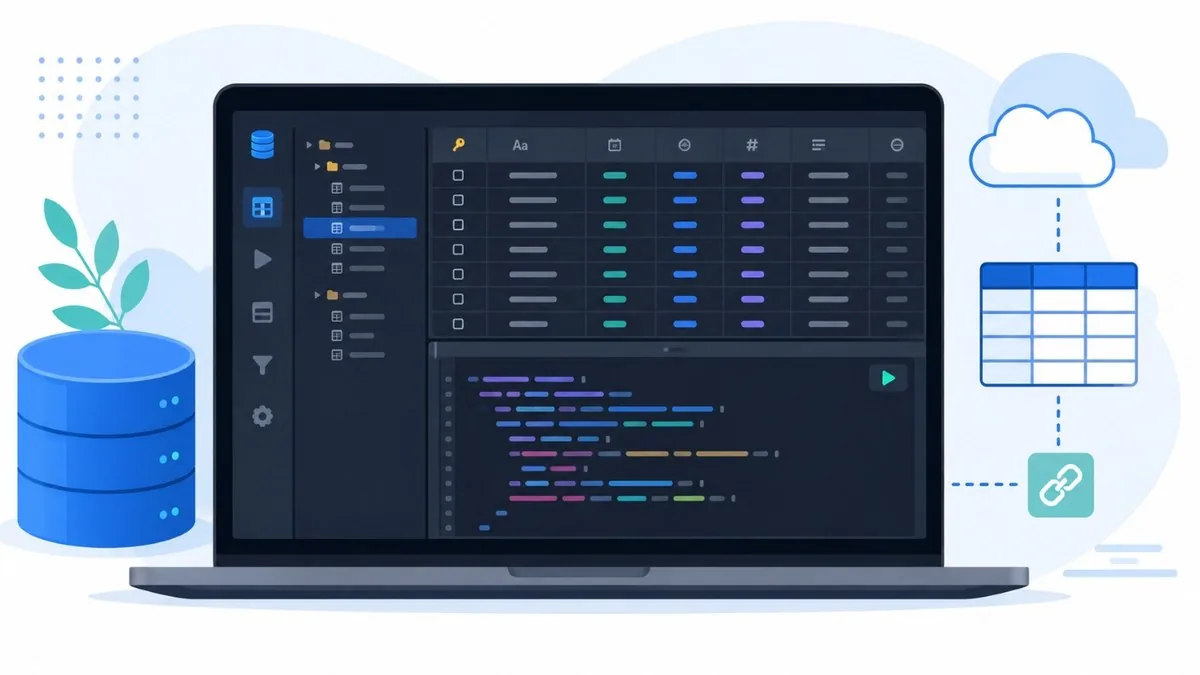
A good MySQL editor turns raw SQL work into something visual, fast, and far less error-prone, whether you are designing schemas, tuning slow queries, or just browsing rows. In 2026 the field has matured well beyond the classic trio of dbForge Studio for MySQL, MySQL Workbench, and DBeaver. AI-assisted SQL is now a headline feature across paid tools: natural-language-to-SQL, query explanation, and error fixing ship in dbForge, DBeaver Pro, DataGrip, and others. Cloud and multi-engine support has also become standard, with most clients connecting to managed MySQL, MariaDB, Aurora, and warehouses like BigQuery or Snowflake from one window. This guide verifies current versions, pricing models, and standout strengths for each tool, then adds strong free and paid alternatives so you can match a client to your platform, budget, and workflow. Pricing and version numbers move quickly, so always confirm on the official site before buying.
The Best MySQL Editors at a Glance
- dbForge Studio for MySQL — Windows (macOS/Linux via compatibility) / free Express tier + paid, free trial
- MySQL Workbench — Cross-platform (Windows/macOS/Linux) / free Community, paid Commercial
- DBeaver — Cross-platform (Windows/macOS/Linux) / free Community + paid Lite/Enterprise/Ultimate
-
DBVisualizer - Cross-platform (Windows/macOS/Linux) / free edition + Pro license
-
TablePlus — Cross-platform (macOS/Windows/Linux/iOS) / paid, free tier with limits
DataGrip — Cross-platform (Windows/macOS/Linux) / paid, 30-day free trial - HeidiSQL — Windows (Linux via Wine) / free, open source
- Navicat for MySQL — Cross-platform (Windows/macOS/Linux) / paid, free Lite edition + trial
- phpMyAdmin — Web-based (PHP, any OS via browser) / free, open source
- Adminer — Web-based (single PHP file) / free, open source
The Best MySQL Editors and GUI Tools in 2026
dbForge Studio for MySQL
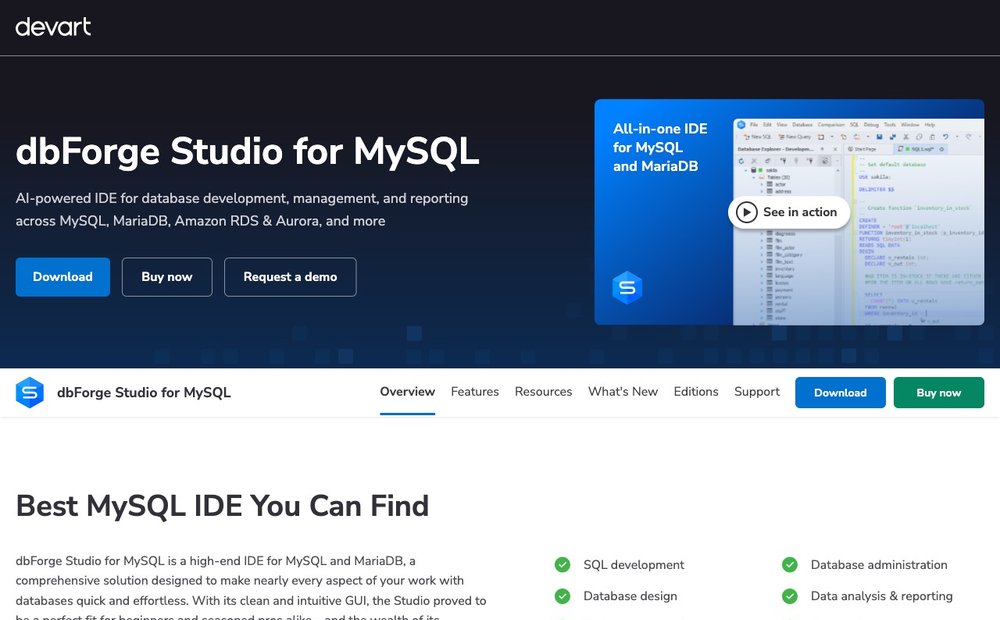
Windows (macOS/Linux via compatibility) / free Express tier + paid, free trial
Devart's all-in-one MySQL IDE is the most feature-dense option here, bundling SQL development, debugging, visual query building, schema and data comparison, a data generator, and reporting. The 2026 release (v2026.x, last updated May 2026) adds an AI Assistant with natural-language-to-SQL, query explanation, and optimization help. A free Express edition still exists; paid tiers run roughly Standard $9.95, Professional $19.95, and Enterprise around $25-30 per month. It is Windows-native but runs on macOS and Linux via CrossOver or Wine. Best for power users and DBAs who want one polished tool covering the full development-to-administration lifecycle.
MySQL Workbench
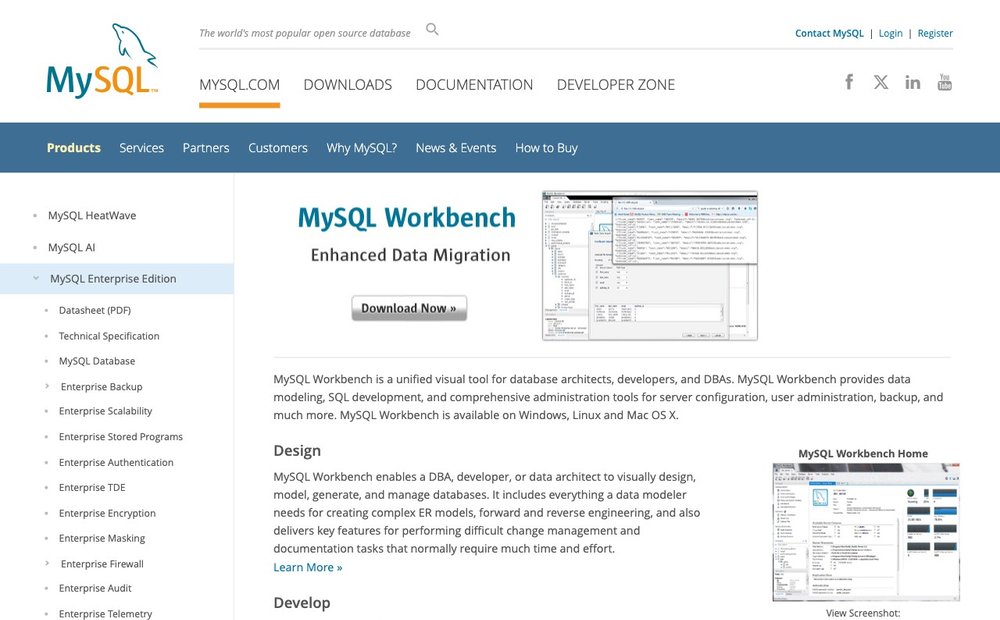
Cross-platform (Windows/macOS/Linux) / free Community, paid Commercial
Oracle's official MySQL client remains the default free choice and the reference tool for data modeling. Version 8.0.47 covers visual ER design with forward and reverse engineering, a SQL editor with syntax highlighting and auto-complete, server administration, and migration wizards from SQL Server, PostgreSQL, and other engines. The free Community edition suits most developers; a paid Commercial edition adds enterprise support and backup tooling. It lacks built-in AI assistance and can feel dated next to modern clients, but its tight alignment with MySQL server makes it a dependable, no-cost baseline for designing and managing MySQL databases.
DBVisualizer
Cross-platform (Windows/macOS/Linux) / free edition + Pro license
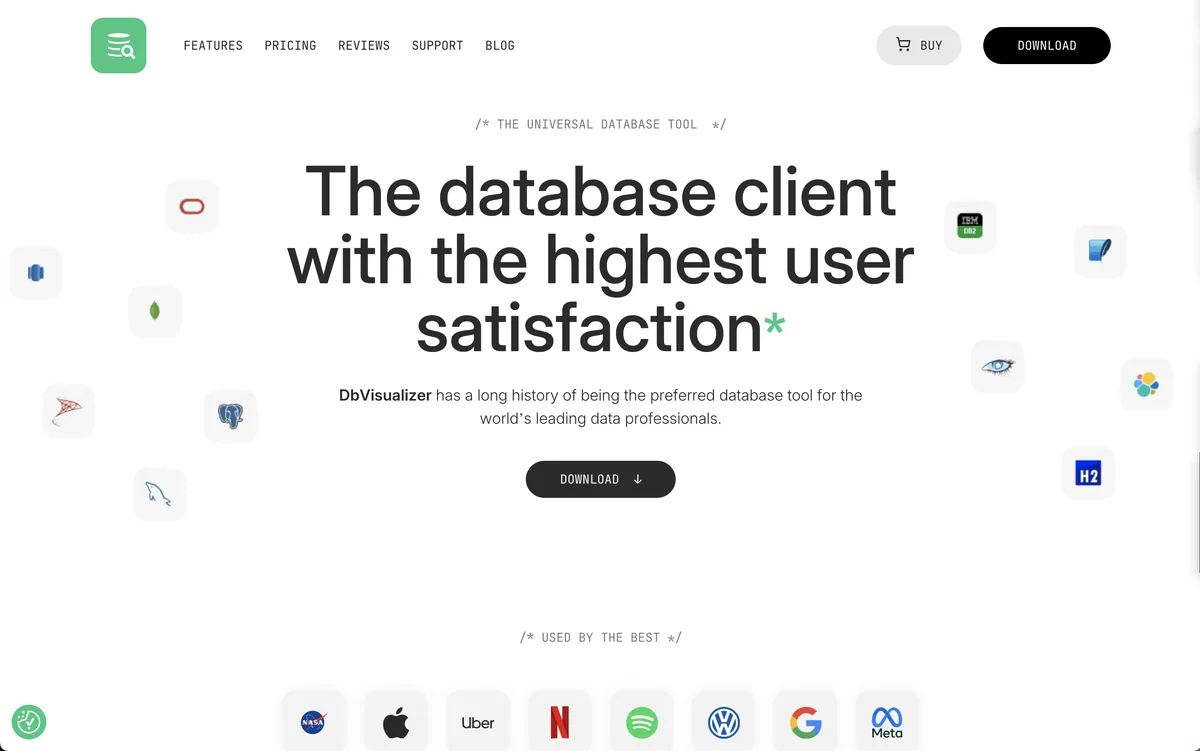
DBVisualizer is a universal database IDE and SQL client that provides an excellent balance between developer productivity and database administration. It supports MySQL alongside more than 50 other database platforms, making it a strong choice for teams managing multiple database technologies from a single interface. The latest versions include AI-powered SQL assistance for generating, explaining, and optimizing queries, while the advanced SQL editor, visual schema browser, data editor, and JDBC-based connectivity simplify everyday database development. A free edition is available for core functionality, while the Pro edition adds advanced features for professional developers and database administrators. It is best suited for organizations looking for one database tool that scales across multiple environments without sacrificing usability.
DBeaver
Cross-platform (Windows/macOS/Linux) / free Community + paid Lite/Enterprise/Ultimate
DBeaver is the most popular universal database tool, connecting to MySQL plus dozens of other engines from a single Java-based app. The free Community edition delivers a strong SQL editor, data grid with filtering, ER diagrams, SSH tunneling, and built-in AI SQL generation (the @ai command, via OpenAI or GitHub Copilot). Paid tiers (Lite, Enterprise, Ultimate) unlock NoSQL and cloud sources like MongoDB, BigQuery, and Snowflake, a visual query builder, and more AI providers such as Azure OpenAI and Gemini. Best for engineers working across many database types who want a capable free baseline with an upgrade path.
TablePlus
Cross-platform (macOS/Windows/Linux/iOS) / paid, free tier with limits
TablePlus is a fast, native client praised for a clean, minimal interface and snappy performance on large tables. It connects to MySQL, PostgreSQL, SQLite, SQL Server, MariaDB, Redshift, and more, with inline editing, multi-tab and multi-window views, code review of pending changes, and TLS and SSH security. It uses a perpetual-license model: roughly Basic $99 (1 device), Standard $129 (2 devices) or Team $79/seat (3+ seats), each including a year of updates, plus a free version capped on open tabs and connections. Best for developers who prioritize speed and a polished native feel over deep DBA tooling.
DataGrip
Cross-platform (Windows/macOS/Linux) / paid, 30-day free trial
JetBrains' DataGrip is a cross-engine SQL IDE built around intelligent code completion, refactoring, and version control integration familiar from IntelliJ. The 2026.1 release deepens AI features with schema-aware, context-aware assistance that writes and fixes queries, optimizes them, and converts between SQL dialects, with model choices including Anthropic, OpenAI, and Gemini, plus integrated AI agents. It is subscription-based at around $10 per month for individuals via the JetBrains Toolbox. Best for developers already invested in JetBrains tooling who want serious code intelligence and AI across MySQL alongside many other databases in one IDE.
HeidiSQL
Windows (Linux via Wine) / free, open source
HeidiSQL is a lightweight, free, open-source client that has been a Windows favorite for years. Version 12.17 (April 2026) manages MySQL, MariaDB, SQL Server, PostgreSQL, SQLite, and more, with a fast data and structure editor, bulk table operations, SSH tunneling, and export tools. It installs small, starts instantly, and a v13 preview is in progress. There is no AI assistant and it is Windows-centric, though it runs on Linux via Wine. Best for developers who want a capable, zero-cost daily driver on Windows without the weight of a full IDE.
Navicat for MySQL
Cross-platform (Windows/macOS/Linux) / paid, free Lite edition + trial
Navicat for MySQL is a long-established commercial client focused on MySQL and MariaDB administration and development. It offers multi-connection management, a visual query builder, data and structure synchronization, model design, backup and recovery, and cloud-synced connection settings across devices. A free Navicat Premium Lite covers basic needs, while paid licenses are sold per user as subscriptions or perpetual licenses and can get expensive at scale. Recent versions add AI helpers for query writing. Best for teams that want a mature, polished commercial tool with strong data transfer, comparison, and scheduling features.
phpMyAdmin
Web-based (PHP, any OS via browser) / free, open source
phpMyAdmin is the long-running, browser-based administration tool that ships with most shared hosting and many local stacks. Version 5.2.3 supports a wide range of MySQL and MariaDB operations: running queries, managing databases, tables, users, and privileges, importing and exporting in many formats, and basic relationship views, all from a web UI with no desktop install. It is ideal when you only have web access to a server. It is not a modern SQL IDE and has no AI features, but for quick, universal, no-install access it remains a default. Best for hosting and web-server database management.
Adminer
Web-based (single PHP file) / free, open source
Adminer is a full-featured database manager that fits in a single PHP file, making it trivial to upload and run on any server. Version 5.4.2 handles MySQL, MariaDB, PostgreSQL, SQLite, MS SQL, and Oracle, with more engines via plugins. It offers a tidier interface, better MySQL feature coverage, stronger security defaults, and lower overhead than phpMyAdmin, including rate-limited logins and no password-less connections. Best for developers and admins who want a lightweight, secure, drop-in web tool for occasional database work without installing or maintaining a heavier panel.
Choosing Your MySQL Editor
Pick by how you work. For a free, official all-rounder, MySQL Workbench is the safe default, especially for data modeling. If you want the deepest Windows IDE with schema/data compare and AI SQL, dbForge Studio is the most feature-rich (paid, with a free Express tier). Engineers juggling many database engines should use DBeaver, whose free Community edition is remarkably capable. Want speed and a clean native feel? TablePlus. Prefer something tiny on Windows? HeidiSQL. Need browser-only access with nothing to install? phpMyAdmin or the single-file Adminer. In 2026, AI-assisted SQL is the headline upgrade across the paid tools, and every modern client connects to managed cloud MySQL (RDS, Aurora, Azure, Cloud SQL).
Official Tool Pages and Downloads
- dbForge Studio for MySQL editions and pricing
- MySQL Workbench official product page
- DBeaver edition comparison
- DataGrip what's new in 2026.1
- HeidiSQL downloads
Frequently Asked Questions
Is dbForge Studio for MySQL free?
dbForge Studio for MySQL still offers a free Express edition in 2026 with basic development and administration features. Fuller capability lives in paid subscription tiers: Standard around $9.95, Professional around $19.95, and Enterprise roughly $25-30 per month. A 30-day free trial of the full edition lets you evaluate AI assistance, schema comparison, and data tools before committing to a paid plan.
Is MySQL Workbench still the best free option?
MySQL Workbench remains the leading free, official client, especially for data modeling and server administration, and version 8.0.47 stays closely aligned with MySQL server. However, free rivals like DBeaver Community, HeidiSQL, and the web-based phpMyAdmin and Adminer now match or beat it for everyday querying and cross-engine work, so it is best treated as one strong free choice rather than the only one.
Which MySQL tools have AI features in 2026?
AI-assisted SQL is now common in paid clients. dbForge Studio added an AI Assistant for natural-language-to-SQL and optimization, DBeaver added AI SQL generation in late 2025 (built into the free Community edition via OpenAI/Copilot, with more providers such as Azure OpenAI and Gemini in paid editions), and DataGrip 2026.1 offers schema-aware AI plus integrated agents using Anthropic, OpenAI, or Gemini. Free tools like MySQL Workbench, HeidiSQL, phpMyAdmin, and Adminer generally lack built-in AI assistance.
What is the best lightweight MySQL editor?
For a fast, low-overhead experience, HeidiSQL is the top free choice on Windows, installing small and starting instantly. TablePlus is the leading paid native option, valued for speed on large tables and a clean interface across macOS, Windows, and Linux. For browser-only access with no install, Adminer runs from a single PHP file and is lighter and more secure than phpMyAdmin.
Do these tools support cloud MySQL databases?
Yes. Most modern clients connect to managed MySQL such as Amazon RDS, Aurora, Azure Database for MySQL, and Google Cloud SQL using standard host, port, and SSL or SSH settings. DBeaver (paid editions), DataGrip, TablePlus, and Navicat additionally reach cloud warehouses and other engines like BigQuery, Redshift, and Snowflake, so a single tool can manage both your MySQL instances and adjacent cloud data sources from one window.
Version numbers, editions and pricing change frequently. Verify the current version, license terms and system requirements on each tool’s official site before downloading or buying.