Music Making: Best Software for Windows PC
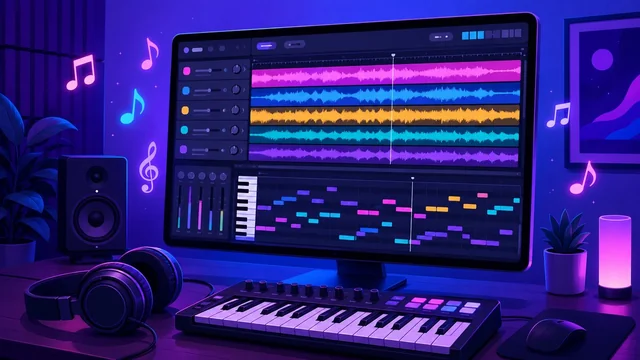
Making music on a computer has never been more accessible. The heart of any setup is a DAW (digital audio workstation) — the software where you record, arrange, mix and produce your tracks. From free starters to industry-standard studios, here's the best music-making software for Windows PC, what each is best at, and how to choose.
Best Music-Making Software at a Glance
| Software | Best For | Cost |
|---|---|---|
| FL Studio | Beat-making & electronic | Paid (free trial) |
| Ableton Live | Live performance & production | Paid |
| Cakewalk by BandLab | Best free full DAW | Free |
| Studio One | All-round recording | Free / paid |
| Reaper | Affordable pro power | Low cost (trial) |
| LMMS | Free, open-source | Free |
1. FL Studio — Best for Beats and Electronic Music
FL Studio is one of the most popular DAWs in the world, especially for hip-hop, EDM and beat-making, thanks to its intuitive pattern-based workflow and powerful step sequencer. It comes with a huge set of instruments and effects, and famously offers lifetime free updates on paid versions.
2. Ableton Live — Best for Performance and Production
Ableton Live is a favourite of electronic producers and live performers, with a unique Session View for improvising and arranging ideas on the fly. It's brilliant for sound design, sampling and stage use, and pairs beautifully with hardware controllers.
3. Cakewalk by BandLab — Best Free Full DAW
Cakewalk by BandLab is a complete, professional DAW — once sold for hundreds of dollars — now free for Windows. It offers unlimited tracks, advanced mixing and mastering tools and VST support, making it the best no-cost choice for serious Windows producers.
4. Studio One — Best All-Round Recording DAW
PreSonus Studio One is a modern, drag-and-drop DAW loved for its clean workflow and strong recording, mixing and mastering features. A free Prime tier lets you start at no cost, with paid versions adding advanced tools.
5. Reaper — Best Affordable Professional DAW
Reaper packs professional-grade recording, editing and mixing into a lightweight, highly customisable program at a fraction of the price of its rivals, with a generous free trial. It's a favourite of home-studio owners who want power without a big spend.
6. LMMS — Best Free Open-Source Option
LMMS is a free, open-source DAW aimed at electronic music, with a built-in beat/bassline editor, synths and a piano roll. It's a great free alternative to FL Studio for producers on a budget. For more no-cost tools, see our guide to the best free music software.
How to Choose Music-Making Software
Match the DAW to your style and budget. Making beats or electronic music? FL Studio or LMMS shine. Performing live or sound-designing? Ableton Live. Want a free, full studio? Cakewalk by BandLab. Recording bands and vocals? Studio One or Reaper. Most offer free trials or free tiers, so download two and see which workflow feels right — the "best" DAW is the one you enjoy using.
Frequently Asked Questions
What is the best software for making music on a PC?
For most people, FL Studio (beats and electronic) and Ableton Live (production and performance) are the top paid choices, while Cakewalk by BandLab is the best free full DAW for Windows. The best one depends on your genre, workflow and budget.
What is the best free music-making software?
Cakewalk by BandLab is the best free full-featured DAW for Windows, offering professional tools at no cost. LMMS is an excellent free, open-source option for electronic music and beat-making.
Do I need expensive software to make good music?
No. Free DAWs like Cakewalk by BandLab and LMMS are powerful enough to produce professional tracks. Many hit songs have been made on affordable tools — skill and practice matter far more than the price of the software.
What is a DAW?
A DAW (digital audio workstation) is the software you use to record, arrange, edit, mix and produce music on a computer. FL Studio, Ableton Live, Cakewalk and Studio One are all examples of DAWs.
Final Thoughts
The right music-making software turns your PC into a full recording studio. Start free with Cakewalk by BandLab or LMMS, or invest in FL Studio, Ableton Live or Studio One as your skills grow. Try a couple of free trials, pick the workflow you love, and start creating.