Filmora Video Editor Review 2018
By Jaspal Singh
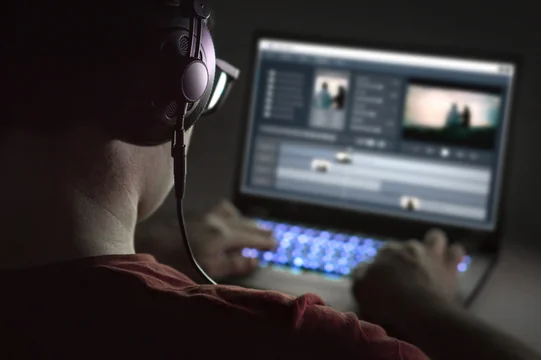
Videos are moving images with sound, and they look so amazing. The popularity of online videos has given rise to many video editing tools and software. This is the reason why people are getting engaged in videos. Catching video on devices like smartphones, GoPros, DSLRs is getting very popular. The need for powerful video editing software is highly evident. Video editing tools were mostly confined to professionals a few years back, but now everyone can use them due to their high availability and easy to use interface.
One of the best video editing software is Filmora video editor which has made the video editing very easy even for the nonprofessionals. Filmora video editing software allows you to import any video and audio file from all the possible devices like Android, iPad, iPhone, cameras along with Facebook and other social platforms. Let’s have a look at some features of the software and know what makes it different from its counterparts:
- Pricing: The software is available for free trial for a specific duration, and after that, it costs 39.99 $ for a one-year subscription for windows and 44.99 $ for Mac users. Similarly, for the lifetime access, you will have to spend 59.99 $ for windows and Mac both. The software has a free lifetime update and free customer support. The software supports Windows 7 through Windows 10 and needs a 64-bit version to function properly. The best part of this software is that it is continuously updated with many new features.
- Interface – Filmora video editing software has a nice-looking, flexible interface. The startup view is easy to understand. To enjoy all the features of the Filmora video editor, you need to click on the ‘cart’ icon and then on the ‘Register’ button. During registration, the software will ask for your email address and registration code. After filling up the details, you can use the software. It gives you the option to upload the files from your computer, camera and social media like Instagram, Facebook, and
- Effects – Filmora allows its users to add titles and texts to the video. If you are making a movie, you can add subtitles to your video. You can adjust and manage the duration and location of the text that you have placed in your video. Additionally, you can also customize the color and font of the text.
- Audio editing – The software has 25 copyright free songs in the music library. By clicking on the music tab, you can select between the multiple music styles and freely add music to your video. You also get an option to adjust the sound speed, fade it in or fade it out.
- Basic features – Basic editing features are specially designed for beginners who are not comfortable using the advanced options of the software. The basic features include video split, crop, rotation, trimming etc. along with combining the photos and videos and editing the audio to make it more desirable.
- Advanced features – Advanced features are for the professionals to make their videos and movies flawless. The advanced features include:
- Color tuning – To create a high-quality video or image you can choose from the various preset options. In just one click you can get different color correction options for your video. Additionally, you can also adjust the color, hue, saturation, and luminance manually according to your desire.
- Pan and zoom – This is another exciting feature of the software – it pans the image from one subject to another and gradually zooms in on the subjects.
- Video stabilization and reverse playing – Video stabilization is used to improve the video quality. It removes the ‘shakes' from the video.
- Screen recorder – Filmora allows you to record the screen in three recording settings including full screen, custom, and target window. You can also add the audio in the video with the help of microphone device or other audio systems.