
AI automation platforms have revolutionized how businesses and individuals handle repetitive tasks, connect different applications, and streamline workflows. In 2025, the landscape is dominated by powerful no-code and low-code solutions that make complex automation accessible to users without extensive programming knowledge. Among the leading platforms, three stand out for their unique approaches to workflow automation: n8n's open-source flexibility, Make's visual workflow builder, and Zapier's user-friendly simplicity.
These platforms serve different needs in the automation ecosystem. Whether you're a small business owner looking to connect your CRM with email marketing tools, a developer seeking complete control over your automation infrastructure, or an enterprise requiring sophisticated multi-step workflows, choosing the right platform can significantly impact your productivity and operational efficiency.
This comprehensive comparison examines n8n, Make (formerly Integromat), and Zapier across multiple dimensions including ease of use, integration capabilities, pricing, AI features, and scalability to help you make an informed decision for your automation needs in 2025.
Quick Comparison Overview
| Feature | n8n | Make | Zapier |
|---|---|---|---|
| Pricing Model | Open-source / Cloud from $20/mo | Free tier / Pro from $9/mo | Free tier / Paid from $19.99/mo |
| Integrations | 400+ (extensible) | 1,500+ | 6,000+ |
| Learning Curve | Moderate to Steep | Moderate | Easy |
| Customization | Unlimited (open-source) | High | Limited |
| AI Features | Custom AI integrations | Built-in AI modules | AI-powered automation |
| Best For | Developers, Custom solutions | Complex workflows, Visual users | Beginners, Simple automations |
Detailed Platform Analysis
n8n
Open-source workflow automation with unlimited customization
n8n stands out as the only major open-source automation platform in this comparison, offering unprecedented flexibility and control over your automation infrastructure. Built with developers and technical teams in mind, n8n provides a node-based visual workflow editor combined with the ability to host your own instance, customize integrations, and extend functionality through code.
The platform's strength lies in its transparency and extensibility. Unlike proprietary solutions, you can inspect, modify, and enhance every aspect of n8n's functionality. This makes it particularly appealing for organizations with specific security requirements, custom integration needs, or those who want to avoid vendor lock-in.
- Complete source code access and self-hosting options
- Custom node creation and JavaScript code execution
- Advanced data transformation and manipulation tools
- Webhook support and API-first architecture
- Built-in database operations and SQL query support
- Docker deployment and enterprise security features
- Active community and extensive documentation
- No limits on workflow complexity or execution time
n8n's AI capabilities in 2025 include native integrations with OpenAI, Anthropic, Google AI, and other major AI providers. The platform's flexibility allows for sophisticated AI workflows, including custom model integrations, prompt engineering tools, and AI-powered data processing pipelines. Users can build complex AI automation chains that process documents, analyze sentiment, generate content, and make intelligent decisions based on data patterns.
The learning curve for n8n is steeper than other platforms, requiring some technical knowledge to fully leverage its capabilities. However, this investment pays off with unlimited customization possibilities and the ability to create highly sophisticated automation workflows that would be impossible on more restrictive platforms.
Make (formerly Integromat)
Visual workflow automation with powerful data processing capabilities
Make has evolved significantly since its rebranding from Integromat, positioning itself as a comprehensive automation platform that bridges the gap between simplicity and power. The platform's visual workflow designer uses a unique scenario-based approach, where each automation is built as a flowchart of connected modules representing different applications and actions.
What sets Make apart is its sophisticated data handling capabilities and visual approach to complex logic. The platform excels at processing large datasets, handling conditional logic, and managing multi-path workflows. Its visual debugger and detailed execution logs make it easier to troubleshoot complex automations compared to other platforms.
- Intuitive visual scenario builder with drag-and-drop interface
- Advanced data manipulation and transformation tools
- Powerful filtering, routing, and conditional logic options
- Built-in data storage and temporary data handling
- Comprehensive error handling and retry mechanisms
- Real-time execution monitoring and detailed logs
- Template marketplace and community scenarios
- Mobile app for monitoring and basic editing
Make's AI integration capabilities have expanded significantly in 2025, featuring dedicated modules for ChatGPT, Claude, Midjourney, and other AI services. The platform includes AI-powered features like automatic workflow optimization suggestions, intelligent error detection, and smart data mapping recommendations. Users can create sophisticated AI workflows for content generation, image processing, data analysis, and automated decision-making.
The platform strikes an excellent balance between ease of use and advanced functionality. While beginners can start with simple automations, power users can create complex multi-branch scenarios with advanced data processing, API calls, and custom logic without writing code.
Zapier
The most user-friendly automation platform with extensive app ecosystem
Zapier pioneered the no-code automation space and remains the most accessible platform for users without technical backgrounds. Its strength lies in simplicity, extensive app integrations, and a user experience designed for business professionals rather than developers. The platform's "Zap" concept makes automation feel intuitive, with clear trigger-action relationships that anyone can understand.
With over 6,000 app integrations, Zapier offers the broadest connectivity in the automation space. The platform's focus on ease of use means that complex workflows are simplified into manageable steps, though this sometimes comes at the cost of advanced functionality available in other platforms.
- Largest app ecosystem with 6,000+ integrations
- Extremely user-friendly interface and setup process
- AI-powered Zap creation and optimization suggestions
- Built-in lead scoring and data enrichment tools
- Advanced multi-step workflows with paths and filters
- Comprehensive testing and debugging tools
- Team collaboration and sharing features
- Mobile app for monitoring and basic management
Zapier's AI features in 2025 include ChatGPT integration, AI-powered workflow suggestions, and intelligent automation recommendations based on your connected apps. The platform has introduced "AI Zaps" that can analyze data patterns, generate content, and make decisions based on natural language instructions. While not as flexible as n8n's custom AI integrations, Zapier's AI features are designed for ease of use and quick implementation.
The platform excels in scenarios where speed of implementation and ease of use are priorities over advanced customization. Its extensive template library and pre-built integrations mean that most common automation scenarios can be set up in minutes rather than hours.
Head-to-Head Comparisons
Ease of Use and Learning Curve
Zapier clearly wins in terms of ease of use, with an interface designed for non-technical users. The platform's linear trigger-action model is intuitive, and most users can create their first automation within minutes. The extensive template library and step-by-step guidance make it accessible to anyone.
Make occupies the middle ground with its visual scenario builder. While more complex than Zapier, the drag-and-drop interface and visual flow representation make it easier to understand complex workflows compared to traditional code-based approaches. The learning curve is moderate, requiring some time to master advanced features like data transformation and conditional logic.
n8n has the steepest learning curve, requiring technical knowledge to fully leverage its capabilities. However, users with development experience will appreciate the flexibility and power this complexity provides. The visual node editor helps bridge the gap between technical and non-technical users, but advanced features require programming knowledge.
Integration Capabilities and Ecosystem
Zapier leads with over 6,000 app integrations, covering virtually every popular business application. The platform's partnerships with major software vendors ensure that new integrations are regularly added, and the quality of these integrations is generally high due to Zapier's mature ecosystem.
Make offers around 1,500 integrations with a focus on quality and functionality. While fewer than Zapier, Make's integrations often provide more advanced features and better data handling capabilities. The platform also supports custom webhooks and API calls for connecting to any web service.
n8n provides 400+ built-in integrations but compensates with unlimited extensibility. Users can create custom nodes, connect to any API, and even contribute integrations back to the community. For organizations with unique integration needs, n8n's flexibility is unmatched.
Pricing and Value Proposition
n8n offers the most flexible pricing model. The open-source version is completely free with unlimited usage when self-hosted. The cloud version starts at $20/month, making it cost-effective for organizations that can handle the technical requirements.
Make provides excellent value with its free tier supporting up to 1,000 operations per month. Paid plans start at $9/month, making it the most affordable option for small to medium-scale automation needs. The pricing scales reasonably with usage.
Zapier's pricing starts higher at $19.99/month for the Starter plan, but the extensive app ecosystem and ease of use justify the premium for many users. The free tier is limited to 100 tasks per month, which may not be sufficient for active automation users.
AI and Advanced Features
n8n excels in AI customization, allowing users to integrate any AI service, create custom AI workflows, and build sophisticated AI-powered applications. The platform's code execution capabilities enable advanced AI implementations that aren't possible on other platforms.
Make offers strong built-in AI modules with good visual workflow integration. The platform's data processing capabilities complement AI features well, making it excellent for AI workflows that require complex data manipulation.
Zapier provides the most user-friendly AI features with simple ChatGPT integration and AI-powered automation suggestions. While less flexible than the other platforms, Zapier's AI features are designed for quick implementation by non-technical users.
Best Use Cases for Each Platform
Choose n8n if you:
- Have technical expertise or a development team
- Need complete control over your automation infrastructure
- Require custom integrations or unique workflow logic
- Want to avoid vendor lock-in and own your automation platform
- Need to comply with strict data security or privacy requirements
- Plan to build complex AI-powered applications
- Want unlimited scalability without per-operation pricing
Choose Make if you:
- Need powerful data processing and transformation capabilities
- Want visual workflow design with advanced logic
- Require complex multi-branch automations
- Need detailed execution monitoring and debugging
- Want a balance between ease of use and advanced features
- Work with large datasets or complex data structures
- Need cost-effective scaling for medium to high-volume automation
Choose Zapier if you:
- Prioritize ease of use and quick implementation
- Need the broadest possible app integration ecosystem
- Have limited technical expertise or time for setup
- Want reliable, well-maintained integrations
- Need to get automations running quickly
- Prefer a proven platform with extensive support resources
- Work primarily with popular business applications
Industry-Specific Recommendations
Small Businesses and Startups
For small businesses with limited technical resources, Zapier offers the fastest path to automation benefits. Its extensive template library and simple setup process mean you can start automating common tasks like lead management, social media posting, and customer communication within hours. The cost may be higher per operation, but the time savings in setup and maintenance often justify the expense.
Growing Companies and Scale-ups
Make provides the best balance of functionality and cost for growing companies. As automation needs become more complex, Make's visual workflow builder and advanced data processing capabilities can handle sophisticated scenarios while remaining manageable for non-technical team members. The pricing scales well with growth, making it economical as usage increases.
Enterprises and Technical Organizations
n8n is ideal for enterprises with technical teams or specific security requirements. The ability to self-host, customize integrations, and maintain complete control over data makes it suitable for regulated industries or organizations with unique automation needs. The initial investment in setup and training pays off with unlimited scalability and customization possibilities.
Agencies and Consultants
Agencies serving multiple clients may benefit from n8n's flexibility for custom solutions or Make's visual approach for client demonstrations. Zapier works well for agencies focused on quick implementation and standard business automation scenarios.
Future Outlook and Platform Evolution
The automation platform landscape continues evolving rapidly, with AI integration becoming increasingly central to each platform's value proposition. In 2025, we're seeing a convergence toward more intelligent automation that can adapt and learn from user behavior.
n8n is investing heavily in making its platform more accessible while maintaining its open-source philosophy. Recent updates include improved visual designers, better documentation, and more pre-built AI workflows. The platform's community-driven development model ensures rapid innovation and responsiveness to user needs.
Make is focusing on advanced AI features and improved user experience. The platform is developing more sophisticated AI modules, better visual debugging tools, and enhanced collaboration features for teams. Make's position between simplicity and power continues to attract users who outgrow simpler platforms.
Zapier is leveraging its market leadership to enhance AI capabilities while maintaining its ease-of-use advantage. The platform is introducing more intelligent automation suggestions, better error handling, and enhanced integration quality. Zapier's extensive partner ecosystem provides a significant moat against competitors.
Frequently Asked Questions
Which platform is best for beginners?
Zapier is the most beginner-friendly platform with its intuitive interface, extensive templates, and step-by-step guidance. Most users can create their first automation within minutes without any technical knowledge. The platform's linear trigger-action model is easy to understand and implement.
Can I migrate automations between platforms?
Direct migration tools are limited between platforms due to different architectures and capabilities. However, most automations can be recreated on different platforms, though complex workflows may require redesign. n8n offers the most flexibility for importing and exporting workflows, while Zapier and Make have platform-specific formats.
Which platform offers the best AI integration?
This depends on your needs. n8n offers the most flexibility for custom AI integrations and complex AI workflows. Make provides strong built-in AI modules with good visual integration. Zapier offers the easiest AI implementation with simple ChatGPT integration and AI-powered suggestions, though with less customization.
How do the platforms handle data security and privacy?
n8n provides the highest level of data control through self-hosting options, allowing you to keep all data within your infrastructure. Make and Zapier process data on their servers but maintain SOC 2 compliance and enterprise security standards. For highly sensitive data, n8n's self-hosted option is often preferred.
What happens if a platform goes out of business?
n8n's open-source nature provides the most protection against vendor lock-in – you can continue using and developing the platform independently. Make and Zapier are proprietary platforms, so migration would be necessary if they ceased operations. However, both are well-established companies with strong market positions.
Can these platforms handle high-volume automation?
All three platforms can handle high-volume automation, but with different approaches. n8n offers unlimited operations when self-hosted. Make provides competitive pricing for high-volume usage. Zapier can be expensive for high-volume scenarios but offers reliable performance and extensive monitoring tools.
Which platform is most cost-effective for small teams?
Make typically offers the best value for small teams with its generous free tier and affordable paid plans starting at $9/month. n8n can be very cost-effective if you have technical resources for self-hosting. Zapier's higher pricing may be justified by time savings in setup and maintenance for non-technical teams.
Final Recommendations
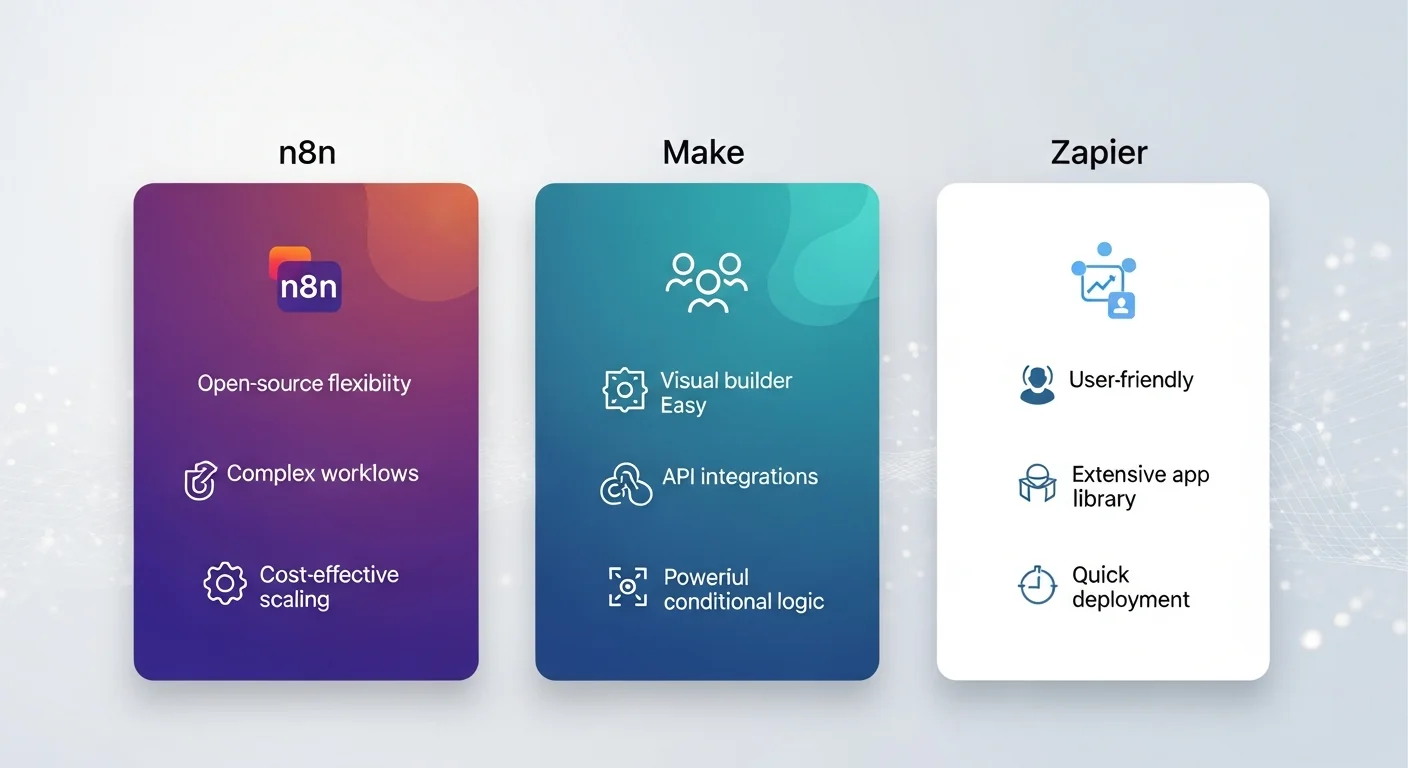
Choosing between n8n, Make, and Zapier ultimately depends on your specific needs, technical capabilities, and long-term automation strategy. Each platform excels in different scenarios and serves different user types effectively.
Start with Zapier if you're new to automation, need quick results, or work primarily with popular business applications. Its ease of use and extensive integration ecosystem make it the safest choice for most business users. The higher cost per operation is often offset by reduced setup time and maintenance requirements.
Choose Make if you need more advanced workflow capabilities than Zapier provides but don't want the complexity of n8n. Make offers excellent value for money and strikes the best balance between power and usability. It's particularly strong for data-heavy workflows and visual learners who prefer seeing their automation logic mapped out clearly.
Opt for n8n if you have technical expertise, need maximum flexibility, or have specific security requirements that necessitate self-hosting. The open-source model provides unmatched customization possibilities and freedom from vendor lock-in, making it ideal for organizations with unique automation needs or those building automation into their products.
For many organizations, the decision isn't permanent. You might start with Zapier for quick wins, graduate to Make for more complex workflows, or eventually move to n8n for complete control. The automation landscape in 2025 offers more choice and capability than ever before, ensuring that there's a solution that fits your specific requirements and growth trajectory.
Consider starting with free tiers or trials of multiple platforms to get hands-on experience with their interfaces and capabilities. This practical evaluation, combined with the insights in this comparison, will help you make the best choice for your automation journey in 2025 and beyond.