
DALL-E 3 represents a revolutionary leap in AI-powered image generation, offering unprecedented creative possibilities for artists, marketers, content creators, and everyday users. This comprehensive guide will walk you through everything you need to know about using DALL-E 3 effectively, from basic setup to advanced techniques that will help you create stunning, professional-quality images.
Whether you're a complete beginner looking to generate your first AI image or an experienced user wanting to master advanced prompting techniques, this guide covers all aspects of DALL-E 3. You'll learn how to access the platform, craft effective prompts, troubleshoot common issues, and implement best practices that will dramatically improve your results.
By the end of this guide, you'll have the knowledge and confidence to harness DALL-E 3's full potential, creating images that align perfectly with your vision while avoiding the common pitfalls that frustrate many new users.
Prerequisites
Before diving into DALL-E 3, ensure you have the following requirements met:
- OpenAI Account: You'll need an active OpenAI account with access to ChatGPT Plus or Enterprise
- Stable Internet Connection: Image generation requires consistent connectivity for optimal performance
- Basic Computer Skills: Familiarity with web browsers and file management
- Payment Method: A valid credit card or payment method for subscription services
- Understanding of Copyright: Basic knowledge of image usage rights and commercial licensing
Step 1: Accessing DALL-E 3
DALL-E 3 is integrated into several OpenAI platforms, making it more accessible than ever. Here's how to get started:
Through ChatGPT Plus
- Navigate to chat.openai.com in your web browser
- Sign in to your OpenAI account or create a new one
- Subscribe to ChatGPT Plus ($20/month as of 2025) if you haven't already
- Start a new conversation and simply describe the image you want to create
- ChatGPT will automatically use DALL-E 3 to generate your image
Through Microsoft Copilot
- Visit copilot.microsoft.com or use the Copilot app
- Sign in with your Microsoft account
- Select "Creative" mode for image generation
- Type your image prompt and wait for generation
Through Bing Image Creator
- Go to bing.com/images/create
- Sign in with your Microsoft account
- Enter your image description in the prompt box
- Click "Create" to generate your images
Step 2: Understanding Prompt Structure
The key to generating exceptional images with DALL-E 3 lies in crafting effective prompts. Understanding prompt structure will dramatically improve your results.
Basic Prompt Components
Every effective DALL-E 3 prompt should include these elements:
- Subject: The main focus of your image (person, object, scene)
- Action or Pose: What the subject is doing
- Setting/Environment: Where the scene takes place
- Style: Artistic style, medium, or aesthetic
- Lighting: How the scene is lit
- Mood: The emotional tone of the image
Example Prompt Breakdown
Instead of: "A cat"
Try: "A fluffy orange tabby cat sitting on a vintage wooden windowsill, looking out at a rainy garden, soft natural lighting filtering through raindrops on glass, cozy and peaceful atmosphere, painted in watercolor style"
Step 3: Generating Your First Image
Now let's walk through the process of creating your first image:
- Start Simple: Begin with a straightforward prompt to understand the basics
- Enter Your Prompt: Type your description in the chat interface
- Wait for Generation: DALL-E 3 typically takes 30-60 seconds to create images
- Review Results: Examine the generated image for accuracy and quality
- Download or Save: Right-click to save the image to your device
First Prompt Examples
Try these beginner-friendly prompts:
- "A serene mountain lake at sunset with pine trees reflected in the water"
- "A modern minimalist living room with large windows and indoor plants"
- "A golden retriever playing in a field of sunflowers on a sunny day"
Step 4: Refining and Iterating
Rarely will your first attempt produce the perfect image. Here's how to refine your results:
Iterative Improvement Process
- Analyze the Output: Identify what works and what doesn't in the generated image
- Modify Your Prompt: Add specific details or change elements that aren't quite right
- Use Conversational Refinement: In ChatGPT, you can say "Make the sky more dramatic" or "Change the color scheme to warmer tones"
- Generate Variations: Ask for multiple versions with slight modifications
- Combine Elements: Take the best aspects from different generations
Refinement Techniques
| Issue | Solution | Example Modification |
|---|---|---|
| Image too cluttered | Simplify the prompt | Remove unnecessary descriptive elements |
| Wrong style | Add specific style keywords | "in the style of Van Gogh" or "photorealistic" |
| Poor composition | Add composition terms | "centered composition" or "rule of thirds" |
| Incorrect colors | Specify color palette | "warm autumn colors" or "monochromatic blue" |
Step 5: Advanced Prompting Techniques
Once you're comfortable with basic generation, these advanced techniques will elevate your results:
Style Modifiers
Incorporate these style keywords to achieve specific aesthetics:
- Photography Styles: "macro photography," "long exposure," "portrait photography," "street photography"
- Art Movements: "impressionist," "art deco," "minimalist," "surrealist"
- Digital Art: "digital painting," "concept art," "3D render," "pixel art"
- Traditional Media: "oil painting," "watercolor," "pencil sketch," "charcoal drawing"
Technical Parameters
Enhance image quality with technical specifications:
- Resolution Terms: "high resolution," "4K quality," "sharp details"
- Lighting: "studio lighting," "golden hour," "dramatic shadows," "soft diffused light"
- Camera Terms: "wide-angle lens," "telephoto," "shallow depth of field," "bokeh effect"
- Quality Modifiers: "professional," "award-winning," "masterpiece," "highly detailed"
Negative Prompting
While DALL-E 3 doesn't have explicit negative prompting like some other AI models, you can guide it away from unwanted elements:
- Use specific positive descriptions instead of saying what you don't want
- Frame requests positively: "clean, minimal design" instead of "not cluttered"
- Be explicit about desired qualities: "realistic proportions" rather than "not distorted"
Step 6: Working with Different Image Types
DALL-E 3 excels at various image categories. Here's how to optimize for each:
Portraits and People
When generating human subjects:
- Be specific about age, ethnicity, and appearance
- Include clothing and setting details
- Specify facial expressions and emotions
- Use professional photography terms for better quality
Example: "Professional headshot of a confident 30-year-old businesswoman with shoulder-length brown hair, wearing a navy blue blazer, slight smile, looking directly at camera, studio lighting, shallow depth of field"
Landscapes and Environments
For scenic images:
- Include time of day and weather conditions
- Specify geographical features
- Add atmospheric elements
- Use composition guidelines
Example: "Panoramic view of rolling green hills at dawn, morning mist rising from valleys, golden sunlight breaking through clouds, wildflowers in foreground, serene and peaceful, landscape photography style"
Products and Objects
For commercial or product imagery:
- Describe materials and textures
- Include background and context
- Specify lighting setup
- Add brand or style elements
Example: "Elegant ceramic coffee mug on marble countertop, steam rising from hot coffee, soft morning light from window, minimalist kitchen background, product photography style, high-end and luxurious feel"
Step 7: Managing and Organizing Your Images
As you generate more images, organization becomes crucial:
File Management Best Practices
- Create Folder Structure: Organize by project, date, or image type
- Use Descriptive Names: Include key prompt elements in filenames
- Save Prompts: Keep a document with successful prompts for future reference
- Version Control: Number iterations of similar images
- Backup Important Images: Use cloud storage for valuable creations
Metadata and Documentation
Keep track of:
- Original prompts used
- Generation date and platform
- Intended use or project
- Any post-processing applied
- Usage rights and restrictions
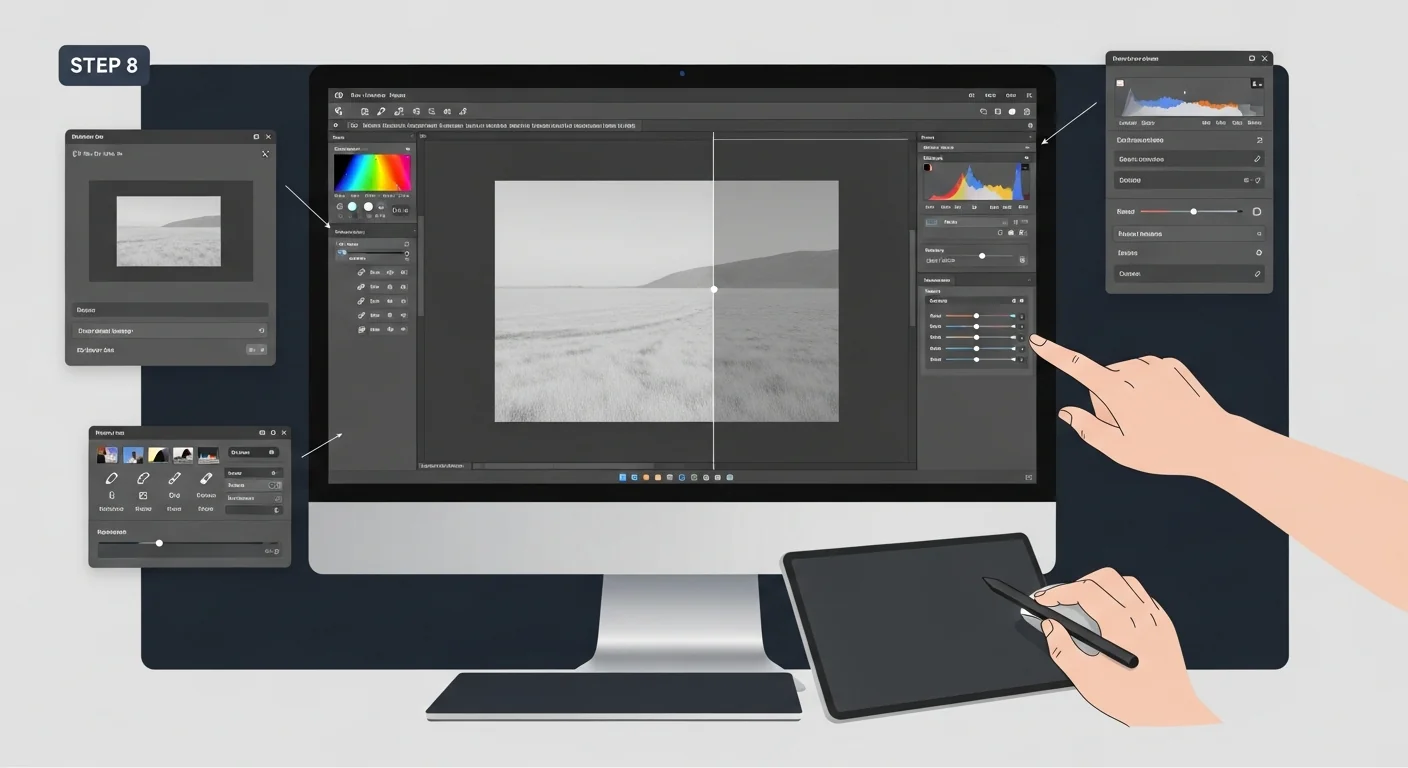
Step 8: Post-Processing and Enhancement
While DALL-E 3 produces high-quality images, post-processing can enhance results:
Basic Editing Tools
- Free Options: GIMP, Paint.NET, Canva
- Professional Tools: Adobe Photoshop, Affinity Photo
- AI Enhancement: Topaz Gigapixel, Real-ESRGAN
- Online Editors: Photopea, Pixlr, Photoshop Express
Common Enhancements
- Color Correction: Adjust brightness, contrast, and saturation
- Sharpening: Enhance details and clarity
- Cropping: Improve composition and focus
- Background Removal: Isolate subjects for different uses
- Upscaling: Increase resolution for print or large displays
Best Practices and Tips
Follow these expert tips to maximize your DALL-E 3 results:
Prompt Writing Excellence
- Be Specific but Concise: Include important details without overwhelming the system
- Use Active Language: Describe what subjects are doing, not just how they look
- Layer Your Descriptions: Start with the main subject, then add environment, style, and mood
- Study Successful Prompts: Learn from examples that produce great results
- Experiment with Word Order: Sometimes rearranging elements improves output
Quality Optimization
- Use Professional Terms: Photography and art terminology often improves quality
- Reference Specific Artists: When appropriate, mention artists whose style you want to emulate
- Include Lighting Information: Good lighting descriptions dramatically improve results
- Specify Image Composition: Guide the AI on how to frame the scene
- Add Quality Modifiers: Terms like "high quality," "detailed," and "professional" help
Efficiency Tips
- Save Successful Prompts: Build a library of effective descriptions
- Use Templates: Create prompt templates for common image types
- Batch Similar Requests: Generate multiple variations in one session
- Learn from Failures: Analyze what doesn't work to improve future prompts
- Stay Updated: Follow DALL-E 3 updates and new features
Common Mistakes to Avoid
Avoid these frequent pitfalls that can compromise your results:
Prompt-Related Mistakes
- Overly Complex Prompts: Too many details can confuse the AI and produce cluttered results
- Vague Descriptions: Generic terms like "nice" or "good" don't provide useful guidance
- Contradictory Instructions: Asking for conflicting styles or elements
- Ignoring Composition: Forgetting to specify how elements should be arranged
- Neglecting Lighting: Not describing the lighting conditions you want
Technical Mistakes
- Not Saving Prompts: Losing track of what worked well
- Accepting First Results: Not iterating to improve initial generations
- Ignoring Copyright: Using generated images without understanding usage rights
- Poor File Management: Not organizing or backing up important images
- Skipping Post-Processing: Missing opportunities to enhance good base images
Creative Mistakes
- Copying Others Exactly: Not developing your own creative voice
- Limiting Experimentation: Sticking to safe, predictable prompts
- Ignoring Feedback: Not learning from what works and what doesn't
- Rushing the Process: Not taking time to refine and improve results
- Forgetting the End Goal: Losing sight of how the image will be used
Advanced Use Cases and Applications
DALL-E 3 serves numerous professional and creative applications:
Marketing and Advertising
- Social Media Content: Generate eye-catching posts and stories
- Product Mockups: Create lifestyle images for products
- Campaign Concepts: Visualize advertising ideas quickly
- Brand Assets: Develop consistent visual elements
- A/B Testing: Create multiple versions for testing
Content Creation
- Blog Illustrations: Custom images for articles and posts
- Book Covers: Design compelling cover art
- Presentation Graphics: Professional slides and diagrams
- Website Headers: Unique banners and hero images
- Educational Materials: Visual aids and instructional graphics
Creative Projects
- Concept Art: Visualize ideas for larger projects
- Storyboarding: Plan visual narratives
- Character Design: Develop unique characters
- Environment Design: Create immersive worlds
- Art Exploration: Experiment with styles and techniques
Understanding Usage Rights and Ethics
Responsible use of DALL-E 3 requires understanding legal and ethical considerations:
Commercial Usage
- OpenAI Policy: Users generally own the rights to images they generate
- Platform Differences: Check specific terms for different access methods
- Attribution: Some platforms may require crediting AI generation
- Modifications: Understand rights regarding edited versions
- Resale: Know what's allowed regarding selling generated images
Ethical Considerations
- Artist Rights: Be mindful when referencing specific living artists
- Representation: Ensure diverse and respectful portrayal of people
- Misinformation: Don't create misleading or false images
- Privacy: Avoid generating images of real, identifiable people
- Harmful Content: Follow platform guidelines on appropriate content
Troubleshooting Common Issues
When things don't go as planned, try these solutions:
Generation Problems
| Problem | Possible Causes | Solutions |
|---|---|---|
| Image won't generate | Policy violation, server issues | Revise prompt, try again later, contact support |
| Poor quality output | Vague prompt, conflicting instructions | Add detail, clarify requirements, use quality terms |
| Wrong style or mood | Insufficient style guidance | Add specific style keywords, reference examples |
| Distorted features | Complex compositions, unclear descriptions | Simplify prompt, focus on key elements |
Technical Issues
- Slow Generation: Check internet connection, try during off-peak hours
- Cannot Save Images: Check browser settings, try right-click save
- Subscription Problems: Verify payment method, contact billing support
- Access Denied: Confirm account status and subscription level
- Prompt Rejected: Review content policy, modify language
Staying Updated with DALL-E 3
The AI landscape evolves rapidly. Stay current with:
Official Resources
- OpenAI Blog: Official announcements and updates
- Platform Changelogs: Track new features and improvements
- Documentation: Updated guidelines and best practices
- Community Forums: User discussions and shared experiences
- Social Media: Follow official accounts for quick updates
Learning Resources
- Online Courses: Structured learning programs
- YouTube Tutorials: Visual learning and demonstrations
- Discord Communities: Real-time discussions and help
- Reddit Communities: r/dalle2, r/OpenAI, and related subreddits
- Professional Workshops: In-depth training sessions
Frequently Asked Questions
How much does DALL-E 3 cost to use?
DALL-E 3 is included with ChatGPT Plus ($20/month) and is available for free through Microsoft Copilot and Bing Image Creator, though with some limitations. Enterprise users have additional access options through OpenAI's business plans.
Can I use DALL-E 3 images for commercial purposes?
Yes, users typically own the rights to images they generate with DALL-E 3, including commercial usage rights. However, specific terms may vary by platform, so check the terms of service for your access method.
What image resolution does DALL-E 3 produce?
DALL-E 3 generates images at 1024x1024 pixels by default, with options for different aspect ratios. The actual resolution may vary slightly depending on the specific platform and settings used.
How long does it take to generate an image?
Image generation typically takes 30-60 seconds, depending on server load and complexity. Peak usage times may result in longer wait times.
Can I generate images of real people or celebrities?
DALL-E 3 has restrictions against generating images of real, identifiable people, including celebrities and public figures. This policy helps protect privacy and prevent misuse.
What should I do if my prompt is rejected?
If a prompt is rejected, it likely violates content policy. Review OpenAI's usage guidelines, remove potentially problematic elements, and try rephrasing your request in more neutral terms.
Can I edit or modify generated images?
Yes, you can edit DALL-E 3 images using standard image editing software. You maintain rights to modified versions, though some platforms may require disclosure of AI generation for certain uses.
How can I improve the quality of my generated images?
Use specific, detailed prompts with professional terminology, include lighting and composition details, reference artistic styles, and iterate based on initial results. Quality modifiers like "high resolution" and "professional" also help.
Is there a limit to how many images I can generate?
Limits vary by platform. ChatGPT Plus has usage caps that reset periodically, while free platforms like Bing may have daily limits. Check your specific platform's current limitations.
Can DALL-E 3 generate text within images?
DALL-E 3 has improved text generation capabilities compared to earlier versions, but results can still be inconsistent. For critical text elements, consider adding text during post-processing for better reliability.
Conclusion and Next Steps
DALL-E 3 represents a powerful tool that democratizes image creation, offering unprecedented creative possibilities for users across all skill levels. By following the comprehensive guidance in this article, you now have the knowledge to generate high-quality, professional images that serve your specific needs and creative vision.
The key to mastering DALL-E 3 lies in practice and experimentation. Start with simple prompts to build confidence, then gradually incorporate advanced techniques as you become more comfortable with the platform. Remember that effective prompting is both an art and a science – the more you practice, the better your intuition will become for crafting descriptions that produce exceptional results.
Your Next Steps
- Start Practicing: Begin with the basic prompts provided in this guide
- Build Your Prompt Library: Save successful prompts for future reference
- Experiment with Styles: Try different artistic approaches and techniques
- Join Communities: Connect with other DALL-E 3 users to share tips and inspiration
- Stay Updated: Follow developments in AI image generation technology
- Develop Your Voice: Find your unique creative style and approach
- Consider Ethics: Always use the technology responsibly and ethically
As AI image generation continues to evolve, staying engaged with the community and keeping up with new developments will ensure you continue to get the most from this remarkable technology. Whether you're creating content for business, exploring artistic expression, or simply having fun with creative projects, DALL-E 3 offers limitless possibilities for bringing your imagination to life.
Remember that while DALL-E 3 is a powerful tool, it's most effective when combined with human creativity, judgment, and purpose. Use it as a collaborator in your creative process, and you'll discover new ways to express ideas and create visual content that would have been impossible or prohibitively expensive just a few years ago.