
Artificial intelligence has revolutionized the creative landscape, making it possible for anyone to generate stunning artwork with just a few text prompts. Whether you're a complete beginner or an experienced artist looking to explore new digital frontiers, this comprehensive guide will walk you through everything you need to know about creating AI art in 2025.
In this guide, you'll learn how to choose the right AI art tools, craft effective prompts, understand different art styles and techniques, and transform your creative ideas into visual masterpieces. We'll cover both free and premium options, advanced techniques for professional results, and practical tips to help you avoid common pitfalls that trip up newcomers to AI art generation.
What You'll Need to Get Started
Before diving into AI art creation, let's ensure you have everything necessary for a smooth experience:
Technical Requirements
- Device: A computer, tablet, or smartphone with internet access
- Internet Connection: Stable broadband connection (most AI art tools are cloud-based)
- Web Browser: Updated Chrome, Firefox, Safari, or Edge browser
- Storage: At least 1GB of free space for downloading and saving your creations
Optional but Helpful
- Graphics Software: Photoshop, GIMP, or Canva for post-processing
- Reference Images: Photos or artwork for inspiration and style references
- Creative Vision: Ideas, concepts, or themes you want to explore
Budget Considerations
While many AI art tools offer free tiers, premium subscriptions typically range from $10-30 per month and provide benefits like unlimited generations, higher resolution outputs, and commercial usage rights.
Step 1: Choose Your AI Art Platform
The first step in your AI art journey is selecting the right platform. Each tool has unique strengths, interfaces, and capabilities. Here are the top AI art generators available in 2025:
Midjourney
Premium AI art with exceptional quality
Midjourney remains the gold standard for AI art generation, known for producing highly detailed, artistic images with exceptional composition and style consistency.
- Superior image quality and artistic interpretation
- Strong community and style references
- Advanced prompt understanding
- Regular model updates and improvements
DALL-E 3
OpenAI's flagship image generator
Integrated with ChatGPT, DALL-E 3 excels at understanding complex prompts and generating images that closely match detailed descriptions.
- Excellent prompt adherence
- Integration with ChatGPT for prompt refinement
- High-quality photorealistic and artistic outputs
- Built-in safety filters
Leonardo AI
Versatile platform with fine-tuned models
Leonardo AI offers multiple specialized models for different art styles, from photorealistic portraits to fantasy illustrations and architectural renders.
- Multiple fine-tuned models for specific styles
- Canvas editor for inpainting and outpainting
- Motion generation capabilities
- Generous free tier with daily tokens
Stable Diffusion
Open-source flexibility and customization
The open-source option that powers many other platforms, offering complete control and customization through various interfaces and implementations.
- Completely free and open-source
- Extensive customization options
- Large community and model library
- Can run locally or on cloud platforms
Adobe Firefly
Commercial-safe AI art generation
Adobe's AI art generator is trained only on licensed content, making it ideal for commercial projects without copyright concerns.
- Commercial-safe training data
- Integration with Adobe Creative Suite
- Text effects and vector generation
- Professional workflow integration
Step 2: Set Up Your Account and Workspace
Once you've chosen your preferred platform, follow these steps to get started:
- Create Your Account: Sign up using your email address or social media accounts. Most platforms offer free trials or limited free access.
- Verify Your Email: Complete the email verification process to activate your account.
- Choose Your Plan: Start with the free tier to test the platform, then upgrade based on your needs and usage patterns.
- Familiarize Yourself with the Interface: Spend time exploring the dashboard, settings, and available features.
- Set Up Your Workspace: Create folders or collections to organize your generated artwork.
Platform-Specific Setup Tips
For Midjourney: Join their Discord server and familiarize yourself with the bot commands. Create a private server for personal use to avoid crowded public channels.
For DALL-E 3: Access through ChatGPT Plus or the dedicated DALL-E interface. Learn to use ChatGPT to refine and improve your prompts before generation.
For Stable Diffusion: Choose between web interfaces like DreamStudio, local installations like Automatic1111, or cloud solutions like Google Colab.
Step 3: Master the Art of Prompt Writing
The key to creating exceptional AI art lies in crafting effective prompts. A well-written prompt serves as your communication bridge with the AI, translating your creative vision into specific instructions the model can understand and execute.
Basic Prompt Structure
An effective prompt typically follows this structure:
[Subject] + [Style] + [Composition] + [Lighting] + [Additional Details]
Essential Prompt Components
| Component | Purpose | Examples |
|---|---|---|
| Subject | The main focus of your image | "A majestic dragon," "Portrait of a woman," "Futuristic cityscape" |
| Style | Artistic approach or aesthetic | "Oil painting," "Photorealistic," "Anime style," "Art nouveau" |
| Composition | How elements are arranged | "Close-up portrait," "Wide angle," "Bird's eye view," "Rule of thirds" |
| Lighting | Mood and atmosphere | "Golden hour," "Dramatic shadows," "Soft diffused light," "Neon lighting" |
| Details | Specific attributes and qualities | "Highly detailed," "8K resolution," "Vibrant colors," "Minimalist" |
Advanced Prompting Techniques
1. Use Descriptive Adjectives: Instead of "cat," try "fluffy orange tabby cat with bright green eyes."
2. Reference Artistic Styles: Mention specific artists, art movements, or periods like "in the style of Van Gogh" or "Renaissance painting."
3. Specify Technical Parameters: Include photography terms like "shallow depth of field," "macro lens," or "long exposure."
4. Control Composition: Use framing terms like "centered composition," "asymmetrical balance," or "leading lines."
5. Set the Mood: Describe the emotional tone with words like "melancholic," "whimsical," "ominous," or "serene."
Example Prompt Progression
Let's see how a basic prompt can be enhanced:
Basic: "A tree"
Better: "An ancient oak tree in autumn"
Advanced: "A majestic ancient oak tree with golden autumn leaves, misty morning light filtering through branches, photorealistic style, shallow depth of field, cinematic composition"
Step 4: Generate Your First AI Artwork
Now it's time to create your first AI masterpiece. Follow these steps regardless of which platform you're using:
- Start Simple: Begin with a straightforward prompt to understand how your chosen platform interprets instructions.
- Enter Your Prompt: Type your carefully crafted prompt into the text field.
- Adjust Settings: Set your preferred aspect ratio, style intensity, and other available parameters.
- Generate: Click the generate button and wait for the AI to process your request.
- Review Results: Examine the generated images and note what worked well and what could be improved.
- Iterate: Refine your prompt based on the results and generate again.
Understanding Generation Parameters
Most AI art platforms offer various settings to fine-tune your results:
- Aspect Ratio: Choose from square, landscape, portrait, or custom dimensions
- Style Strength: Control how closely the AI follows artistic style references
- Seed Values: Use specific numbers to reproduce or vary similar results
- Steps/Iterations: Higher values typically mean more detailed results but longer generation times
- Guidance Scale: Determines how strictly the AI follows your prompt
Step 5: Refine and Iterate Your Creations
Creating exceptional AI art rarely happens on the first try. The refinement process is crucial for achieving your desired results:
Analyzing Your Results
When reviewing generated images, ask yourself:
- Does the subject match my vision?
- Is the style consistent with my prompt?
- Are there any unwanted elements or artifacts?
- Does the composition work effectively?
- Is the lighting and mood appropriate?
Common Refinement Strategies
1. Prompt Modification: Adjust wording, add negative prompts to exclude unwanted elements, or emphasize certain aspects with stronger descriptive language.
2. Parameter Tweaking: Experiment with different settings like aspect ratios, style strength, or generation steps.
3. Seed Variation: Use the same seed with modified prompts to maintain consistency while making targeted changes.
4. Batch Generation: Create multiple versions simultaneously to compare different approaches.
Using Negative Prompts Effectively
Negative prompts tell the AI what not to include in your image. Common negative prompts include:
- "blurry, low quality, pixelated" - for technical issues
- "extra limbs, deformed hands" - for anatomical problems
- "text, watermark, signature" - to avoid unwanted text elements
- "dark, gloomy" - to avoid unwanted moods
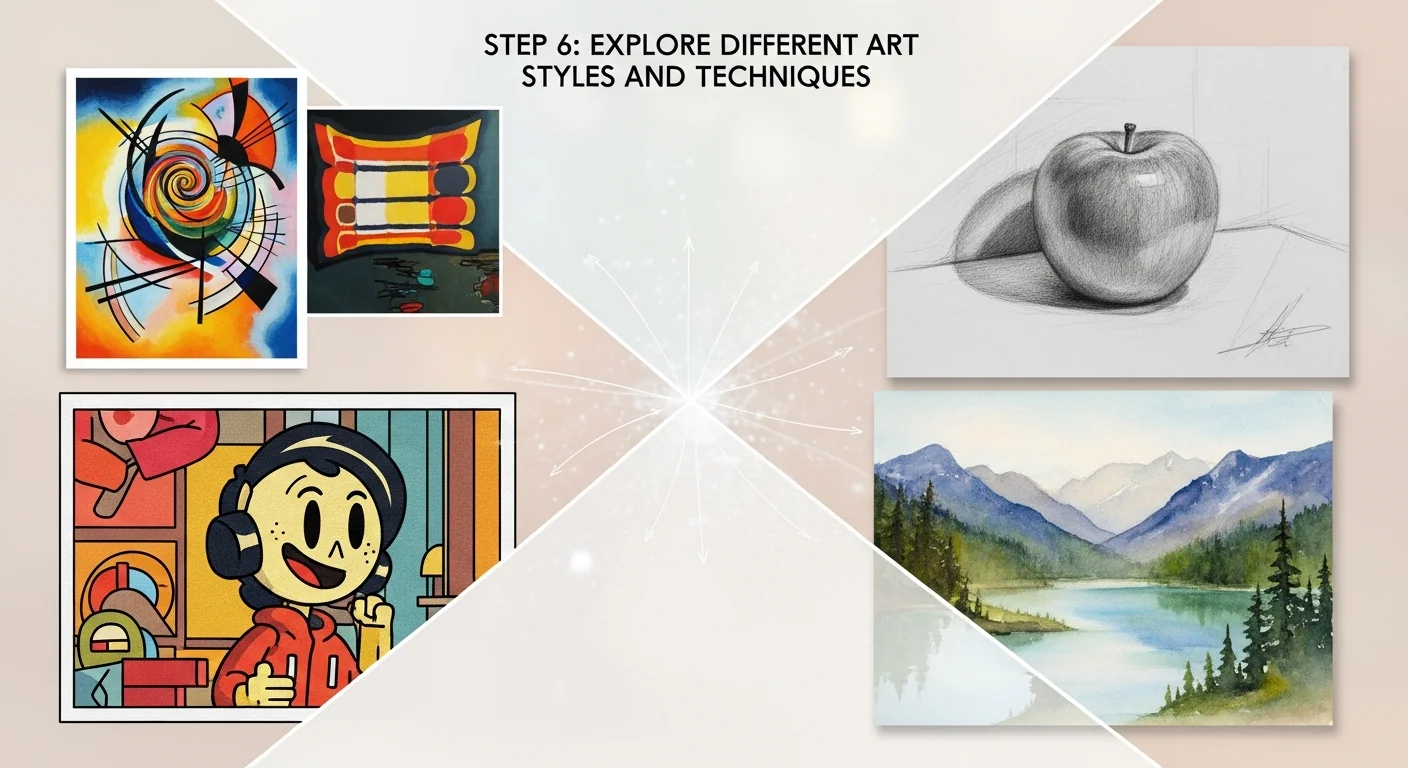
Step 6: Explore Different Art Styles and Techniques
One of the most exciting aspects of AI art is the ability to experiment with countless artistic styles and techniques. Here's how to explore different creative directions:
Popular Art Styles to Try
Photorealistic: Create images that look like professional photographs
Prompt additions: "photorealistic, 8K, professional photography, DSLR, sharp focus"
Oil Painting: Emulate classical painting techniques
Prompt additions: "oil painting, canvas texture, brushstrokes, classical art"
Digital Art: Modern digital illustration styles
Prompt additions: "digital art, concept art, ArtStation, highly detailed"
Anime/Manga: Japanese animation and comic styles
Prompt additions: "anime style, manga, Studio Ghibli, cel shading"
Watercolor: Soft, flowing watercolor effects
Prompt additions: "watercolor painting, soft edges, paper texture, flowing colors"
Cyberpunk: Futuristic, neon-lit aesthetic
Prompt additions: "cyberpunk, neon lights, futuristic, dystopian, synthwave"
Experimenting with Artistic Movements
Reference historical art movements to create unique styles:
- Impressionism: "Impressionist style, loose brushstrokes, light and color"
- Art Nouveau: "Art Nouveau, decorative, flowing lines, organic forms"
- Surrealism: "Surrealist, dreamlike, impossible architecture, Salvador Dali style"
- Pop Art: "Pop art, bold colors, comic book style, Andy Warhol"
Combining Multiple Styles
Create unique aesthetics by blending different styles:
"Cyberpunk samurai in the style of traditional Japanese woodblock prints"
"Photorealistic portrait with impressionist background"
"Art nouveau architecture with modern minimalist interior"
Step 7: Advanced Techniques and Features
Once you're comfortable with basic generation, explore advanced features to enhance your creative capabilities:
Image-to-Image Generation
Use existing images as starting points or style references:
- Upload a reference image to your chosen platform
- Write a prompt describing desired changes or enhancements
- Adjust the influence strength of the reference image
- Generate variations based on your input image
Inpainting and Outpainting
Inpainting: Modify specific areas of an existing image
- Select the area you want to change
- Describe what should replace the selected region
- Generate seamless modifications
Outpainting: Extend images beyond their original boundaries
- Choose which edges to extend
- Describe what should appear in the new areas
- Create panoramic or expanded compositions
Style Transfer and Consistency
Maintain consistent styles across multiple images:
- Use style reference images
- Employ consistent prompt structures
- Utilize seed values for reproducible results
- Create style guides for ongoing projects
Upscaling and Enhancement
Improve image quality and resolution:
- Use built-in upscaling features
- Apply AI-powered enhancement tools
- Increase resolution while maintaining quality
- Add fine details to existing artwork
Step 8: Post-Processing and Enhancement
While AI-generated images can be stunning straight from the generator, post-processing can elevate them to professional quality:
Essential Post-Processing Steps
- Color Correction: Adjust brightness, contrast, saturation, and color balance
- Sharpening: Enhance details and improve overall clarity
- Noise Reduction: Remove any digital artifacts or grain
- Cropping: Improve composition by removing distracting elements
- Final Touches: Add signatures, adjust final details, or combine multiple images
Recommended Software
Professional: Adobe Photoshop, Adobe Lightroom
Free Alternatives: GIMP, Paint.NET, Canva
AI-Powered: Topaz Photo AI, Adobe Camera Raw, Luminar AI
Advanced Compositing Techniques
- Combine multiple AI-generated elements into single compositions
- Blend AI art with traditional photography
- Create complex scenes by layering different generated elements
- Apply artistic filters and effects for unique aesthetics
Best Practices for AI Art Creation
Follow these proven strategies to consistently create high-quality AI artwork:
Prompt Writing Excellence
- Be Specific: Detailed prompts typically yield better results than vague descriptions
- Use Quality Modifiers: Include terms like "high quality," "detailed," "professional" in your prompts
- Study Successful Prompts: Analyze prompts that create impressive results in community galleries
- Maintain Prompt Libraries: Save effective prompt structures for future use
- Test Systematically: Change one element at a time to understand its impact
Workflow Optimization
- Start Broad, Then Narrow: Begin with general concepts, then add specific details
- Generate in Batches: Create multiple variations to choose the best results
- Keep Generation Logs: Track successful prompts and settings for future reference
- Organize Your Output: Use consistent naming and folder structures
- Regular Backups: Save your best work to prevent loss
Creative Development
- Study Art History: Understanding artistic movements improves your prompt vocabulary
- Analyze Composition: Learn principles of design, color theory, and visual balance
- Experiment Regularly: Try new styles, techniques, and prompt approaches
- Join Communities: Participate in AI art forums and social media groups
- Practice Daily: Consistent practice leads to better understanding and results
Common Mistakes to Avoid
Learn from these frequent pitfalls that can hinder your AI art creation progress:
Prompt-Related Mistakes
- Overly Complex Prompts: Extremely long prompts can confuse AI models. Aim for clarity over complexity.
- Contradictory Instructions: Avoid conflicting elements like "bright dark scene" or "realistic cartoon style."
- Ignoring Negative Prompts: Not specifying what you don't want can result in unwanted elements.
- Generic Descriptions: Vague prompts like "make it good" provide insufficient guidance.
- Inconsistent Style References: Mixing incompatible artistic styles can create confused outputs.
Technical Mistakes
- Wrong Aspect Ratios: Choosing inappropriate dimensions for your intended use case.
- Insufficient Iterations: Stopping after the first generation instead of refining results.
- Ignoring Platform Limitations: Not understanding the strengths and weaknesses of your chosen tool.
- Poor Quality Settings: Using low-quality settings to save credits, resulting in subpar output.
- Not Saving Metadata: Losing track of successful prompts and settings.
Creative Mistakes
- Lack of Original Vision: Simply copying popular prompts without adding personal creativity.
- No Post-Processing: Using raw AI output without any enhancement or refinement.
- Inconsistent Style: Creating disconnected pieces without developing a coherent artistic voice.
- Ignoring Composition Rules: Neglecting basic principles of visual design and balance.
- Rushing the Process: Not taking time to properly evaluate and improve results.
Legal and Ethical Mistakes
- Copyright Violations: Using copyrighted characters or artwork without permission.
- Inappropriate Content: Creating content that violates platform terms of service.
- Misrepresenting Ownership: Claiming AI art as completely original without acknowledging AI involvement.
- Commercial Use Violations: Using free-tier generated content for commercial purposes when prohibited.
- Not Crediting Influences: Failing to acknowledge artistic styles or references used in prompts.
Frequently Asked Questions
Can I use AI-generated art commercially?
Commercial usage rights depend on the platform and subscription tier you're using. Most premium plans include commercial rights, while free tiers often restrict commercial use. Always check the specific terms of service for your chosen platform. Adobe Firefly and some Stable Diffusion implementations offer the strongest commercial usage rights due to their training data sources.
How long does it take to generate AI art?
Generation times vary by platform and complexity. Most cloud-based services produce results in 10-60 seconds per image. High-resolution or complex images may take longer. Local installations of Stable Diffusion can be faster or slower depending on your hardware specifications. Premium tiers often offer faster generation times.
What's the best resolution for AI art?
Most platforms generate images at 1024x1024 or similar resolutions by default. For print use, aim for at least 300 DPI at your intended print size. Many platforms offer upscaling features or higher resolution options in premium tiers. For digital use, 1080p (1920x1080) or higher is recommended.
Can I edit AI-generated images?
Yes, AI-generated images can be edited like any digital artwork. Most platforms allow downloads in common formats (PNG, JPG). You can use traditional image editing software for post-processing, color correction, compositing, and other modifications. Some platforms also offer built-in editing tools like inpainting and outpainting.
Why do my AI images sometimes look weird or distorted?
Common issues include anatomical problems (extra limbs, distorted faces), conflicting prompt elements, or insufficient detail in prompts. Use negative prompts to exclude unwanted elements, be more specific in your descriptions, and consider using reference images. Some subjects (like hands or complex poses) are inherently challenging for current AI models.
Is AI art considered "real" art?
This is an ongoing debate in the art world. AI art represents a new medium and tool for creative expression, similar to how photography or digital art were once questioned. The creative vision, prompt crafting, curation, and post-processing involved in AI art creation constitute genuine artistic work. Many galleries and competitions now recognize AI art as a legitimate art form.
How can I make my AI art more unique and personal?
Develop your own prompt style and aesthetic preferences, combine AI generation with traditional art techniques, use personal photos as references, create series with consistent themes, and apply extensive post-processing. The key is to use AI as a tool within your broader creative process rather than relying solely on generation.
What should I do if my prompts aren't working?
Try simplifying your prompt, breaking complex ideas into separate generations, using different style keywords, adding negative prompts, or switching to a different model or platform. Study successful prompts from community galleries and experiment with different phrasings. Sometimes the issue is platform-specific - what works on one tool may not work on another.

Next Steps: Advancing Your AI Art Journey
Congratulations! You now have the knowledge and tools to create compelling AI artwork. Here's how to continue developing your skills and expanding your creative horizons:
Immediate Next Steps
- Practice Daily: Spend at least 30 minutes experimenting with different prompts and styles
- Build Your Portfolio: Create a collection of your best work across different styles and subjects
- Join Communities: Participate in AI art forums, Discord servers, and social media groups
- Study Successful Artists: Follow established AI artists and analyze their techniques
- Experiment with Multiple Platforms: Try different tools to understand their unique strengths
Medium-Term Goals
- Develop Your Signature Style: Work on creating a recognizable artistic voice
- Learn Advanced Techniques: Master inpainting, outpainting, and style transfer methods
- Explore Commercial Applications: Consider how AI art can support professional projects
- Create Themed Series: Develop cohesive collections around specific concepts or styles
- Collaborate with Others: Partner with writers, musicians, or other artists on creative projects
Long-Term Opportunities
- Professional Development: Consider AI art for freelance work, stock imagery, or client projects
- Teaching and Sharing: Create tutorials, courses, or content about AI art techniques
- Staying Current: Keep up with rapidly evolving AI art technology and new platforms
- Artistic Growth: Combine AI tools with traditional art skills for hybrid approaches
- Community Building: Contribute to the growing AI art community through sharing and collaboration
Remember that AI art is a rapidly evolving field with new tools, techniques, and possibilities emerging regularly. Stay curious, keep experimenting, and most importantly, have fun exploring this exciting new frontier of digital creativity. Your unique perspective and creative vision are what will transform AI-generated images from mere technical outputs into genuine works of art.
The future of AI art is bright and full of possibilities. Whether you're creating for personal enjoyment, professional projects, or artistic expression, the tools and knowledge you've gained from this guide will serve as your foundation for continued growth and creative success in the world of AI-generated artwork.